---
title: "Best Mini PC for Local LLMs and Ollama (2026)"
description: "The best mini PC for Ollama in 2026 is the GMKtec EVO-X2 with 128GB. What a Ryzen AI Max+ 395 runs, plus 10GbE and CUDA alternatives, priced September 21."
date: 2026-09-21
categories: ["ai"]
tags: ["ollama","local-llm","mini-pc"]
---
import Notice from "@components/widgets/Notice.astro";
import Accordion from "@components/widgets/Accordion.astro";
import Button from "@components/widgets/Button.astro";
import AmazonProduct from "@components/widgets/AmazonProduct.astro";
Buy the [GMKtec EVO-X2 with 128GB](/go/gmktec-evo-x2-128gb/) if you want one mini PC that can load a 70B model in Ollama. It is a Ryzen AI Max+ 395 with 128GB of LPDDR5X-8000 soldered on the board, $3,499.99 on September 21, 2026. The chip is not fast at a dense 70B. It is the first small box where that model fits without a datacenter GPU.
Some links below are Amazon affiliate links, including `/go/` redirects that land on Amazon. Buying through them pays me a small commission at no extra cost to you. Prices were checked on September 21, 2026 and move constantly, so confirm them on the product page.
## Quick picks
| Mini PC | Price (Sep 21, 2026) | Memory | Networking | Buy it if |
| --- | --- | --- | --- | --- |
| [GMKtec EVO-X2 128GB](/go/gmktec-evo-x2-128gb/) | $3,499.99 | 128GB LPDDR5X-8000, soldered | 2.5GbE | You want one box for 70B and 120B-class MoE models. |
| [GMKtec EVO-X2 64GB](/go/gmktec-evo-x2-64gb/) | $2,199.99 | 64GB, soldered | 2.5GbE | 32B is the biggest model you will run. |
| [MINISFORUM MS-S1 MAX 128GB](/go/minisforum-ms-s1-max-128/) | $3,799 | 128GB LPDDR5X, soldered, 2TB SSD | Dual 10GbE, PCIe x16 | The same chip, and the box also feeds a NAS. |
| [Beelink GTR9 Pro](/go/beelink-gtr9-pro/) | $4,349 | 128GB, 2TB | Dual 10GbE | You specifically want the Beelink chassis. I would not. |
| [NVIDIA DGX Spark](/go/nvidia-dgx-spark/) | $4,999.99 | 128GB unified, 4TB | ConnectX-7 | You need CUDA, not just Ollama. |
| [Mac Studio M5 Max](/go/mac-studio-m5-max/) | $2,499 pre-order | 36GB on this SKU | Four Thunderbolt 5 ports | You want macOS. This SKU does not hold a 70B. |
The broader shopping list for boxes that are not LLM machines lives in the [home server mini PC guide](/best-mini-pc-home-server/). This page is only about tokens.
## Start from the model
The $3,500 box is a bad buy for a lot of people who land on this page. Match the spend to the model before you match it to a brand. The [open-source models worth running](/best-open-source-llms-claude-alternative/) are the other half of that decision.
| What you run | Memory it needs | Buy |
| --- | --- | --- |
| 8B to 14B chat, one model at a time | Under 16GB | Stop. An [N150 or AI X1 Pro](/best-mini-pc-home-server/) is enough, or a used 16GB GPU. |
| 32B as the daily model, short prompts | About 20GB at Q4 | EVO-X2 64GB at $2,199.99. You will not use the rest of a 128GB board. |
| One 70B, or a 32B with a long prompt, or two models loaded together | 42GB of weights before context | EVO-X2 128GB. On 64GB a 70B Q4 loads and then fights the OS. |
| A 120B mixture-of-experts model | About 65GB of weights | 128GB only. The 64GB SKU cannot hold it. |
| CUDA tooling, TensorRT, a training loop | 128GB helps, the software stack matters more | DGX Spark, not another Strix Halo sticker. |
| You already live in macOS and want MLX | The configuration's unified memory, not the chip name | A high-memory Mac. The $2,499 M5 Max pre-order is 36GB. |
Context is the part the spec sheet skips. A 70B Q4 is about 42GB of weights. The prompt and the reply sit on top of that. [Promptquorum's August 29, 2026 notes](https://www.promptquorum.com/prompt-bites/strix-halo-ollama-vulkan) put a 30B model at 64K to 96K context in roughly 36 to 45GB total. That still fits in 64GB. Push the same idea to a 70B with a long document and the margin disappears. If "I might paste a whole repo" is the use, buy 128GB. If the prompts are a paragraph, 64GB is the honest spend.
Electricity is the other number people forget because the box is small. GMKtec's power button is 54W, 85W, or 120W of package power. At $0.16 per kWh, leaving it in Balanced around the clock is about $10 a month (watts × 0.72 × your price per kWh). Silent is about $6, Performance about $14. That is package power, so the wall will be a bit higher. It is still not a reason to pick a different Strix Halo. It is a reason not to buy this class of machine to answer "what's the weather" on an 8B model.
## Bandwidth, not TOPS
Every Ryzen AI Max+ 395 listing leads with 50 NPU TOPS, or 126 TOPS if they add the CPU and GPU. Ollama and llama.cpp do not use that NPU. They run on the Radeon 8060S, and token generation is limited by how fast weights can be read from memory.
The memory is the product. AMD's Strix Halo platform uses a 256-bit LPDDR5X-8000 bus, specced at 256 GB/s. [ModelFit's September 2026 writeup](https://modelfit.io/gpu/ryzen-ai-max-395/) puts measured bandwidth nearer 215 GB/s, and says Linux can hand the iGPU about 110GB of a 128GB pool. On Windows the BIOS carves a fixed slice instead, so the big-model trick is a Linux install.
Their bandwidth model, which they label as an estimate and not a bench, looks like this for Q4:
| Model | Approx. weight size | EVO-X2 64GB | EVO-X2 128GB | Their speed estimate |
| --- | --- | --- | --- | --- |
| 8B dense | ~6GB | Comfortable | Comfortable | ~30 tok/s |
| 32B dense | ~20GB | Fine | Fine | ~9 tok/s |
| 70B dense | ~42GB | Loads, short context | Yes, with room for context | ~5 tok/s |
| GPT-OSS 120B (MoE) | ~65GB | No | Yes | ~11 tok/s |
Five tokens a second on a dense 70B is a reading pace, not a chatty one. Promptquorum's Vulkan measurements on the same chip land even lower, about 3 tok/s for Llama 3.3 70B and about 7 tok/s for a 32B. The two writeups disagree on the exact integer and agree on the shape: dense 70B is slow, and a mixture-of-experts model feels better because only a few billion parameters are active per token. If you need 70B at 40 tok/s, this is the wrong shape of computer. A used 24GB GPU still wins on anything that fits in 24GB. The mini PC wins when the model does not fit in a consumer GPU at all.
I would not quote either site as a promise. ModelFit scaled from bandwidth. Promptquorum is one Vulkan setup. Run `ollama ps` on your own box before you tell anyone the number.
## The argument after people own one
The chip is the same in the EVO-X2, the MS-S1 MAX, the GTR9 Pro, and the Framework Desktop. Once that sinks in, the threads stop being about TOPS and start being about everything around the silicon.
A June 2026 roundup that tested several of these boxes picked the MS-S1 MAX, and the reasons were dull: dual 10GbE, USB4 v2, an internal power supply, and a low-profile PCIe slot the others skipped ([@plutos_eth](https://x.com/plutos_eth/status/2067390150057869538)). The same post flagged the BIOS memory split. How many gigabytes you hand the GPU, and how many you leave the CPU, moves CPU performance on otherwise identical silicon. Maxing the GPU carve-out is not free. Leave the CPU enough to feed the model or prompt processing gets worse while the token number on the box stays flattering.
The sharper measurement is on r/LocalLLaMA. NeverEnPassant ran llama.cpp on gpt-oss-120b, about 59GB with most of that in expert layers, and posted other people's Strix Halo numbers next to a 5090 that had to keep part of those experts in ordinary DDR5 ([the thread](https://www.reddit.com/r/LocalLLaMA/comments/1oonomc/why_the_strix_halo_is_a_poor_purchase_for_most/)):
| | Strix Halo, short context | Strix Halo, 48k context | 5090 plus system RAM, 48k context |
| --- | --- | --- | --- |
| Prompt processing | about 1,013 tok/s | about 231 tok/s | about 2,497 tok/s |
| Decode | about 52 tok/s | about 33 tok/s | about 35 tok/s |
Decode on a big mixture-of-experts model can look fine. The first long prompt does not. Prefill falls off as the context grows, which is exactly the agent workflow where a tool rereads a repo from scratch every task. One MS-S1 MAX owner in that thread said a 100k context on a 120B model took forever the first time and was tolerable after that, because the cache was warm. If your use is a model that stays loaded and a conversation that continues, the Halo box is what those owners keep, and they keep it because it is one 120W-class machine instead of a 575W GPU. If every job is a cold start with a huge prompt, this purchase will feel broken and a discrete GPU with a bit of offload will not.
A September 2026 budget chart that got passed around on X put the same split in money: a used 24GB NVIDIA card for models that fit, a 128GB Strix Halo around $3,700 when you want memory, a DGX Spark around $4,700 when you want CUDA, with the Spark's memory bandwidth listed there at 273 GB/s against the Halo's 256 ([@0xSero](https://x.com/0xSero/status/2100961254890217807)). The complaints on that chart match the thread. AMD's side is model compatibility. The Spark's side is decode that is not as quick as the CUDA story suggests. I would not treat either chart as a benchmark I ran. I would treat the shape of it as the decision.
Framework is the odd one out and I still cannot price it from Amazon. Ian Cutress's notes from the launch had the 128GB board at a much lower figure than today's mini PCs, with 5GbE rather than 2.5GbE, and the mainboard sold on its own so you can replace it or hang more than one on a switch ([the launch post](https://x.com/IanCutress/status/1894484317503361442)). That price is from February 2025. Confirm the current configurator. The reason to look is the repairable board and the faster Ethernet, not a hope that the old price is still there.
## 1. GMKtec EVO-X2 128GB: the default
**$3,499.99** · 4.6 stars from 38 ratings · 128GB LPDDR5X-8000 · 1TB SSD · Ryzen AI Max+ 395

This is the configuration I would buy. RAM is soldered. There is no later upgrade from 64GB to 128GB, which is the whole decision.
GMKtec's listing gives the chip as 16 Zen 5 cores, 32 threads, boost to 5.1GHz, Radeon 8060S with 40 RDNA 3.5 compute units, and a 50 TOPS XDNA 2 NPU you can ignore for Ollama. A button on the case switches package power between Silent 54W, Balanced 85W, and Performance 120W, with short peaks to 140W. Two M.2 2280 slots, one occupied by the 1TB drive, the second empty, each rated to 8TB. Video is HDMI 2.1, DisplayPort 1.4, and two USB4 ports at 40Gbps. The [home server guide](/best-mini-pc-home-server/) measured this platform's Ethernet as a single Realtek RTL8125BG at 2.5GbE. Fine for pulling a model once. Annoying if the same box is also your file server.
The 64GB SKU is $2,199.99 and has more ratings (4.3 from 69, sold by GMKtec-Shop, in stock that day). Buy it when 32B is the job and you are sure you will not get curious about 70B. A 70B Q4 is about 42GB of weights before context. On 64GB it loads and then fights the OS for the rest.
Before paying $3,499.99, read the gigabytes in the variation name, then read the seller line. The 64GB and 128GB EVO-X2 are separate listings run by two different marketplace stores, GMKtec-Shop and GMKtec一Store, each with its own variation picker. Neither one is Amazon.com. Check the return window while you are there. A $3,500 marketplace order with a short return window is a different risk from a $60 switch.
## 2. MINISFORUM MS-S1 MAX: same chip, real networking
**$3,799** for 128GB and a 2TB SSD · 4.5 stars from 16 ratings · dual 10GbE · PCIe x16 · USB4 v2
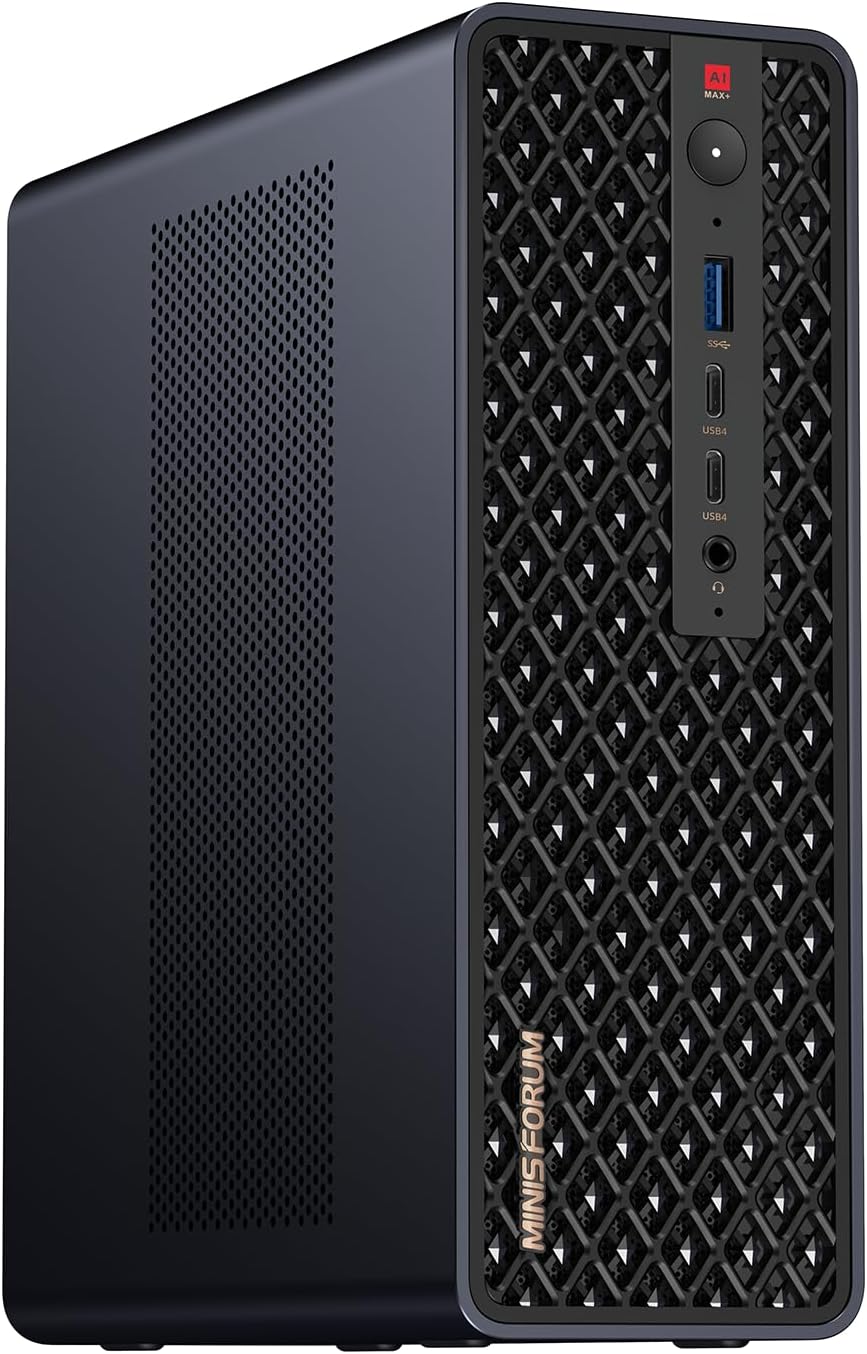
Same APU, $300 more than the EVO-X2, and the extra money shows up on the back panel. MINISFORUM lists dual 10GbE, a full-length PCIe x16 slot, USB4 v2 at 80Gbps, HDMI 2.1, and a 2TB SSD. There is a 64GB / 2TB variant at $2,599.
I would buy this over the EVO-X2 only if the machine has a second job. Point one 10GbE port at a [NAS](/best-nas-homelab-docker-proxmox/) or a [10GbE switch](/best-2-5-10gbe-switch-homelab/) and the model loads stop competing with a 2.5GbE Realtek. The PCIe slot is there if you later drop in a NIC or a small accelerator. Sixteen ratings is not a reputation. The cooling claim (copper plate, six heat pipes, dual blowers) is the vendor talking.
## 3. Beelink GTR9 Pro: same memory, higher price
**$4,349** · 4.1 stars from 289 ratings · 128GB / 2TB · dual 10GbE · 5 left in stock on September 21

The GTR9 Pro is another Ryzen AI Max+ 395 with 128GB. Beelink's own variation name is 395 / 128GB / 2TB, and the bullets include two 10GbE ports. The review count is the healthiest of the three, and 4.1 from 289 people is a real sample, not a launch-week pile of one-star posts.
The price is the problem. It costs $849 more than the EVO-X2 128GB and $550 more than the MS-S1 MAX 128GB, which also has dual 10GbE and adds a PCIe slot. The support stories are the other problem. On r/BeelinkOfficial a GTR9 Pro owner told people to reconsider the purchase after the USB4 bridge died following driver and firmware changes, on top of firmware mismatches and AMDGPU trouble ([the PSA](https://www.reddit.com/r/BeelinkOfficial/comments/1o0bv49/psa_please_reconsider_before_buying_from_beelink/)). A separate thread there questions how the Amazon review count got so healthy so fast. I would only buy this on a steep sale from a seller with a normal return window, and I would not be the one applying the first firmware update on a Friday.
## 4. DGX Spark, Framework, and the Mac Studio
Three machines people ask about that are not the same purchase.
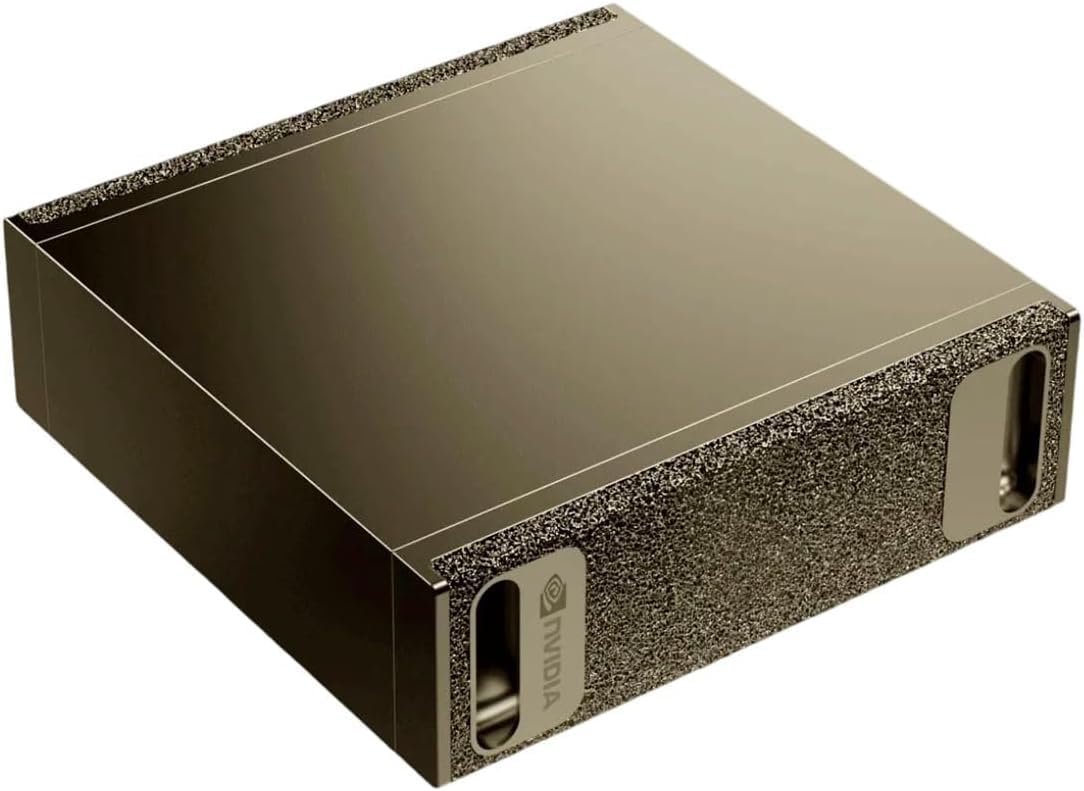
**NVIDIA DGX Spark, $4,999.99**, 4.4 stars from 107 ratings, sold by Micro Center on Amazon with 19 left when I looked. The listing is a GB10 Grace Blackwell board, 128GB of coherent unified memory, a 4TB self-encrypting SSD, a ConnectX-7 Smart NIC, and NVIDIA's own DGX OS. NVIDIA rates it at up to 1 petaFLOP of FP4. Buy it when the software you care about is CUDA: TensorRT-LLM, a training loop, or a container that has never been ported to ROCm. For stock Ollama on Llama and Qwen, you just paid an extra $1,500 to change the logo.
**Framework Desktop** uses the same Ryzen AI Max+ 395 and offers a 128GB LPDDR5X-8000 configuration. You can replace the mainboard later, which none of the mini PCs above will let you do. I did not find a current Amazon listing on September 21, so there is no affiliate link. Order it from [frame.work/desktop](https://frame.work/desktop) and read the configurator price yourself. Third-party posts disagree by more than a thousand dollars, and I am not going to pick one.
**Mac Studio M5 Max, $2,499**, pre-order, Amazon says it releases September 22, 2026. The product details on that ASIN say 36GB of unified memory. Apple's marketing bullet on the same page says "up to 128GB" and "up to 614 GB/s". That "up to" is a different configuration. A 36GB machine holds a 32B Q4 and does not hold a 70B Q4. The high-memory M5 Max is the interesting MLX box, because 614 GB/s is more than double Strix Halo's 256 GB/s, and MLX is genuinely good. The $2,499 pre-order is not that box. Zero reviews, because it is not out yet.
If you want a cheaper always-on machine for 8B and 14B models, stop reading this page and use the [AI X1 Pro or an N150](/best-mini-pc-home-server/). A 32B on Strix Halo is a lot of money for 9 tok/s.
## Get Ollama onto the 128GB box
Install Linux. As of Promptquorum's August 2026 writeup, the stock Ollama installer on Linux uses the Vulkan backend for this Radeon and does not need a separate ROCm install for the basic path. The same writeup says the official Windows build was still falling back to CPU on Strix Halo. Buy the box for Linux, or budget a weekend you may not win.
```bash
curl -fsSL https://ollama.com/install.sh | sh
ollama pull llama3.1:8b
ollama run llama3.1:8b "say hello in five words"
ollama ps
```
The 8B pull is a plumbing test. It should answer in a second or two, and `ollama ps` should say GPU with a non-zero size, not CPU. If it says CPU, the Vulkan loader is missing. On Ubuntu that is `sudo apt install vulkan-tools mesa-vulkan-drivers`. If it still says CPU after that, set `OLLAMA_VULKAN=1` in the service environment: several Strix Halo setups only engage the GPU path with it set. Then pull the model you bought the RAM for.
If a 70B dies with an out-of-memory error while `free -h` still shows tens of gigabytes free, the iGPU is only seeing a small carve-out. ModelFit's note is that kernel GTT tuning is what exposes about 110GB of a 128GB pool to the Radeon 8060S. The exact parameter has moved between kernel versions, so copy it from a current Strix Halo note rather than from a blog post dated last spring. For a long prompt, `OLLAMA_FLASH_ATTENTION=1` cuts KV-cache memory. Set it, then set `num_ctx` to something you measured, not 128000 on the first try.
For a browser UI, the [Ollama plus Open WebUI Docker compose](/ollama-docker-install/) on this site is the setup I still use. Give the container the GPU. A CPU-only container on 128GB of RAM will load the model and then disappoint you.
Keep the case in Balanced (85W) until you have a number you trust. Performance mode is louder, and on a bandwidth-bound model the extra watts are not a free doubling of tokens.
No. LPDDR5X on these Strix Halo boxes is soldered. The 64GB EVO-X2 stays 64GB. If 70B or a 120B MoE is even a maybe, pay for 128GB now.
Not with Ollama or llama.cpp today. Those projects run on the GPU. The 50 TOPS number is for other runtimes. Ignore it when you are comparing these boxes to each other, because they all have the same NPU.
Only if you need the model locally and a smaller quant is not good enough. For coding help and short chat, a 32B on the $2,199.99 64GB EVO-X2 is the better spend. For a model that does not fit in 32GB of VRAM, this is currently the least-bad small computer.
## What I would buy
EVO-X2 128GB, Linux, Balanced power mode, Open WebUI in Docker. I would add the MS-S1 MAX only if a 10GbE NAS is on the same desk. I would skip the GTR9 Pro at $4,349, skip the $2,499 Mac Studio for this job, and look at the DGX Spark only when a CUDA-only tool is the actual requirement.