Send Email from an EmDash Site: Cloudflare Email Sending & SMTP
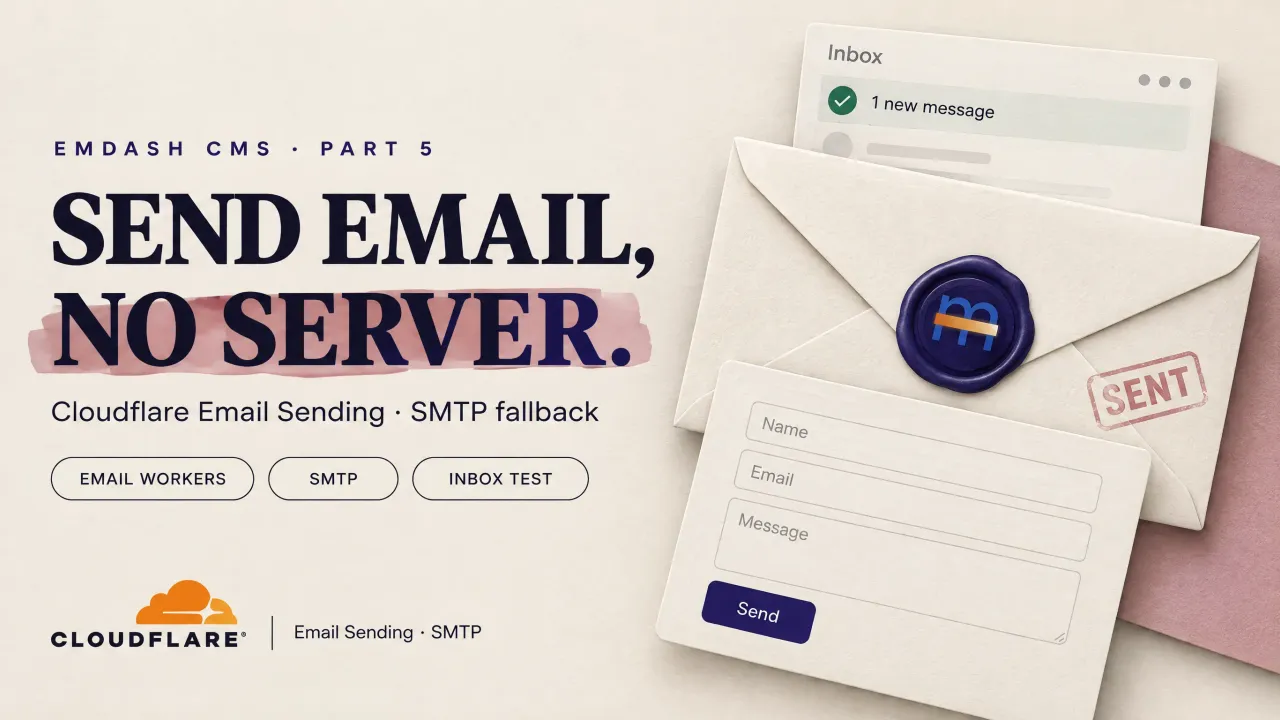
Set up EmDash email on Cloudflare Workers: onboard the sender domain, add the send_email binding, activate cloudflareEmail, plus the emdash-smtp and free Brevo path.

19 min read
EmDash CMS
Part 5 of 5
An EmDash site sends outbound mail for magic-link sign-in, team invitations, account recovery and comment notifications, plus whatever a plugin needs to deliver (contact forms, for one). Without a configured provider the admin still works, but every flow that sends mail returns 503 EMAIL_NOT_CONFIGURED, and invite links have to be copied by hand. The Cloudflare deploy guide flagged this and deliberately skipped the fix. This is that guide; if you have not deployed yet, that guide and the EmDash CMS tutorial come first.
On Cloudflare Workers there is a native path with no external account and no API key: the send_email binding backed by Cloudflare Email Sending, wired into EmDash with the first-party cloudflareEmail() plugin. It is what runs on emdashhq.com, my EmDash hub for tutorials, themes and plugins, and every command below is one I ran there. There is also a second path, the community emdash-smtp plugin, which is the real answer for anyone on Workers Free or off Cloudflare entirely. This article covers both, then finishes with the contact-forms plugin I built on top of the working setup.
Cloudflare email in three lanes
Cloudflare has several features with “email” in the name that do different jobs. Separating them first saves a confused hour later.
Email Routing receives mail addressed to your domain and forwards it somewhere else. [email protected] is a routing rule: mail sent there lands in a real mailbox behind it (a Gmail account, in my case). Routing is free, unlimited, and available on every plan. Cloudflare does not host mailboxes, and routing alone cannot send anything.
Email Sending to arbitrary recipients is the transactional outbound service, the thing a CMS needs for magic links and invites. It requires Workers Paid ($5/month). Each account gets 3,000 outbound emails per month included in the plan, then $0.35 per 1,000 beyond that. Messages that hard-bounce still count toward quota; messages rejected at the API boundary (bad payload, suppression list) do not.
Sending to verified destination addresses is the exception that works on every plan, Workers Free included. A verified destination address is one you proved you own in the Email Routing settings, the same addresses routing rules forward to. Before any domain is onboarded for Email Sending, a send_email binding can only deliver to those addresses, and only from an address on a routing domain you own. Those sends are always free and never count against quota or daily limits. Good for testing and “send me a copy” flows, useless for a CMS that mails arbitrary users.
| Workers Free | Workers Paid ($5) | |
|---|---|---|
| Receive + forward inbound mail (Email Routing) | Unlimited | Unlimited |
| Send to verified destination addresses | Free | Free (does not count toward quota) |
| Send to any recipient (Email Sending) | Not available | 3,000/month included, then $0.35 per 1,000 |
| Daily quota | n/a | Starts conservative, scales with sender reputation |
MailChannels tutorials are outdated
Older tutorials send Worker email through MailChannels for free. That integration ended; MailChannels is no longer a Cloudflare partner and those instructions fail silently or with binding errors today. Email Sending is the replacement, and on a paid plan it is simpler than MailChannels ever was.
How EmDash delivers email
EmDash delegates sending to one active provider plugin. The pipeline is short: a feature (auth, invites, comments, a plugin) produces a message, email hooks can transform or cancel it, and the provider plugin’s email:deliver handler does the send.
- Development.
astro devauto-activates a built-in console provider when nothing else is selected. It sends nothing; it logs each message to the terminal and keeps the last 100 in memory. You can list them atGET /_emdash/api/dev/emailswhile signed in. Magic links work in dev by copying the URL out of the log. - Production. The console provider is compiled out. If no provider plugin is active,
Settings > Emailin the admin shows no provider and sends fail until one is installed, activated and selected. - On Cloudflare.
cloudflareEmail()from@emdash-cms/cloudflare/pluginsdelivers through the Worker’ssend_emailbinding. Credentials are the binding plus the onboarded domain; there is no token to store or rotate. - Anywhere else. The community
emdash-smtpplugin family covers generic SMTP and hosted providers (SES, Brevo, Mailgun, Postmark, Resend, SendGrid, Zoho and more). Jump to Option 2.
The admin has a Send test email button under Settings > Email that exercises the whole pipeline and surfaces provider errors directly. It is the fastest verification step in this article. The full mechanism is also documented in the EmDash email guide.
Setting up Cloudflare Email Sending on emdashhq.com
Step 1: onboard the sender domain
Sending requires the sender’s domain to be onboarded to Email Service. The dashboard path is Compute > Email Service > Email Sending > Onboard Domain. The CLI does the same job:
npx wrangler email sending enable emdashhq.comOnboarding creates DNS records automatically:
| Record | Name | Purpose |
|---|---|---|
| MX x3 | cf-bounce.emdashhq.com |
Route bounce messages back to Cloudflare |
| TXT (SPF) | cf-bounce.emdashhq.com |
Authorize Cloudflare to send for the domain |
| TXT (DKIM) | cf-bounce._domainkey.emdashhq.com |
Sign outbound mail |
| TXT (DMARC) | _dmarc.emdashhq.com |
Policy record (p=reject here) |
Verify the state and the exact records Cloudflare expects:
npx wrangler email sending settings emdashhq.com
npx wrangler email sending dns get emdashhq.com
And verify what is actually live in DNS:
dig +short MX cf-bounce.emdashhq.com
dig +short TXT cf-bounce.emdashhq.com
dig +short TXT cf-bounce._domainkey.emdashhq.com
dig +short TXT _dmarc.emdashhq.com
On emdashhq.com all four were already present before the code change. DNS on Cloudflare’s own resolver typically propagates in minutes. Any address on the onboarded domain is an accepted sender; you do not register hello@ or dragos@ individually.
Watch for duplicate SPF records
Two identical v=spf1 TXT records on the same hostname is an RFC violation that produces a permerror in strict receivers. Email Routing adds one SPF record to the apex and Email Sending adds one to cf-bounce. If the apex ends up with a duplicate after repeated onboarding runs, delete the extra in the DNS dashboard.
Step 2: add the binding
In wrangler.jsonc, alongside the existing D1, R2 and KV bindings:
"send_email": [
	{
		"name": "EMAIL"
	}
],
The name is what the plugin looks up on the Worker environment. EMAIL is the default; a different name has to be passed to the plugin as its binding option. The full builder API behind the binding (attachments, custom headers, 50-recipient cap) is in the Workers API docs.
Step 3: register the plugin
In astro.config.mjs:
import { cloudflareEmail } from "@emdash-cms/cloudflare/plugins";

emdash({
	// database, storage, objectCache, migrations...
	plugins: [
		siteScriptsPlugin(),
		cloudflareEmail({
			from: { email: "[email protected]", name: "EmDash HQ" },
			replyTo: "[email protected]",
		}),
	],
});
Two options matter:
fromsets the sender. A bare string or{ email, name }. The domain must be onboarded or every send fails withE_SENDER_NOT_VERIFIED. Ahello@-style address reads better than a personal mailbox on system mail.replyTois where human replies go. With ahello@orno-replysender, point it at a mailbox that exists so replies do not get lost. A message-levelreplyTooverrides this.
There is no wrangler secret step. The binding is the credential: only your Worker can use it. This mirrors the email section of the EmDash Cloudflare deployment doc.
Step 4: deploy
npm run deployThe site’s deploy script builds, verifies the migration manifest against production D1, uploads the Worker and warms the page cache. A send_email binding needs no provisioning; it attaches to whatever Worker declares it.
If the deploy is gated by pending core migrations (the case right after upgrading emdash), apply them first:
npx wrangler email sending settings emdashhq.com   # optional re-check
npx emdash migrate --status --wrangler-config wrangler.jsonc
npx emdash migrate --wrangler-config wrangler.jsonc
npm run deploy
Step 5: activate and test in the admin
Registration makes the plugin available; it is not active yet.
- Open
https://emdashhq.com/_emdash/adminand go to Extensions. Activate the Cloudflare email plugin. - Open Settings > Email. If it is the only provider, EmDash selects it automatically; otherwise pick it.
- Click Send test email to an address you can check.
A green result means the whole path works: admin, hook pipeline, binding, Email Sending, DNS and the recipient’s filters.
You can also test the binding without involving EmDash at all, which isolates Cloudflare-side problems from CMS-side ones:
npx wrangler email sending send \
	--from "[email protected]" \
	--to "[email protected]" \
	--subject "Email Sending smoke test" \
	--text "If you can read this, the binding and domain are fine."
Step 6 (optional): verify a real flow
Request a magic link for a second admin account, or trigger an invite from the Users page. The mail should arrive signed by cf-bounce._domainkey.emdashhq.com with Reply-To set to the configured address.
Limits and behavior worth knowing
- 50 recipients max per message across
to,cc,bcc. EmDash system mail is one recipient at a time, far under the cap. - 5 MiB total message size including attachments (25 MiB when sending only to verified destination addresses).
- New accounts start with a conservative daily quota that grows automatically with sending history and reputation. A limit-increase form exists for jumping the queue.
- A suppression list blocks addresses that hard-bounced or complained. Sends to suppressed addresses are rejected at the API boundary (and do not bill), or silently dropped for the remaining recipients if Drop suppressed recipients is on.
- Outbound sends appear as dropped in the Email Routing dashboard summary even when they delivered. That view is for inbound. Track sends under Email Service observability instead.
- Delivery is at the mercy of SPF/DKIM/DMARC passing. Onboarding writes all three; if mail lands in spam, check those records first, then sender reputation.
- 30 Email Routing + Email Sending domains max per zone, 200 routing rules per domain, 200 verified destination addresses per account. Full numbers on the limits page and pricing page.
Troubleshooting EmDash email
Symptom, cause, fix. The first two rows are the ones that hit most people.
| Symptom | Likely cause | Fix |
|---|---|---|
503 EMAIL_NOT_CONFIGURED |
No active provider | Activate the plugin under Extensions, select it under Settings > Email |
E_SENDER_NOT_VERIFIED / E_SENDER_DOMAIN_NOT_AVAILABLE |
from domain not onboarded, or DNS still propagating |
wrangler email sending enable <domain>; re-check with dns get and dig |
E_RECIPIENT_NOT_ALLOWED |
Domain not onboarded and recipient is not a verified destination | Onboard the domain, or only send to verified addresses |
E_DAILY_LIMIT_EXCEEDED / E_RATE_LIMIT_EXCEEDED |
New-account quota or burst limit | Wait for the rolling window; request an increase for production volume |
E_RECIPIENT_SUPPRESSED |
Address is on the suppression list (bounced or complained before) | Remove it from the suppression list in Email Service settings |
| Sends work in dev, fail in prod | Dev used the console provider | The console provider never runs in production; finish Step 5 |
| Mail lands in spam | SPF/DKIM/DMARC problem or fresh sender reputation | dig the four records; warm the domain with low-volume real mail |
| Duplicate SPF records on apex | Repeated onboarding runs | Delete the extra TXT in the DNS dashboard |
| Form submissions saved but never emailed | Plugin stores first, emails through the provider second | Fix the provider; resend from the submissions page |
Option 2: SMTP and hosted providers with emdash-smtp
The binding is not the only way. The community-maintained emdash-smtp plugin family routes EmDash mail through generic SMTP or a hosted provider’s API. It needs EmDash 1.0.1 or later and ships in two packages:
emdash-smtpis the trusted install. It covers the full provider catalog plus generic SMTP and local sendmail.emdash-smtp-marketplaceis the sandbox-safe variant for registry/marketplace installs. It runs undersandboxed:and needs asandboxRunner(sandbox()from@emdash-cms/cloudflare, plus theLOADERbinding) in the EmDash config.
Providers
Most providers run over HTTPS, so they work identically on Workers and Node: Amazon SES, Brevo, Elastic Email, Emailit, Mailchimp Transactional, MailerSend, Mailgun, Mailjet, Postmark, Resend, SendGrid, SMTP2GO, SparkPost. Google/Gmail, Microsoft 365 and Zoho Mail use their APIs with OAuth tokens (direct token, or client credential plus refresh token, which the plugin refreshes at send time). Generic SMTP and local sendmail exist only in the trusted package and belong to Node/self-hosted deployments; raw SMTP sockets are not the Workers path.
Setup
npm install emdash-smtpimport { emdashSmtp } from "emdash-smtp";
emdash({
// database, storage...
plugins: [emdashSmtp()],
});Deploy, then in the admin open the plugin’s settings (Plugins > SMTP Providers), pick a provider and paste its credentials. EmDash stores provider credentials as plugin settings in the database, so rotating a key is an admin edit, not a redeploy. Select SMTP under Settings > Email and use Send test email as before.
The free-SMTP option: Brevo
Brevo is the pragmatic pick when cost matters more than staying inside Cloudflare. Its Free plan is free forever, no card, and includes transactional email over SMTP and API at 300 sends per day (roughly 9,000/month if spread evenly). Past the daily cap, transactional mail queues in a retry buffer of up to 1,000 instead of hard-failing. That dwarfs a CMS’s actual need: magic links, invites and comment notices are single-digit emails a day on most sites. Current numbers are on Brevo’s limits page.
Because Brevo goes through its HTTP API in emdash-smtp, it works on Workers Free too. That is the real unlock: a site on the $0 plan cannot use send_email to arbitrary recipients at all, but Brevo’s free tier covers the entire CMS mail load without touching the Workers bill.
Setup outline:
- Create a Brevo account and add
emdashhq.comas a sender domain. Brevo issues its own SPF/DKIM records to add in Cloudflare DNS; they coexist with the Email Sending records since Brevo uses its own DKIM selector and hostname entries. - Generate an API key (SMTP & API > API Keys) or an SMTP key (
smtp-relay.brevo.com, port 587). - Paste it into the plugin’s Brevo provider settings, select SMTP under Settings > Email, send a test.
Put it to work: contact forms that actually send
Once a provider is active, every feature that calls ctx.email.send() rides it. The concrete example on emdashhq.com is @bitdoze.com/emdashhq-contact-forms, a contact-form plugin I published to the EmDash registry. It never talks to an email service itself; it hands messages to whichever provider you configured above, which is how an EmDash plugin should behave. The source lives in the emdashhq.com repo.
What you get:
- A Forms admin page: create and edit forms, manage fields (text, email, tel, url, number, textarea, select, checkbox), reorder, enable/disable.
- A Submissions page: every entry stored with page, IP, country and user-agent; filter by form/status/email result, mark read or archive, resend the notification, copy as CSV.
- An Email log page: every send attempt with status, duration and the provider’s error message verbatim. This doubles as the debugging view for everything in this article; the
E_*errors from the troubleshooting table show up here. - A dashboard widget (unread count, active forms, recent submissions), anti-spam (honeypot, minimum-fill-time trap, per-IP hourly rate limit) and optional retention pruning via the cron.
It is a sandboxed plugin, so it runs in an isolated Worker and needs the same sandbox runner as any marketplace plugin: sandboxRunner: sandbox() plus the LOADER binding and an exported PluginBridge class, per the plugin sandbox docs. That means Workers Paid, the same wall the deploy guide covers. If you took the Brevo path because you are on Workers Free, this plugin is not reachable either way; that is a sandboxing limit, not an email limit.
Install from the registry
The recommended path. With a sandbox runner configured, open Registry in the admin, search @bitdoze.com/emdashhq-contact-forms and select Install. The plugin declares the email:send capability, which EmDash shows you for review before anything installs.
Install from npm
npm install emdashhq-contact-formsRegister the generated descriptor in astro.config.mjs under sandboxed, not plugins:
import { sandbox } from "@emdash-cms/cloudflare";
import contactForms from "emdashhq-contact-forms";

emdash({
	sandboxRunner: sandbox(),
	sandboxed: [
		contactForms, // descriptor object, not a factory call
	],
});
Activate it under Plugins.
Then wire the page block. EmDash block types live in the site seed, a plugin cannot inject one, so two files ship in the package’s site/ directory to copy:
site/block-type.jsongoes intoblockTypesinseed/seed.json, plus"contact_form"in the page field’svalidation.allowedTypes(skip that if the field has noallowedTypes, everything is already allowed).site/ContactForm.astrogoes intosrc/components/blocks/, mapped in your block component map ascontact_form: ContactForm.
Reseed so the block type reaches the database:
npx emdash seed seed/seed.json --database <dev-db> --no-content --on-conflict=updateIn the admin: set a default notification email under Plugins > Contact forms > Settings, create a form with a slug (contact), then add a Contact form block in the page editor and type the slug in. Subject templates accept {form}, {site} and any submitted {field_key}; replies to notification mail go to the visitor’s first email field via replyTo. With no provider configured, submissions still get stored, they just do not get emailed, which is the right failure mode.
Which email path should you pick
- On Workers Paid, low volume, want zero third parties.
send_emailbinding pluscloudflareEmail(). One binding, one plugin call, nothing to rotate. - On Workers Free, or want delivery tracking, templates, or a bigger free allowance.
emdash-smtpwith Brevo (free, 300/day) or another HTTP provider. - High volume. Compare $0.35 per 1,000 over Cloudflare’s included 3,000/month against provider tiers. Dedicated IPs and warmup are a separate procurement question either way.
- Not on Cloudflare.
emdash-smtpis the only path; there is nosend_emailbinding on Node.
FAQ: EmDash email
Can EmDash send email on Workers Free?
Only to verified destination addresses, which covers testing and “send me a copy” flows, not magic links to arbitrary users. The usable free path is emdash-smtp pointed at an HTTP provider like Brevo, whose free tier (300 sends/day) covers a CMS’s real mail load without touching the Workers bill.
What is the difference between Email Routing and Email Sending?
Routing is inbound: it receives mail at your domain and forwards it to a mailbox you own. Sending is outbound: it delivers transactional mail from a Worker to arbitrary recipients. They are configured in different places and priced differently. Routing is free on every plan; Sending to anyone needs Workers Paid.
Why do magic links return 'Email is not configured'?
Production Workers have no default email delivery, so auth flows return 503 EMAIL_NOT_CONFIGURED until a provider plugin is installed, activated and selected under Settings > Email. In dev the console provider handles it silently, which is why it only breaks after deploy. Passkeys and invite copy-links work in the meantime.
Can I still use MailChannels for free Worker email?
No. The MailChannels integration ended when the partnership did, and tutorials built on it now fail silently or with binding errors. Cloudflare Email Sending is the replacement on paid; a free HTTP provider through emdash-smtp is the replacement on free.
Does the Contact Forms plugin work on Workers Free?
No, for a different reason than email. It is a sandboxed plugin, so it needs the LOADER binding and sandboxRunner, and Dynamic Workers is Workers Paid only. On a free plan the npm emdash-smtp path still fixes your system mail (magic links, invites); the forms plugin specifically is a paid-plan feature.
My send shows as 'dropped' in the Email Routing dashboard. Did it fail?
Probably not. That summary is the inbound view, and outbound sends are counted as dropped there even when they delivered fine. Track real sends under Email Service observability in the dashboard, or in the plugin’s email log if you are using Contact Forms.
Closing
On Workers Paid, EmDash email is a three-part job: onboard the domain, add send_email to wrangler.jsonc, register cloudflareEmail() and activate it in the admin. No secrets, no third-party account, and 3,000 sends a month before you pay a cent past the $5 plan. On Workers Free or off Cloudflare, emdash-smtp plus Brevo’s free tier covers the same CMS mail load for $0. Either way the proof is the same: install Contact Forms, submit the form, watch the email log.
That is part 5 of the EmDash CMS series: outbound email, both ways.
Back to the Cloudflare deploy guide