Texto a voz en Python con uv: crea audio a partir de texto
Aprende a crear un script de texto a voz en Python con uv. Cubre edge-tts, py3-tts, say de macOS, voces neuronales de Kokoro y Piper, exportación a MP3 y selección de voz.

Actualizado Publicado 48 min de lectura
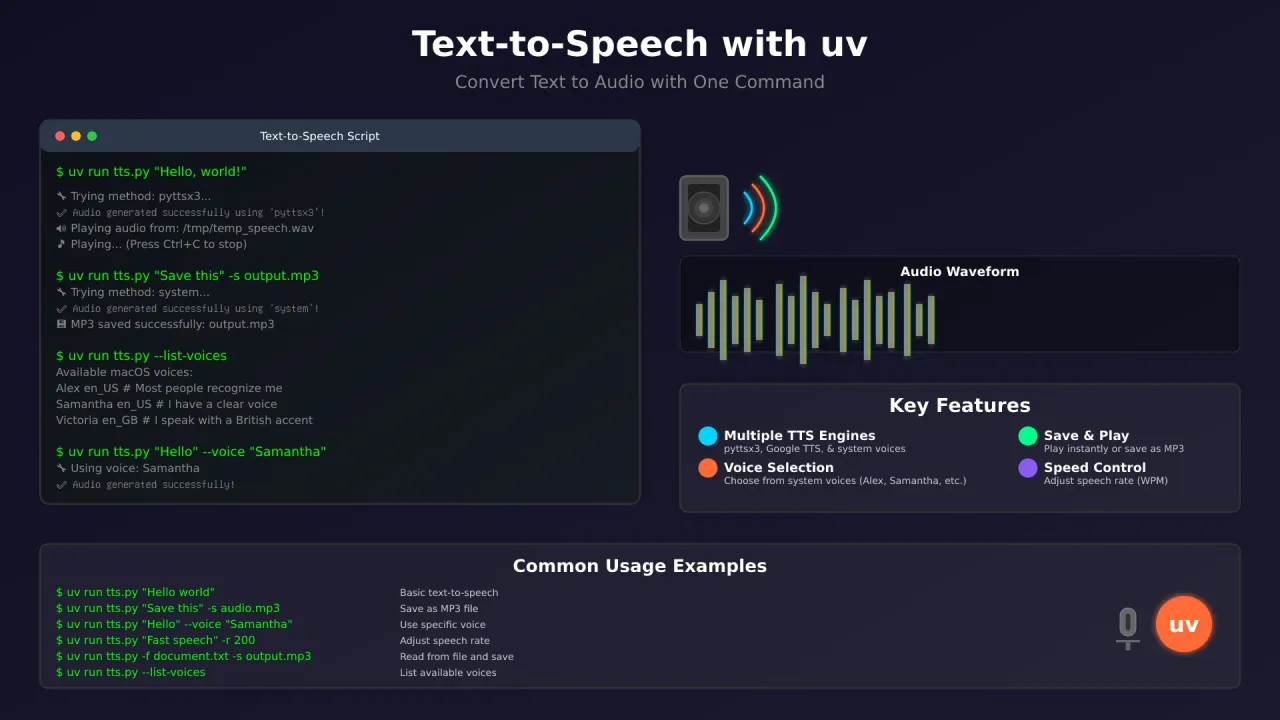
Crea un script de texto a voz en Python con uv que funciona en macOS, Windows y Linux. Elige el mejor motor TTS disponible — el say nativo de macOS, py3-tts sin conexión o edge-tts con más de 300 voces neuronales gratuitas — admite selección de voz y guarda el audio en MP3. Sin configurar entornos virtuales. Un solo comando uv run y ya está hablando.
¿Nuevo en uv?
Consulta primero Primeros pasos con uv: configuración de proyectos Python.
Características
- Múltiples motores TTS — py3-tts (fork mantenido de pyttsx3), edge-tts (voces neuronales gratuitas en línea),
sayde macOS - Selección inteligente — elige automáticamente el mejor motor para tu plataforma
- Selección de voz — voces de macOS (Alex, Samantha, Siri), más de 300 voces neuronales de edge-tts
- Velocidad de habla — ajustable de 50 a 300 palabras por minuto
- Exportación a MP3 — guarda el audio para más tarde (requiere ffmpeg)
- Subtítulos SRT — edge-tts genera archivos de subtítulos junto al audio
- Modo interactivo — escribe y escucha el texto al instante
- Multiplataforma — macOS, Windows, Linux
- Mejora neuronal sin conexión — Kokoro o Piper opcionales para voces locales de sonido natural
El script completo de texto a voz
Guárdalo como tts.py. El script usa py3-tts (el fork de pyttsx3 mantenido activamente — mismo import, mejor compatibilidad con macOS), edge-tts para voces neuronales gratuitas en línea y pygame para la reproducción.
#!/usr/bin/env -S uv run --script
# /// script
# requires-python = ">=3.12"
# dependencies = [
#     "py3-tts",
#     "pygame",
#     "edge-tts",
# ]
# ///

import pyttsx3
import pygame
import tempfile
import os
import argparse
import sys
import platform
import subprocess
import warnings
import asyncio
from pathlib import Path
import edge_tts

def text_to_speech(text, output_file=None, play=True, save_mp3=None, method="auto", voice=None, rate=175):
    """
    Convert text to speech with options to play and/or save as MP3.

    Args:
        text (str): The text to convert to speech.
        output_file (str): Temporary WAV file path (optional).
        play (bool): Whether to play the audio.
        save_mp3 (str): Path to save the final MP3 file (optional).
        method (str): TTS method to use ("auto", "py3-tts", "edge-tts", "system").
        voice (str): Voice to use (for system method on macOS, or edge-tts voice name).
        rate (int): Speech rate in words per minute.
    """
    temp_dir = tempfile.gettempdir()
    temp_wav_file = os.path.join(temp_dir, "temp_speech.wav")
    temp_mp3_file = os.path.join(temp_dir, "temp_speech.mp3")

    success = False
    used_method = ""

    # --- Smart Method Selection ---
    if method == "auto":
        method_preference = []
        if platform.system() == "Darwin":
            method_preference.extend(["system", "py3-tts", "edge-tts"])
        else:
            method_preference.extend(["py3-tts", "edge-tts", "system"])
    else:
        method_preference = [method]

    # --- Attempt TTS Conversion ---
    for m in method_preference:
        print(f"🔧 Trying method: {m}...")
        if m == "py3-tts":
            success = try_py3_tts(text, temp_wav_file, rate)
        elif m == "edge-tts":
            success = try_edge_tts(text, temp_mp3_file, temp_wav_file, voice, rate)
        elif m == "system":
            if platform.system() == "Darwin":
                success = try_system_say(text, temp_wav_file, voice, rate)

        if success:
            used_method = m
            print(f"✅ Audio generated successfully using '{used_method}'!")
            break
        else:
            print(f"⚠️  Method '{m}' failed.")

    if not success:
        print("❌ All TTS methods failed! Unable to generate audio.")
        return False

    # --- Post-Processing: Play and Save ---
    try:
        if play:
            play_audio(temp_wav_file)

        if save_mp3:
            if os.path.exists(temp_wav_file):
                convert_to_mp3(temp_wav_file, save_mp3)
            elif os.path.exists(temp_mp3_file):
                # edge-tts already wrote MP3; copy it
                import shutil
                shutil.copy2(temp_mp3_file, save_mp3)
                print(f"💾 MP3 saved successfully: {save_mp3}")
            else:
                print(f"❌ Cannot save MP3. No audio file found.")

    except Exception as e:
        print(f"❌ Error during post-processing (play/save): {e}")
        return False
    finally:
        for f in [temp_wav_file, temp_mp3_file]:
            if os.path.exists(f):
                try:
                    os.remove(f)
                except OSError as e:
                    print(f"⚠️  Could not remove temporary file: {e}")

    return True

def try_py3_tts(text, output_file, rate=175):
    """Try to use py3-tts (maintained pyttsx3 fork) for TTS."""
    try:
        driver = None
        if platform.system() == 'Darwin':
            driver = 'nsss'
        elif platform.system() == 'Windows':
            driver = 'sapi5'
        # Linux: default espeak
        engine = pyttsx3.init(driverName=driver)

        engine.setProperty('rate', rate)
        engine.setProperty('volume', 0.9)

        engine.save_to_file(text, output_file)
        engine.runAndWait()

        if not os.path.exists(output_file) or os.path.getsize(output_file) == 0:
            raise RuntimeError("py3-tts completed but created an empty file.")

        return True
    except Exception as e:
        print(f"⚠️  py3-tts error: {e}")
        return False

def try_edge_tts(text, out_mp3, out_wav, voice=None, rate=175):
    """
    Use edge-tts (Microsoft Edge neural voices, free, no API key).
    Writes MP3 directly. Converts to WAV for playback if needed.
    """
    try:
        edge_voice = voice or "en-US-AvaNeural"
        # Convert WPM to edge-tts rate string (175 WPM ≈ +0%)
        rate_pct = int((rate - 175) / 175 * 100)
        rate_str = f"+{rate_pct}%" if rate_pct >= 0 else f"{rate_pct}%"

        async def _generate():
            communicate = edge_tts.Communicate(text, voice=edge_voice, rate=rate_str)
            await communicate.save(out_mp3)

        asyncio.run(_generate())

        if not os.path.exists(out_mp3) or os.path.getsize(out_mp3) == 0:
            raise RuntimeError("edge-tts completed but created an empty file.")

        # Convert MP3 to WAV for pygame playback
        convert_mp3_to_wav(out_mp3, out_wav)
        return True
    except Exception as e:
        print(f"⚠️  edge-tts error: {e}")
        return False

def try_system_say(text, output_file, voice=None, rate=175):
    """Use the native 'say' command on macOS to generate a WAV file."""
    if platform.system() != "Darwin":
        return False

    try:
        cmd = ['say']
        if voice:
            cmd.extend(['-v', voice])
        cmd.extend(['-r', str(rate)])
        cmd.append(text)
        cmd.extend(['-o', output_file, '--file-format=WAVE', '--data-format=LEI16@22050'])

        subprocess.run(cmd, check=True, capture_output=True, text=True)
        return True
    except FileNotFoundError:
        print("⚠️  'say' command not found on this system.")
        return False
    except subprocess.CalledProcessError as e:
        print(f"⚠️  System 'say' command failed: {e.stderr}")
        return False

def convert_mp3_to_wav(mp3_file, wav_file):
    """Convert MP3 to WAV using ffmpeg."""
    try:
        cmd = [
            'ffmpeg', '-i', mp3_file,
            '-acodec', 'pcm_s16le', '-ac', '1', '-ar', '22050',
            '-y', wav_file
        ]
        subprocess.run(cmd, check=True, capture_output=True, text=True)
    except FileNotFoundError:
        print("❌ 'ffmpeg' not found. Install it for MP3/WAV conversion.")
        print("💡 macOS: brew install ffmpeg | Linux: sudo apt install ffmpeg")
        raise
    except subprocess.CalledProcessError as e:
        print(f"❌ ffmpeg failed to convert MP3 to WAV: {e.stderr}")
        raise

def convert_to_mp3(wav_file, mp3_file):
    """Convert WAV file to MP3 using ffmpeg."""
    try:
        cmd = [
            'ffmpeg', '-i', wav_file,
            '-acodec', 'libmp3lame', '-q:a', '2',
            '-y', mp3_file
        ]
        subprocess.run(cmd, check=True, capture_output=True, text=True)
        print(f"💾 MP3 saved successfully: {mp3_file}")
    except FileNotFoundError:
        print("❌ 'ffmpeg' not found. Install it for MP3 export.")
        print("💡 macOS: brew install ffmpeg | Linux: sudo apt install ffmpeg")
        raise
    except subprocess.CalledProcessError as e:
        print(f"❌ ffmpeg failed to convert WAV to MP3: {e.stderr}")
        raise

def play_audio(file_path):
    """Play an audio file using pygame, with a system fallback."""
    print(f"🔊 Playing audio from: {file_path}")
    try:
        pygame.mixer.pre_init(frequency=22050, size=-16, channels=1, buffer=512)
        pygame.mixer.init()
        pygame.mixer.music.load(file_path)
        pygame.mixer.music.play()

        print("🎵 Playing... (Press Ctrl+C to stop)")
        while pygame.mixer.music.get_busy():
            pygame.time.wait(100)
        print("✅ Playback finished!")

    except pygame.error as e:
        print(f"⚠️  Pygame playback error: {e}")
        print("🔧 Falling back to system audio player...")
        try_system_playback(file_path)
    except KeyboardInterrupt:
        pygame.mixer.music.stop()
        print("\n⏹️  Playback stopped by user.")
    finally:
        pygame.mixer.quit()

def try_system_playback(file_path):
    """Fallback audio playback using system commands."""
    try:
        system = platform.system()
        if system == "Darwin":
            subprocess.run(['afplay', file_path], check=True)
        elif system == "Linux":
            for player in ['paplay', 'aplay', 'mpg123', 'mplayer']:
                if subprocess.run(['which', player], capture_output=True).returncode == 0:
                    subprocess.run([player, file_path], check=True,
                                   stdout=subprocess.DEVNULL, stderr=subprocess.DEVNULL)
                    return
            print("⚠️  No suitable command-line audio player found on Linux.")
        elif system == "Windows":
            os.startfile(file_path)
        else:
            print(f"⚠️  System playback not supported on platform: {system}")
    except Exception as e:
        print(f"⚠️  System playback failed: {e}")
        print(f"💡 You can play the file manually: {file_path}")

def list_voices():
    """List available voices for the current platform."""
    system = platform.system()

    if system == "Darwin":
        try:
            result = subprocess.run(['say', '-v', '?'], capture_output=True, text=True, check=True)
            print("Available macOS voices (say command):")
            print("-" * 50)
            print(result.stdout)
        except Exception as e:
            print(f"❌ Error listing macOS voices: {e}")

    # List py3-tts engine voices
    try:
        driver = None
        if system == 'Darwin':
            driver = 'nsss'
        elif system == 'Windows':
            driver = 'sapi5'
        engine = pyttsx3.init(driverName=driver)
        voices = engine.getProperty('voices')
        if voices:
            print(f"\nAvailable py3-tts voices ({system}):")
            print("-" * 50)
            for v in voices:
                print(f"  {v.id}  —  {v.name}")
    except Exception as e:
        print(f"⚠️  Could not list py3-tts voices: {e}")

    # List edge-tts voices
    print("\nTo list edge-tts voices (300+ online neural voices), run:")
    print("  edge-tts --list-voices")

def main():
    parser = argparse.ArgumentParser(description="Python text-to-speech with uv")
    parser.add_argument("text", nargs="?", help="Text to convert to speech. Omit for interactive mode.")
    parser.add_argument("-f", "--file", help="Read text from a file.")
    parser.add_argument("-s", "--save", help="Save output as an MP3 file.")
    parser.add_argument("-n", "--no-play", action="store_true", help="Do not play the audio.")
    parser.add_argument("-r", "--rate", type=int, default=175, help="Speech rate in WPM (default: 175).")
    parser.add_argument("-m", "--method", choices=["auto", "py3-tts", "edge-tts", "system"],
                        default="auto", help="TTS engine to use.")
    parser.add_argument("--voice", help="Voice name (macOS: Alex, Samantha; edge-tts: en-US-AvaNeural).")
    parser.add_argument("--list-voices", action="store_true", help="List available voices and exit.")

    args = parser.parse_args()

    if args.list_voices:
        list_voices()
        return 0

    text_to_process = ""
    if args.file:
        try:
            with open(args.file, 'r', encoding='utf-8') as f:
                text_to_process = f.read().strip()
        except FileNotFoundError:
            print(f"❌ Error: File not found at '{args.file}'")
            return 1
    elif args.text:
        text_to_process = args.text
    else:
        try:
            print("🎙️  Entering interactive TTS mode. Type text and press Enter.")
            print("   (Type 'quit' or 'exit' to close)")
            while True:
                line = input("> ")
                if line.lower() in ['quit', 'exit', 'q']:
                    break
                if line:
                    text_to_speech(
                        text=line,
                        play=not args.no_play,
                        save_mp3=None,
                        method=args.method,
                        voice=args.voice,
                        rate=args.rate
                    )
            return 0
        except (EOFError, KeyboardInterrupt):
            print("\nExiting interactive mode.")
            return 0

    if not text_to_process:
        print("❌ Error: No text provided. Use a command-line argument, a file, or run in interactive mode.")
        return 1

    print(f"\n📝 Text: {text_to_process[:80]}{'...' if len(text_to_process) > 80 else ''}")
    print(f"⚙️  Rate: {args.rate} WPM, Method: {args.method}, Play: {not args.no_play}")

    success = text_to_speech(
        text=text_to_process,
        play=not args.no_play,
        save_mp3=args.save,
        method=args.method,
        voice=args.voice,
        rate=args.rate
    )

    return 0 if success else 1

if __name__ == "__main__":
    if "-n" not in sys.argv and "--no-play" not in sys.argv:
        try:
            os.environ['PYGAME_HIDE_SUPPORT_PROMPT'] = "1"
            import pygame
            pygame.init()
            pygame.quit()
        except ImportError:
            print("⚠️ Pygame not found, playback will rely on system commands.")

    sys.exit(main())
Ejecutar el script
Requisitos previos
macOS
# Install uv (if not already installed)
curl -LsSf https://astral.sh/uv/install.sh | sh

# ffmpeg for MP3 export
brew install ffmpeg

# Verify
uv --version
ffmpeg -version
say -v '?'
Si la inicialización de py3-tts falla en macOS, instala los bindings de Objective-C:
pip install pyobjc>=9.0.1Linux
# Install uv
curl -LsSf https://astral.sh/uv/install.sh | sh

# espeak-ng (required for py3-tts on Linux) + ffmpeg
sudo apt install espeak-ng libespeak1 ffmpeg

# Verify
uv --version
ffmpeg -version
espeak-ng --version
Windows
# Install uv
powershell -ExecutionPolicy ByPass -c "irm https://astral.sh/uv/install.ps1 | iex"

# ffmpeg: download from https://ffmpeg.org/ and add to PATH

# Verify
uv --version
ffmpeg -version
Servidores headless
En un VPS o servidor Linux sin entorno gráfico no hay dispositivo de audio. La inicialización del mixer de pygame fallará sin ALSA/PulseAudio. Usa el flag -n (no-play) para generar archivos sin reproducción: uv run tts.py "Hello" -s output.mp3 -n
Uso básico
# Simple text-to-speech
uv run tts.py "Hello, world!"

# Read from a file
uv run tts.py -f document.txt

# Save as MP3 without playing (headless-friendly)
uv run tts.py "Save this text" -s output.mp3 -n

# Interactive mode
uv run tts.py
Verifica que funciona: después de guardar un MP3, comprueba que el archivo existe y no está vacío:
uv run tts.py "test" -s test.mp3 -n && ls -la test.mp3Una ejecución correcta produce un archivo de más de 0 bytes. Si obtienes FileNotFoundError, falta ffmpeg.
Funciones avanzadas de voz
# List all available voices (macOS say + py3-tts + edge-tts hint)
uv run tts.py --list-voices

# Use a specific macOS voice
uv run tts.py "Hello world" --voice "Samantha"

# Use an edge-tts neural voice
uv run tts.py "Hello world" -m edge-tts --voice "en-GB-SoniaNeural"

# Adjust speech rate
uv run tts.py "Hello world" -r 100   # slower
uv run tts.py "Hello world" -r 250   # faster

# Force a specific engine
uv run tts.py "Hello world" -m system --voice "Samantha" -r 160
uv run tts.py "Hello world" -m edge-tts --voice "en-US-AvaNeural"
Edge-TTS: texto a voz en línea gratuito
Edge-tts es el motor en línea gratuito recomendado. Usa las voces neuronales de Microsoft Edge — sin clave de API, sin necesidad del navegador Edge ni de Windows. Escribe archivos MP3 y subtítulos SRT directamente.
# CLI usage (install separately or let uv handle it)
edge-tts --text "Hello from edge-tts" --write-media hello.mp3 --write-subtitles hello.srt

# List 300+ available neural voices
edge-tts --list-voices

# Pick a specific voice and rate
edge-tts --text "Good morning" --voice "en-GB-SoniaNeural" --rate "+10%" --write-media morning.mp3
En el script, edge-tts se usa como alternativa cuando say de macOS y py3-tts no están disponibles (o cuando lo fuerzas con -m edge-tts). Escribe MP3 directamente — ffmpeg solo se necesita si también quieres reproducción con pygame (el script se encarga de la conversión automáticamente).
Advertencia sobre edge-tts
Edge-tts usa un endpoint no oficial de Microsoft. Está mucho mejor mantenido de lo que lo estuvo gTTS (11,6 mil estrellas, con lanzamientos regulares a fecha de 2026), pero el endpoint podría cambiar sin aviso. Para uso en producción o comercial, considera las APIs de pago (ver la sección de costes más abajo).
Texto a voz neuronal sin conexión con Kokoro y Piper
El motor sin conexión por defecto (py3-tts/espeak) suena robótico. Para voces de sonido natural sin conexión a internet, destacan dos opciones de código abierto.
Mejoras opcionales
Son opcionales. El script principal funciona sin ellas. Vale la pena instalarlas si quieres voces sin conexión que no suenen a un GPS de los años 90.
Kokoro
Kokoro es un modelo Apache-2.0 de 82M parámetros con ~54 voces en 8 idiomas. Funciona en CPU (casi en tiempo real en Apple Silicon). ~300 MB completo, ~80 MB cuantizado.
# Add to the script's dependencies
uv add --script tts.py kokoro-onnx soundfile

# Download model files (one-time)
# Get kokoro-v1.0.onnx and voices-v1.0.bin from the kokoro-onnx releasesfrom kokoro_onnx import Kokoro
import soundfile as sf
kokoro = Kokoro("kokoro-v1.0.onnx", "voices-v1.0.bin")
samples, sample_rate = kokoro.create("Hello world!", voice="af_sarah", speed=1.0, lang="en-us")
sf.write("hello.wav", samples, sample_rate)Más voces, modelo más reciente y buena cobertura de idiomas. La mejor opción para escritorio y portátil.
Piper
Piper es un motor TTS neuronal en C++ (11,3 mil estrellas, MIT). Optimizado para hardware de clase Raspberry Pi. En Python vía piper-tts.
# Install
pip install piper-tts

# Download a voice model (one-time)
piper --download-dir voices en_US-lessac-medium

# Generate speech
echo "Hello from Piper" | piper --model voices/en_US-lessac-medium.onnx --output_file hello.wav
Más ligero y probado en hardware de borde. Ideal para VPS, Raspberry Pi o cuando quieres un consumo mínimo de recursos (~50 MB por modelo de voz).
Si ya ejecutas IA local en tu Mac (como generar imágenes con IA localmente), añadir Kokoro o Piper para la voz es el siguiente paso natural.
Voces populares de macOS
Voces clásicas incluidas con macOS:
- Samantha — voz femenina clara y natural
- Alex — voz masculina por defecto, muy clara
- Victoria — voz femenina británica
- Daniel — voz masculina británica
- Fiona — voz femenina escocesa
- Karen — voz femenina australiana
- Jorge — voz masculina en español
- Paulina — voz femenina en español
En macOS moderno (Sonoma/Sequoia y posteriores), también están disponibles las voces de Siri:
- Siri Voice 1 — menos robótica que las voces clásicas
- Siri Voice 2 — voz de Siri alternativa
Ejecuta say -v '?' (pon el ? entre comillas) para ver todas las voces de tu sistema. Los nombres disponibles dependen de tu versión del SO y de las voces que hayas descargado.
En Linux, las voces de py3-tts se listan con engine.getProperty('voices') (el flag --list-voices del script se encarga de esto). En Windows se usan las voces SAPI5.
Ejemplos de uso avanzado
Crear audiolibros
# Convert an entire document to MP3
uv run tts.py -f book.txt -s audiobook.mp3 --voice "Samantha" -r 160 -n

# Multiple chapters
uv run tts.py -f chapter1.txt -s chapter1.mp3 --voice "Alex" -r 150 -n
uv run tts.py -f chapter2.txt -s chapter2.mp3 --voice "Alex" -r 150 -n
Comparación de voces
# Compare voices for the same text
uv run tts.py "The quick brown fox jumps over the lazy dog" --voice "Alex" -s alex.mp3 -n
uv run tts.py "The quick brown fox jumps over the lazy dog" --voice "Samantha" -s samantha.mp3 -n
uv run tts.py "The quick brown fox jumps over the lazy dog" -m edge-tts --voice "en-US-AvaNeural" -s ava.mp3 -n
Aprendizaje interactivo
uv run tts.py --voice "Samantha" -r 140🎙️ Entering interactive TTS mode. Type text and press Enter.
(Type 'quit' or 'exit' to close)
> Hello, how are you today?
🔧 Trying method: system...
✅ Audio generated successfully using 'system'!
🔊 Playing audio...
> quitArquitectura del script
Selección inteligente del motor
El script elige el mejor motor para tu plataforma:
- macOS:
system(say) →py3-tts→edge-tts - Windows/Linux:
py3-tts→edge-tts→system
Puedes anularlo con -m para forzar un motor concreto.
Comparación de motores
| Motor | Calidad | Sin conexión | Voces | Plataforma | Notas |
|---|---|---|---|---|---|
| system (say) | La más alta | Sí | ~100+ | Solo macOS | Nativo, la mejor calidad gratuita |
| py3-tts | Buena | Sí | ~10-20 | Multiplataforma | Fork mantenido de pyttsx3, rápido |
| edge-tts | Neuronal | No | 300+ | Multiplataforma | Gratuito, sin clave de API, escribe MP3+SRT |
| Kokoro | Neuronal | Sí | ~54 | Multiplataforma | Opcional, 82M parámetros, ligero en CPU |
| Piper | Neuronal | Sí | ~100+ | Multiplataforma | Opcional, ligero, clase RPi |
Manejo de errores
El script maneja los fallos con elegancia:
- Fallos de red: recurre a los motores sin conexión
- Dependencias ausentes: ofrece sugerencias de instalación
- Errores de archivo: mensajes de error claros
- Problemas de reproducción de audio: múltiples métodos alternativos (pygame → reproductor del sistema)
Opciones de personalización
Añadir nuevos motores
def try_custom_engine(text, output_file, rate=175):
    """Add your custom TTS engine here."""
    try:
        # Your custom implementation
        return True
    except Exception as e:
        print(f"⚠️  Custom engine failed: {e}")
        return False

# Add to the method_preference list in text_to_speech()
Soporte multilingüe con edge-tts
Edge-tts tiene mejor cobertura de idiomas que el antiguo enfoque con gTTS:
def try_edge_tts_multilang(text, out_mp3, out_wav, lang='en', voice=None, rate=175):
    """Edge-tts with explicit language selection."""
    import edge_tts
    import asyncio

    # Pick a voice for the target language
    voice_map = {
        'en': 'en-US-AvaNeural',
        'fr': 'fr-FR-DeniseNeural',
        'de': 'de-DE-KatjaNeural',
        'es': 'es-ES-ElviraNeural',
        'ja': 'ja-JP-NanamiNeural',
        'zh': 'zh-CN-XiaoxiaoNeural',
    }
    edge_voice = voice or voice_map.get(lang, 'en-US-AvaNeural')

    async def _generate():
        communicate = edge_tts.Communicate(text, voice=edge_voice)
        await communicate.save(out_mp3)

    asyncio.run(_generate())
    # Convert to WAV for playback if needed
    convert_mp3_to_wav(out_mp3, out_wav)
Casos de uso comunes
Creación de contenido
# Podcast intros
uv run tts.py "Welcome to our podcast" --voice "Alex" -s intro.mp3 -n

# Voice-overs
uv run tts.py -f script.txt -s voiceover.mp3 --voice "Samantha" -r 160 -n
Accesibilidad
# Read web content aloud
uv run tts.py "$(curl -s https://example.com | grep -o '<p>[^<]*' | sed 's/<p>//')" --voice "Alex"

# Convert emails to speech
uv run tts.py -f email.txt --voice "Samantha" -r 140
Aprendizaje de idiomas
# Practice pronunciation
uv run tts.py "Hello, my name is John" --voice "Alex" -r 120
uv run tts.py "Bonjour, je m'appelle Jean" -m edge-tts --voice "fr-FR-DeniseNeural"
Salida de voz para agentes de IA
Si estás construyendo agentes de IA (por ejemplo con Mastra), puedes canalizar las respuestas de texto del LLM a este script para obtener salida de voz:
import subprocess

def speak_agent_response(text):
    subprocess.run(["uv", "run", "tts.py", text, "-m", "edge-tts",
                    "--voice", "en-US-AvaNeural", "-s", "response.mp3", "-n"])
Notificaciones autoalojadas
# VPS cron job alerts (headless, file-only)
uv run tts.py "Backup completed successfully" -s /var/log/alerts/backup.mp3 -n
Si ejecutas un proyecto Python en un VPS, puedes desplegar un proyecto Python con uv e integrar TTS en tu pipeline de automatización.
Requisitos del sistema
macOS
- Comando
sayintegrado (incluido) - ffmpeg para exportar a MP3:
brew install ffmpeg - pyobjc para py3-tts:
pip install pyobjc>=9.0.1(si falla la inicialización)
Windows
- API de voz de Windows (normalmente incluida)
- ffmpeg para exportar a MP3: descárgalo de https://ffmpeg.org/ y añádelo al PATH
Linux
espeak-ngylibespeak1para py3-tts:sudo apt install espeak-ng libespeak1- ffmpeg para exportar a MP3:
sudo apt install ffmpeg
Servidores headless
- Usa el flag
-npara generar solo archivos (no se necesita dispositivo de audio) - ffmpeg sigue siendo necesario para la conversión MP3/WAV
Motores neuronales (opcionales)
- Kokoro: ~300 MB de disco, la CPU es suficiente (GPU opcional)
- Piper: ~50 MB por modelo de voz, funciona en Raspberry Pi
Solución de problemas
Verifica tu configuración
Ejecuta estas comprobaciones primero
Ejecuta estos comandos antes de tu primera conversión para detectar dependencias ausentes cuanto antes.
# 1. Confirm uv is installed
uv --version
# Expected: uv 0.12.x or newer

# 2. Confirm ffmpeg for MP3 export
ffmpeg -version
# Expected: version info printed

# 3. macOS: confirm voices available
say -v '?'
# Expected: list of voices (quote the ?)

# 4. Linux: confirm espeak-ng
espeak-ng --version
# Expected: version info printed

# 5. Quick smoke test
uv run tts.py "test" -s test.mp3 -n && ls -la test.mp3
# Expected: non-empty MP3 file
Problemas comunes
“‘ffmpeg’ command not found” Necesario para la exportación a MP3 y la conversión a WAV.
# macOS
brew install ffmpeg
# Ubuntu/Debian
sudo apt install ffmpeg
# Windows: download from https://ffmpeg.org/ and add to PATH
“pygame not found” El script recurre a los reproductores de audio del sistema. La reproducción de audio debería seguir funcionando en macOS y en la mayoría de escritorios Linux.
“No internet connection”
Edge-tts requiere internet. Usa -m py3-tts o -m system para funcionar sin conexión. Kokoro y Piper también funcionan sin conexión.
“Voice not found”
Ejecuta uv run tts.py --list-voices para ver las voces disponibles. Para las voces de edge-tts, ejecuta edge-tts --list-voices. Revisa la ortografía y las mayúsculas.
gTTS HTTP 429 / limitación de peticiones
Si usas la ruta antigua de gTTS, Google puede limitar las peticiones tras un uso moderado. Cambia a edge-tts con -m edge-tts.
Error de inicialización de py3-tts en macOS Faltan los bindings de pyobjc. Solución:
pip install pyobjc>=9.0.1Driver nsss obsoleto en macOS
Apple ha marcado NSSpeechSynthesizer como obsoleto. De todos modos, el script usa say por defecto en macOS, lo que evita el problema. Si fuerzas -m py3-tts, el driver nsss aún funciona por ahora, pero podría eliminarse en una futura versión de macOS.
Servidor headless / sin dispositivo de audio
La inicialización del mixer de pygame falla sin ALSA/PulseAudio. Usa -n para generar solo archivos:
uv run tts.py "Hello" -s output.mp3 -n“ffmpeg failed to convert”
Asegúrate de que ffmpeg está en tu PATH. Ejecuta ffmpeg -version para verificarlo.
Funciones avanzadas
Procesamiento por lotes
# batch_tts.py
import subprocess

texts = [
    "Hello world",
    "This is a test",
    "Goodbye world"
]

for i, text in enumerate(texts, 1):
    subprocess.run([
        "uv", "run", "tts.py", text,
        "-s", f"output_{i}.mp3",
        "--voice", "Samantha",
        "-r", "150",
        "-n"
    ])
Integración con otros scripts
# integration_example.py
import subprocess

def speak_text(text, voice="Alex", rate=175):
    """Wrapper function for the TTS script."""
    subprocess.run([
        "uv", "run", "tts.py", text,
        "--voice", voice,
        "-r", str(rate)
    ])

speak_text("Hello from my application!")
Bloqueos de dependencias reproducibles
Fija las dependencias de tu script para compilaciones reproducibles:
# Lock dependencies (creates tts.py.lock)
uv lock --script tts.py

# Now uv run will use the locked versions
uv run tts.py "Hello"
Si estás creando otras herramientas con uv, echa un vistazo a este comprobador masivo de URLs con uv como otro ejemplo de script práctico.
¿Por qué usar uv para scripts de TTS?
Nuestro script de texto a voz en Python demuestra por qué uv es la herramienta adecuada para scripts independientes:
- Cero configuración — sin gestión de entornos virtuales.
uv run tts.pyse encarga de todo. - Shebang
--script—#!/usr/bin/env -S uv run --scripthace que el script sea directamente ejecutable. uv add --script— gestiona dependencias sin editar a mano el bloque de metadatos:bash uv add --script tts.py 'py3-tts' 'pygame' 'edge-tts'uv lock --script— lockfile reproducible por script.exclude-newer— fija las versiones de paquetes a una fecha concreta para garantizar la reproducibilidad.- Aislamiento de dependencias — cada script tiene su propio entorno, sin conflictos.
- Ejecución rápida — las dependencias se cachean y se reutilizan entre ejecuciones.
- Multiplataforma — funciona igual en macOS, Windows y Linux.
Más información sobre los scripts de uv
Para una cobertura más profunda de los patrones de ejecución de scripts, consulta ejecutar scripts de Python con uv. Si eres completamente nuevo en uv, empieza con Primeros pasos con uv: configuración de proyectos Python.
uv está en la versión 0.12.x (a agosto de 2026) con ~88,8 mil estrellas en GitHub. Se ha convertido en la herramienta estándar para la gestión de scripts y proyectos Python. Para más información sobre el ecosistema Python, consulta nuestra comparativa de frameworks web de Python.
Costes: cuando los motores gratuitos no bastan
Los motores gratuitos de este script (say de macOS, py3-tts, edge-tts, Kokoro, Piper) cubren la mayoría de casos de uso personales y de desarrollo. Cuando necesitas licencias comerciales, clonación de voz específica o disponibilidad garantizada, esto es lo que cuestan las opciones de pago:
| Servicio | Precio | Notas |
|---|---|---|
| edge-tts / say / espeak | Gratuito | Endpoints no oficiales (edge-tts) o integrados (say) |
| Kokoro / Piper | Gratuito, de código abierto | Se ejecutan en local, sin llamadas a API |
| OpenAI TTS | tts-1: 15 $/1M caracteres; tts-1-hd: 30 $/1M caracteres |
gpt-4o-mini-tts: ~0,015 $/min de audio |
| ElevenLabs | 0,10 $/1K caracteres (v2/v3); 0,05 $/1K caracteres (Flash/Turbo) | Plan Creator: 22 $/mes |
| Fish Audio | TTS de calidad de estudio con clonación de voz | Más de 2M de voces, control de emoción, 8 idiomas |
Nota sobre los precios
Precios a agosto de 2026. Consulta los sitios de los proveedores para ver las tarifas actuales.
Mi recomendación: empieza con el stack gratuito (edge-tts en línea, say de macOS en local, Kokoro/Piper neuronal sin conexión). Pasa a opciones de pago solo si necesitas licencias comerciales, clonación de voz específica o garantías de fiabilidad de la API.
Para profundizar en las opciones comerciales de TTS, consulta Clonación de voz con Fish Audio, Fish Audio frente a ElevenLabs o cómo usar TTS con clonación de voz en Mastra.
Conclusión
Este script de texto a voz en Python con uv te da un sistema multi-motor con fallback que funciona en todas las plataformas con un solo comando. Esto es lo que obtienes:
- Fallback multi-motor —
saydel sistema → py3-tts → edge-tts, con selección automática - Voces neuronales gratuitas con edge-tts — más de 300 voces, sin clave de API, escribe MP3 + SRT
- Voces naturales sin conexión con Kokoro o Piper — de código abierto y ligeros en CPU
- Un solo comando
uv run— sin configurar venv ni gestionar dependencias - Multiplataforma — macOS, Windows, Linux, servidores headless
- Extensible — añade motores personalizados, idiomas o intégralo en automatizaciones
Guarda el script, ejecuta uv run tts.py "Hello world" y empieza a experimentar con distintas voces y motores.