GitHub Copilot Usage-Based Pricing: What Changes and 5 Cheaper Alternatives
GitHub Copilot moves to usage-based billing June 1, 2026. What changes, how much it actually costs, and five alternatives that give you more control over your AI coding budget.
 Dragos8 min read
GitHub announced on April 27, 2026 that all Copilot plans move to usage-based billing on June 1. Premium request units are gone. Instead, you get GitHub AI Credits, consumed based on actual token usage at published API rates. The base plan prices stay the same ($10/month for Pro, $39/month for Pro+, $19/user/month for Business), but what you can do within those prices changes a lot.
I spent the last few days reading the announcement, the docs, the pricing tables, and the community reaction. Here is what is actually changing, what it costs, and what I would switch to if the math does not work out.
What this covers
- What changes on June 1 and what stays the same
- Actual cost breakdown per model and task type
- Five alternatives that give you more control over spend
- My recommendation for what to do before June 1
What is changing on June 1
The old system used Premium Request Units (PRUs). You had a monthly allotment, and each model had a fixed cost in PRUs per request. If you ran out, you fell back to a lower-cost model.
The new system uses GitHub AI Credits. Each plan includes a monthly credit amount equal to the plan price:
| Plan | Monthly Price | Monthly Credits |
|---|---|---|
| Copilot Pro | $10 | $10 |
| Copilot Pro+ | $39 | $39 |
| Copilot Business | $19/user | $19/user |
| Copilot Enterprise | $39/user | $39/user |
Credits are consumed based on token usage at the published API rates for each model. Heavier usage burns credits faster. When credits run out, the service stops working until you buy more or your cycle resets.
What stays the same
- Base plan prices are not changing.
- Code completions and Next Edit suggestions remain included in all plans and do not consume AI Credits.
- Model selection — you can still pick between different models in Copilot.
What is actually different
- No more fallback. Under the old system, if you exhausted your PRUs, Copilot would drop to a cheaper model and keep working. Under the new system, when credits run out, you are done. You have to buy more or wait.
- Usage varies wildly by model. A quick code completion in GPT-4o-mini is cheap. A multi-hour agentic session with Claude Opus 4.6 can burn through your entire monthly credit in a single session.
- Copilot code review now also consumes GitHub Actions minutes. That is on top of the AI Credits.
- Annual plan holders: you stay on PRU-based pricing until your plan expires, but model multipliers increase on June 1. When the annual plan expires, you move to Copilot Free with an option to upgrade to monthly.
The business/enterprise promo
GitHub is offering promotional credits for the transition period (June through August):
- Business: $30 in monthly AI Credits (up from $19)
- Enterprise: $70 in monthly AI Credits (up from $39)
After August, those drop back to the standard amounts.
How much will it actually cost?
This is the part GitHub’s announcement glosses over. The published API rates for each model determine how fast you burn credits. Here is what the math looks like for common Copilot tasks:
| Task | Model | Approximate Token Usage | Credit Cost |
|---|---|---|---|
| Code completion | GPT-4o-mini | ~500 tokens | fractions of a cent |
| Chat question | Claude Sonnet 4.6 | ~2K input, 500 output | ~$0.02 |
| Multi-file refactor | Claude Opus 4.6 | ~20K input, 5K output | ~$0.50 |
| Agentic session (1 hour) | Claude Opus 4.6 | ~200K input, 50K output | ~$5-8 |
| Agentic session (4 hours) | Claude Opus 4.6 | ~1M input, 250K output | ~$25-40 |
If you do one long agentic session with Opus per month, that eats most of a $10 Pro credit allotment. If you do two or three, you’re buying extra credits or switching models.
The key takeaway: light Copilot users (completions, occasional chat) will barely notice. Heavy agentic users will pay more, possibly much more.
Five alternatives that save you money
1. OpenCode (best overall alternative)
OpenCode is the open-source terminal coding agent with 120K+ GitHub stars. You pick the model and the provider. No monthly subscription required — just pay for API tokens at cost.
OpenCode Setup GuideCost example: MiniMax M2.7 at $0.30/M input, $1.20/M output. A typical coding session uses 50K input and 10K output tokens — that is about $0.03 per session. Run 100 sessions a month for $3.
Why it works: Model choice is the killer feature. Use MiniMax M3 for routine edits, GLM 5.2 for complex refactors, DeepSeek V4 Pro for big repos. You control the cost per task.
2. OpenAI Codex CLI (free with ChatGPT plan)
Codex CLI is OpenAI’s open-source terminal agent. If you already pay for ChatGPT Plus ($20/month) or ChatGPT Pro ($200/month), Codex is included.
Cost: Included with your existing ChatGPT subscription. No additional API costs for the default model.
Why it works: If you’re already paying for ChatGPT, Codex CLI is a free add-on. It uses GPT-5.4 by default and supports MCP servers.
Limitation: OpenAI only. You can’t use Anthropic, Google, or open source models.
3. Aider (lightweight and flexible)
Aider is a minimal terminal coding agent that works with any LLM provider. It is less flashy than OpenCode but has stronger git integration and supports more obscure providers.
Cost: Pay for API tokens at cost. Same pricing as using the models directly.
Why it works: Aider is the most provider-agnostic option. If you need to connect to a niche provider or a local Ollama instance, Aider handles it.
Limitation: No plan mode, no image support, minimal TUI.
4. OpenCode Go ($10/month flat)
If you want one subscription that covers everything, the OpenCode Go $10/month plan gives you access to 16 models (Grok 4.5, Kimi K3, GLM-5.2, DeepSeek V4, and more). For a detailed breakdown with limits and benchmarks, see the OpenCode Go review.
OpenCode GoCost: $10/month. Usage limits cap at $60/month in equivalent API spend.
Why it works: Predictable cost, no per-token surprises. 16 models including Grok 4.5, Kimi K3, MiniMax M3, Qwen3.7, GLM-5.2, and DeepSeek V4 Pro.
Limitation: Usage limits exist ($12 per 5 hours, $30 per week, $60 per month). Heavy users might hit these.
5. Local models with Ollama (zero API cost)
If you have decent hardware (16GB+ RAM or a GPU), you can run coding models locally through Ollama and point OpenCode or Aider at them.
Cost: Zero per-token cost. Electricity and hardware only.
Why it works: Complete privacy, no API keys, no subscriptions, no rate limits.
Limitation: Local models are weaker than API models for complex coding tasks. A 32B model handles simple edits and refactoring, but for multi-file changes across a large codebase, you want an API model. See our Ollama Docker guide for setup.
What I would do before June 1
If you’re on a monthly Copilot plan, you get automatically migrated on June 1. There is nothing you need to do, but there are a few things worth considering:
Check your current usage. GitHub is launching a “preview bill” experience in early May on the Billing Overview page. See how much your current usage would cost under the new system.
If you only use completions: Stay on Copilot. Completions are still included and do not consume credits. The new pricing does not affect you.
If you use Copilot Chat occasionally: The $10/month Pro plan with $10 in credits probably covers you. Stick with it and see.
If you use agentic features heavily: This is where it gets expensive. Switch to OpenCode with a cheap model for daily work, keep Copilot for completions only, and use Claude Code or Codex CLI for the occasional complex task.
If you’re on an annual plan: You stay on the old PRU system until your plan expires. Model multipliers go up on June 1 though. When the annual plan expires, you move to Copilot Free and need to decide whether to switch to monthly or go elsewhere.
The bigger picture
GitHub’s move to usage-based billing is not a surprise. Every AI provider is heading this way. Anthropic, Google, and OpenAI have all adjusted pricing recently. The flat-rate era for AI coding tools is ending because agentic usage (long sessions, many tool calls, large contexts) costs far more to serve than simple completions.
The developers who will be fine are the ones who use the right model for the right task. A $0.30/M model for routine edits. A $1.00/M model for complex refactors. A $3.50/M model only when you need maximum accuracy. OpenCode makes this easy because you switch models with a keystroke. Copilot does not give you that control.
Related guides
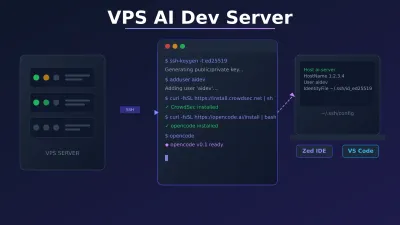
- OpenCode setup guide — full installation and configuration walkthrough
- Best cheap models for Hermes Agent — pricing and benchmarks for all the major open source models
- Hermes Agent setup guide — self-hosted AI agent for server tasks
- Best open source models for OpenClaw — model recommendations that apply to any coding agent
FAQ
Will Copilot completions still work the same?
Yes. Code completions and Next Edit suggestions remain included in all plans and do not consume AI Credits. If that’s all you use Copilot for, nothing changes for you.
Can I buy additional credits if I run out?
Yes. Paid plan users can purchase additional AI Credits. GitHub has not published the exact pricing for extra credits yet, but they will be available at the published API rates.
What happens to annual plan subscribers?
Annual plan holders stay on PRU-based pricing until their plan expires. Model multipliers increase on June 1 for annual subscribers only. At expiration, you move to Copilot Free with the option to upgrade to a monthly plan. You can also convert to monthly before expiration and get prorated credits.
Is OpenCode really free?
The software is free and open source. You pay for LLM API usage. With cheap models like MiniMax M2.7 at $0.30/M input, a month of heavy coding costs $5-15. OpenCode Go bundles 16 models for $10/month.
Can I use multiple tools at once?
Yes. I use Copilot for in-editor completions, OpenCode for terminal coding, and Hermes Agent for server tasks. They don’t conflict with each other. The best setup is often a combination: cheap completions from Copilot plus a model-agnostic terminal agent like OpenCode for the heavy lifting.
For more on AI coding tools, model pricing, and self-hosted agent setups, check out our AI coding tools comparison, the OpenClaw alternatives roundup, and the top AI GitHub repos catalog (OpenCode, Pi, Hermes, skills).