Openship Review: Self-Hosted PaaS vs Coolify and Dokploy
Hands-on look at Openship, the new open-source deploy platform. Install with CLI or Docker Compose, compare it to Coolify and Dokploy, and see when each tool fits.

15 min read
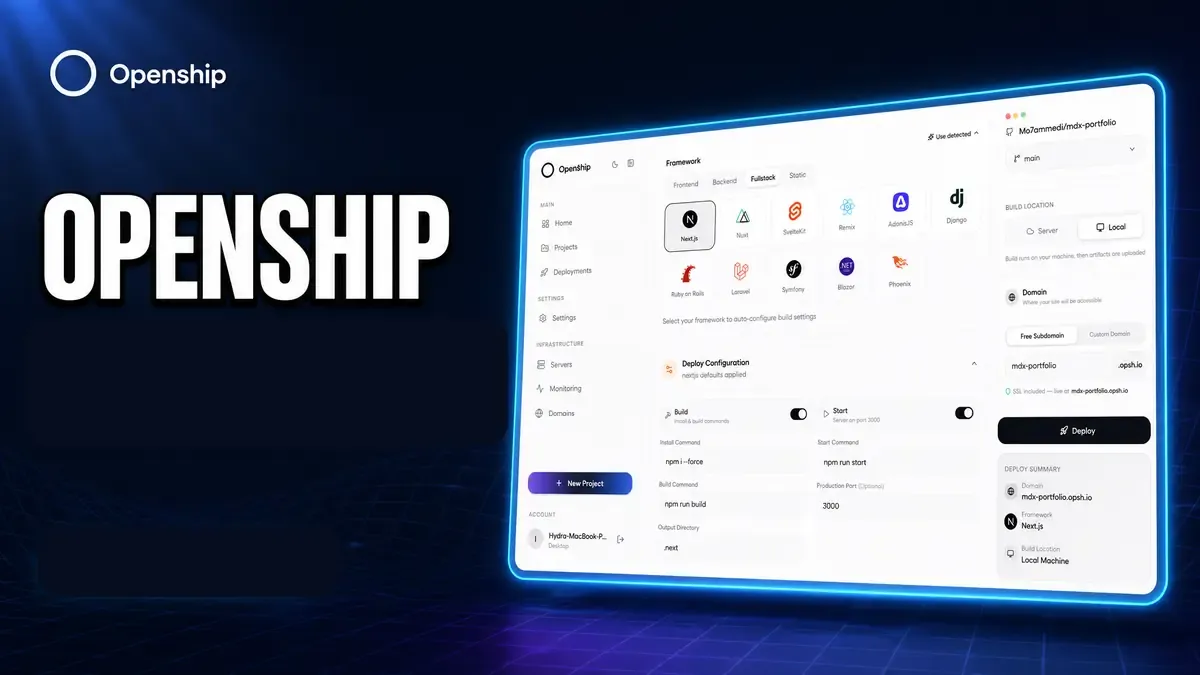
Openship showed up in the self-hosted PaaS space with a clear pitch: push code, get containers, keep full ownership. The project is Apache 2.0, lives at github.com/oblien/openship, and already sits around 3.6k GitHub stars with a managed cloud option if you do not want to run the control plane yourself.
I already run and write about Coolify and Dokploy. Both solve the “I want Heroku on my VPS” problem. Openship is the new one in that same drawer, with a few ideas that are different enough to notice: builds can stay off the production box, there is a real CLI plus desktop app, hybrid cloud/self-host is part of the product story, and it ships a built-in mail server.
This guide covers what Openship is, how to install it (CLI, Docker Compose, desktop, cloud), how it stacks up against Coolify and Dokploy, and when I would pick each one.
- What Openship actually does and how the deploy flow works
- Install options: CLI service, Docker Compose, desktop app, managed cloud
- Feature comparison with Coolify and Dokploy
- Who should try Openship now vs stick with a mature panel
You will need a Linux VPS (or a laptop for local/desktop use). Hetzner and similar providers work fine. For more panel options, see best self-hosted server panels and Coolify vs Dokploy vs Kamal 2.
VPS prices jumped across the board in 2026 — if you’re rethinking a rented box, see what changed and when a mini PC wins.
What is Openship?
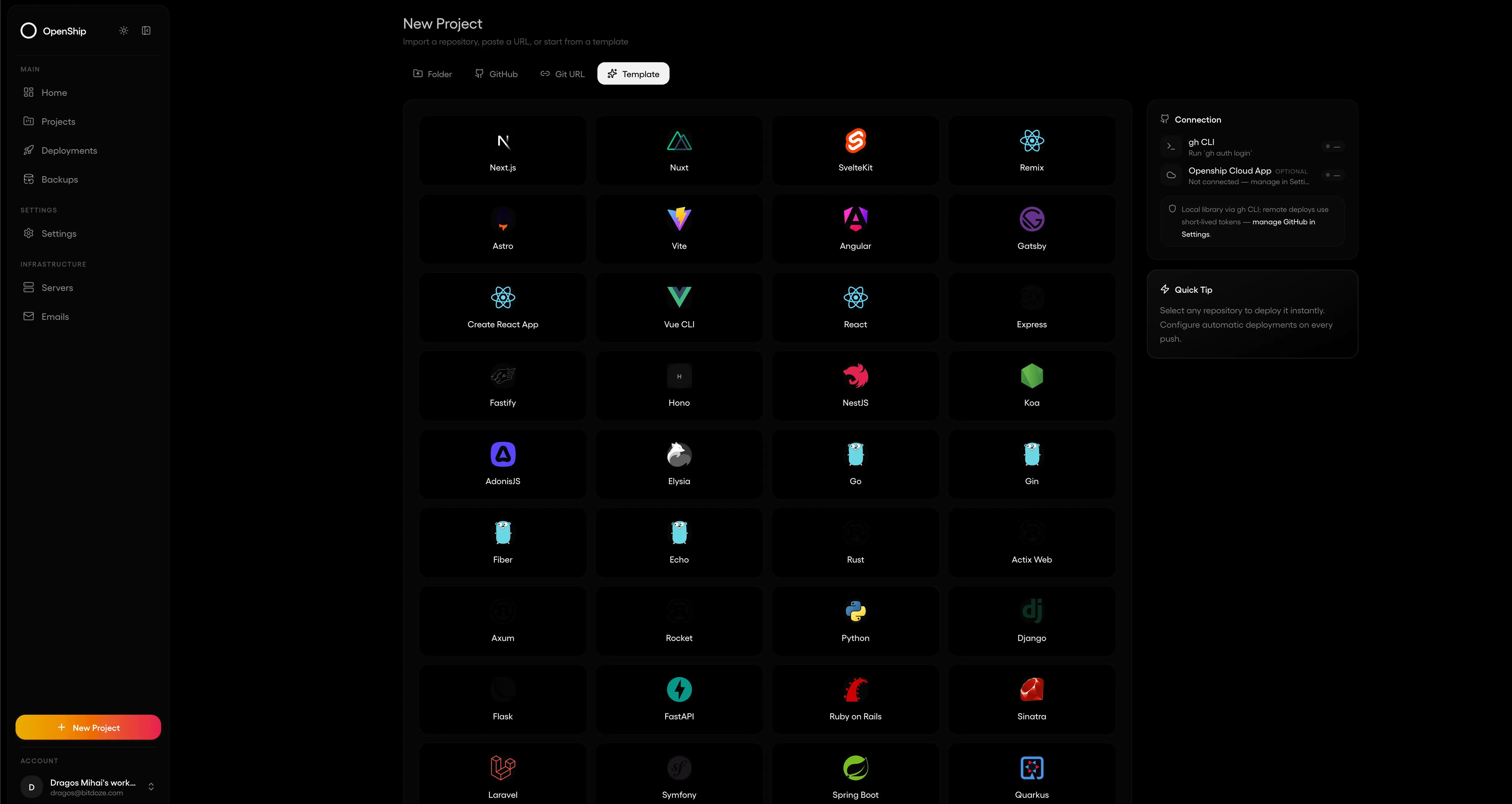
Openship is an open-source deployment platform with built-in CI/CD. You connect a Git repo (or a local project), it detects the stack, builds an image, ships a container, and wires domains plus SSL.
You can run it three ways:
- Openship Cloud — managed control plane and compute, pay for usage
- Self-hosted — full stack on your Linux box or VPS
- Hybrid — mix managed services and your own servers under one workflow
Interfaces are broader than most self-hosted panels:
- CLI (
openship) - Web dashboard
- Desktop app (Mac, Windows, Linux AppImage)
- REST API and MCP for AI agents
Official docs still call parts of the product early, but the core path (install, link project, deploy) is documented at openship.io/docs. Current release at the time of writing is in the 0.1.x range.
How Openship deploys apps
The marketing site describes a flow that is worth understanding before you install anything:
- Connect — link a Git repo and pick a target (Openship Cloud or your server over SSH). Their pitch is that nothing heavy has to live on the target box as a permanent agent/dashboard for every node.
- Build — image build can run on your machine or in the cloud, then get tagged as an immutable artifact. Production stays focused on serving traffic.
- Ship — the image goes to the target over SSH and starts as a container on a private network.
- Route — OpenResty + Let’s Encrypt for domains and SSL, with zero-downtime swaps and one-click rollbacks.
- Operate — logs, metrics, rollbacks from CLI, web UI, desktop, or MCP.
That “build elsewhere, run plain containers on the server” angle is the main contrast with Coolify and Dokploy, where the control plane and often the build job sit on the same VPS that runs your apps.
Key features
| Area | What you get |
|---|---|
| CI/CD | Push-to-deploy, preview envs, rollbacks, immutable deploys |
| Stacks | Node, Python, Go, Rust, PHP, Ruby, Java, .NET, Docker, monorepos |
| Data | Postgres, MySQL, MongoDB, Redis, object storage, workers |
| Networking | Custom domains, wildcards, auto SSL, private networking |
| Ops | Live logs, metrics, scheduled jobs, backups |
| Built-in transactional mail with SPF/DKIM/DMARC setup | |
| Interfaces | CLI, web, desktop, REST, MCP |
| License | Apache 2.0 |
The mail piece is unusual. Coolify and Dokploy do not try to replace SES/Mailgun for you. Openship does, which is nice for password resets and receipts if you want fewer third-party accounts. I would still treat deliverability as something you verify yourself (reputation, reverse DNS, warm-up), not a free pass.
System requirements
From the installation docs:
| Component | Minimum | Recommended |
|---|---|---|
| CPU | 2 cores | 4+ cores |
| RAM | 2 GB | 4+ GB |
| Disk | 20 GB | 50+ GB SSD |
| OS | Ubuntu 22.04+ | Ubuntu 24.04 |
For a real multi-app box I would start at 4 GB RAM the same way I do with Dokploy. Docker Compose mode also runs Postgres + Redis + API + dashboard, so do not starve it.
Install Openship
Pick one path. CLI is the fastest for a single server. Docker Compose is better if you want the stack explicit and portable. Desktop is for local work. Cloud skips ops entirely.
Option 1: CLI (quickest self-host)
Works on Linux and macOS. Installs the CLI, then starts Openship as a background service (systemd user unit with linger on Linux, launchd on macOS).
# Install CLI
curl -fsSL https://get.openship.io | sh

# Or via a JS package manager
npm i -g openship
# pnpm add -g openship
# bun add -g openship
Start the platform:
openship upThat brings up the API on :4000 and the dashboard on :3001. First run downloads what it needs. Local access needs no login.
Useful commands:
openship open              # open dashboard
openship status            # health check
openship stop              # stop service (no auto-restart on reboot)
openship up --foreground   # run attached in this terminal
openship up --no-ui        # API only
Option 2: Docker Compose
Use this when you want Postgres, Redis, API, dashboard, and the web app as normal containers you can inspect and back up like anything else.
git clone https://github.com/oblien/openship.git
cd openship
cp .env.example .env
Edit .env before you start. At minimum change secrets:
# Generate secrets
node -e "console.log(require('crypto').randomBytes(32).toString('hex'))"
Set at least:
CLOUD_MODE=false
DEPLOY_MODE=docker
POSTGRES_USER=openship
POSTGRES_PASSWORD=replace-with-strong-password
POSTGRES_DB=openship
BETTER_AUTH_SECRET=replace-with-32-byte-hex
INTERNAL_TOKEN=replace-with-another-32-byte-hex
BETTER_AUTH_URL=http://YOUR_SERVER_IP:4000
OPENSHIP_REQUIRE_REDIS=true
Then build and start:
docker compose up -d --buildServices from the upstream compose file:
| Service | Port | Role |
|---|---|---|
postgres |
internal 5432 | Platform DB |
redis |
internal 6379 | Queue, cache, rate limits |
api |
4000 | Control plane |
dashboard |
3001 | App UI |
web |
3000 | Marketing/docs site |
Check health:
curl -s http://127.0.0.1:4000/api/health
docker compose ps
docker compose logs -f api
Open http://YOUR_SERVER_IP:3001 for the dashboard. Put Caddy/Nginx/Traefik in front with TLS before you expose this on the public internet.
Do not ship default secrets
The sample .env values are for local bring-up. Change POSTGRES_PASSWORD, BETTER_AUTH_SECRET, and INTERNAL_TOKEN on any VPS. The API refuses to boot without a real INTERNAL_TOKEN on non-desktop deploys.
Option 3: Desktop app
Handy for local deploys from a folder without standing up a server panel.
Linux AppImage:
curl -fsSL -o Openship.AppImage \
  https://github.com/oblien/openship/releases/latest/download/Openship.AppImage
chmod +x Openship.AppImage
./Openship.AppImage
If FUSE is missing on Debian/Ubuntu:
sudo apt-get install -y libfuse2
# or:
./Openship.AppImage --appimage-extract-and-run
macOS / Windows: grab the latest DMG or ZIP from GitHub releases, or run openship install after the CLI is present.
Option 4: Openship Cloud
If you want zero control-plane maintenance:
- Sign up at app.openship.io
- Connect a repo
- Deploy
From a machine with the CLI, you can point at a remote API instead of running local:
openship login --api-url https://api.example.com --token YOUR_PATDeploy your first app
After the platform is up:
cd your-project
openship init      # link directory to a project
openship deploy
openship init writes .openship/project.json so later commands know which project to use. Preview deploys:
openship deploy --env previewFrom there you add custom domains, env vars, and Git auto-deploys in the dashboard or via the docs for first deployment.
Supported stacks on paper include Next.js, Node, Python, Go, Rust, Docker, Postgres, Redis, Rails, Laravel, Django, Bun, and more. For existing compose apps, Openship claims you can deploy compose files as-is, same general idea as Dokploy Compose deploys.
Openship vs Coolify vs Dokploy
I care less about feature checklists than about day-to-day friction: RAM tax, how builds behave under load, how painful SSL and rollbacks are, and whether the project will still be around next year.
Quick comparison
| Openship | Coolify | Dokploy | |
|---|---|---|---|
| Maturity | New (0.1.x, growing fast) |
Mature (v4 stable, v5 multi-server in progress) | Mature, very active |
| GitHub stars (approx.) | ~3.6k | ~50k+ | ~30k+ |
| License | Apache 2.0 | Apache 2.0 | Mixed (core open, some source-available) |
| UI | Web + desktop + CLI | Web dashboard | Web dashboard |
| Build location | Can build on your machine / off prod | Usually on the Coolify server | Usually on the Dokploy server |
| Reverse proxy | OpenResty | Caddy | Traefik |
| Idle footprint | Compose stack needs Postgres+Redis+API+UI | ~1.5–2 GB | ~400–500 MB |
| One-click templates | Smaller / early | 280+ | Dozens |
| Databases | Postgres, MySQL, Mongo, Redis + tooling | Strong UI + backups | Good enough + S3/R2 backups |
| Mail server | Built-in | No (bring your own) | No (bring your own) |
| MCP / AI agents | Yes | Yes (v4.1+) | Limited / evolving |
| Cloud option | First-party Openship Cloud + hybrid | Coolify Cloud exists | Mostly self-host focused |
| Best fit today | Experimenters who want CLI/desktop/hybrid | All-in-one hub, lots of services | Lightweight VPS PaaS |
Where Openship looks strong
Multiple clients for the same backend. Coolify and Dokploy are dashboard-first. Openship treats CLI and desktop as first-class, which is closer to how a lot of devops people actually work. MCP on top is useful if you already drive infra from agents.
Build off the production box. On a 2–4 GB VPS, a Nixpacks/Railpack build can OOM the same machine that serves traffic. Openship’s “build locally or in the cloud, stream the image” model is the right shape for small boxes. Kamal does something similar with a registry; Openship packages more of the platform around it.
Hybrid and exit story. Cloud ⇄ self-host without rewriting the app is a real selling point if you are tired of Vercel-style lock-in. Everything ships as normal containers.
Built-in mail. Niche, but if you hate bolting on yet another transactional email vendor for a side project, it is a differentiator.
Where Openship is weaker today
Age and ecosystem. Coolify has years of edge cases filed and fixed. Dokploy has a pile of community compose templates and guides (including several on this site). Openship docs still say they are filling things out. Expect rough edges.
Template library. If you want one-click Plausible, Outline, n8n, and friends, Coolify still wins. Dokploy is lighter but you can paste compose files easily. Openship is more “bring your app” than “app store for self-hosting.”
Operational track record. Production-ready core is the claim. For a business app with uptime SLAs, I would still put Coolify or Dokploy first until Openship has more public battle scars and longer release history.
Resource story is not “zero overhead.” CLI mode with an embedded DB is lighter than full Compose, but Compose mode is a real multi-service stack. It is not Kamal’s “almost nothing on the server” model. See the Kamal section in Coolify vs Dokploy vs Kamal 2 if that is what you want.
Feature-oriented breakdown
Day-to-day UX
- Coolify — richest UI, biggest service catalog, heaviest RAM. Best when the panel is your ops console for many apps. Full Coolify v5 review.
- Dokploy — clean UI, low idle RAM, Swarm when you outgrow one node. My default on cheap VPS boxes. Install guide.
- Openship — CLI + desktop + web. Feels closer to a productized deploy toolkit than a pure hosting panel. Better if you live in the terminal or want local GUI without SSHing into a panel.
Deploy model
- Coolify / Dokploy — git webhook → build on server → restart container behind Caddy/Traefik.
- Openship — connect repo or local dir → build (often off-box) → ship image over SSH → route via OpenResty → rollback from immutable versions.
- Implication — Openship can spare small VPS boxes from build spikes; Coolify/Dokploy keep the whole loop on one machine you already manage.
Ops extras
| Need | Prefer |
|---|---|
| 280+ one-click apps | Coolify |
| Small VPS, simple SaaS deploys | Dokploy |
| CLI + desktop + MCP | Openship |
| Scheduled DB backups to R2 | Dokploy (guide) or Coolify |
| Built-in transactional mail | Openship |
| Multi-server today | Dokploy Swarm; Coolify multi-server maturing in v5 |
| Managed cloud fallback | Openship Cloud or Coolify Cloud |
When to pick which tool
Pick Openship when...
You want to try a modern Apache-licensed PaaS with CLI and desktop, you like the idea of building off the prod server, or you want a path between managed cloud and your own VPS without two different products. Good for side projects, labs, and teams already comfortable living with a young 0.1.x tool.
Pick Coolify when...
You want one dashboard for many services, huge template coverage, and a large community. You have at least 4 GB RAM (honestly 8 GB if you stack apps). See Coolify install.
Pick Dokploy when...
You want a lightweight Heroku-like panel on a 2 GB VPS, native Compose support, and optional Swarm. That is still my default recommendation for most readers. Start with Dokploy install.
Pick Kamal when...
You want almost zero control-plane overhead and are fine with YAML + CLI only. Covered in the three-way comparison.
Practical tips if you self-host Openship
- Put TLS in front early. Dashboard on
:3001and API on:4000should not sit naked on0.0.0.0for long. - Back up Postgres volumes if you use Compose. Treat
postgres_datalike any other state volume. - Pin a release when you clone for Compose (
git checkout v0.1.x) so a randomgit pulldoes not surprise you mid-week. - Keep firewall rules tight. Only 80/443 public if you reverse-proxy; lock SSH to keys.
- Test rollback on a throwaway app before you trust it with something you care about.
- Read the security notes in the repo (
SECURITY.md) and rotateINTERNAL_TOKEN/ auth secrets if they ever leak into logs or chat.
FAQ
Is Openship production-ready?
The maintainers describe a production-ready core that is still moving quickly. For non-critical apps and internal tools, sure. For revenue-critical production with a small ops team, I would pilot it first and keep Coolify or Dokploy as the safe default until the release line and docs settle further.
Does Openship replace Coolify or Dokploy?
Not yet for most people. It overlaps, but the product shape is different (CLI/desktop/hybrid/mail). Think of it as another option in the self-hosted PaaS shelf, not an automatic upgrade path.
Can I move off Openship later?
That is part of the design pitch: plain containers and standard images. You should still export env vars, volumes, and DNS yourself. There is no magic “export my whole company” button that removes ops work.
CLI or Docker Compose for a VPS?
CLI if you want the vendor-supported service install and embedded DB path. Compose if you want visible containers, standard Postgres/Redis, and the same mental model as the rest of your Docker hosts.
Useful links
- Site: openship.io
- Docs: openship.io/docs
- GitHub: github.com/oblien/openship
- npm: npmjs.com/package/openship
- Related on bitdoze: Dokploy install, Coolify install, Coolify v5 review, Coolify vs Dokploy vs Kamal, best self-hosted panels
Bottom line
Openship is a credible new entry in the self-hosted PaaS space. The interesting bits are the multi-surface UX (CLI, desktop, web, MCP), off-box builds, hybrid cloud story, and Apache 2.0 license. The weak bits are the obvious ones for a young project: smaller community, thinner template ecosystem, and less proven long-term ops history than Coolify or Dokploy.
If you already like Dokploy on a small VPS, you do not need to migrate. If you enjoy trying new deploy tools and want something that feels closer to a modern product than a pure panel, install it with the CLI or Compose stack above and ship a throwaway app first.
Get Openship on GitHub