VPS Price Increases in 2026: What Happened and When a Mini PC Wins
Hetzner, netcup, and OVH all raised VPS prices in 2026, some tiers by 100%+. Here's what the hikes look like, why RAM prices are to blame, and the mini PCs…

7 min read
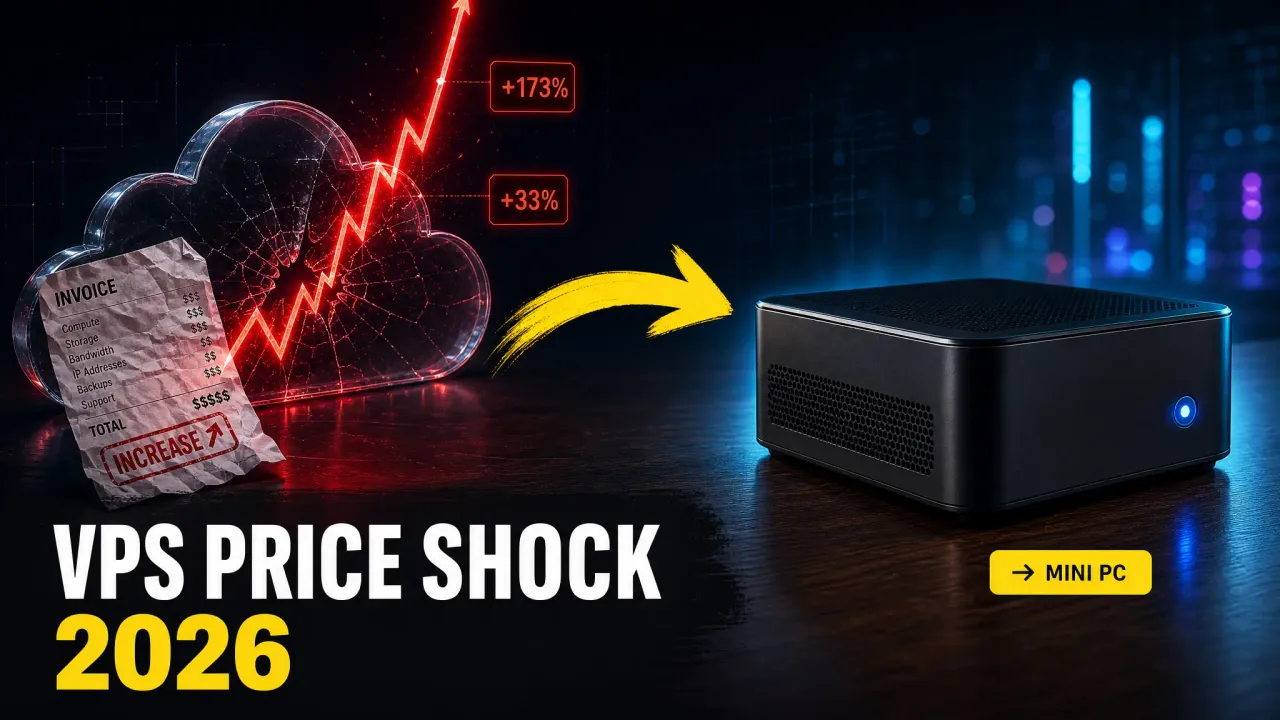
If your VPS bill jumped this year, you’re not imagining it. Hetzner raised cloud prices an average of 33% in April, then did it again in June. netcup broke a promise it had kept for years and raised existing customers’ prices by around 18.5%. OVH pushed its VPS range up 40-67%. LowEndTalk has a running thread for nearly every budget provider at this point.
I’ve rented Hetzner boxes for years and still do. But the math changed enough in 2026 that I moved several workloads onto a mini PC under my desk. This article lays out what actually happened, why it happened, the break-even math, and the hardware that makes sense if you want out.
Affiliate Disclosure
Some links in this guide are affiliate links. If you buy through them, we may earn a small commission at no extra cost to you. This helps us keep testing and updating these recommendations.
What happened: the 2026 price hikes, with numbers
This isn’t one provider being greedy. It’s an industry-wide repricing, and the same reason shows up in every announcement: RAM.
Hetzner: three hikes in three months
Hetzner’s April 1 adjustment averaged about 33% on cloud, applied to both new and existing servers. Dedicated and auction hardware got hit too. Then came two more adjustments, landing on June 15: the third increase in three months.
The per-plan numbers posted by users on r/hetzner:
| Plan | Was | Now | Increase |
|---|---|---|---|
| CX23 | €3.99 | €5.49 | +37.5% |
| CAX11 | €4.49 | €5.99 | +33.4% |
| CPX22 | €7.99 | €19.49 | +143.9% |
| CCX13 | €15.99 | €42.99 | +168.8% |
| CCX23 | €31.49 | €85.99 | +173% |
Dedicated wasn’t spared either. One user reported an EX63 config going from €160 to €583/month. On X, developer Catalin Pit posted that his Hetzner invoice went from €5.30 to €34.09 over two years, a 543% cumulative increase. Another user paying $24.99 for an 8GB box found the same instance now lists at $73.49.
The replies split into two camps. Some accept that Hetzner was artificially cheap for years. Others point out that a 173% jump on a dedicated-vCPU plan is hard to explain with any cost model, especially while locations like FSN1 are so oversold they can’t even offer resizes.
netcup: the promise that finally broke
netcup’s loyal following existed partly because of one thing: deal prices for existing customers were never raised. That ended in March. Citing what it called the “RAMpocalypse” (exploding hardware costs from AI datacenter demand), netcup announced increases averaging 18.51%, up to roughly 24% on some server products, effective May 1 for existing contracts.
Real examples from the announcement: a €1.94/month plan became €2.30, and €5.19 webhosting became €6.14. Netcup also cancelled its traditional Winter Sale. On r/VPS, the mood was resignation more than outrage: “it’s happening. Hold on to your idlers.”
OVH and the rest
OVH raised its VPS 2026 range by about 40-67% starting April 1. The VPS-1 went from $4.90 to $7.60/month, and IPv4 addresses picked up a $2.39/month surcharge on top. ProHosting24 added €2 per billing period in July. Smaller providers posted similar adjustments on LowEndTalk through the summer.
Why this is happening: the RAMpocalypse
The trigger is memory. AI datacenter buildout is consuming DRAM supply faster than fabs can produce it, and memory makers are prioritizing high-margin HBM and datacenter orders. DDR5 spot prices have spiked, which is why I’ve been telling readers of the mini PC guide to buy RAM-forward hardware this year.
Providers bought servers at the new prices, or are holding off expanding, and the costs flow down to renters. Add in IPv4 scarcity (hence the per-IP surcharges), energy costs, and the simple fact that the budget-hosting price war was unsustainable, and you get 2026.
The uncomfortable part: these prices aren’t coming back down when RAM supply recovers. Price hikes on existing contracts never reverse.
The math: VPS per year vs. a mini PC once
Take a mid-range cloud box like the CCX23 (4 dedicated vCPU, 16GB RAM) at its new €85.99/month, or a more modest 8GB VPS at €20-35/month after the hikes.
| Option | Year 1 | Year 2 | Year 3 |
|---|---|---|---|
| CCX23 at €85.99/mo | €1,032 | €2,064 | €3,096 |
| Typical 8GB VPS at €28/mo | €336 | €672 | €1,008 |
| Mini PC ( |
~$702 | ~$774 | ~$846 |
A $630 mini PC with 32GB RAM and a modern Ryzen pays for itself against a €28/month VPS in about two and a half years, and beats the CCX23 in under eight months. Keep the box for four years and the gap gets silly. The hardware keeps working while the VPS bill keeps growing.
Electricity is cheap for this class of hardware: 10-15W idle, 35-65W under real load. At $0.20/kWh that’s roughly $2-8/month. A small UPS adds maybe $60 once.
When a VPS still wins
Be honest with yourself before cancelling anything:
- Public production workloads that need uptime you can’t guarantee at home
- Anything needing real bandwidth: residential upload caps are the usual bottleneck
- DDoS exposure: your home IP has no scrubbing in front of it
- Multi-region deployments or low-latency requirements for remote users
- Teams where “the server is in Dragos’s closet” isn’t an acceptable bus factor
A VPS still makes sense for revenue-generating public services, anything with a real SLA expectation, and boxes you need in a specific geography. For everything else (dev environments, CI runners, staging, monitoring, dashboards, backups, media, home automation, personal projects), the cloud premium stopped making sense for me.
There’s also a middle path I’ve been using: keep one cheap VPS as a public edge (reverse proxy, VPN endpoint) and run the actual workloads at home behind Pangolin or a Cloudflare Tunnel. You get a static public IP and DDoS-absorbing edge for $5/month, and the compute lives on hardware you own. A Tailscale/Headscale setup covers private access for everything that never needs to be public.
The mini PCs that can replace a VPS
These are the boxes I’d actually consider for this job in 2026. All x86, all with enough RAM headroom for a real Docker stack or a Proxmox install, all silent enough for a desk or closet. Prices are Amazon street prices as of September 2026.
Budget tier: under $500

GMKtec M5 Ultra
Ryzen 7 7730U mini PC with 8 Zen 3 cores, 16GB RAM, and dual 2.5GbE. The cheapest way to replace a mid-size VPS.
Price & availability at Amazon.com
Key Features
- Ryzen 7 7730U: 8C/16T, up to 4.5GHz
- 16GB DDR4 + 512GB SSD (SO-DIMM, upgradeable)
- Dual 2.5GbE — rare at this price
- WiFi 6E, triple display output
What we like
- 8 real cores for ~$450
- Dual 2.5GbE lets you split LAN/management
- Low idle power
Watch out for
- Previous-gen Zen 3
- 16GB stock RAM
Important Considerations
- •DDR4, not DDR5 — fine for server duty
- •16GB is the ceiling you want to verify before heavy Proxmox use
Disclosure: This post contains affiliate links. We may earn a commission if you purchase through these links at no additional cost to you.
Mid-range: the sweet spot
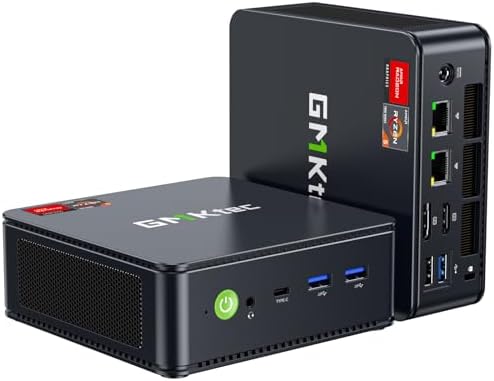
GMKtec M6 Ultra
Ryzen 5 7640HS with 32GB DDR5 and 1TB SSD. Dual 2.5GbE plus USB4. The default VPS-replacement pick.
Price & availability at Amazon.com
Key Features
- Ryzen 5 7640HS: 6C/12T Zen 4, up to 5.0GHz
- 32GB DDR5 + 1TB SSD
- Dual 2.5GbE, USB4 port
- Radeon 760M iGPU
What we like
- 32GB DDR5 out of the box
- USB4 for fast external storage
- Dual 2.5GbE
Watch out for
- 6C/12T is the weakest CPU in this roundup
- Single M.2 slot to verify on your variant
Important Considerations
- •6 cores, not 8 — check thread count if you run many VMs
Disclosure: This post contains affiliate links. We may earn a commission if you purchase through these links at no additional cost to you.

MINISFORUM UM880 Plus
Ryzen 7 8845HS with Radeon 780M and OCuLink. Strong 8-core Zen 4 at mid-range money.
Price & availability at Amazon.com
Key Features
- Ryzen 7 8845HS: 8C/16T, up to 5.1GHz
- 16GB DDR5 + 512GB SSD
- OCuLink port for external GPU or NVMe expansion
- WiFi 6E, triple display, 8K@60Hz
What we like
- Best CPU-per-dollar in this list
- OCuLink opens real expansion
- Strong community reviews
Watch out for
- Only 16GB RAM stock
- 512GB fills fast
Important Considerations
- •16GB/512GB stock is thin for the CPU — budget for a RAM upgrade
Disclosure: This post contains affiliate links. We may earn a commission if you purchase through these links at no additional cost to you.

GMKtec K15
Intel Core Ultra 5 125U with 32GB DDR5, 1TB, and three M.2 slots. The Intel pick if you want QuickSync transcoding.
Price & availability at Amazon.com
Key Features
- Core Ultra 5 125U: 12C/14T with AI Boost NPU
- 32GB DDR5 + 1TB PCIe 4.0 SSD
- Three M.2 slots — best storage expansion here
- OCuLink, quad 8K display support
What we like
- QuickSync for Jellyfin/Plex transcoding
- 3× M.2 for a real storage layout
- Low idle draw
Watch out for
- Weaker multi-core than the 8-core AMD boxes
- E-cores don't love heavy VM density
Important Considerations
- •125U is an efficiency-focused chip — good, not fast
Disclosure: This post contains affiliate links. We may earn a commission if you purchase through these links at no additional cost to you.
High-end: for heavier workloads

MINISFORUM UM790 Pro
Ryzen 9 7940HS, 32GB DDR5, 1TB. The veteran 8-core that keeps getting discounted — serious Proxmox territory.
Price & availability at Amazon.com
Key Features
- Ryzen 9 7940HS: 8C/16T, up to 5.2GHz
- 32GB DDR5 + 1TB SSD
- Radeon 780M, 2× USB4, 2× HDMI 2.1
- 2.5GbE, WiFi 6E, dual PCIe 4.0 M.2
What we like
- 8C/16T flagship-class CPU
- Two USB4 ports
- Frequently discounted
Watch out for
- Older platform
- 4.1 rating — read the complaints first
Important Considerations
- •Two years old now — buy on price
- •Lower rating than the others; check recent reviews for your seller
Disclosure: This post contains affiliate links. We may earn a commission if you purchase through these links at no additional cost to you.

GMKtec K11
Ryzen 9 8945HS with 32GB DDR5, 1TB, OCuLink, and dual USB4. The one to buy if external GPU expansion is in your future.
Price & availability at Amazon.com
Key Features
- Ryzen 9 8945HS: 8C/16T, up to 5.2GHz
- 32GB DDR5 + 1TB SSD
- OCuLink + 2× USB4 for eGPU/NVMe expansion
- HDMI + DisplayPort + dual USB4 video
What we like
- Fastest chip in this list
- OCuLink + USB4 is a real expansion story
- 32GB stock
Watch out for
- Most expensive here
- Overkill for pure Docker duty
Important Considerations
- •~$1,000 is past the cheap-VPS-substitute logic for most people
Disclosure: This post contains affiliate links. We may earn a commission if you purchase through these links at no additional cost to you.
If none of these fit (you want 10GbE, ECC, an NPU, or something under $200), the full range is in my best mini PCs for a home server guide, including the N150 budget boxes and the 10GbE options.
Making a home box actually work as a server
A few practical notes from running this setup:
Connectivity. If your ISP gives you a real public IP (or a cheap static one), port forwarding plus a reverse proxy works. If you’re behind CG-NAT, use a tunnel: Pangolin on a $5 VPS, Cloudflare Tunnel, or plain WireGuard. Private-only services just go on Tailscale.
Reliability. Set Auto Power On in the BIOS so the box comes back after outages. A cheap UPS covers brownouts. Monitoring with Beszel and Uptime Kuma tells you when something died.
Software. The same stack you’d run on a VPS works here: Docker, a management UI (Portainer alternatives if you want one), and whatever apps you need from the home server containers list. If you want VMs, these boxes all handle Proxmox.
Offsite backup still matters. Your house is one failure domain. Keep encrypted offsite backups for anything you’d cry about losing. A cheap storage VPS or object storage is fine for that role.
FAQ
Will VPS prices come back down?
Probably not on existing contracts. Providers raised prices citing RAM costs, but historical precedent says list prices ratchet up and stay. New-customer promos might soften; your existing invoice won’t.
Is it safe to host at home instead of a datacenter?
For personal projects, dev environments, and internal tools: yes, with normal hygiene (firewall, updates, tunnel instead of open ports where possible). For anything customers pay for, weigh the uptime and DDoS gaps honestly. The hybrid approach (cheap VPS edge + home compute) covers most of the gap.
What about electricity costs?
A Ryzen mini PC idles around 10-15W and pulls 35-65W under load. At $0.20/kWh, expect $2-8/month running 24/7. The break-even math above already includes it.
My ISP uses CG-NAT. Can I still do this?
Yes. CG-NAT blocks inbound connections, but tunnels solve it: Cloudflare Tunnel, Pangolin on a cheap VPS, or Tailscale for private access. Your outbound connection carries everything.
Verdict
The 2026 hikes turned VPS hosting from “cheap enough to ignore” into a real line item. Hetzner’s CCX23 at €85.99/month costs over €1,000 a year. That buys a 32GB mini PC and two years of electricity, with change left over.
My split these days: one cheap VPS as a public edge, everything else on mini PCs at home. If your workload is personal infrastructure rather than public production, run the numbers for your own bill. They probably look like mine did.
Related articles
- Best mini PCs for a home server — the full buying guide, $130 to $2,000
- Hetzner Cloud cost-optimized plans — if you’re staying on a VPS, spend less
- ARM vs x86 VPS benchmarks — what you’re actually renting
- Pangolin: Cloudflare Tunnel alternative — expose home services safely
- Best UPS for a home server — keep the box alive through outages
- Best Docker containers for a home server — what to run on it