Best Mini PC For Home Server 2026: Low-Cost Homelab Guide
Find the best mini PC for a home server in 2026: Intel N150/N350 budget picks, AMD Ryzen AI, and Mac mini M6 compared. Prices, specs, and power costs.
 Dragos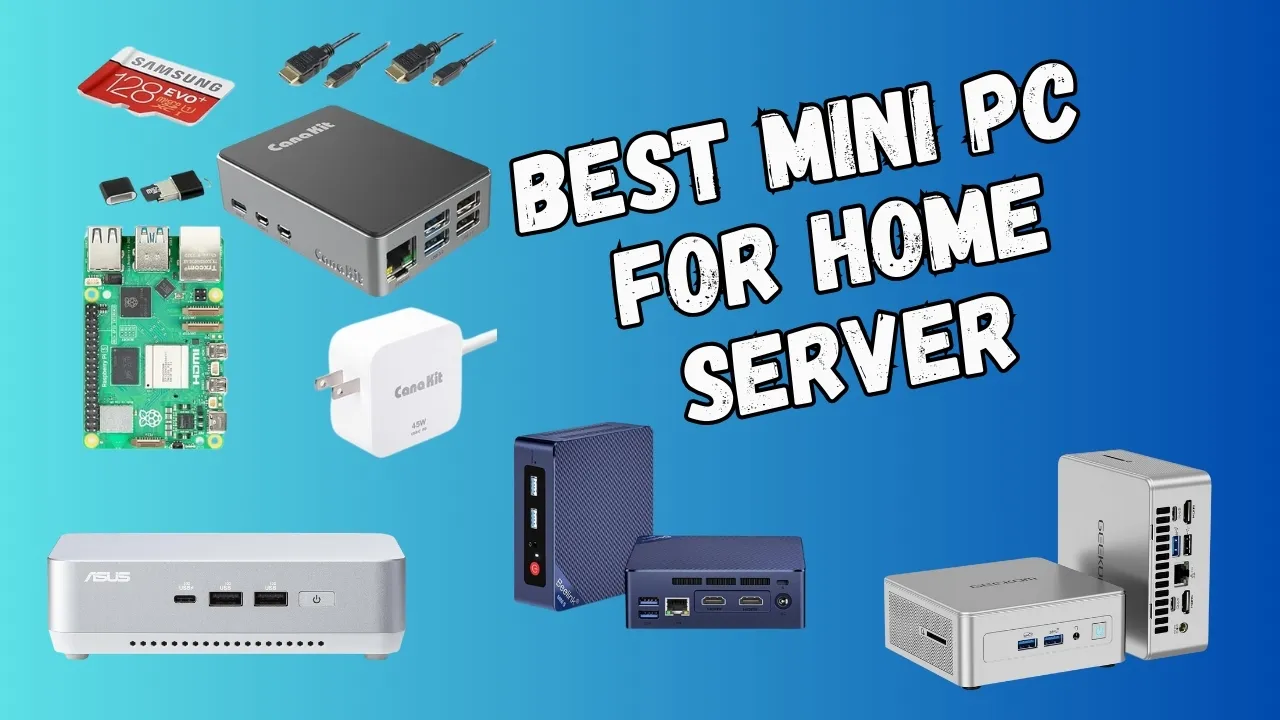
Looking for the best mini PC for a home server in 2026? I run several in my homelab, from $130 N150 boxes to $2,000 AMD AI systems. They handle media streaming, file storage, local LLMs, and smart home control. All while using less power than a light bulb and fitting on a shelf.
The 2026 market has shifted a lot since last year. There’s a new 8-core budget tier, 10GbE is now affordable, and Apple refreshed the Mac mini with the M6 chip. If you’re still deciding why you need a home server at all, this guide covers what to buy and what to avoid.
What to do with a home server
A home server handles a bunch of useful stuff:
- AI workloads: Run local LLMs, image recognition, smart automation. See run local LLMs with Ollama and Open-WebUI for a starting point
- Media streaming: Jellyfin, Plex, 4K/8K transcoding
- Home automation: Home Assistant, local IoT control
- Private cloud: Your own Dropbox alternative
- Dev/testing: Docker, VMs, Proxmox, CI/CD pipelines
- Network security: VPN, ad-blocking with NextDNS or Pi-hole, monitoring. See how to block ads and malware with NextDNS and AdGuard Home
- Backups: Automated, versioned file backups. Add a new drive to an Ubuntu LVM volume when you need more storage
Check best Docker containers for a home server to see what apps you can self-host.
Why mini PCs make the best homelab servers
Mini PCs hit a sweet spot for home servers:
- Low power: 10-65W vs 200W+ for full desktops. An N150 idles at 5-8W at the wall.
- Quiet: Many are silent or near-silent
- Small: Fit on a shelf, in a cabinet, or behind a monitor
- Cheap to run: Low electricity bills even running 24/7
- Capable: Handle multiple 4K streams, AI workloads, VMs
- Cheap to buy: $130-1000 covers most needs
- Fast networking: 2.5GbE+ and WiFi 7 on newer models
If you’re interested in exploring free open source self-hosted applications, check out toolhunt.net self hosted section.
What changed in the mini PC market since 2025
The mini PC landscape shifted significantly in the past year. Here’s what matters:
New 8-core budget tier. Intel’s Core 3 N350 (7W) and N355 (15W) bring 8 cores to the budget segment. PassMark multi-core sits around 7,400 for the N350 (roughly 38% above the N100) and ~10,000 for the N355. Fanless boxes start at about €310 barebones.
AMD Gorgon Point is here. The Ryzen AI 9 HX 470 (12C/24T, NPU 55 TOPS / platform 86 TOPS) ships in the Beelink SER10 MAX and MINISFORUM AI X1 Pro-470. It’s the first “Ryzen AI with 10GbE for under $1,300” story.
10GbE went mainstream. You can now get 10GbE at $669 (Beelink SER9 Max) to $1,299 (SER10 MAX). The MINISFORUM MS-A2 offers dual SFP+ 10G at $799 barebones. 25GbE exists too (MS-02).
Mac mini M6 replaces M4. Apple refreshed the Mac mini on August 25, 2026. The M6 starts at $899 (2nm, 12C CPU/12C GPU, 2.5GbE standard, 10GbE optional). The M5 Pro starts at $1,699 with TB5. The old $599 M4 tier is discontinued.
DDR5 RAM prices have spiked
DDR5 costs are sharply up in 2026 due to AI datacenter demand. A 128GB DDR5 kit now costs as much as a mini PC. Buy boxes with RAM pre-installed, or barebones + RAM you already own.
N150 successor on the horizon. Panther Lake-N is expected late 2026 or early 2027 with rumored 48 EUs, AV1 encode support, and 6-9W TDP. Nothing shipping yet.
Factors to consider when choosing a mini PC for a home server
CPU and NPU: TOPS numbers are misleading
Every AMD marketing slide leads with TOPS numbers. Here’s the reality: there’s a difference between NPU TOPS and platform TOPS (which adds CPU + GPU + NPU together).
| Chip | NPU TOPS | Platform TOPS |
|---|---|---|
| Ryzen AI 9 365 | 50 | 73 |
| Ryzen AI 9 HX 370 | 50 | 80 |
| Ryzen AI 9 HX 470 | 55 | 86 |
| Ryzen AI Max+ 395 | 50 | 126 |
The number that matters for local LLMs is memory bandwidth + capacity, not NPU TOPS. Ollama and llama.cpp use GPU compute paths, not XDNA NPUs. The EVO-X2 runs DeepSeek 32B at usable speed because of its 256-bit LPDDR5X-8000 memory (~256GB/s bandwidth), not the 50 TOPS NPU.
N-series chips (N150, N350, N355) have no NPU at all. That’s fine. They’re file servers and transcode boxes, not AI machines.
Memory and storage: buy RAM-first in 2026
DDR5 prices are elevated
DDR5 RAM prices are up sharply in 2026. Prefer boxes with RAM pre-installed or barebones + RAM you already own. SO-DIMM boxes give you upgrade flexibility.
Guidance tiers:
- 16GB: Fine for basic file serving, Docker containers, light Home Assistant use
- 32GB+: Needed for AI workloads, multiple VMs, Proxmox with several guests
- 64GB+: Serious local LLM work, heavy virtualization, development environments
Storage-wise, PCIe 4.0 NVMe SSDs with 7000MB/s+ speeds are standard. Look for boxes with multiple M.2 slots. The AI X1 Pro has three, the MS-A2 has three, and the NUC 15 Pro has dual bays. When you need to expand later, see how to add a new drive to an Ubuntu LVM volume.
Networking: 2.5GbE is standard, 10GbE is now affordable
2.5GbE is commoditized across all tiers. Even $130 N150 boxes include it. For a single-server homelab running Docker containers and media streaming, 2.5GbE is plenty.
10GbE now appears at $669-$1,299. It matters for NAS/Ceph/NFS-heavy setups where you’re moving large volumes of data between machines. The MINISFORUM MS-A2 offers dual SFP+ 10G ports at $799 barebones, and the MS-02 goes to 25GbE.
One criticism: the GMKtec EVO-X2 at ~$2,000 still only has 2.5GbE (Realtek RTL8125BG). If you’re spending that much and need fast networking, the MS-A2 is the better pick.
Thermals, noise, and 24/7 reliability
For always-on server use, check these BIOS settings before committing:
- Auto Power On after AC loss (essential for unattended servers)
- Wake-on-LAN for remote management
- Fan curve: set to quiet/balanced, not performance
- Headless boot: confirm the box boots without a monitor attached
Noise matters if the box lives in your living space. The EVO-X2 fans are loud under load (community-reported; there’s a P-mode button). The AI X1 Pro hits 45dB in performance mode. N150 boxes are effectively silent.
Soldered vs SO-DIMM RAM: upgrade path matters
Faster memory bandwidth, but what you buy is what you get:
- EVO-X2: 64GB or 128GB LPDDR5X-8000 (8-channel, ~256GB/s)
- SER9 Pro: 32GB LPDDR5X (as sold)
- Mac mini M6: 16GB unified (configurable to 32GB)
- MS-R1: 32GB ECC LPDDR5
If 64GB+ symmetric RAM matters, the EVO-X2’s 128GB option is the differentiator.
Upgradeable. Buy now, add more later:
- AI X1 Pro: 2× DDR5 SO-DIMM, up to 128GB
- MS-A2: up to 96GB DDR5
- NUC 15 Pro: up to 96GB DDR5
- SER10 MAX: 2× DDR5 SO-DIMM 5600
- N150/N350 boxes: 1× SO-DIMM (single-channel, 16GB official)
With DDR5 prices spiked, buying a barebones box + RAM you already own can save significant money.
Best mini PCs for a home server in 2026
Here’s the master comparison. Prices are street prices as of August 2026.
| Product | CPU | RAM | Storage | Key Features | Ideal For | Power | Price |
|---|---|---|---|---|---|---|---|
| GMKtec N150 | Intel N150 (4C/4T) | 16GB DDR4 | 512GB SSD | 2.5GbE, WiFi 6, Dual 4K | Budget server | 10-25W | $ |
| N350/N355 fanless | Core 3 N350 (8C/8T) | 16GB DDR5 | varies | 2.5GbE, fanless | Budget multi-VM | 7-15W | $ |
| Beelink SER9 Max | Ryzen AI 7 H350 | 32GB DDR5 | 1TB | 10GbE, dual M.2 | 10GbE homelab | 25-54W | $$ |
| Beelink SER9 Pro | Ryzen AI 9 365 (10C/20T) | 32GB LPDDR5X | 1TB PCIe4.0 | 50 TOPS NPU, Triple 4K@240Hz | AI tasks | 25-65W | $$ |
| MINISFORUM AI X1 Pro | Ryzen AI 9 HX370 (12C/24T) | 96GB DDR5 | 2TB SSD | 50 TOPS NPU, OCuLink, Dual 2.5GbE | AI + VMs | 30-65W | $$ |
| Beelink SER10 MAX | Ryzen AI 9 HX 470 (12C/24T) | 32-64GB DDR5 | dual M.2 | 55 TOPS NPU, 10GbE | AI + 10GbE | 25-65W | $$$ |
| ASUS NUC 15 Pro Tall | Core Ultra 7 255H (16C/22T) | Up to 96GB DDR5 | Dual storage | WiFi 7, Thunderbolt 4, MIL-STD | Enterprise | 25-65W | $$ |
| ASUS NUC 15 Pro+ | Core Ultra 5 225H (14C/18T) | Up to 96GB DDR5 | Dual storage | WiFi 7, Ultra-quiet | Professional | 20-55W | $$ |
| MINISFORUM MS-A2 | Ryzen 9 9955HX (16C/32T) | 64GB DDR5 | 1TB SSD | PCIe×16, Dual 10G SFP+ | NAS/Workstation | 40-120W | $$ |
| MINISFORUM MS-02 | Core Ultra 9 285HX | varies | varies | 2× 25GbE, full GPU slot | Homelab flex | 45-120W | $$$ |
| GMKtec EVO-X2 | Ryzen AI Max+ 395 (16C/32T) | 64-128GB LPDDR5X | 1TB SSD | 50 TOPS NPU, Quad 8K | Max power / LLMs | 35-75W | $$$$ |
| MINISFORUM MS-R1 | CIX CP8180 ARM (12C/12T) | 32GB ECC LPDDR5 | dual NVMe | 45 TOPS NPU, Dual 10GbE | ARM server | ~15W | $$ |
| Mac mini M6 | M6 (12C CPU/12C GPU) | 16GB Unified | 256GB SSD | 2.5GbE std, 10GbE opt | macOS ecosystem | 10-15W | $$ |
| Mac mini M5 Pro | M5 Pro (up to 18C/20C) | 24GB+ Unified | 512GB+ SSD | TB5, 307GB/s bandwidth | Pro macOS | 15-35W | $$$ |
Price range key:
- $ = Budget ($130-500)
- $$ = Mid-range ($500-1,000)
- $$$ = High-end ($1,000-2,000)
- $$$$ = Premium ($2,000+)
ARM vs x86: which architecture for your homelab?
ARM systems excel at efficiency and always-on services:
- Mac mini M6 ($899): 2nm chip, 10-15W idle, 2.5GbE standard, macOS ecosystem. Best for developers already in the Apple world.
- MINISFORUM MS-R1 ($504): CIX CP8180, dual 10GbE, ECC memory, PCIe x8. The first real non-Apple ARM server buy.
- Raspberry Pi 5: PassMark ~4,400. Fine for light duties but outclassed by N150 boxes at similar cost.
ARM pros: low power, excellent efficiency, great for always-on services. ARM cons: limited virtualization support (no nested KVM on Apple Silicon), some Docker images are x86-only, smaller ecosystem.
x86 systems offer maximum compatibility:
- Everything from N150 budget boxes to EVO-X2 flagships runs x86.
- Full virtualization support (KVM, Proxmox, ESXi).
- Every Docker image, every server application works out of the box.
- Intel QuickSync for hardware transcoding on N-series and Core Ultra.
x86 pros: universal software compatibility, mature virtualization, hardware transcoding. x86 cons: higher power draw at the high end, more heat.
For most home server users, modern x86 systems offer the best compatibility. ARM systems like the Mac mini M6 or MS-R1 are excellent for efficiency-focused always-on services. See our ARM vs x86 VPS benchmark comparison for real performance data.
Entry-level: Intel N150 mini PC for a budget home server
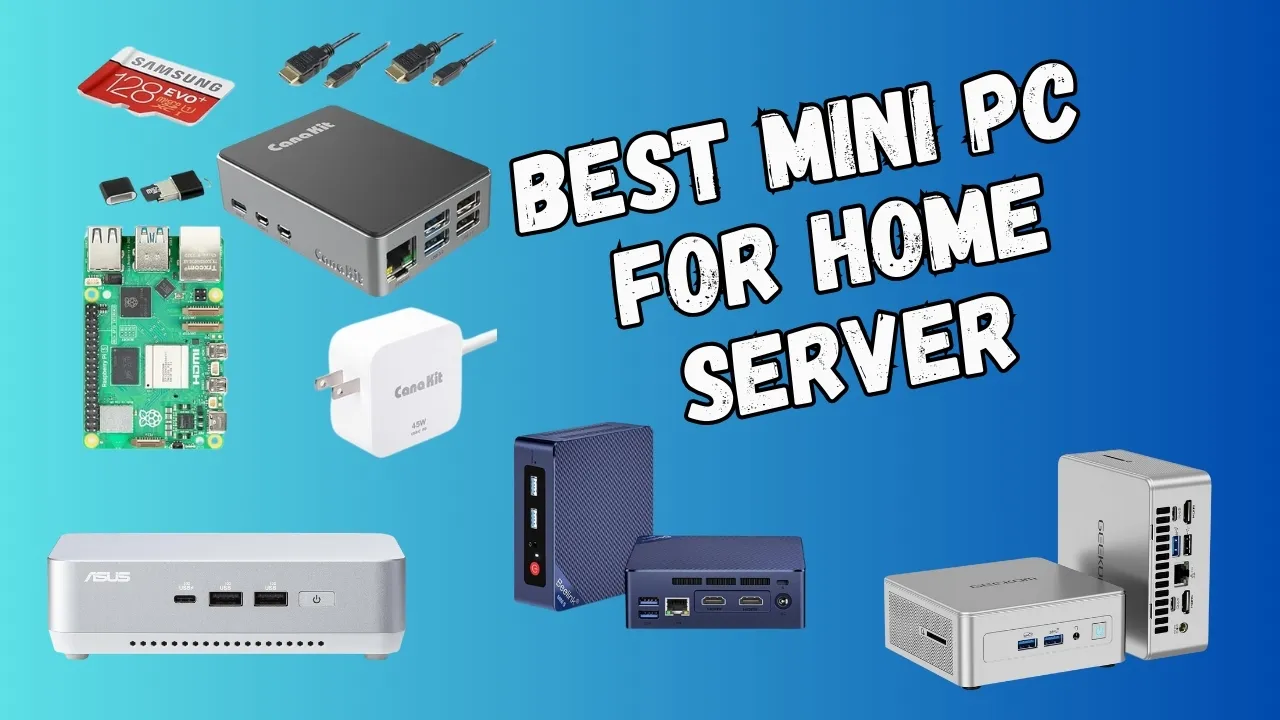
The GMKtec NucBox G5 with the Intel N150 is still the default budget home server in 2026. At $130-250, it handles file serving, Docker containers, Home Assistant, and media streaming without breaking a sweat.
Key specs:
- Intel N150: 4C/4T, 3.6GHz boost, 6W TDP
- 16GB DDR4 (official ceiling; 32GB works unofficially on many boards)
- 2.5GbE networking, WiFi 6, dual 4K display output
- UHD Graphics with 32 execution units (up from 24 on the N100)
The N150 offers roughly 1% CPU improvement over the N100 in PassMark (~5,400 vs ~5,300). The real jump is the iGPU: 32 EUs vs 24 enables 4-5 simultaneous 4K HEVC to 1080p transcodes via QuickSync at under 10W.
N150 transcoding reality
The N150 handles 4-5 simultaneous 4K HEVC to 1080p transcodes via QuickSync at under 10W. It cannot encode AV1, only decode. If you need AV1 encode for Jellyfin remote streaming to AV1-capable clients, look at AMD Ryzen AI boxes instead.
Limitations:
- Single-channel memory (bandwidth-limited)
- 16GB official RAM ceiling (32GB unofficial, check your specific board)
- No NPU, no AV1 encode
- PassMark ~5,400. Fine for light workloads, not for heavy VM multitasking
New budget tier: 8-core Intel Core 3 N350 and N355
The 2026 budget kings for multi-VM homelabs
The N350/N355 bring 8 cores at 7-15W, a big jump from the 4-core N150. But RAM is still single-channel and limited to 16GB officially.
The Intel Core 3 N350 and N355 are the new budget tier for 2026. Eight cores, 3.9GHz turbo, and a PassMark multi-core score around 7,400 for the N350 (roughly 38% above the N100).
N350 vs N355: Same 8C/8T at 3.9GHz. The N350 runs at 7W base power (fanless-friendly), while the N355 runs at 15W (slightly bigger enclosures).
What’s available now:
- MINIX NEO Z350-0dB: fanless, ~€500 complete (16GB/512GB)
- Barebones options from ~€310
- Industrial boards from AAEON and MINIX
For homelab use: 8 cores matter for Proxmox with multiple VMs. The N350 handles 4-5 light Linux containers comfortably. Same limitations as N150: single-channel RAM, 16GB official ceiling (32GB unofficial), no AV1 encode.
10GbE homelab value: Beelink SER9 Max and SER10 MAX
The “10GbE for under $1,300” story of 2026.
Beelink SER9 Max, $679
- Ryzen AI 7 H350 (Kraken Point), 32GB DDR5 + 1TB
- 10GbE port, dual M.2 slots (up to 8TB total)
- Best-in-class homelab value if you need fast networking on a budget
Beelink SER10 MAX — $1,299 (pre-order, reg $1,599)
- Ryzen AI 9 HX 470 (Gorgon Point), 12C/24T, NPU 55 TOPS / platform 86 TOPS
- 10GbE LAN, dual M.2, 32/64GB DDR5 SO-DIMM
- Triple display output, Auto Power On + WOL for headless use
- This is the “AI + 10GbE” combo that didn’t exist last year
Both have dual M.2 storage. The SER9 Max is the value pick; the SER10 MAX adds serious AI horsepower.
High-performance AMD AI mini PCs (Ryzen AI 9 365 / HX 370 / HX 470)
Check the SoC variant before buying
The Beelink SER9 Pro ships with three different SoCs (Ryzen AI 9 365, Ryzen AI 9 HX 370, Ryzen 7 H255) at similar prices. Community reports say the HX 370 version is the same price, making the 365 a worse buy. Always confirm which processor is in the listing.
Beelink SER9 Pro
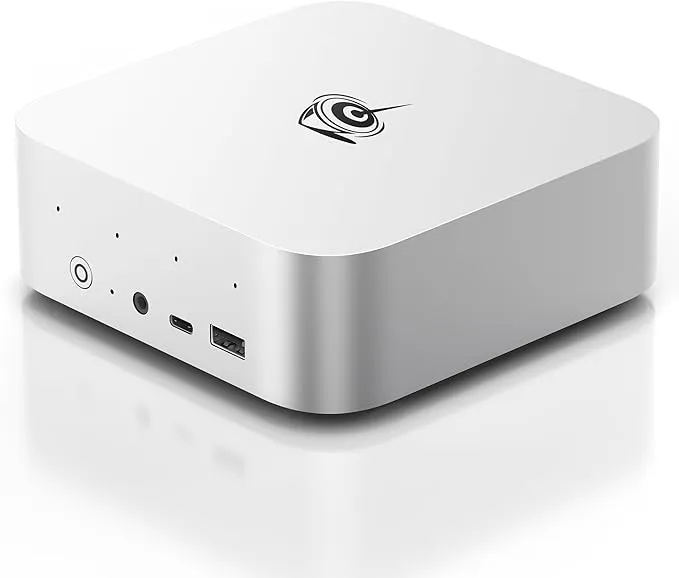
The SER9 Pro with the Ryzen AI 9 365 is a capable AI-capable homelab box. NPU 50 TOPS / platform 73 TOPS.
Key specs:
- Ryzen AI 9 365 (10C/20T, boost 5.0GHz)
- 32GB LPDDR5X-8000 (soldered — not upgradeable)
- 1TB PCIe 4.0 SSD
- Radeon 880M iGPU (12 CUs)
- Triple 4K@240Hz display output
- 2.5GbE + WiFi 6
For homelab: Good for AI inference, Docker workloads, and light VM duty. The soldered 32GB is the ceiling — if you need 64GB+, look at the AI X1 Pro instead.
Check Beelink SER9 Pro on AmazonMINISFORUM AI X1 Pro
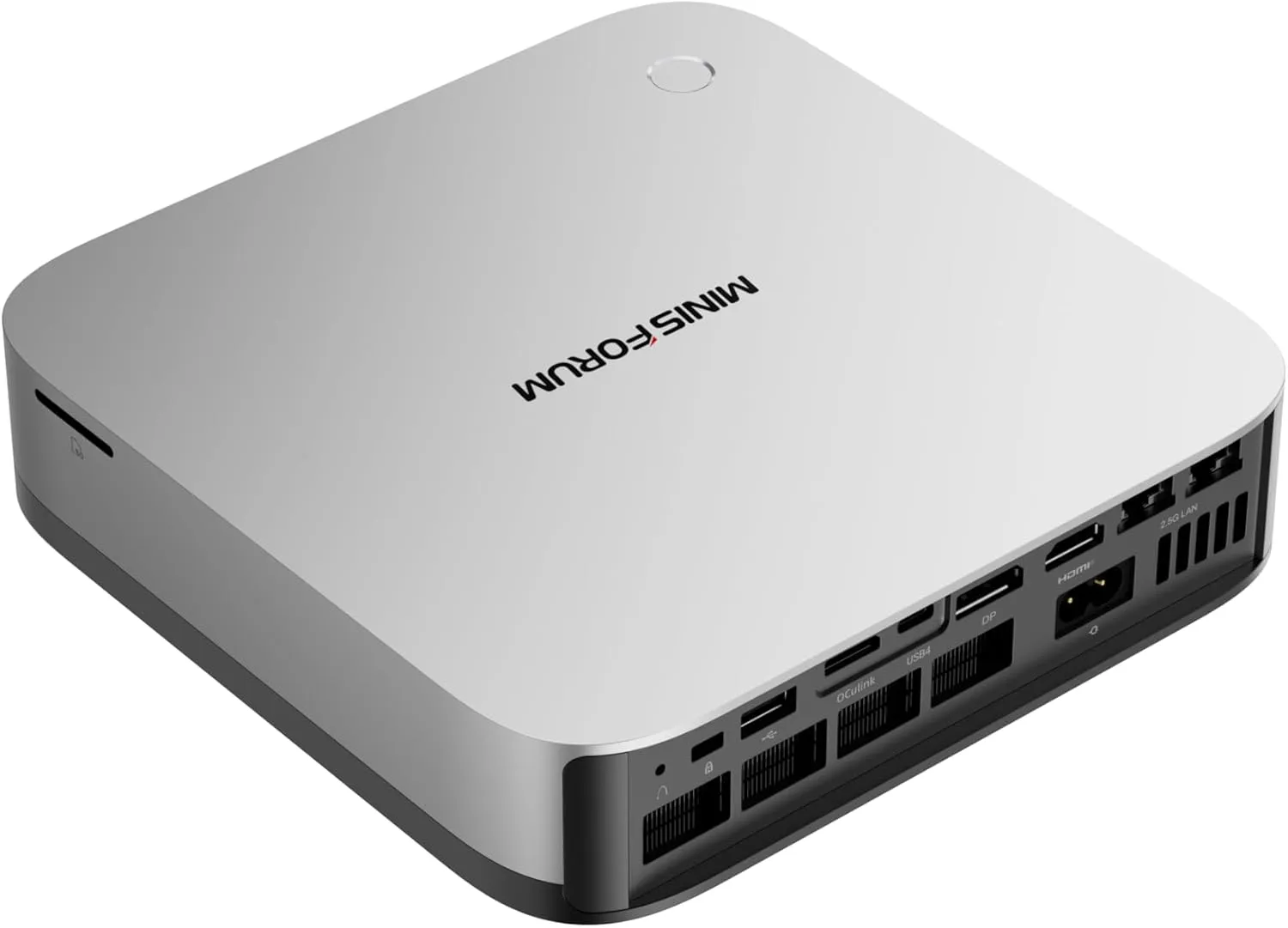
The AI X1 Pro is the workhorse pick. Dual 2.5GbE, OCuLink, three M.2 slots, and SO-DIMM RAM up to 128GB.
Key specs:
- Ryzen AI 9 HX370 (12C/24T, boost 5.1GHz), NPU 50 TOPS / platform 80 TOPS
- DDR5 5600MHz SO-DIMM (up to 128GB) — upgradeable
- Up to 3× PCIe 4.0 M.2 SSDs
- Radeon 890M iGPU (16 RDNA 3.5 CUs)
- Display: 2× 8K (HDMI 2.1 + DP 2.0) + 2× 4K (USB4)
- OCuLink port for external GPU connectivity
- Dual 2.5GbE LAN + WiFi 7 + Bluetooth 5.4
Why it’s the homelab workhorse: Upgradeable RAM to 128GB, dual 2.5GbE for network separation, OCuLink for GPU passthrough experiments. The HX 370 variant at $695 sale ($869 reg) is the sweet spot.
There’s also an AI X1 Pro-470 variant with the Ryzen AI 9 HX 470 (NPU 55 TOPS / platform 86 TOPS) at $759 sale ($949 reg).
Check MINISFORUM AI X1 Pro on AmazonProfessional Intel solutions: ASUS NUC 15 Pro
ASUS NUC 15 Pro Tall
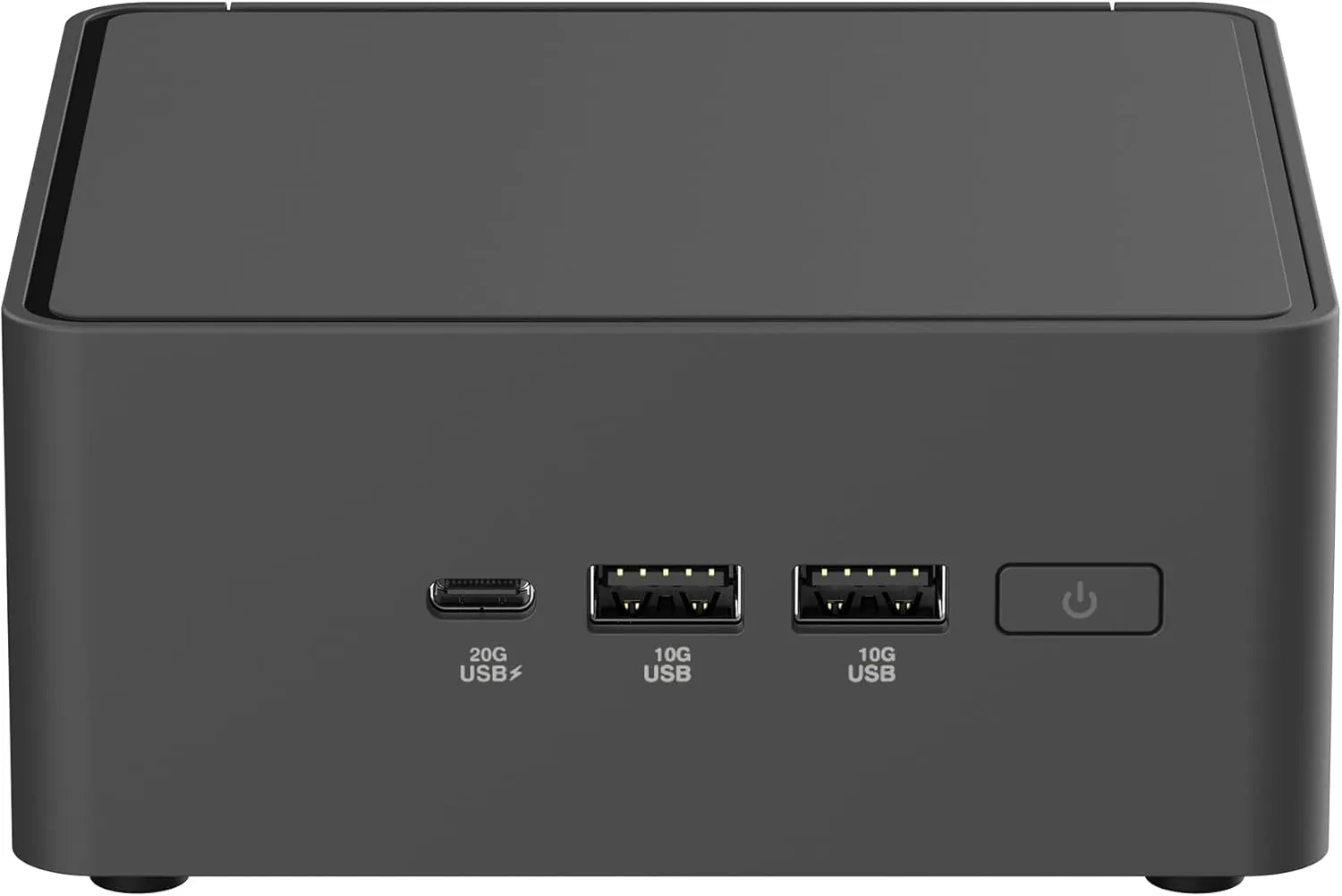
The NUC 15 Pro is the enterprise-grade pick. MIL-STD-810H certified, tool-less chassis, and ASUS’s reliability track record.
Key specs:
- Intel Core Ultra 7 255H (16C/22T) with Intel Arc 140T Graphics
- Up to 96GB DDR5 SO-DIMM — upgradeable
- Dual storage bays
- WiFi 7 + Thunderbolt 4
- Quad 4K display via HDMI 2.1 + Thunderbolt 4
- Tool-less 2.0 chassis for easy upgrades
Pricing: ~$845-1,000 configured (16GB/1TB) at retail; barebone ~$429 at asus.com.
For homelab: The barebone at $429 is compelling if you have DDR5 SO-DIMMs on hand. Add your own RAM and storage, install Proxmox, and you have a reliable virtualization host.
Check ASUS NUC 15 Pro Tall on AmazonASUS NUC 15 Pro+
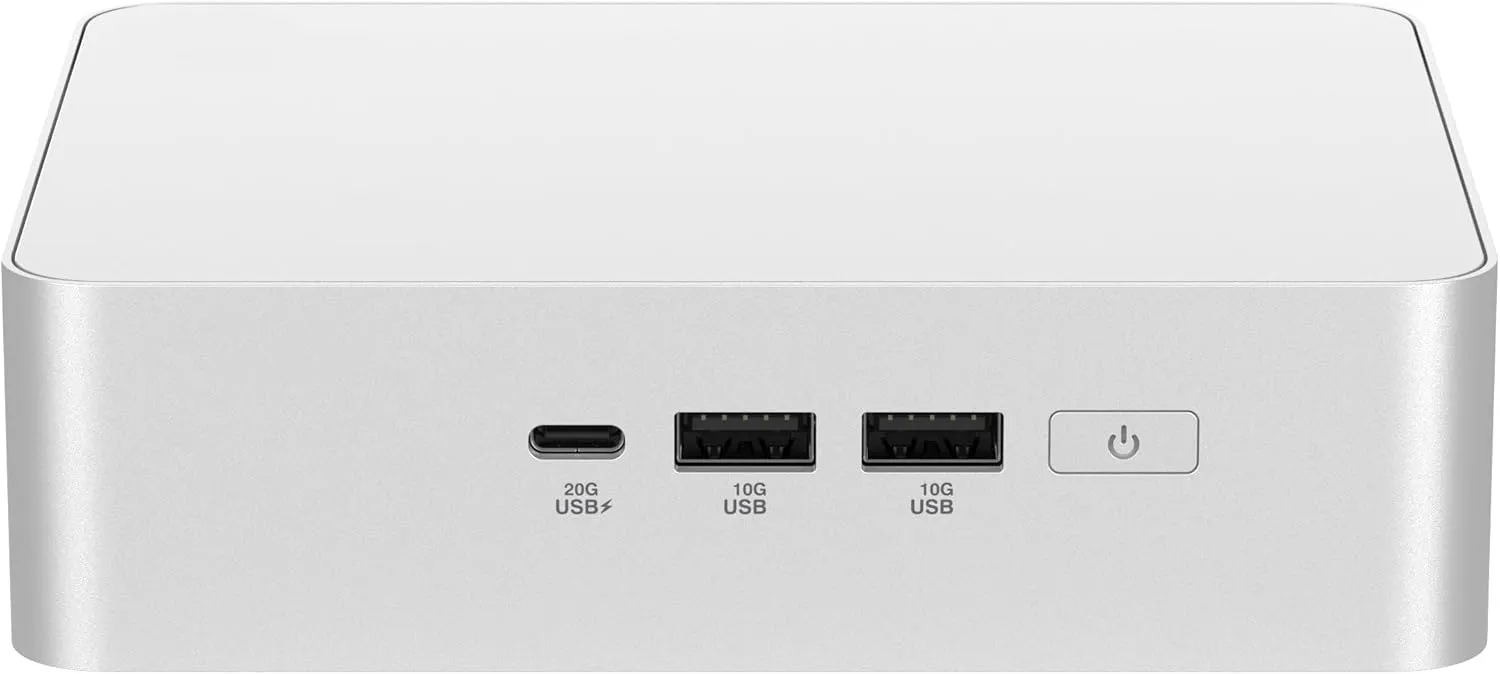
A more affordable entry with the Core Ultra 5 225H. Ultra-quiet cooling with 1.2x noise reduction compared to the standard model. Same tool-less chassis, WiFi 7, and up to 96GB DDR5 support.
Check ASUS NUC 15 Pro+ on AmazonThe ASUS DC510 is another compact option worth considering if you want an ASUS mini PC for home or office use.
Extreme performance: EVO-X2, MS-A2, and MS-02
GMKtec EVO-X2
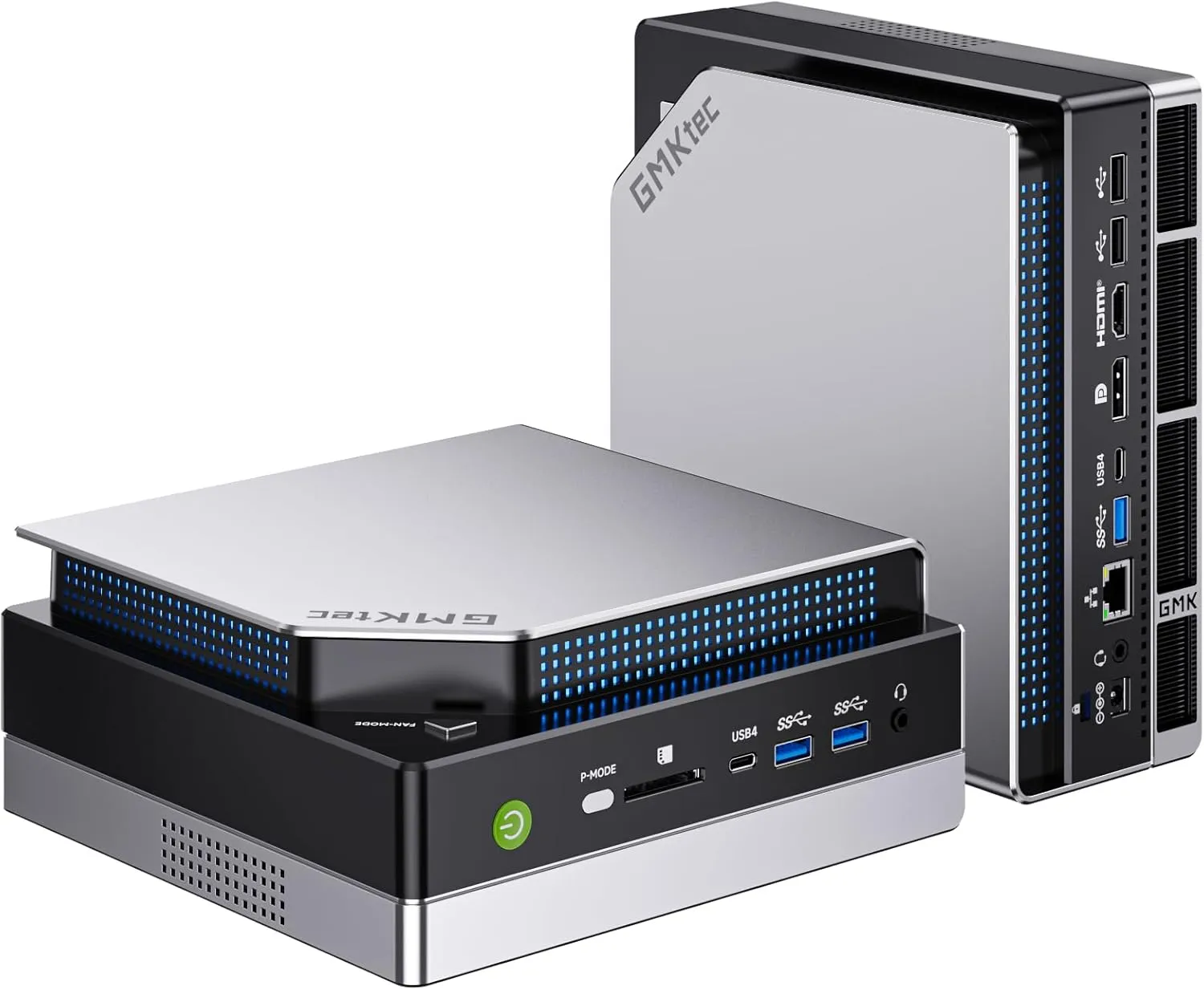
The EVO-X2 is the most powerful x86 APU in a mini PC. The Ryzen AI Max+ 395 with 16 Zen 5 cores, 40 RDNA 3.5 GPU CUs, and 256-bit LPDDR5X-8000 memory makes it the only mini PC that can run DeepSeek 32B at usable speed locally.
Key specs:
- Ryzen AI Max+ 395 (16C/32T, boost 5.1GHz), NPU 50 TOPS / platform 126 TOPS
- 64GB or 128GB LPDDR5X-8000 (soldered, 8-channel, ~256GB/s bandwidth)
- Radeon 8060S iGPU (40 CUs) — RTX 4060/4070 laptop equivalent
- Quad 8K display output
- 2.5GbE + WiFi 7
The catch: $1,999. Only 2.5GbE at this price (community-criticized). Fans are loud under load. Soldered RAM — pick your capacity at purchase.
Check GMKtec EVO-X2 on AmazonMINISFORUM MS-A2
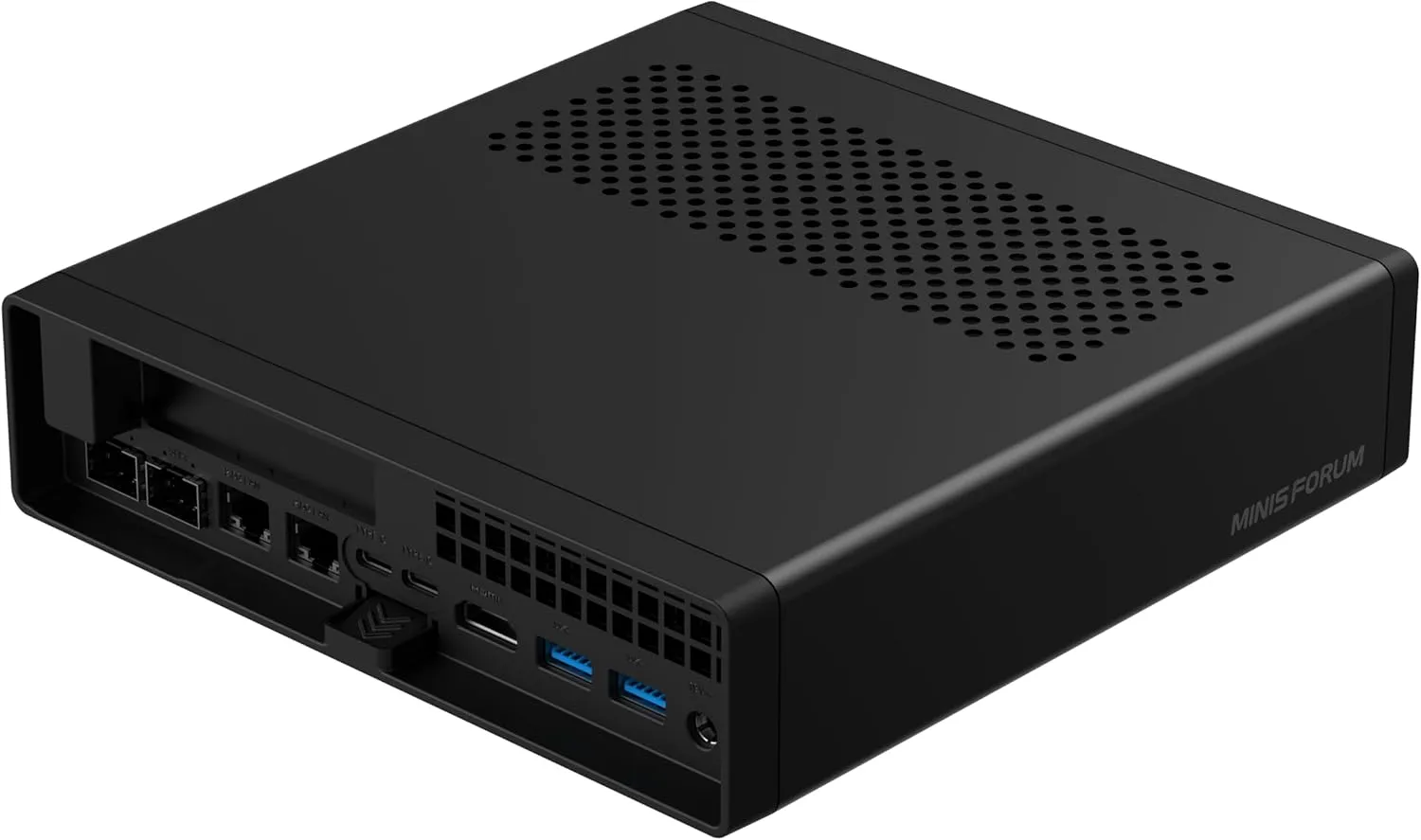
The MS-A2 is the homelab-NAS-workstation hybrid. At $799 barebones (reg $999), it’s gone from premium to mid-range pricing.
Key specs:
- Ryzen 9 9955HX (16C/32T)
- Dual SFP+ 10G + 2× 2.5G LAN — four network ports
- PCIe×16 slot (full-size GPU or NVMe adapter)
- 3× M.2 slots, up to 96GB DDR5 / 12TB storage
- 40-120W cTDP
For homelab: This is the box for NAS-heavy setups. Dual 10G SFP+ for fast storage networking, PCIe×16 for a 10G NIC or HBA, and enough CPU for ZFS or Ceph. Barebones at $799 means you bring your own RAM and storage.
Check MINISFORUM MS-A2 on AmazonMINISFORUM MS-02
The homelab flex machine. Core Ultra 9 285HX, 2× 25GbE ports, full-size GPU slot support, $1,199 barebones. If you need 25-gig networking in a mini PC form factor, this is the only game in town.
ARM excellence: Mac mini M6 as a home server
The Mac mini line was refreshed on August 25, 2026. The M4 is gone; here’s what’s current:
Mac mini M6 — $899
- M6 chip: 12C CPU / 12C GPU, 2nm process, 170GB/s memory bandwidth
- 16GB unified memory (configurable to 32GB)
- 2.5GbE standard, 10GbE optional
- N1 WiFi 7 / Bluetooth 6
- macOS 27 Golden Gate
- Ships September 22, 2026
- 10-15W idle — extremely power-efficient
Mac mini M5 Pro — $1,699
- Up to 18C CPU / 20C GPU, 307GB/s bandwidth
- Thunderbolt 5
- 24GB+ unified memory
For homelab: The M6 at $899 is excellent for always-on services — Docker containers, Home Assistant, media serving. macOS has native Docker support, and the power efficiency is hard to beat. The limitation is virtualization: no nested KVM, and some Docker images are x86-only.
Check Mac mini on AmazonMINISFORUM MS-R1 — the non-Apple ARM option
If you want ARM efficiency without the Apple tax, the MS-R1 ($504 with 32GB) is worth a look:
- CIX CP8180 ARM processor (12C/12T @ 2.6GHz)
- 45 TOPS NPU
- Dual 10GbE — more networking than the Mac mini at half the price
- ECC LPDDR5 memory
- PCIe x8 slot
- Dual NVMe
It’s a niche pick, but for an always-on ARM server with 10GbE, nothing else competes at this price.
How much does a home server mini PC cost to run?
This is the “low cost” part of the title. Here’s concrete annual power-cost math at $0.16-$0.20/kWh (EU/US average), running 24/7:
| Tier | Idle Power | Annual kWh | Annual Cost |
|---|---|---|---|
| N150 | ~8W | ~70 kWh | ~$11-14 |
| N350/N355 | ~10W | ~88 kWh | ~$14-18 |
| Ryzen AI 9 365 (SER9 Pro) | ~30W | ~263 kWh | ~$42-52 |
| Ryzen AI 9 HX 370 (AI X1 Pro) | ~35W | ~307 kWh | ~$49-61 |
| Strix Halo (EVO-X2/MS-A2) | ~45-65W | ~394-569 kWh | ~$63-114 |
| Mac mini M6 | ~10-15W | ~88-131 kWh | ~$14-26 |
The real low-cost story
An N150 box running 24/7 costs about $1/month in electricity. A Mac mini M6 costs about $1.50/month. That’s the real “low cost” promise of a mini PC homelab.
Note: N-series idle figures are well-documented (jellywatch.app, raspberry.tips). AMD box idle draws vary by model and BIOS settings — the ranges above are community-reported estimates.
Mini PC for Proxmox and virtualization: verify before you commit
If you’re planning to run Proxmox, ESXi, or heavy VM workloads, verify your hardware before trusting it 24/7.
1. Verify hardware media engines after install:
# VAAPI (AMD/Intel) — for Jellyfin/Plex transcoding
vainfo

# Intel QuickSync decode test
ffmpeg -hide_banner -hwaccel qsv -i test-4k-hevc.mkv -f null -

# Check temperatures
sudo sensors
2. Run a 30-minute thermal soak:
sudo apt install stress-ng
stress-ng --cpu $(nproc) --timeout 30m &
watch -n 5 sensors
Stress test before going 24/7
Run a 30-minute stress test before trusting any box 24/7. Community reports show the EVO-X2 and AI X1 Pro can throttle or get loud under sustained load. Watch for thermal throttling and note fan behavior.
3. IOMMU for GPU passthrough (Proxmox/Ubuntu):
# Edit /etc/default/grub:
# GRUB_CMDLINE_LINUX_DEFAULT="... amd_iommu=on iommu=pt"
sudo update-grub && sudo reboot
4. BIOS checklist for headless servers:
- Auto Power On after AC loss
- Wake-on-LAN enabled
- Fan curve set to quiet/balanced
- Headless boot confirmed (no monitor required)
- IOMMU enabled (if doing GPU passthrough)
After setup, monitor your home server with Beszel and Uptime Kuma and monitor server and Docker CPU, memory, and disk to catch issues early.
Buying tips for 2026
- Buy RAM-forward — DDR5 prices are spiked; prefer boxes with RAM pre-installed or barebones + RAM you already own
- Prefer SO-DIMM if you might upgrade later — soldered LPDDR5X is faster but locked at purchase
- Confirm the SoC variant in listings — the SER9 Pro ships with 3 different chips at similar prices
- Consider barebones + stockpiled RAM — MS-A2 at $799 and NUC 15 Pro at $429 barebones can save money if you have DDR5
- Check Auto Power On and Wake-on-LAN in BIOS for headless server use — not all boards enable these by default
- After setup, install a management panel — see best self-hosted server panels for options
Common failure modes and gotchas
N-series RAM ceiling
N150, N350, and N355 all have a 16GB official RAM ceiling. Single-channel memory only. 32GB works unofficially on many boards, but check your specific model before buying RAM. If you need 32GB+ guaranteed, skip N-series entirely.
No AV1 encode on N-series
N150, N350, and N355 can decode AV1 but cannot encode it. This matters for Jellyfin remote streaming — if your clients support AV1, you’d want to transcode to AV1 to save bandwidth. N-series can’t do that. AMD Ryzen AI boxes can.
Fan noise under load
The EVO-X2 is loud under load (community-reported; there’s a P-mode button for performance). The AI X1 Pro hits 45dB in performance mode. The MS-S1 Max has no barebones option. If noise matters, N150/N350 fanless boxes or the NUC 15 Pro+ (1.2x noise reduction) are better choices.
Amazon listing SoC drift
The Beelink SER9 Pro ships with three different SoCs (Ryzen AI 9 365, Ryzen AI 9 HX 370, Ryzen 7 H255) at similar prices. Community reports say the HX 370 version is the same price, making the 365 a worse buy. Always confirm which processor is in the listing before clicking buy.
EVO-X2 networking mismatch
The GMKtec EVO-X2 costs ~$2,000 but only has 2.5GbE (Realtek RTL8125BG). If you need 10GbE at this price point, the MINISFORUM MS-A2 at $799 barebones with dual SFP+ 10G is the better pick. The EVO-X2’s strength is its 128GB LPDDR5X and iGPU, not networking.
For server security after setup, see how to harden a Docker server.
Best use cases for a 2026 home server
| Use Case | Best Pick | Why |
|---|---|---|
| File server + Docker | N150 | 8W idle, silent, 2.5GbE, enough for 20+ containers |
| Media streaming (Jellyfin/Plex) | N150 | 4-5× 4K HEVC to 1080p transcodes via QuickSync |
| Multi-VM / Proxmox | N350/N355 or AI X1 Pro | 8 cores (N350) or 12 cores (HX 370), SO-DIMM RAM |
| Local LLMs | EVO-X2 (128GB) | 256GB/s memory bandwidth runs DeepSeek 32B |
| AI + 10GbE | SER10 MAX | HX 470 + 10GbE in one box |
| NAS with fast networking | MS-A2 | Dual SFP+ 10G, PCIe×16, 3× M.2 |
| Always-on services | Mac mini M6 | 10-15W idle, 2.5GbE, rock-solid macOS |
| Network security | N150 + NextDNS | Low power, always on, block ads and malware |
| Home Assistant | N150 or N350 | Overkill for HA alone, but leaves headroom for other containers |
Entry-level applications (N150/N350):
- File server, Docker containers, Home Assistant, Pi-hole/AdGuard
- Media streaming with QuickSync hardware transcoding
- Lightweight VPN endpoint
AI-powered applications (Ryzen AI / EVO-X2):
- Run local LLMs with Ollama and Open-WebUI
- Image recognition, smart home automation
- Development and testing of AI models
Professional applications (NUC 15 Pro / MS-A2):
- Multi-VM virtualization with Proxmox
- CI/CD pipelines, build servers
- NAS with 10GbE networking
Summary: what mini PC should you buy in 2026?
| Use Case | Recommendation | Price |
|---|---|---|
| Budget home server | GMKtec N150 (NucBox G5) | $130-250 |
| Budget multi-VM / Proxmox | N350/N355 fanless (MINIX NEO Z350-0dB) | ~€310-500 |
| 10GbE homelab value | Beelink SER9 Max | $669 |
| AI + 10GbE | Beelink SER10 MAX (HX 470) | $1,299 |
| AI workhorse | MINISFORUM AI X1 Pro-370 | $695-869 |
| Max power / local LLMs | GMKtec EVO-X2 (128GB option) | $1,999 |
| Workstation / NAS | MINISFORUM MS-A2 (10G SFP+) | $799 barebones |
| Homelab flex | MINISFORUM MS-02 (25GbE) | $1,199 barebones |
| Mac household | Mac mini M6 / M5 Pro | $899 / $1,699 |
| ARM + dual 10GbE | MINISFORUM MS-R1 | $504 |
My default recommendation: if you’re starting a homelab, get an N150 box ($130-250). It runs 24/7 for $1/month, handles Docker and media streaming, and is dead silent. If you need more cores for Proxmox, step up to the N350. If you want AI, the AI X1 Pro at $695 is the sweet spot. If you need 10GbE, the SER9 Max at $669 is the value king.
Quick FAQ
Can mini PCs run AI locally?
Yes, but the NPU TOPS number is misleading. For local LLMs, memory bandwidth + capacity matters more than NPU TOPS. The EVO-X2’s 128GB LPDDR5X at ~256GB/s is what runs DeepSeek 32B at usable speed, not the 50 TOPS NPU. Ollama and llama.cpp use GPU compute paths, not XDNA NPUs. For lighter AI tasks, the Ryzen AI 9 HX 370 with 64GB DDR5 handles most models up to 13B parameters.
How much RAM do I need?
16GB for basic file serving and Docker containers. 32GB+ for AI workloads and multiple VMs. 64GB+ for serious local LLM work and heavy virtualization. DDR5 prices are elevated in 2026 — buy RAM-forward (get boxes with RAM pre-installed) or buy barebones + RAM you already own.
Are mini PCs upgradeable?
Depends on the model. SO-DIMM boxes (AI X1 Pro up to 128GB, MS-A2 up to 96GB, NUC 15 Pro up to 96GB, SER10 MAX) are upgradeable. Soldered LPDDR5X boxes (EVO-X2 max 128GB, SER9 Pro 32GB, Mac mini) — what you buy is what you get. Always check before purchasing if you think you’ll need more RAM later.
x86 or ARM for a home server?
x86 for maximum compatibility and virtualization support. Every Docker image and server application works. ARM (Mac mini M6, MS-R1) for efficiency and always-on services — lower power draw, but limited virtualization (no nested KVM on Apple Silicon) and some x86-only Docker images.
What networking do I need?
2.5GbE is standard on all 2026 mini PCs and enough for most homelabs. 10GbE matters for NAS/Ceph/NFS-heavy setups where you’re moving large data volumes between machines. 10GbE is now available from $669 (SER9 Max). The MS-02 offers 25GbE at $1,199 barebones.
Does AV1 encoding matter?
Only if you remote-stream via Jellyfin/Plex to AV1-capable clients. AV1 encoding saves bandwidth significantly. N-series chips (N150, N350, N355) decode AV1 but cannot encode it. AMD Ryzen AI boxes can encode AV1. If most of your streaming is local or to H.265-capable clients, this doesn’t matter.