Best Travel Router for Remote Work (2026): WireGuard & Tailscale
The best travel router in 2026 is the GL.iNet Beryl AX ($98.99): sign into hotel Wi-Fi once, run WireGuard or Tailscale home, or step up to the Wi-Fi 7 Slate 7.

12 min read
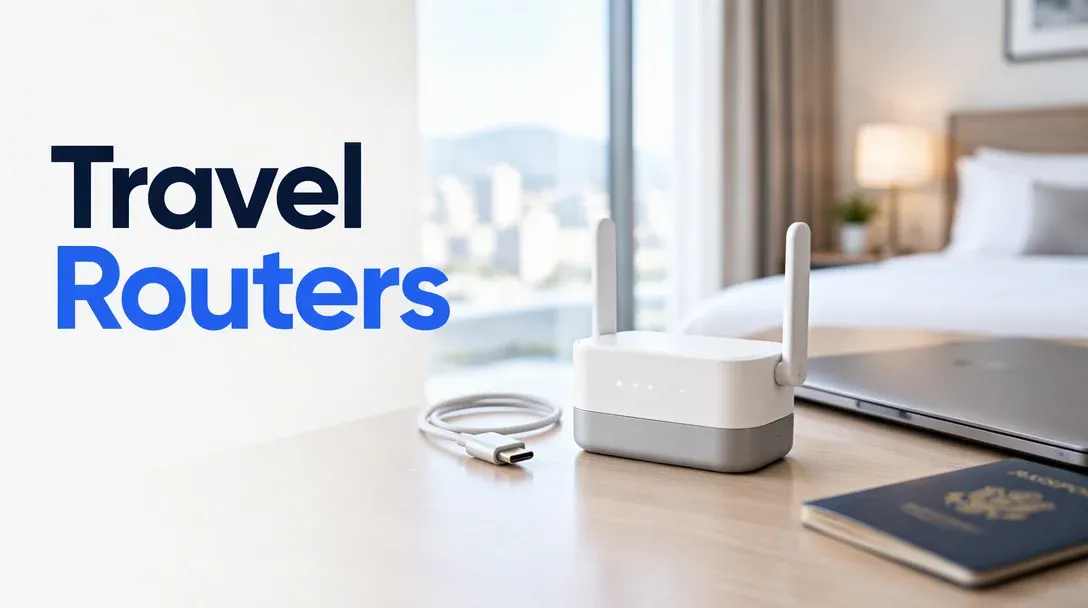
For most people the answer is the GL.iNet Beryl AX (GL-MT3000) at $98.99: it signs into a hotel captive portal once, broadcasts your own private Wi-Fi 6 SSID to every device you packed, and runs a WireGuard or Tailscale tunnel straight back to your home lab. Step up to the Slate 7 ($159.99) if you want Wi-Fi 7 and dual 2.5GbE ports, or drop to the Opal ($39.99) if budget is the main filter.
Affiliate disclosure
Some links below are Amazon affiliate links, including /go/ redirects that land on Amazon. Buying through them pays me a small commission at no extra cost to you. Prices were checked on October 30, 2026 and move constantly, so always confirm on the product page.
Quick picks
| Router | Price (Oct 30, 2026) | Wi-Fi | Ethernet | Claimed WG speed | Tailscale in UI | Rating | Buy it if |
|---|---|---|---|---|---|---|---|
| GL.iNet Beryl AX | $98.99 | Wi-Fi 6 AX3000 | 1x 2.5G + 1x 1G | ~300 Mbps | Yes | 4.5★ (5,471) | You want the proven under-$100 default. |
| GL.iNet Slate 7 | $159.99 | Wi-Fi 7 BE3600 | 2x 2.5G | ~490–540 Mbps | Yes | 4.4★ (1,605) | You want Wi-Fi 7, a touchscreen, and dual 2.5G. |
| GL.iNet Beryl 7 | $129.99 | Wi-Fi 7 BE3600 | 2x 2.5G | Up to 1,100 Mbps* | Yes | 4.2★ (644) | You want Wi-Fi 7 + dual 2.5G without the screen. |
| GL.iNet Slate AX | $119.99 | Wi-Fi 6 AX1800 | 3x 1G | ~550 Mbps | Yes | 4.4★ (3,872) | You need extra LAN ports and a microSD slot. |
| GL.iNet Opal | $39.99 | Wi-Fi 5 AC1200 | 3x 1G | ~65 Mbps | No | 4.2★ (8,337) | Best $40 budget GL.iNet router. |
| TP-Link TL-WR1502X | $39.99 | Wi-Fi 6 AX1500 | 2x 1G | ~150 Mbps | No | 3.9★ (1,458) | Mainstream Wi-Fi 6 alternative to the Opal. |
| TP-Link TL-WR3002X | $55.98 | Wi-Fi 6 AX3000 | 1x 2.5G + 1x 1G | ~300 Mbps | No | 4.1★ (500) | Cheap 2.5G + AX3000 hardware if you skip Tailscale. |
| GL.iNet Mango | $29.99 | Wi-Fi 4 (2.4GHz) | 2x 100M | ~45 Mbps | No | 4.1★ (13,130) | Ultralight emergency spare, not for daily work. |
*WireGuard throughput figures are vendor lab numbers over wired Ethernet. On real hotel Wi-Fi (which rarely clears 30–60 Mbps), even the $40 Opal saturates the upstream link.
Why carry a travel router instead of using a phone hotspot?
A travel router solves three problems that a phone hotspot or per-device VPN app doesn’t:
- Authenticate the hotel captive portal once. You connect the travel router to the hotel’s Wi-Fi (WISP repeater mode) and complete the room-number + last-name login screen a single time. Your laptop, phone, iPad, Kindle, and Apple TV / Chromecast stay connected to your router’s private SSID (
ssid-yours) all week — no re-authenticating five devices every morning, and no hotel Device Isolation blocking your laptop from talking to your phone or travel streaming stick. - One always-on VPN tunnel for every device (including locked-down work laptops). If your employer locks down your corporate laptop so you can’t install personal WireGuard or Tailscale clients, the travel router runs the tunnel in hardware. Every packet leaving its LAN or Wi-Fi is encrypted before it touches the hotel AP. I tunnel mine back to my home OPNsense firewall and mini PC lab so I can reach Jellyfin, Proxmox, and internal SSH hosts on their normal LAN IPs.
- Multi-wan fallback: hotel Ethernet, hotel Wi-Fi, or USB phone tethering. When a conference room still has a live Ethernet jack, you plug it into WAN. When the hotel Wi-Fi dies during a call, you plug your phone into the router’s USB 3.0 port for instant USB tethering without changing Wi-Fi networks on any of your devices.
1. GL.iNet Beryl AX (GL-MT3000): the default pick
$98.99 · 4.5★ from 5,471 ratings · sold by GL Technologies, ships from Amazon
The Beryl AX is the gold standard of this category and the one that lives in my own backpack (it also earned a spot in our tech gadgets worth owning roundup). Under the hood is a dual-core MediaTek Filogic 820 (MT7981B) running GL.iNet’s OpenWrt 21.02/24.x software, paired with 512MB of DDR4, Wi-Fi 6 AX3000, a 2.5GbE WAN port, a 1GbE LAN port, a USB 3.0 Type-A port for phone tethering or SMB storage, and a physical programmable toggle switch on the side that you can bind directly to your WireGuard kill switch.
With 5,471 ratings and years of firmware updates behind it, its repeater mode handles finicky hotel login pages more reliably than newer Wi-Fi 7 chips still getting driver updates.

GL.iNet Beryl AX (GL-MT3000)
Pocket-sized Wi-Fi 6 AX3000 travel router with a 2.5GbE WAN port, 1GbE LAN, USB 3.0 tethering, USB-C PD power, and built-in WireGuard, OpenVPN, AdGuard Home, and Tailscale.
Price & availability at Amazon.com
Key Features
- Wi-Fi 6 AX3000 dual-band (574 + 2402 Mbps)
- 1x 2.5GbE WAN + 1x 1GbE LAN + USB 3.0 port
- Native WireGuard (~300 Mbps), OpenVPN, and Tailscale UI
- Physical side toggle switch for VPN on/off + USB-C 5V/3A power
What we like
- Proven firmware across 5,471 reviews
- Under $100 with 2.5GbE WAN, AdGuard Home, and Tailscale
- Physical side switch lets you flip WireGuard on/off without opening a browser
Watch out for
- Single LAN port if you travel with multiple wired devices
- No 6GHz band (dual-band 2.4GHz + 5GHz Wi-Fi 6)
Important Considerations
- •Only one LAN port (plus one WAN port)
- •Powered via USB-C 5V/3A (15W) — can run off a laptop port or power bank
- •Tailscale plugin is built in; exit-node routing requires enabling subnet routes
Disclosure: This post contains affiliate links. We may earn a commission if you purchase through these links at no additional cost to you.
2. GL.iNet Slate 7 & 3. Beryl 7: the Wi-Fi 7 and dual-2.5GbE tier
GL.iNet Slate 7 (GL-BE3600) — $159.99 · 4.4★ from 1,605 ratings
The Slate 7 is GL.iNet’s flagship travel router: a quad-core Qualcomm chip, Wi-Fi 7 BE3600 (688 Mbps on 2.4GHz + 2,882 Mbps on 5GHz with MLO support), two 2.5GbE ports (1x WAN, 1x LAN), and ~490–540 Mbps of WireGuard throughput. Its standout feature is the front color touchscreen: you can scan a QR code on the screen to join the Wi-Fi, see real-time speeds, and toggle WireGuard, OpenVPN, or AdGuard Home with your finger without opening 192.168.8.1 on your laptop.
GL.iNet Beryl 7 (GL-MT3600BE) — $129.99 · 4.2★ from 644 ratings
If you want the Slate 7’s Wi-Fi 7 radio and dual 2.5GbE ports without paying $30 extra for a touchscreen, the Beryl 7 is the newer sibling. GL.iNet claims up to 1,100 Mbps of WireGuard throughput on its faster MediaTek silicon, making it fast enough to double as a primary apartment router or a portable 2.5GbE VPN gateway between trips.
Check GL.iNet Beryl 7 ($129.99)4. GL.iNet Slate AX (GL-AXT1800): best when you need 3 Ethernet ports
$119.99 · 4.4★ from 3,872 ratings
Why look at the older Wi-Fi 6 Slate AX when the Beryl AX is $21 cheaper? Port count and local storage. The Beryl AX and Beryl 7 only have two RJ45 jacks (1 WAN + 1 LAN). The Slate AX gives you three Gigabit Ethernet ports (1 WAN + 2 LAN) plus a built-in microSD card slot (up to 1TB) for a pocket Samba/DLNA media share on planes or in hotels with dead internet.
Check GL.iNet Slate AX ($119.99)5. Budget picks ($30–$56): GL.iNet Opal, Mango, and TP-Link Roam 6
GL.iNet Opal (GL-SFT1200) — $39.99 · 4.2★ from 8,337 ratings
The Opal gives you GL.iNet’s captive-portal repeater UI, WireGuard client/server (~65 Mbps), and three Gigabit Ethernet ports on older Wi-Fi 5 AC1200 hardware for $39.99. Because hotel Wi-Fi rarely passes 50 Mbps anyway, 65 Mbps of WireGuard is plenty for remote SSH, Slack, Zoom, and 1080p streaming. Note that the Opal’s smaller flash/RAM does not include the Tailscale or AdGuard Home plugins — stick to native WireGuard on this model.
Check GL.iNet Opal ($39.99)TP-Link TL-WR1502X ($39.99) & TL-WR3002X ($55.98)
TP-Link’s “Roam 6” line attacks the Opal and Beryl AX directly on hardware specs per dollar:
- The TP-Link TL-WR1502X ($39.99, 3.9★ from 1,458 ratings) upgrades the $40 tier to Wi-Fi 6 AX1500 with two Gigabit ports, USB tethering, and built-in WireGuard/OpenVPN client support.
- The TP-Link TL-WR3002X ($55.98, 4.1★ from 500 ratings) matches the Beryl AX’s Wi-Fi 6 AX3000 + 2.5GbE WAN hardware for $43 less, plus a microSD slot.
Why does the Beryl AX still win our top spot over the $56 TP-Link? Firmware depth. GL.iNet’s OpenWrt interface gives you Tailscale, AdGuard Home, per-VLAN/per-MAC VPN policy routing, DNS-over-TLS/HTTPS, and full root SSH access to opkg packages. TP-Link’s Tether app and proprietary web UI are simpler and lack native Tailscale.
GL.iNet Mango (GL-MT300N-V2) — $29.99 · 4.1★ from 13,130 ratings
The tiny yellow/black Mango weighs 40 grams, draws 2W off any USB port, and has 13,130 ratings. It is also 2.4GHz Wi-Fi 4 only with 100Mbps Ethernet ports and ~45 Mbps WireGuard. Crowded hotel 2.4GHz airwaves make it painful as a primary remote-work router in 2026; buy it only as a $30 emergency backup that lives permanently at the bottom of a tech pouch.
Check GL.iNet Mango ($29.99)WireGuard vs Tailscale on a travel router: which should you use?
GL.iNet’s newer models (Beryl AX, Slate 7, Beryl 7, Slate AX) ship with both a native WireGuard Client and a Tailscale toggle under Applications > Tailscale. They solve slightly different problems on the road:
| Feature | Native WireGuard Client | Built-in Tailscale Plugin |
|---|---|---|
| Speed on Beryl AX | ~300 Mbps (kernel-space kmod-wireguard) |
~80–130 Mbps (userspace tailscaled overhead) |
| Requires public IP / port forward at home? | Yes (UDP port forwarded to home firewall/WG server) | No — punches through CGNAT and double-NAT automatically |
| Hardware kill switch (“Block Non-VPN Traffic”) | Yes, first-class and rock-solid | Partial; verify exit-node routing before trusting |
| Commercial VPN providers (Mullvad, Proton, IVPN) | Yes (upload any .conf file) |
Only Mullvad via Tailscale add-on |
| Best when | You have a public IP at home or use a commercial VPN | Your home ISP uses CGNAT, or you run Headscale / Tailscale |
If you haven’t set up your home mesh VPN yet, see my NetBird vs Headscale vs Tailscale comparison and the self-hosted Headscale setup guide.
Hotel Wi-Fi survival guide: fixing the 4 captive-portal traps
Even with a great travel router, hotel and airport networks throw curveballs. Keep these four fixes in your back pocket:
1. The hotel login page won’t load (DNS Rebinding Protection)
Hotel captive portals work by hijacking a plain HTTP request and redirecting you to a local IP (like 10.1.0.1 or 172.16.0.1). If you enabled DNS Rebinding Attack Protection, AdGuard Home, or Encrypted DNS (DoH/DoT) on your GL.iNet router, the router blocks that private-IP DNS response as an attack, and the hotel login screen never appears.
The 30-second hotel check-in routine:
- Flip the VPN kill switch OFF (using the side toggle button or web UI).
- In the GL.iNet admin page (
192.168.8.1), go to Network > DNS and temporarily disable DNS Rebinding Attack Protection (and set DNS mode to Automatic so the router uses the hotel’s DHCP DNS). - Open
http://neverssl.comorhttp://captive.apple.comon your laptop or phone, log into the hotel portal, and flip your WireGuard VPN + DNS protection back ON.
2. Bypassing stubborn portals with MAC Cloning
On cruise ships, flights, or hotels where captive portals refuse to load through a router, authenticate on your phone’s Wi-Fi first. Then connect your phone to the travel router, go to Network > MAC Address in the GL.iNet UI, and click Clone MAC to copy your phone’s MAC address onto the router’s WAN/Repeater interface. Once your phone disconnects from the hotel SSID, the hotel equipment thinks your travel router is your already-authenticated phone.
3. Avoid the 192.168.8.1 and 192.168.1.1 subnet collision
By default, GL.iNet routers use 192.168.8.1/24 for their LAN, and most home networks use 192.168.1.0/24 or 192.168.0.0/24. If a hotel or Airbnb uses 192.168.1.0/24 on its guest Wi-Fi and your home LAN is also 192.168.1.0/24, you will not be able to reach your home servers over WireGuard because your travel router sends 192.168.1.x traffic to the local hotel gateway instead of the VPN tunnel.
Fix before you leave home: under Network > LAN on your travel router, change the router’s LAN IP to an uncommon subnet like 10.77.8.1 (255.255.255.0), and keep your home lab on an uncommon RFC1918 range (like 10.20.30.0/24) rather than 192.168.1.0/24.
4. Drop WireGuard MTU to 1380 if SSH or HTTPS hangs
When WireGuard runs inside a hotel’s VLAN-tagged or PPPoE network (or over USB cellular tethering), the standard 1420 byte WireGuard MTU can fragment and drop large packets. Symptoms: ping 1.1.1.1 works, but Slack, SSH git push, or web pages hang indefinitely. In your GL.iNet WireGuard client config (VPN > WireGuard Client), edit the peer configuration and lower MTU = 1380 (or 1280 on cellular).
Power tip: skip the hotel TV USB port
The Beryl AX needs 5V/3A (15W) over USB-C, and the Wi-Fi 7 Slate 7 wants a proper 5V/3A or 9V/3A PD feed. Plugging a modern Wi-Fi 6/7 travel router into a 500mA USB-A port on the back of a hotel television causes random reboots the moment the Wi-Fi radio and WireGuard CPU spin up. Power it from the included wall brick, a free USB-C port on your laptop, or a high-output battery like the Anker 25,000mAh 165W laptop power bank.
What I’d buy
- Most people: the GL.iNet Beryl AX at $98.99 — the sweet spot of price, size, WireGuard speed, and Tailscale support.
- Want Wi-Fi 7, dual 2.5GbE, and a touchscreen: the GL.iNet Slate 7 at $159.99.
- Want Wi-Fi 7 and dual 2.5GbE for $30 less: the GL.iNet Beryl 7 at $129.99.
- Need 3 Ethernet ports and a microSD slot: the GL.iNet Slate AX at $119.99.
- Under $40 budget: the GL.iNet Opal at $39.99 for OpenWrt/captive-portal polish, or the TP-Link TL-WR1502X at $39.99 for Wi-Fi 6 hardware.
FAQ
What does a travel router actually do in a hotel?
A travel router connects to the hotel’s Wi-Fi or Ethernet once and broadcasts your own private, encrypted Wi-Fi network for all your devices. You only complete the hotel’s captive portal login screen once, your devices can talk to each other without hotel client isolation, and the router can encrypt all traffic through a single WireGuard or Tailscale VPN tunnel back home.
Can a travel router hide that I am working remotely?
When you connect a corporate laptop to a travel router running a WireGuard client connected to your home router (with the kill switch enabled), all internet traffic exits from your residential home IP address. Keep in mind that a corporate laptop with Wi-Fi, Bluetooth, or GPS enabled can still detect nearby BSSIDs for location services unless Wi-Fi/Bluetooth are turned off and you connect the laptop to the travel router’s LAN port via an Ethernet cable.
WireGuard or Tailscale on GL.iNet: which is better?
Native WireGuard is two to three times faster (~300 Mbps on the Beryl AX) and integrates directly with GL.iNet’s hardware kill switch, making it the first choice if you can forward a UDP port on your home router or use a commercial VPN. Tailscale is easier to set up when your home ISP uses CGNAT (no public IPv4 address), though its userspace daemon runs slower on router CPUs.
Is Wi-Fi 7 worth it on a travel router when hotel Wi-Fi is slow?
Not for the hotel WAN link itself, which is usually capped under 50 Mbps. You buy a Wi-Fi 7 model like the Slate 7 or Beryl 7 for the local upgrades: dual 2.5GbE ports for fast wired transfers between your laptop and a portable NAS/server, faster CPU cores for ~500+ Mbps WireGuard when plugged into fast venue Ethernet, and cleaner 5GHz MLO links in RF-crowded convention centers.
Can I power a GL.iNet travel router from a power bank or laptop?
Yes. The Beryl AX, Slate 7, Beryl 7, and Opal all run on standard USB-C power (15W 5V/3A on the Beryl AX). A laptop Thunderbolt/USB-C port or any USB-C PD power bank can run the router for hours on a train, flight, or conference table.