
Best Herdr clients (2026): official apps, web UIs & mobile
Compare Herdr clients in late 2026: official Herdr Desktop & Mobile apps, TUI v0.9.5, Moshi v0.4.62, ColliePWA, Heeler, herdrm, and secure Tailscale setup.
Updated Published 9 min read
Herdr
Part 3 of 5
Herdr now ships an official desktop app (herdr-app v0.1.16, macOS/Linux/Windows) and a free official mobile app (iPhone, iPad, Android) on herdr-core, alongside Herdr TUI (v0.9.5, 52K+ stars). There is still no official web UI, so browser dashboards remain community-built.
That changes the decision tree from October 2026 completely. Back then, every desktop and mobile Herdr client was third-party. Now you pick along a clean split first: Herdr App + herdr-core (official desktop + free official mobile app, plus Moshi) or Herdr TUI (your existing terminal, plus ColliePWA, Heeler, herdr-web-ui, herdrm, Herdr UI, and Moshi).
Below is the side-by-side decision table, what each client actually attaches to, the security rules for loopback web UIs, and the reference VPS + Tailscale setup. If you are new to the runtime, start with our Herdr review and AI coding tools comparison.
Official apps and TUI use separate daemons
Herdr Desktop (herdr-app v0.1.16) and Herdr Mobile connect to herdr-core (hc v0.1.21). Herdr TUI (herdr v0.9.5) and community TUI clients (ColliePWA, herdr-web-ui, Heeler, herdrm, penso/herdr-gpui) connect to the TUI daemon. Only Moshi (moshi-hook v0.4.62) bridges both daemons today.
Which Herdr client should you choose?
Pick Herdr Desktop + Herdr Mobile if you want zero-cost official apps on herdr-core over SSH/Tailscale; pick Herdr TUI + ColliePWA or Moshi if you prefer living inside Ghostty/WezTerm/Kitty with TUI plugins and browser/Mosh access.
| Situation | Best client | Backend daemon | Exposure | Moving parts |
|---|---|---|---|---|
| Native desktop window + custom layouts | Official Herdr Desktop (herdr-app) |
herdr-core (hc) |
Local + SSH | Single native app |
| Free official phone/tablet control | Official Herdr Mobile (iOS/Android) | herdr-core (hc) |
Direct SSH / Tailscale | Zero account, zero relay |
| Terminal purist at the desk | Built-in Herdr TUI (herdr) |
Herdr TUI (v0.9.5) |
None | Single Rust binary |
| Remote laptop into a VPS | herdr machine add or hc machine add |
Either | SSH only | SSH config |
| Phone control over unstable LTE + approvals | Moshi + moshi-hook v0.4.62 |
Both TUI & herdr-core |
SSH / Mosh / Tailscale | moshi-hook daemon |
| Android PWA / browser approvals on TUI | ColliePWA or devswha/herdr-web-ui |
Herdr TUI | Loopback + tailscale serve |
1 service or plugin |
| Native iPhone TUI console (libghostty) | Heeler | Herdr TUI | SSH StreamLocal | 1 TUI plugin |
| Native macOS window attached to TUI daemon | herdrm or Herdr UI (herdr-gpui) |
Herdr TUI | Local / SSH | Native desktop app |
| Full TUI fidelity in a browser | kcosr/herdr-web |
Herdr TUI | Loopback (:8787) |
Rust bridge (experimental) |
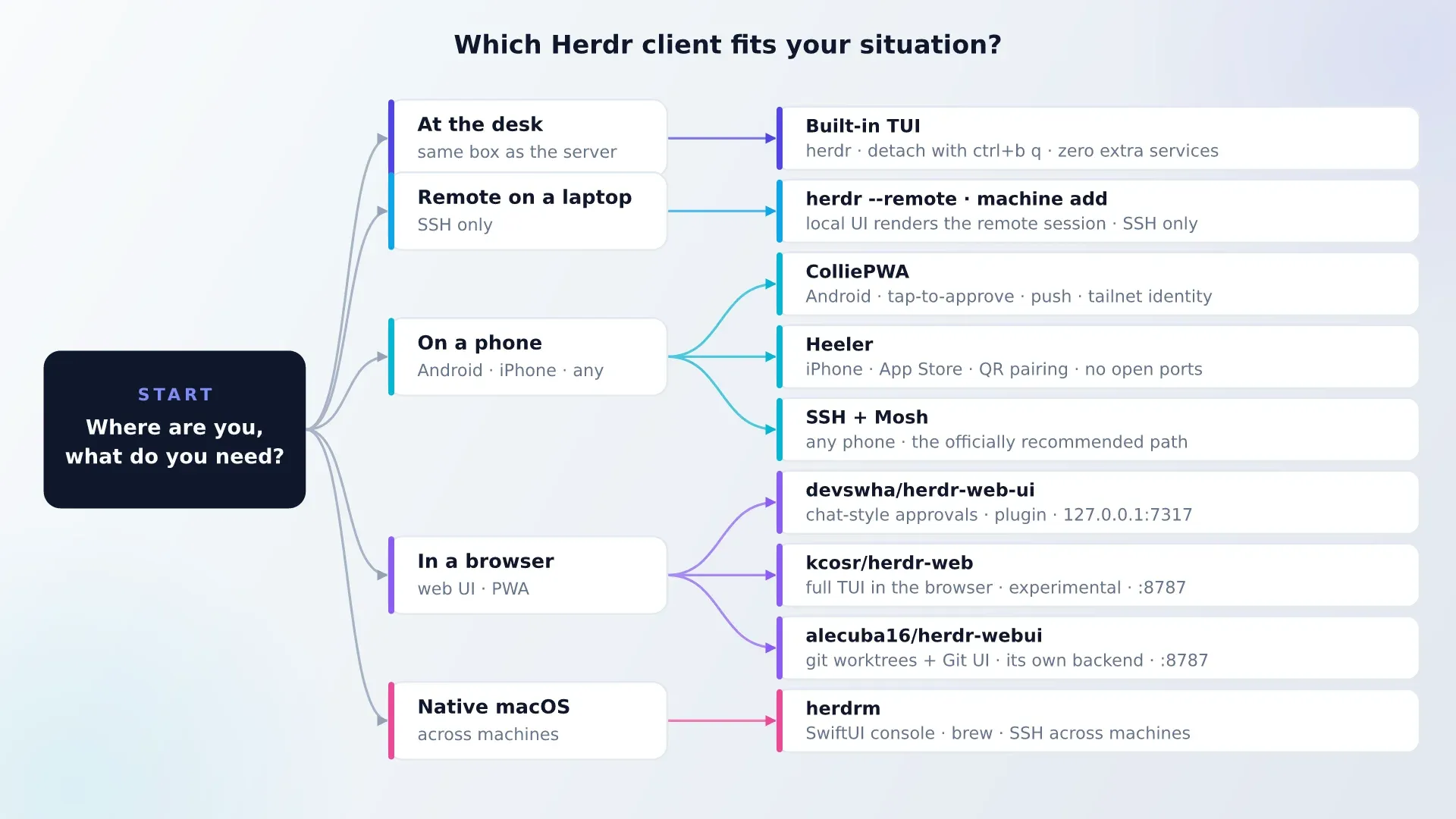
One practical filter before you install five dashboards: add an extra client only when a real scenario demands it. If you sit at one desk in Ghostty, plain herdr or herdr-app is already enough.
Official Herdr clients: Desktop App, Mobile App, and TUI
Official Herdr Desktop App (v0.1.16) + herdr-core (v0.1.21)
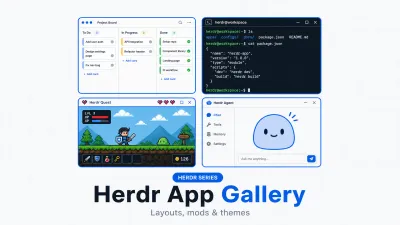
Written in Rust on GPUI with Ghostty’s terminal engine, herdr-app runs on macOS (Apple Silicon), Linux (x86_64/ARM64 with Vulkan), and Windows. Its spaces, tabs, and SSH machines live in herdr-core, and its entire interface is editable by coding agents through 312+ community layouts and 576+ QuickJS mods. See our full Herdr app layouts and mods tour for install commands and screenshots.
Official Herdr Mobile App (iPhone, iPad, and Android)
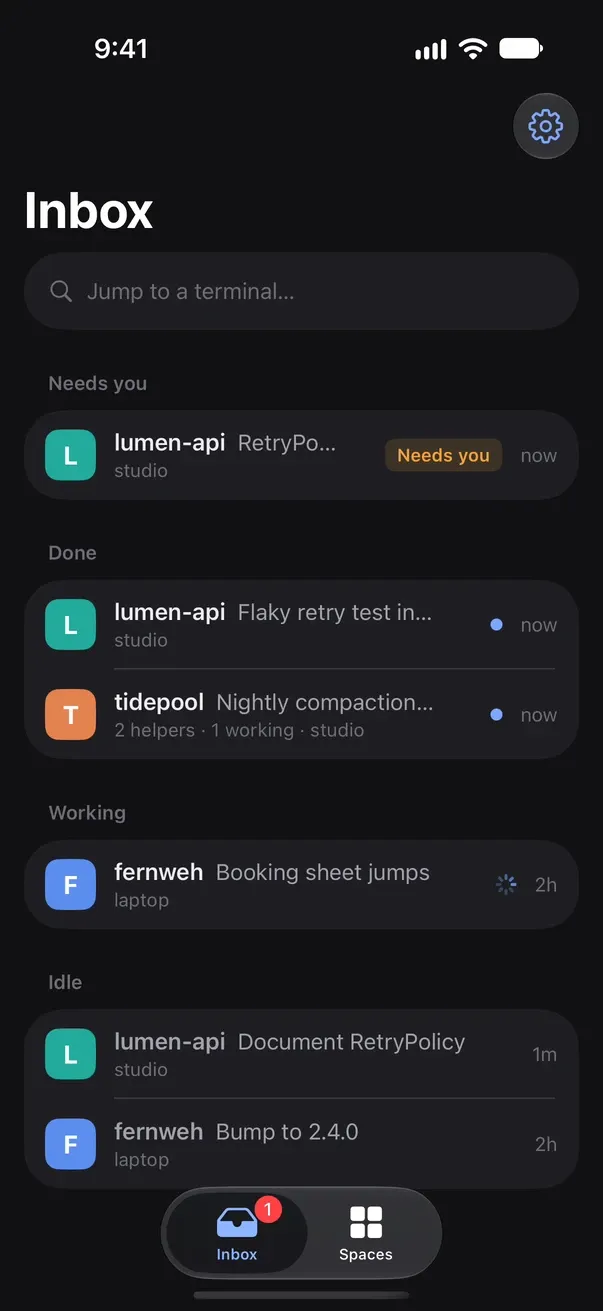
Free on the App Store and Google Play with no account, no ads, and no cloud relay. Your phone connects straight to herdr-core over SSH or Tailscale SSH:
- Inbox sorted by urgency:
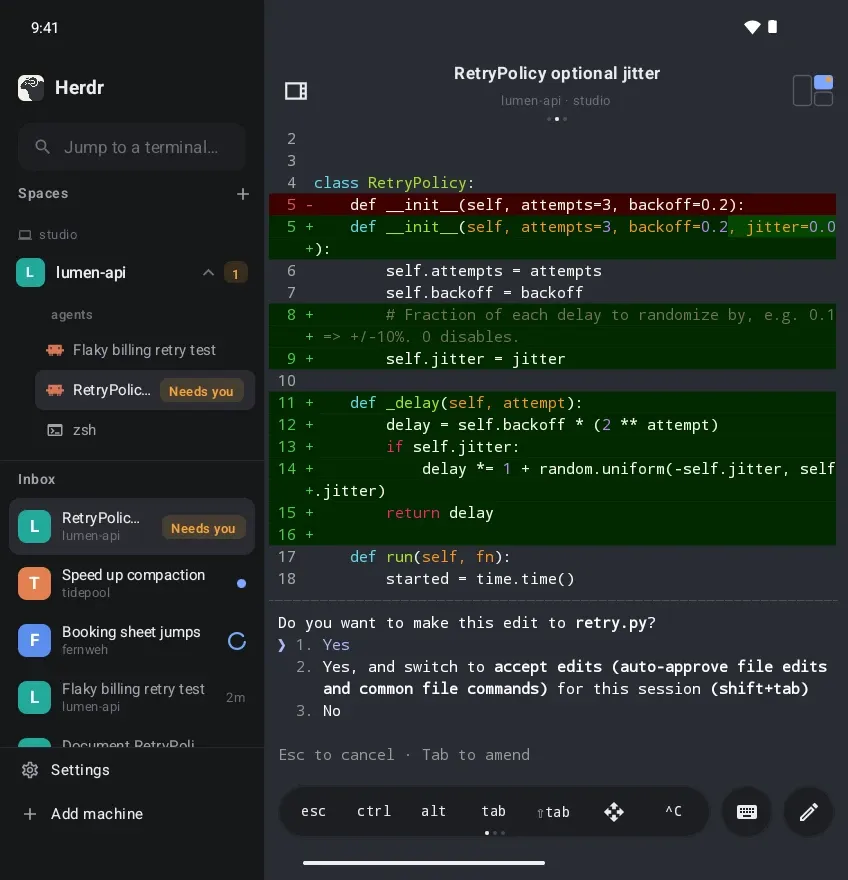
Needs you,Done,Working, andIdleacross every machine, with swipe-right to pin/mark read and swipe-left to sendEsc. - Real terminal + compose bar: Type straight into the terminal or open compose to write, paste screenshots, attach photos, or use on-device speech dictation.
- Mirrored spaces and foldables: Every desktop space renders as a live pane map without resizing your desktop window. On iPad and unfolded Android foldables, the sidebar and terminal sit side by side.
Official Herdr TUI (v0.9.5) and multi-machine SSH
If you live inside your own terminal emulator, herdr (v0.9.5, Apache-2.0, ~52K stars) stays the cleanest zero-dependency runtime:
curl -fsSL https://herdr.dev/install.sh | sh
herdr -V && herdr status
herdr machine add workbox --label "Build box"
herdr --remote workbox
herdr update updates the binary and lists running servers still on older versions. Remember: detach with Ctrl+B q, not herdr server stop (which kills pane processes). While in the terminal, pair it with Oh My Zsh plugins and zoxide.
Best Herdr web UIs (five community options for Herdr TUI)
There is still no official Herdr web UI. All five options below are community-built, attach to Herdr TUI, and bind loopback by default with no built-in login wall.
| Project | Port | Install | Auth posture | Best for |
|---|---|---|---|---|
| AltanS/collie (ColliePWA) | loopback | curl ... collie start |
Tailnet identity + device pairing | Best overall PWA & Android mobile web UI |
| devswha/herdr-web-ui | 7317 | herdr plugin install |
Loopback + Tailscale QR | Chat-style approval cards + web push |
| sarathsp06/herdrweb | 7331 | Single Go binary | Loopback-only (“one operator”) | Cleanest minimal inbox + diffs |
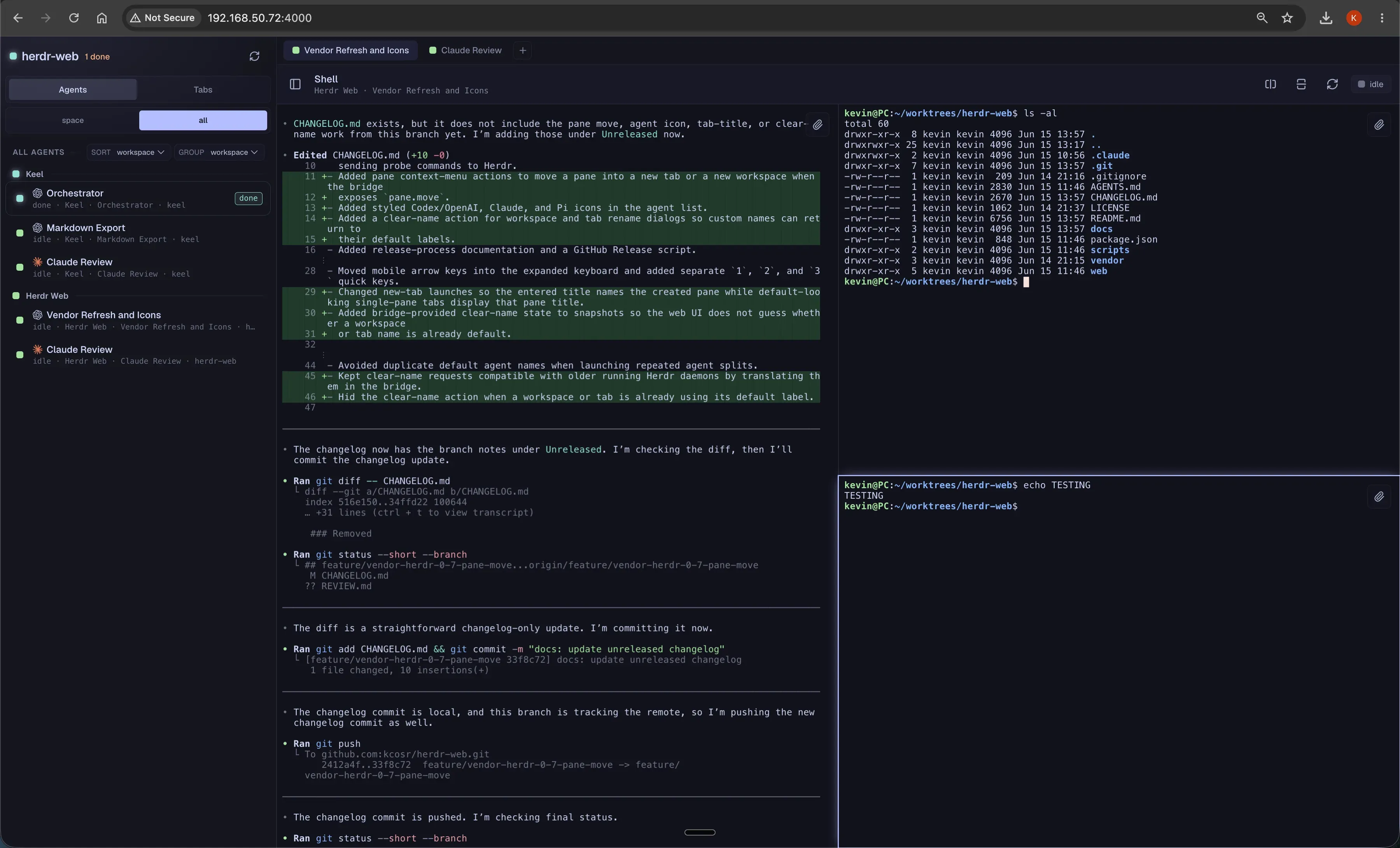
| kcosr/herdr-web | 8787 | Tarball + APK | Origin allowlist (not auth) | Full TUI/vim fidelity via Ghostty WASM |
| alecuba16/herdr-webui | 8787 | Tarball | Loopback | IDE + git worktrees (--backend-mode external-herdr) |
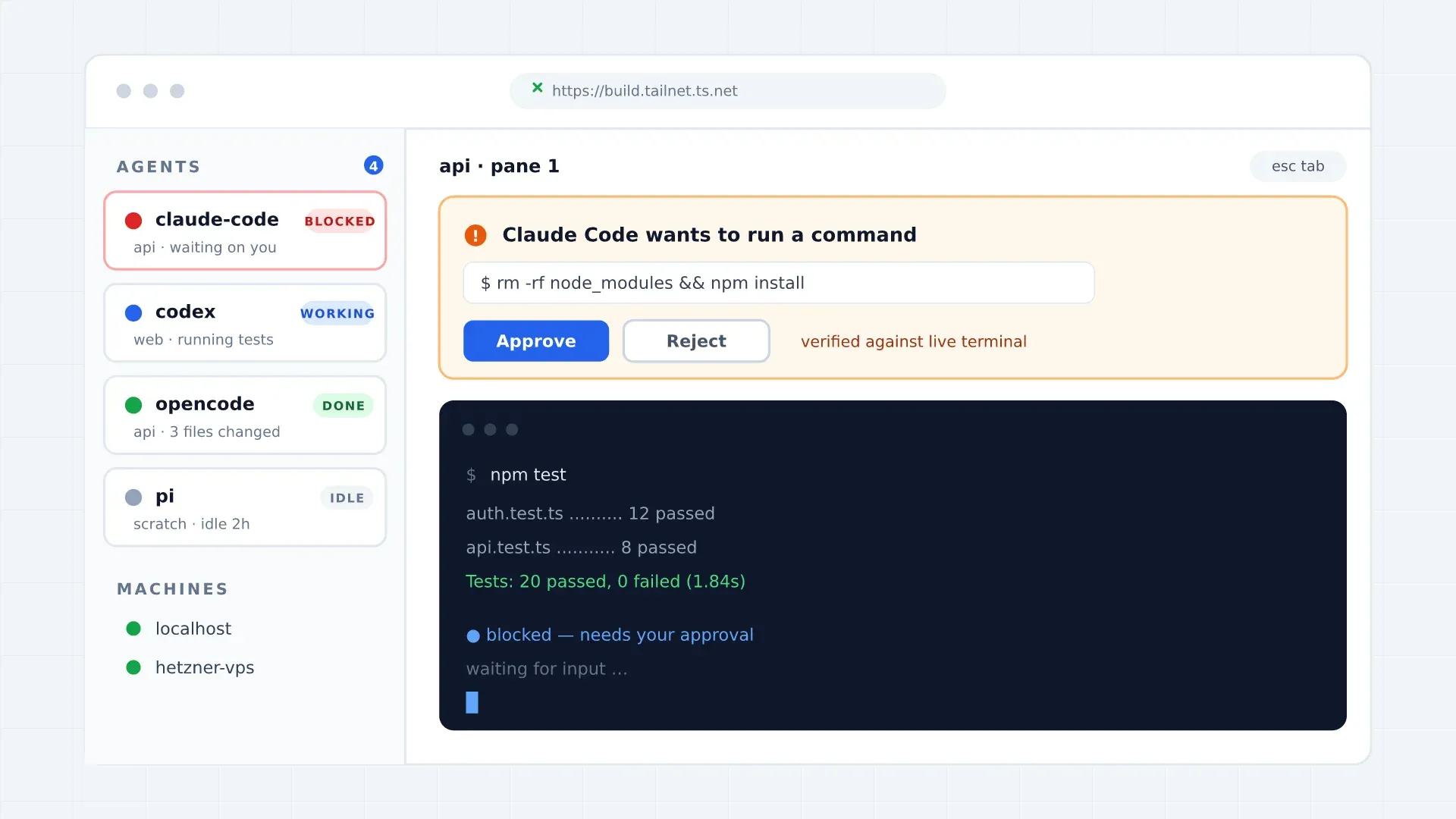
ColliePWA: strongest security model and Android PWA
ColliePWA puts blocked agents at the top, adds web push notifications, quick-replies.toml, read-only git diffs, and multi-machine “Crews.” Front it with tailscale serve and set [email protected] so Tailscale injects verified identity headers; device pairing tokens gate write access.
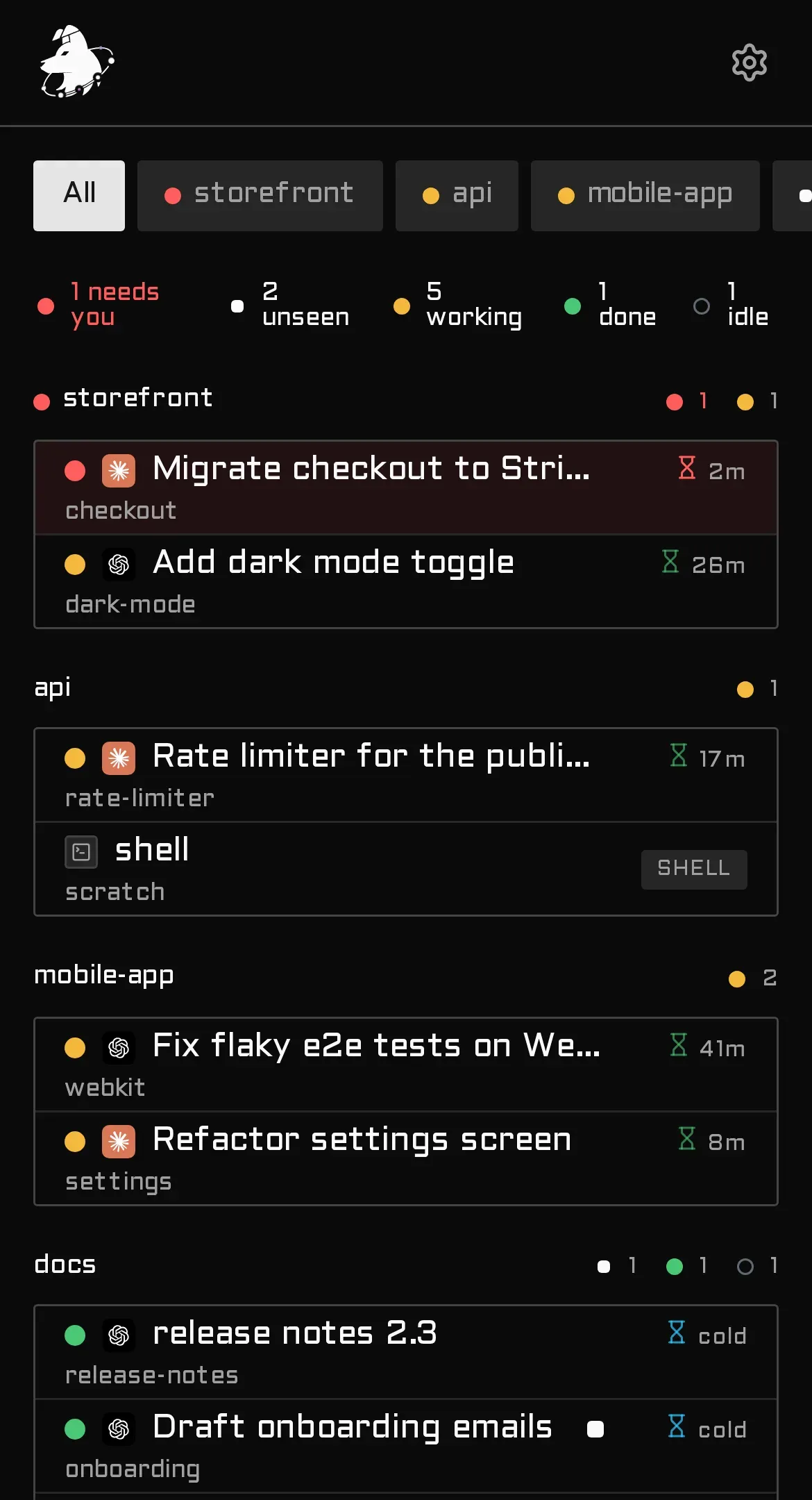
devswha/herdr-web-ui and sarathsp06/herdrweb
devswha/herdr-web-ui installs as a TUI plugin (herdr plugin install devswha/herdr-web-ui) and turns transcripts into tappable chat approval cards on 127.0.0.1:7317. sarathsp06/herdrweb ships a single Go binary with embedded SvelteKit UI, Shiki diffs, and real RPC calls on 127.0.0.1:7331.
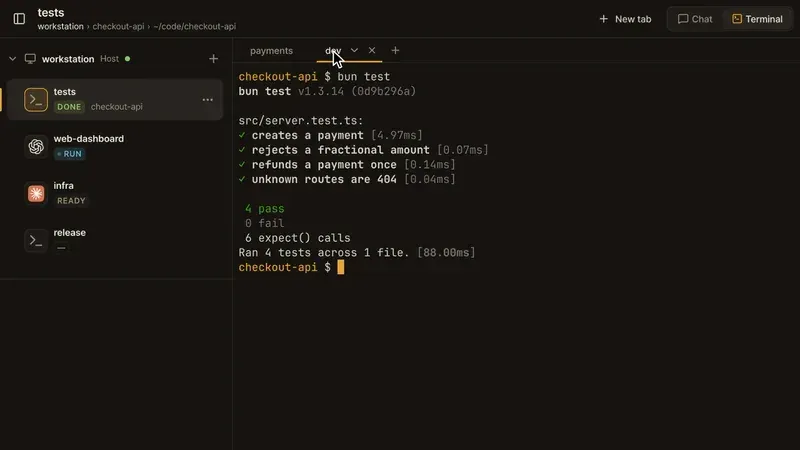
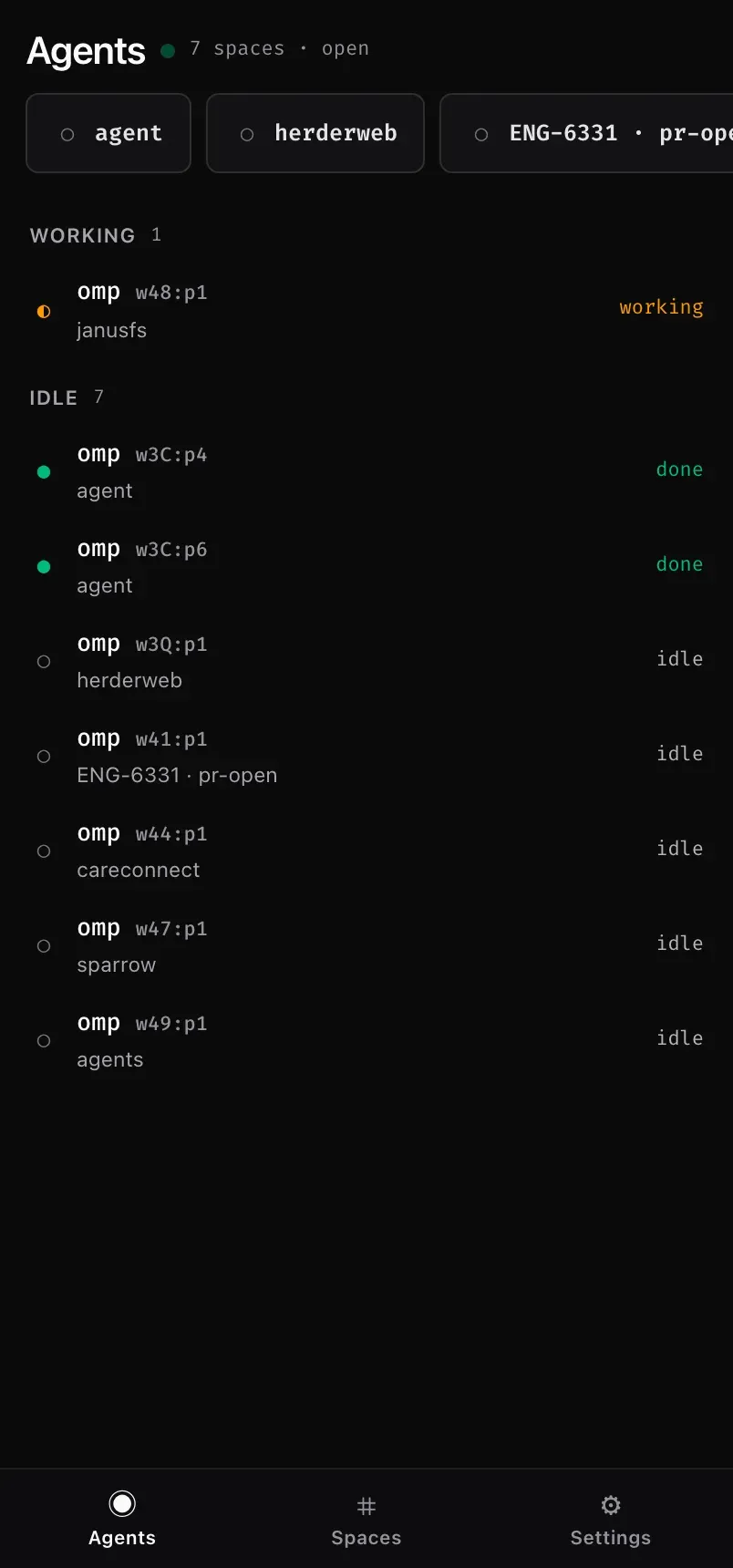
kcosr/herdr-web and alecuba16/herdr-webui
Use kcosr/herdr-web when you need full-screen TUIs (vim, htop) in a browser (caveat: it vendors internal Herdr APIs and can break across upgrades). alecuba16/herdr-webui ships a full IDE + git UI and can run standalone or attach to Herdr via --backend-mode external-herdr.
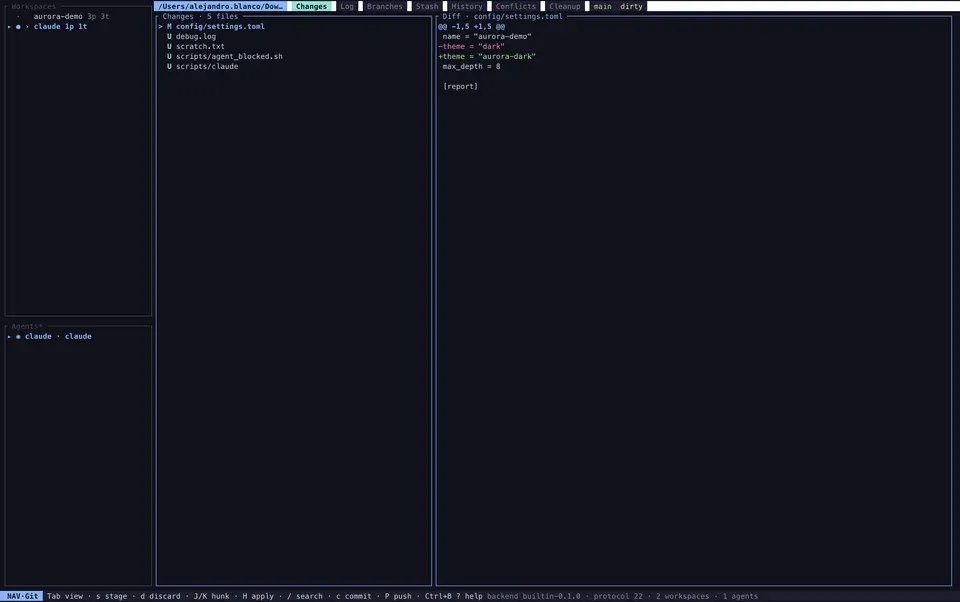
TUI plugins now have herdr plugin update
Since Herdr TUI v0.9.4, you can update GitHub-installed TUI plugins with herdr plugin update without reloading config. Plugins still run unsandboxed as your user, so check our vetted Herdr plugins guide before installing.
Mobile and desktop apps: Moshi, Heeler, herdrm, and Herdr UI
Moshi (iOS, Android, and Desktop): the one client bridging TUI and Core
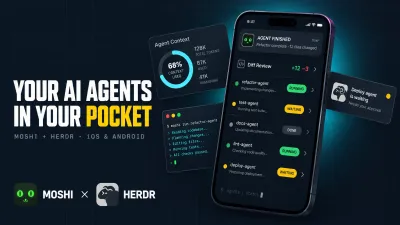
Moshi (free SSH tier; Pro $7.99/mo or $69.99/yr across 3 devices) stands out in late 2026 because moshi-hook v0.4.62 supports both Herdr TUI and herdr-core (hc). It renders Herdr Desktop spaces, tabs, and panes on your phone, lets you create git worktrees from a Herdr space (v0.4.60+), adds Mosh UDP roaming for flaky cellular connections, and delivers lock-screen Approve/Deny push cards plus Tier-A Native Chat View for Claude Code, Codex, Hermes, Antigravity, and OMP. Moshi Desktop (~11 MB Tauri app for macOS/Linux/Windows) uses the same moshi-hook gateway without killing agents when you quit.
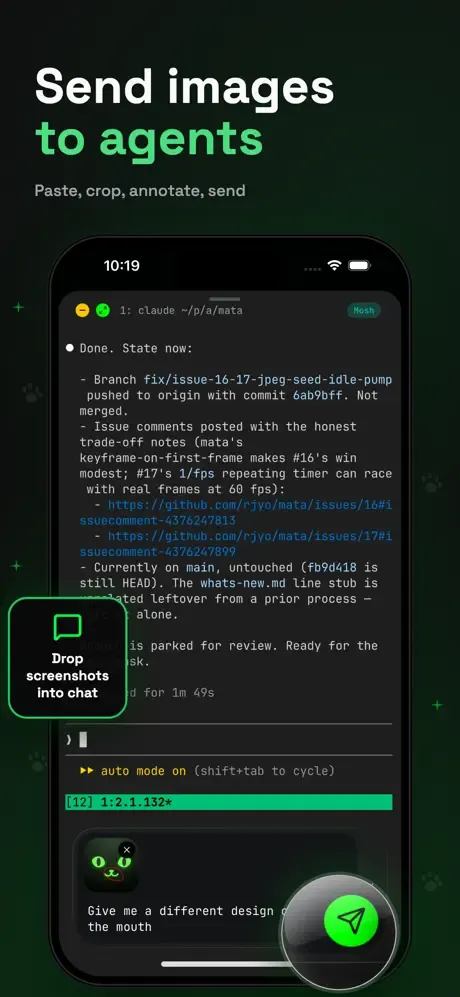
Read the full walkthrough in control AI agents from your phone with Herdr Mobile and Moshi.
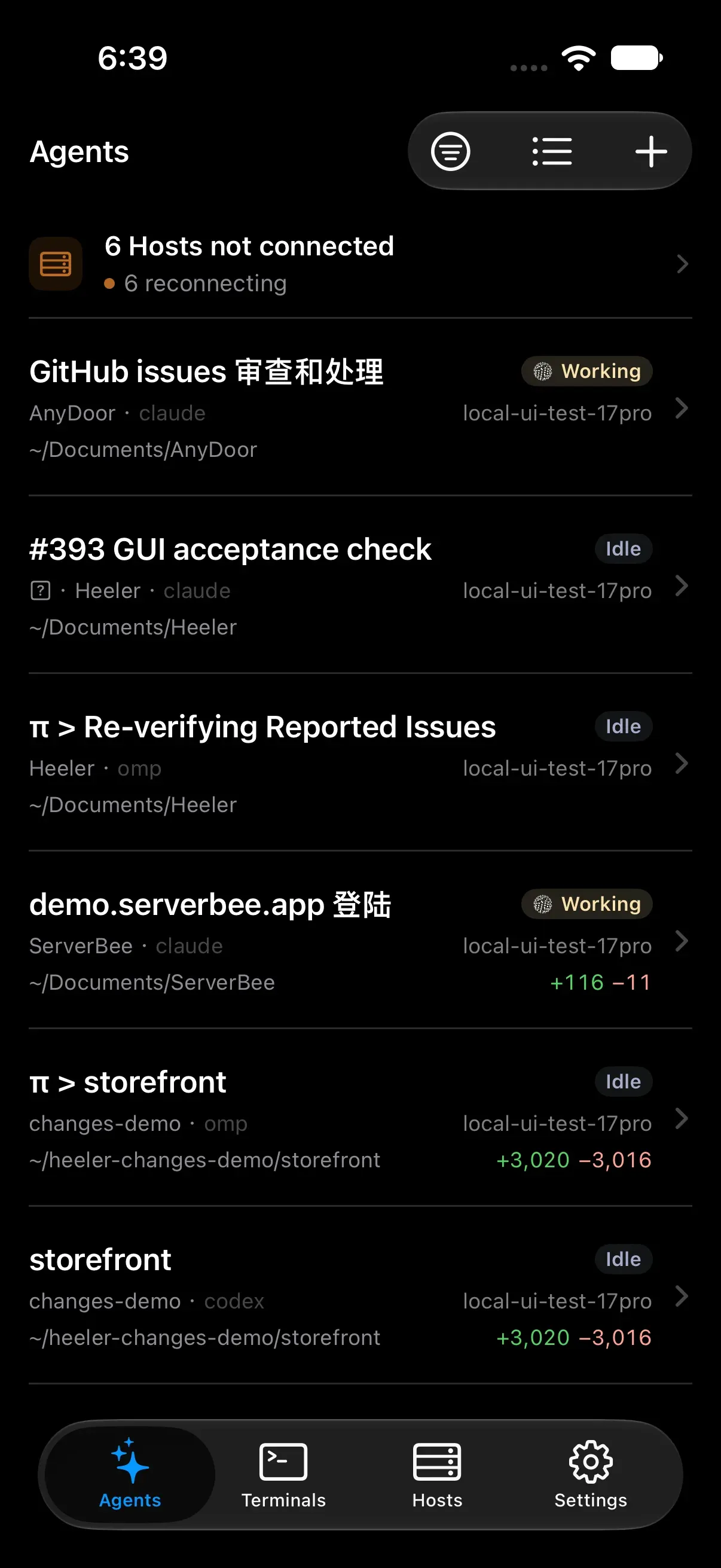
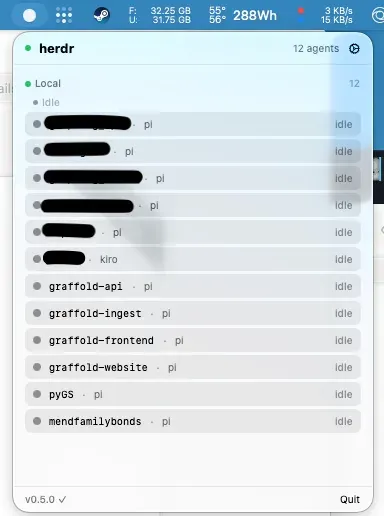
Heeler (iPhone), herdr-remote, herdrm, and Herdr UI (for Herdr TUI)
If you stay on Herdr TUI instead of moving to herdr-core, four community native apps cover every platform:
- Heeler (iPhone): Native SwiftUI +
libghosttyconsole with QR pairing (herdr plugin action invoke heeler.pair), end-to-end encrypted push, and Live Activities over SSH StreamLocal. - herdr-remote: macOS menu bar dropdown plus Telegram one-tap approvals (
/agents,/reply,/trust). - herdrm (macOS): Native SwiftUI + SwiftTerm desktop app (
brew install owo-network/brew/herdrm) attaching real TUI PTYs across local and SSH hosts. - Herdr UI (
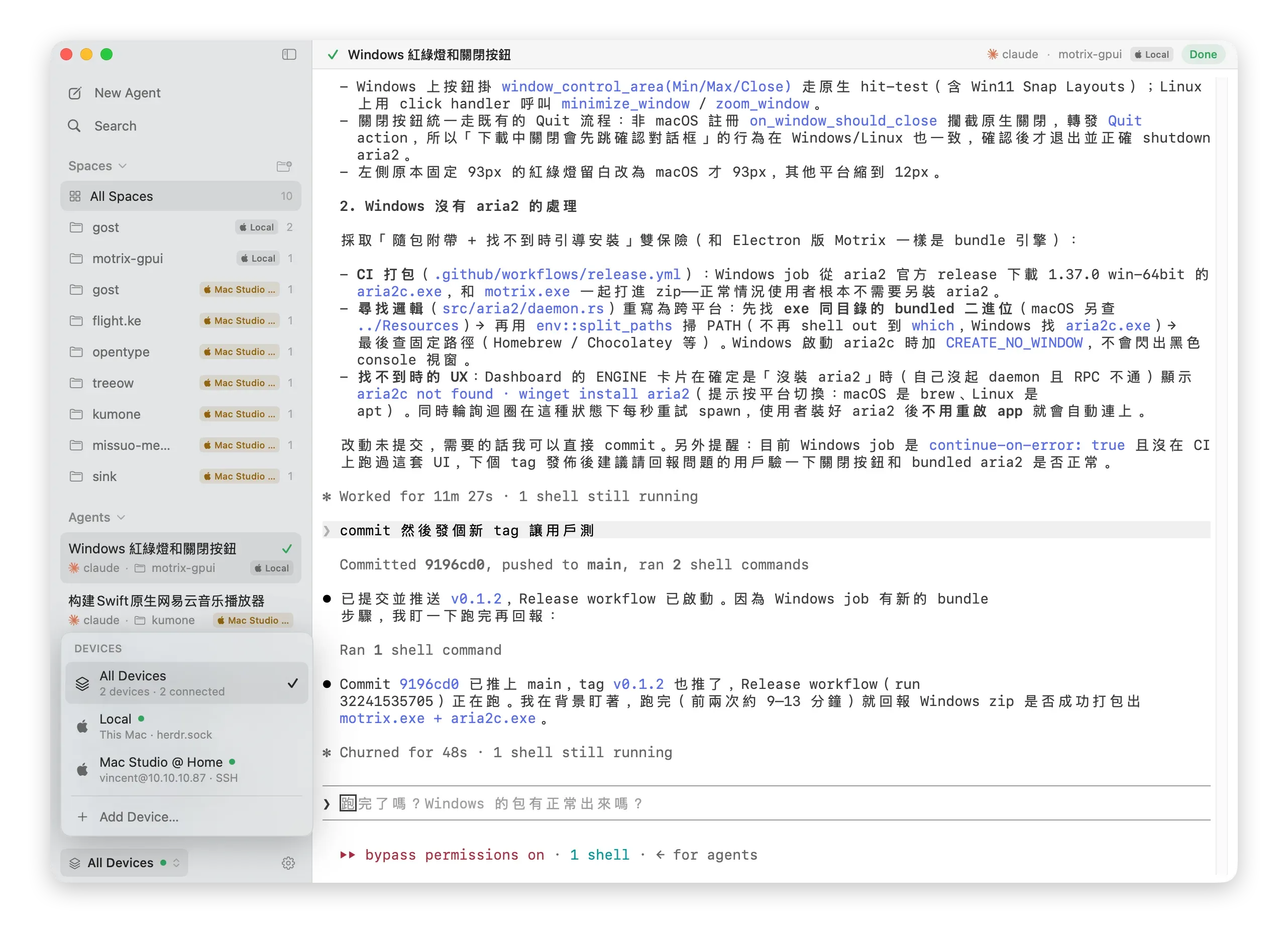
penso/herdr-gpui): Native GPUI desktop window for macOS/Linux/Windows that attaches directly to your existing Herdr TUI daemon (unlike officialherdr-app, which usesherdr-core), adding issue dispatch, side-by-side review, and checkpoints.
Security first: every Herdr web UI is a root shell
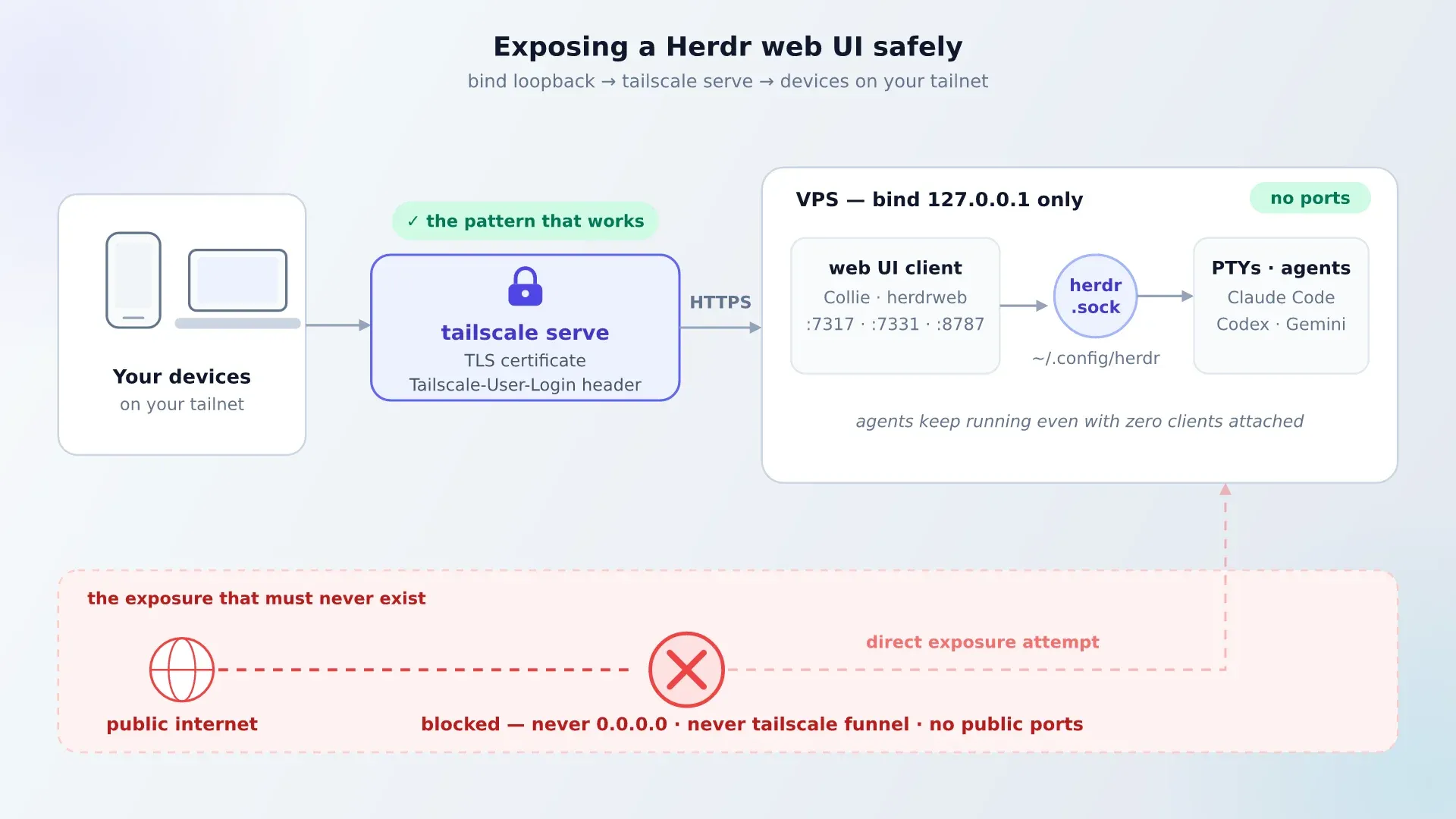
Any Herdr web UI can read your files, execute commands, and reach your agent credentials. Never bind 0.0.0.0 and never expose a web client with tailscale funnel. Bind 127.0.0.1 and front it with tailscale serve so Tailscale handles TLS, Web Push HTTPS requirements, and tailnet identity.
Never expose a Herdr web UI to the public internet
Verify loopback binding (ss -tlnp | grep -E '7317|7331|8787' must show 127.0.0.1), expose only via tailscale serve, and leave pane_history = true off unless you accept scrollback secrets written to disk. The same Tailscale-front pattern applies to Dockge.
Reference VPS setup: Hetzner + Tailscale + one client
Affiliate Disclosure
Some links below are affiliate links. If you buy through them, I may earn a small commission at no extra cost to you.
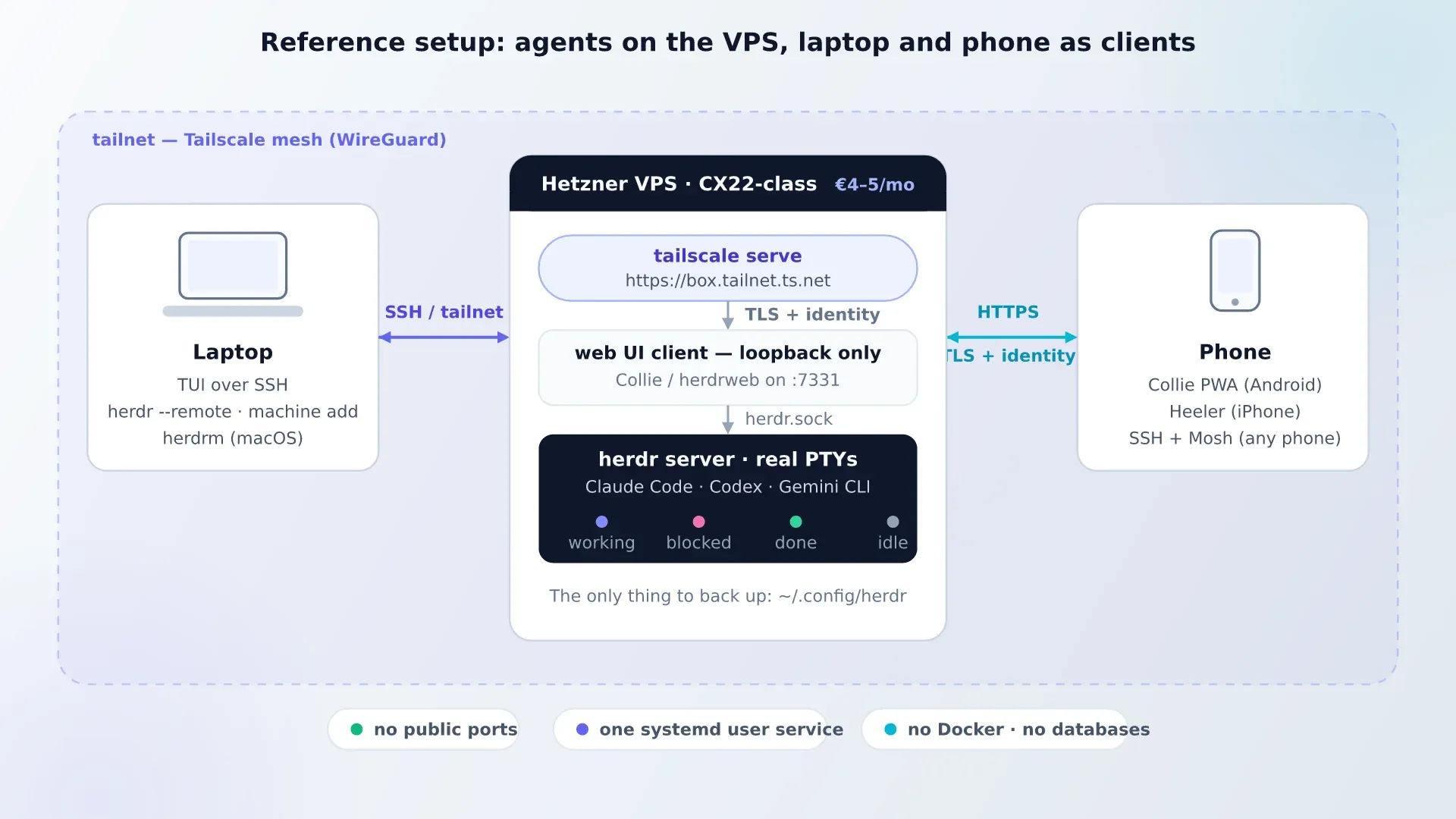
Run agents 24/7 on a small €4-5/month Hetzner Cloud or Hostinger KVM VPS (or at home on a Proxmox mini PC like the ASUS DC510). Coding agents are API-bound, so 2 vCPU / 4 GB RAM is plenty. Check cloud server benchmarks before picking a provider.
Path A: Official Herdr Core + Mobile (simplest)
# On your VPS (Ubuntu/Debian)
curl -fsSL https://releases.herdr.dev/core/install.sh | sh
sudo loginctl enable-linger $USER
hc run --bg claude
Add the VPS in Herdr Desktop (hc machine add vps) or Herdr Mobile over Tailscale SSH. Zero open ports, zero web proxy, zero third-party services.
Path B: Herdr TUI + ColliePWA / herdrweb
curl -fsSL https://herdr.dev/install.sh | sh
herdr -V && herdr status
# Start work in a session, detach with Ctrl+B q

curl -fsSL https://colliepwa.dev/install.sh | sh
collie start
tailscale serve --bg --https=443 127.0.0.1:<collie-port>
Confirm with ss -tlnp that the service listens only on 127.0.0.1, open https://<host>.tailnet.ts.net on your phone, and send a test push notification.
Frequently asked questions
Does Herdr have an official desktop app, mobile app, or web UI?
Yes to desktop and mobile; no to web UI. herdrdev/herdr-app (v0.1.16) is the official desktop app for macOS, Linux, and Windows, and Herdr Mobile is the official free iOS/Android app. Both run on herdr-core (hc). Web UIs like ColliePWA and herdr-web-ui remain community-built for Herdr TUI.
Which client works with both Herdr TUI and Herdr Core?
Moshi (with moshi-hook v0.4.62) is currently the only polished mobile/desktop client that discovers and controls both Herdr TUI sessions and herdr-core desktop spaces.
Can I approve Claude Code prompts from my phone?
Yes. Official Herdr Mobile opens the live terminal on herdr-core with Inbox urgency sorting and voice compose. On Herdr TUI (or both), Moshi sends lock-screen Approve/Deny pushes via moshi-hook, ColliePWA gives tappable cards over Tailscale, and Heeler delivers encrypted iOS pushes with Live Activities.
Is it safe to expose a Herdr web UI on a public URL?
No. Every Herdr web UI is effectively a root shell into your workspace and credentials. Always bind 127.0.0.1 and access through tailscale serve or an SSH tunnel.
Verdict
If you are setting up from scratch in November 2026, install herdr-core + Herdr Desktop + Herdr Mobile for the cleanest zero-cost official stack over Tailscale SSH. If you already rely on Herdr TUI (v0.9.5) and its plugin ecosystem, pair it with Moshi (for Mosh roaming + lock-screen approvals) or ColliePWA behind tailscale serve.
Explore the rest of the ecosystem: Herdr Desktop layouts & mods, best Herdr plugins, best terminal multiplexers, and top AI GitHub repos.
Did this guide work for you?
Related Posts


Written by Dragos
DevOps engineer with 10+ years in IT. I write these guides while doing the installs in my Proxmox home lab and on real VPSes.
Need help with Astro, VPS, or a self-hosted app? View services →