Best Mac mini Dock with SSD Enclosure (2026): Stands Worth Buying
The best Mac mini dock with an NVMe SSD enclosure is the UGREEN Revodok ($54.99). Compare 6 M4/M5/M6 stand hubs with DisplayPort, SD readers, and 8TB storage.

13 min read
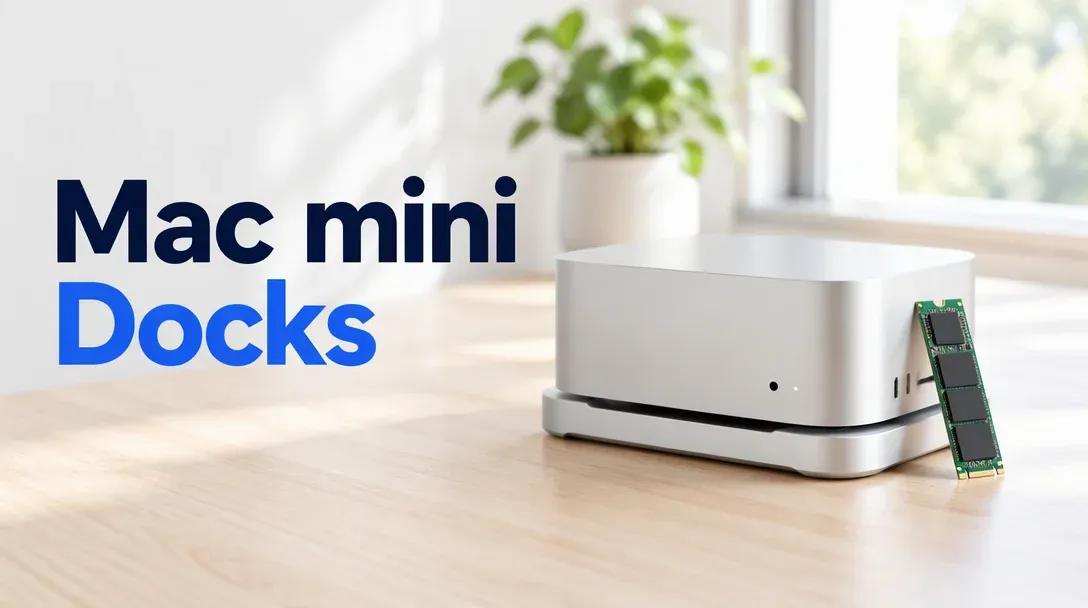
For most people the answer is the UGREEN Revodok Mac mini dock at $54.99: it matches the mini’s 5-inch footprint, hides an M.2 NVMe slot underneath, and brings the ports you actually reach for (UHS-II SD cards, USB-A) to the front. If you want a DisplayPort or HDMI monitor plugged into the stand itself, spend the extra $2 on the iVANKY 13-in-1.
Affiliate disclosure
Some links below are Amazon affiliate links, including /go/ redirects that land on Amazon. Buying through them pays me a small commission at no extra cost to you. Prices were checked on October 30, 2026 and move constantly, so always confirm on the product page.
Quick picks
| Dock | Price (Oct 30, 2026) | NVMe slot | Video out | Front & rear I/O | Rating | Buy it if |
|---|---|---|---|---|---|---|
| UGREEN Revodok | $54.99 | M.2 2280, up to 8TB | None | SD/microSD (UHS-II), 2x USB-A, USB-C, audio | 4.3★ (152) | You want the clean default stand + SSD bay. |
| iVANKY 13-in-1 | $56.98 | M.2 2280, up to 8TB | DP 4K@144Hz + HDMI 4K@60 | 5x USB, SD/microSD, audio, 1GbE | 4.3★ (346) | You want video out and Ethernet on the dock. |
| TobenONE 13-in-1 | $69.99 | M.2 2280, up to 8TB | DP 4K@144Hz + HDMI 4K@60 | 5x USB, SD/microSD, audio, 1GbE | 4.3★ (355) | Same layout as iVANKY, Amazon’s Choice listing. |
| UGREEN DP dock | $62.99 | M.2 2280, up to 8TB | DP 4K@144Hz | USB-A/C, SD/microSD, audio | 4.5★ (69) | You want UGREEN build quality plus DisplayPort. |
| Hagibis stand hub | $54.99 | M.2 2280 | None | USB-A/C, SD/microSD | 4.0★ (97) | UGREEN is out of stock. |
| Satechi Stand & Hub | $99.99 | M.2 2280 | None | 3x USB-A, SD/microSD | 4.5★ (1,337*) | You care most about aluminum finish match. |
*Satechi’s review count comes from a merged Amazon listing that pools older M1/M2 hubs alongside the current M4/M5/M6 stand.
What a Mac mini stand dock actually is
These are not Thunderbolt docks. Every stand on this page is machined to the 5 x 5 inch footprint of the M4/M5/M6 Mac mini and connects to the host over a single short 10Gbps USB-C cable. Inside the base sits an M.2 NVMe slot (SSD sold separately), and across the front sit the SD readers and USB-A ports Apple leaves off the mini.
| Storage & port route | Real-world SSD speed | Typical price (no drive) | Front ports / SD | Best workload |
|---|---|---|---|---|
| 10Gbps USB-C stand dock (this guide) | ~900–1,000 MB/s | $55–$100 | Yes (USB-A, USB-C, SD) | Media libraries, Time Machine, Docker volumes, photo catalogs |
| 40Gbps USB4 / TB4 enclosure | ~2,800–3,200 MB/s | $75–$90 | No (storage only) | Working 4K timelines, large local LLM weights, active Xcode/VM scratch |
| 80Gbps Thunderbolt 5 enclosure | ~5,500–6,500 MB/s | $150–$170 | No (storage only) | Multi-cam 4K/8K editing, booting macOS, matching internal SSD speed |
Three practical consequences come with the stand design:
- The SSD runs at ~900 to 1,000 MB/s, shared with the other ports. A 10Gbps USB 3.2 Gen 2 bridge caps sequential transfers right around 1 GB/s. Because the NVMe bay, the SD card slot, and the USB-A ports all ride the same upstream cable, dumping a 128GB SD card onto the dock’s own NVMe drive splits that 10Gbps pipe in half (data travels up to the Mac and right back down the same wire).
- Video outputs use DisplayPort Alt Mode, not DisplayLink. On the iVANKY, TobenONE, and UGREEN DP models, the monitor ports tap into the Mac’s native GPU signal over the USB-C host cable. You do not need to install a background DisplayLink driver or accept screen-recording permissions. The trade-off is macOS’s lack of DisplayPort MST daisy-chaining: if you plug two monitors into the dock’s HDMI and DP ports at once, macOS mirrors them instead of extending them. Use the dock for one monitor and plug your second display straight into the Mac mini.
- Bottom power-button access and 2.4GHz radio proximity. Apple put the power button on the underside of the M4/M5/M6 chassis, so all six stands carve out a corner or pass-through button so you can wake or force-reboot the Mac without lifting it. One physical quirk to watch: the Mac mini’s Wi-Fi and Bluetooth antennas radiate through the bottom plastic plate. Sitting the mini directly on an unshielded USB 3 hub can reduce range on 2.4GHz Bluetooth mice or dongles. Keep the Mac on 5GHz/6GHz Wi-Fi (or Ethernet), and plug any 2.4GHz wireless mouse receiver into a front port rather than the back of the machine.
My own desk box is a Mac mini M4 Pro that runs OpenClaw and a pile of local containers. Its 512GB internal drive filled up in two weeks once Docker images and model caches piled up; a stand dock is how you bolt on 4TB of quiet storage without a drive dangling off a cord.
1. UGREEN Revodok: the default pick
$54.99 · 4.3★ from 152 ratings
The Revodok is the one I would buy first. It gives you the bottom-access M.2 NVMe bay (up to 8TB), UHS-II SD and microSD slots on the front that hit ~170–200 MB/s with fast cards, two 10Gbps USB-A ports, a USB-C data port, and a 3.5mm audio jack. It skips video outputs and Ethernet completely, which is the right call for most Mac mini desks: the mini already has native HDMI 2.1, three rear Thunderbolt ports, and built-in Gigabit (or 10Gb) Ethernet.
Installation takes two minutes: pop the bottom magnetic/screw cover, drop in a 2230/2242/2260/2280 M.2 NVMe stick with the included silicone thermal pad pressing against the lid, and plug the captive host cable into one of the mini’s rear Thunderbolt ports.

UGREEN Revodok Mac mini Dock
Stand-style dock for the M4/M5/M6 Mac mini with an internal M.2 NVMe slot (up to 8TB, SSD not included), UHS-II SD/microSD readers, and front USB-A/C data ports over a 10Gbps link.
Price & availability at Amazon.com
Key Features
- M.2 NVMe enclosure inside, up to 8TB (2230–2280)
- UHS-II SD + microSD readers on the front
- 2x USB-A and 1x USB-C 10Gbps data ports
- 10Gbps USB-C uplink; bottom power-button cutout
What we like
- Cheapest reliable way to add an internal SSD + fast card readers
- Front ports sit right under the Mac mini
- Does not waste money on video ports the Mac already has
Watch out for
- No video out, no Ethernet
- Simultaneous SD import to dock SSD halves transfer speed
Important Considerations
- •SSD is not included; bring your own M.2 2280 NVMe
- •USB speed only: ~1GB/s, not Thunderbolt
- •All ports share one 10Gbps uplink
Disclosure: This post contains affiliate links. We may earn a commission if you purchase through these links at no additional cost to you.
2. iVANKY 13-in-1: best with DisplayPort and Ethernet
$56.98 · 4.3★ from 346 ratings
For $2 more than the UGREEN Revodok, the iVANKY 13-in-1 adds a rear DisplayPort 1.4 (up to 4K@144Hz), an HDMI 2.0 port (4K@60Hz), and a Gigabit Ethernet jack, alongside the 8TB-capable NVMe bay, SD/microSD slots, audio jack, and five USB data ports.
Why pick this when the Mac mini already has HDMI on the back? Two reasons: either your monitor prefers DisplayPort for 120Hz/144Hz variable refresh without eating a second rear Thunderbolt port on a USB-C-to-DP cable, or you want a second Ethernet interface to hang a separate NAS or management subnet off your Mac without buying a dongle.
Remember the macOS MST rule: if you connect both the dock’s DP and HDMI ports to two displays simultaneously, macOS will mirror those two screens. Drive one monitor from the iVANKY’s DisplayPort and run your second display from the Mac mini’s built-in HDMI or a rear Thunderbolt port.

iVANKY 13-in-1 Mac mini Dock
13-in-1 stand dock with NVMe slot (up to 8TB), DisplayPort 4K@144Hz, HDMI 4K@60Hz, Gigabit Ethernet, SD readers and five USB data ports for the Mac mini M4/M5/M6.
Price & availability at Amazon.com
Key Features
- NVMe enclosure inside, up to 8TB (SSD not included)
- DisplayPort 4K@144Hz + HDMI 4K@60Hz
- Gigabit Ethernet, SD/microSD, audio
- Five USB data ports on a 10Gbps uplink
What we like
- Adds DisplayPort 1.4 and a second NIC for $2 over storage-only stands
- Healthy 346-rating track record
- Includes external USB-C power input for hungry drives
Watch out for
- Still capped at 10Gbps USB storage speed
- Extra cables off the back of the stand
Important Considerations
- •SSD sold separately
- •macOS mirrors if both dock HDMI + DP are used at once (no MST)
- •Ethernet tops out at 1GbE, not 2.5GbE
Disclosure: This post contains affiliate links. We may earn a commission if you purchase through these links at no additional cost to you.
3. TobenONE 13-in-1: the iVANKY twin with the Choice badge
$69.99 · 4.3★ from 355 ratings · Amazon’s Choice
The TobenONE 13-in-1 uses the same 13-port recipe as the iVANKY: an 8TB M.2 NVMe bay, DisplayPort 4K@144Hz, HDMI 4K@60Hz, five USB ports (mixing 10Gbps and 5Gbps), SD/microSD readers, 3.5mm audio, and Gigabit Ethernet, plus a dedicated USB-C PD input port on the back so the NVMe drive never browns out when all five USB ports are populated.
At $69.99 vs $56.98 for the iVANKY, the spec sheets are functionally identical. Buy whichever has a coupon clipped on the day you order.
Check TobenONE 13-in-1 price4. UGREEN DP Dock: Revodok plus a single DisplayPort
$62.99 · 4.5★ from 69 ratings
The UGREEN Mac mini Dock with DisplayPort splits the difference between the base Revodok and the 13-in-1 hubs: it keeps UGREEN’s clean enclosure and front USB-A/USB-C/SD layout and adds a single rear DisplayPort 1.4 (4K@144Hz) without tacking on HDMI or Gigabit Ethernet. Because macOS can only drive one extended monitor over a non-Thunderbolt alt-mode hub anyway, a single DisplayPort is actually a cleaner design than dual DP+HDMI ports you can’t use together. The 69-review sample is smaller because this SKU launched after the base Revodok.
Check UGREEN DP Dock price5. Hagibis & 6. Satechi: the budget backup and the name-brand tax
Hagibis Stand & Hub — $54.99 · 4.0★ from 97 ratings
The Hagibis stand hub is a basic NVMe + front-ports stand at the same $54.99 sticker as the UGREEN Revodok, with a lower 4.0★ average and only a handful of units in stock when checked. Keep it as a backup link if UGREEN sells out during a deal event; otherwise the Revodok is the better buy at the same price.
Check Hagibis Stand priceSatechi Mac mini Stand & Hub — $99.99 · 4.5★ from 1,337 ratings (merged listing)
The Satechi Stand & Hub invented this product category back in the Intel/M1 Mac mini days, and its bead-blasted aluminum and recessed top cradle still look the closest to an Apple factory part. Technically, however, you are paying $99.99 for a 10Gbps NVMe bay, three front USB-A ports, and an SD reader, with no front USB-C data port and no video out. Buy it if the industrial design on your desk is worth a $45 premium over UGREEN; skip it if you’re shopping by spec sheet.
Check Satechi Stand & Hub priceWhich NVMe SSD to put inside (and what to skip)
None of these docks ship with storage. Because the 10Gbps USB bridge caps speeds around 1,000 MB/s, a 7,400 MB/s flagship SSD runs at the exact same speed inside this dock as a budget 3,500 MB/s Gen3 or Gen4 drive. Instead of peak sequential speed, pick your drive for low heat, single-sided PCB clearance, and price per terabyte:
- Skip PCIe Gen5 drives completely. They cost more, pull up to 10–12W under load, and bake inside a passive bottom-bay slot without running a single MB/s faster over a 10Gbps link.
- Prefer single-sided M.2 2280 sticks. Most 1TB, 2TB, and 4TB TLC/QLC Gen4 drives (like the WD_BLACK SN850X 2TB, Crucial P3 Plus, or Lexar NM790) put all their NAND packages on the top side of the board, so the thermal pad makes flat contact and the bay door closes without flexing the PCB.
- Plug in the dock’s auxiliary power cable if your SSD is 4TB+. The iVANKY and TobenONE include a second USB-C power-in jack on the rear. Using it keeps a high-capacity NVMe drive from dropping offline when you also plug bus-powered devices into the front USB ports.
If you decide 1,000 MB/s is too slow for your workload — say you edit ProRes timelines or keep 70B LLM files on external flash — skip the stand form factor and get a dedicated Thunderbolt enclosure instead:
- 80Gbps Thunderbolt 5 (~6,000 MB/s): The fanless OWC Express 1M2 80G ($169.99) or the Mac-mini-shaped RayCue 80Gbps enclosure (~$150) give you near-internal speeds on M4 Pro, M5 Pro, and M6 Pro minis. See the full best Thunderbolt 5 NVMe enclosures guide for thermal and controller tests.
- 40Gbps USB4 (~2,800 MB/s): The Acasis TBU405 at $80.99 triples the speed of any stand dock for $25 more, though you lose the front USB-A ports and card readers.
- Prebuilt portable SSDs: The Samsung T9 2TB ($434.99 via third-party seller when checked) and Crucial X10 Pro 2TB ($361.78 via Amazon Germany) are currently overpriced on Amazon US compared to buying a bare NVMe stick plus an enclosure, so check the seller line carefully. If you want a full multi-port Thunderbolt desk dock instead of a stand, see the best Thunderbolt 5 docks guide.
Day-one macOS setup: format, verify link speed, and stop sleep disconnects
Once you drop the NVMe stick into the stand and plug it into the Mac mini, run through three quick steps before moving data onto it:
1. Format as APFS (not ExFAT)
If the SSD comes preformatted as ExFAT or uninitialized, open Disk Utility, press Cmd + 2 (View > Show All Devices), select the physical parent drive, and erase it as APFS with GUID Partition Map. Time Machine, macOS Spotlight indexing, Photo Libraries, and Docker/OrbStack bind mounts all expect APFS; ExFAT lacks journaling and corrupts easily on an accidental cable pull.
2. Confirm the dock linked at 10Gbps
A bad cable or a half-seated plug can drop the dock to 5Gbps or USB 2.0 (480Mbps). Check the negotiated link rate in Terminal:
system_profiler SPUSBDataType | grep -E "Product ID|Speed|UGREEN|NVMe|Storage"Look for Speed: Up to 10 Gb/s. If you see Up to 5 Gb/s or Up to 480 Mb/s, reseat the short USB-C host jumper and make sure it is plugged into a rear Thunderbolt/USB4 port.
3. Fix “Disk Not Ejected Properly” on sleep
Some USB-NVMe bridge chips reset when macOS puts external storage into deep sleep, greeting you with a wall of "Disk Not Ejected Properly" banners in the morning. If your dock does this, disable disk sleep in System Settings > Energy (“Prevent automatic sleeping when the display is off”) or turn off external disk spindown in Terminal:
sudo pmset -a disksleep 0What I’d buy
- Most people: the UGREEN Revodok at $54.99, paired with a 2TB or 4TB Gen4 NVMe like the WD_BLACK SN850X.
- Want DisplayPort 1.4 and Gigabit Ethernet on the stand: the iVANKY 13-in-1 at $56.98, or the TobenONE 13-in-1 at $69.99.
- Real speed over desk tidiness: skip the 10Gbps stand and buy an OWC Express 1M2 80G or RayCue 80Gbps enclosure.
- Still buying the Mac itself: the M6 Mac mini and M4 Mac mini share the exact same 5-inch chassis, so every dock on this page fits both.
FAQ
Does a Mac mini dock include the SSD?
No. Every stand dock on this page is an empty M.2 NVMe enclosure plus a USB hub. You buy an M.2 2280 NVMe SSD separately, install it under the bottom cover with the included thermal pad, and format it in macOS Disk Utility.
How fast is the SSD in a Mac mini dock?
Around 900–1,000 MB/s read and write, because these stands connect over a 10Gbps USB 3.2 Gen 2 link rather than Thunderbolt. That is plenty for media libraries, Time Machine backups, Docker volumes, and photo catalogs. If you need 3,000–6,000 MB/s scratch storage, buy a USB4 or Thunderbolt 5 NVMe enclosure instead.
Do these docks work with the M4, M5, and M6 Mac mini?
Yes. All six stands here are built for the 5 x 5 inch chassis Apple introduced with the M4 Mac mini and kept across the M5 and M6 generations, including the underside power-button cutout. Older 7.7 x 7.7 inch M1/M2 stands are wider and do not line up with the new power button.
Can a Mac mini stand dock run two monitors at once?
Not as two extended desktops through the dock alone. The storage-only models (UGREEN Revodok, Satechi, Hagibis) have no video outputs. The iVANKY and TobenONE include both DisplayPort and HDMI via DP Alt Mode, but because macOS does not support DisplayPort MST, plugging two monitors into the dock mirrors them. Connect one display to the dock and your second display to the Mac mini’s native HDMI or Thunderbolt ports.
Can I move my macOS Home folder or boot macOS from a stand dock?
I do not recommend booting macOS or moving your full macOS user home folder onto a 10Gbps USB hub dock. Keep macOS and your user account on the fast internal SSD, and move large folders (Photos library, Final Cut/DaVinci media, Steam games, OrbStack/Docker data, or LLM models) onto the dock’s NVMe drive instead.