Best Mini PC for OPNsense / pfSense (2026): Firewall Boxes That Work
The best mini PC for OPNsense or pfSense in 2026: Beelink EQ14 ($369) for 2.5GbE WAN+LAN, Protectli Vault FW4C for 4 fanless Intel NICs, and MS-01 for 10GbE.

12 min read
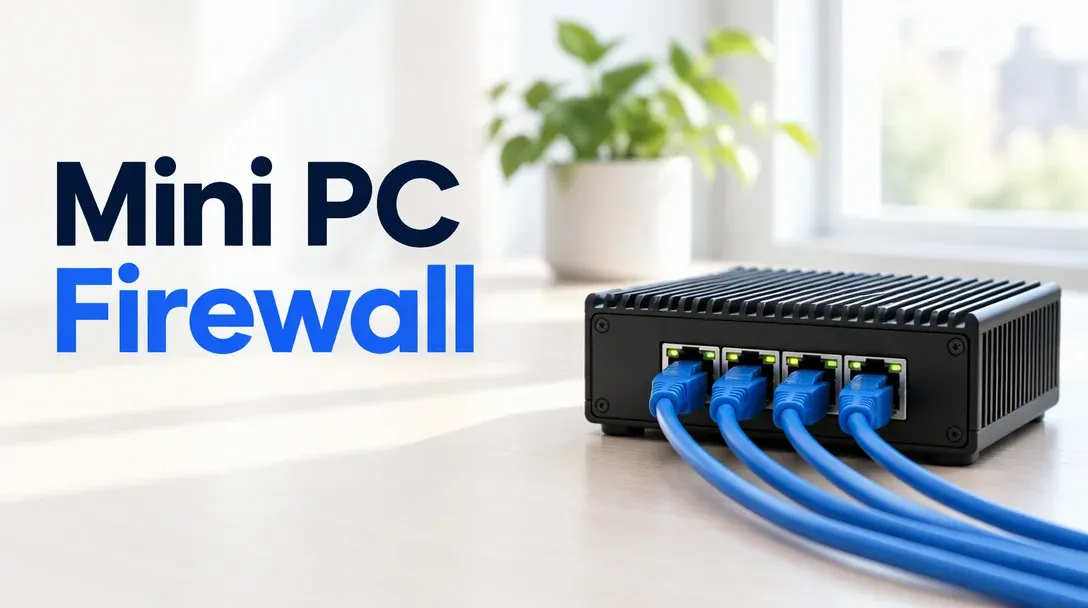
For most homes the answer is either a 2-port Intel N150 mini PC like the Beelink EQ14 at $369 (with RAM and SSD included) or a fanless 4-port appliance like the Protectli Vault FW4C ($299 direct / $369 on Amazon). Both use Intel i226-V 2.5GbE NICs that FreeBSD’s igc driver supports out of the box, and both route gigabit internet with WireGuard headroom to spare.
Affiliate disclosure
Some links below are Amazon affiliate links, including /go/ redirects that land on Amazon. Buying through them pays me a small commission at no extra cost to you. Prices were checked on October 30, 2026 and move constantly, so always confirm on the product page.
Quick picks
| Box | Price (Oct 30, 2026) | NICs | CPU | RAM / SSD included | Fanless | Buy it if |
|---|---|---|---|---|---|---|
| Beelink EQ14 | $369 | 2x 2.5GbE Intel | Intel N150 (4C) | 16GB / 500GB | No (quiet fan) | You want the fastest turnkey WAN+LAN firewall for the money. |
| Beelink Mini S13 | $349 | 2x 2.5GbE Intel | Intel N150 (4C) | 16GB / 500GB | No (quiet fan) | Same N150 + dual 2.5GbE as EQ14, $20 less with external brick. |
| Protectli Vault FW4C | $369 (Amazon) / $299 direct | 4x 2.5GbE Intel i226-V | Intel J3710 (4C) | Barebone (BYO) | Yes | You want 4 physical ports, zero fan, and coreboot support. |
| MINISFORUM MS-01 i5 | $439 (barebone) | 2x 10G SFP+ + 2x 2.5GbE | Core i5-12600H (12C) | Barebone (BYO) | No | You have 2.5G–10G fiber WAN or run heavy Zenarmor/Suricata. |
| MINISFORUM MS-01 i9 | $669 (barebone) | 2x 10G SFP+ + 2x 2.5GbE | Core i9-13900H (14C) | Barebone (BYO) | No | 10GbE routing plus a full Proxmox hypervisor on one box. |
| Generic 4-port N100/N305 (Topton/CWWK) | ~$150–$300 | 4–6x 2.5GbE i226-V | Intel N100 / N305 | Varies | Yes | Tightest budget for 4 ports — read the QA caveats below first. |
What hardware OPNsense and pfSense actually need
OPNsense and pfSense run on FreeBSD, not Linux. That single fact decides your hardware shopping list before CPU clock speed or RAM ever enters the picture:
- Buy Intel NICs (
igc/ixl), skip Realtek (re). Intel’s i225-V and i226-V 2.5GbE controllers use FreeBSD’s built-inigcdriver, and Intel’s X710 10GbE SFP+ cages (in the MS-01) useixl. Realtek RTL8125 2.5GbE chips have a long history of link drops and watchdog timeouts under FreeBSD unless you install an out-of-treerealtek-re-kmoddriver package and pray it survives the next point release. - Never use USB Ethernet dongles on a firewall. USB NICs (
ue0) re-enumerate slowly at boot, drop packets under sustained NAT table pressure, and break interface assignments if bumped. - Size the CPU to your inspection and VPN workload, not just WAN megabits. Plain stateful firewalling and NAT take almost no CPU. What eats cores is inline deep-packet inspection (Suricata IDS/IPS or Zenarmor), PPPoE single-queue framing on certain fiber ISPs, and multi-gigabit VPN tunnels.
| Internet / Homelab tier | Workload | Recommended CPU & RAM | Pick from this guide |
|---|---|---|---|
| ≤1 Gbps WAN | Firewall, NAT, Unbound DNS, light WireGuard (~300–500 Mbps) | Any 4-core x86 + 4–8GB RAM | Protectli FW4C or Beelink Mini S13 |
| 1–2.5 Gbps WAN | Line-rate routing, WireGuard (800+ Mbps), AdGuard Home, light IDS | Intel N150 + 8–16GB RAM | Beelink EQ14 |
| 2.5 Gbps WAN + heavy IDS/IPS | Inline Suricata + Zenarmor with local reporting database | Core i5-12600H + 16–32GB RAM | MINISFORUM MS-01 i5 |
| 10 Gbps fiber / inter-VLAN routing | 10G SFP+ WAN/LAN routing, high-speed inter-VLAN firewall rules | Core i5-12600H / i9-13900H + 16–32GB RAM | MS-01 i5 or MS-01 i9 |
A quick note on AES-NI: older pfSense forum threads treat AES-NI as mandatory. In 2026, neither OPNsense nor pfSense requires it to boot, and WireGuard uses ChaCha20-Poly1305 rather than AES, which runs fast on any modern CPU. AES-NI still helps IPsec and OpenVPN, and every CPU on this page supports it anyway.
2 ports vs 4 ports: VLAN trunking vs physical separation
How many Ethernet ports you need depends on how you segment your home network:
- Two ports (WAN + LAN) with a switch:
igc0plugs into your ISP modem/ONT, andigc1plugs into a 2.5GbE switch. If you want separate Guest, IoT, and Homelab networks on a 2-port box, you create 802.1Q VLANs (vlan10,vlan20,vlan30) onigc1and trunk them to a VLAN-aware switch and access point. - Four ports (physical interfaces per zone):
igc0is WAN,igc1is your main LAN switch,igc2feeds a dedicated dumb switch or AP for IoT gear, andigc3feeds a DMZ or lab server. No 802.1Q tag rules to misconfigure, and each physical port gets its own dedicated 2.5Gbps pipe.
OPNsense vs pfSense CE in 2026
Both install cleanly on every box below. For a new build in 2026, start with OPNsense. It ships predictable twice-yearly major releases (26.1 / 26.7) and regular security hotfixes, includes native WireGuard (os-wireguard), Unbound blocklists, Caddy/HAProxy plugins, and a modern searchable UI. pfSense Community Edition still works if you already know its muscle memory, but Netgate has focused most of its development energy on pfSense Plus, leaving CE updates infrequent.
1. Beelink EQ14 (and Mini S13): best 2-port turnkey firewall
$369 · 4.5★ from 105 ratings · Intel N150 · 16GB DDR4 · 500GB NVMe SSD · 2x 2.5GbE
If two Ethernet ports cover your layout, the Beelink EQ14 is the highest-value firewall box you can buy with Prime shipping today. Unlike barebone appliances where you have to buy RAM and an SSD on top of the sticker price, the EQ14 arrives ready to flash with 16GB of RAM, a 500GB NVMe drive, dual Intel 2.5GbE NICs, and an internal power supply (just a standard figure-8 AC cord, no power brick on the floor).
Compared to the Protectli FW4C’s older J3710 chip, the N150 in the EQ14 has roughly three to four times the single-core speed, which translates directly into faster single-queue PPPoE throughput, ~1Gbps+ WireGuard tunnels, and comfortable headroom for Unbound DNS blocklists, CrowdSec, and light Suricata rulesets.
If you want to save $20 and don’t mind an external power adapter, the Beelink Mini S13 at $349 (4.5★ from 659 ratings) puts the exact same Intel N150, 16GB RAM, 500GB SSD, and dual 2.5GbE ports in a slightly smaller case.

Beelink EQ14 (Intel N150, 16GB/500GB, Dual 2.5GbE)
Turnkey Intel N150 mini PC with dual Intel 2.5GbE ports, 16GB RAM, 500GB NVMe SSD, and an internal power supply. Handles 2.5GbE routing and gigabit WireGuard out of the box.
Price & availability at Amazon.com
Key Features
- Intel N150 (4C/4T, up to 3.6GHz) with AES-NI
- 2x Intel 2.5GbE LAN (`igc` driver in OPNsense/pfSense)
- 16GB DDR4 RAM + 500GB M.2 NVMe SSD pre-installed
- Built-in power supply (no external brick)
What we like
- RAM and SSD included for the same $369 as barebone appliances
- N150 single-core speed crushes older Celeron/Pentium firewall boxes
- Easy to repurpose as a Proxmox, Plex, or Home Assistant host later
Watch out for
- Only two physical NICs
- Plastic housing rather than passive heatsink aluminum
Important Considerations
- •2 Ethernet ports only (WAN + LAN); additional segments require VLANs
- •Active cooling fan (very quiet, ~8W idle, not passive fanless)
- •Ships with Windows 11 preinstalled — wipe and install OPNsense from USB
Disclosure: This post contains affiliate links. We may earn a commission if you purchase through these links at no additional cost to you.
2. Protectli Vault FW4C: the fanless 4-port appliance
$369 on Amazon (4.5★ from 35 ratings) · $299 direct from protectli.com
The Protectli Vault FW4C is the purpose-built firewall appliance: four Intel i226-V 2.5GbE ports (WAN, LAN, OPT1, OPT2 labeled right on the chassis), a completely fanless finned aluminum case that acts as the heatsink, a hardware RJ45 serial console port, and open-source coreboot firmware options. Protectli tests every model against OPNsense and pfSense and publishes step-by-step install guides, with US-based support that actually understands FreeBSD.
Two important buying notes:
- Check direct pricing first: the Amazon listing at $369 is barebones (you must add a DDR3L SODIMM and an mSATA SSD) and carries a $70 markup over Protectli’s own $299 store price.
- Know the CPU ceiling: the quad-core Intel Pentium J3710 is an older low-power chip. It routes a 1Gbps WAN and runs standard firewall rules silently for a decade, but if you want multi-gigabit Suricata inspection or 2.5Gbps WireGuard, buy the N150 EQ14 above or look at Protectli’s newer N100-based Vault V1210/V1410 directly on their site.

Protectli Vault FW4C
Fanless, purpose-built firewall appliance with 4x Intel i226-V 2.5GbE ports, coreboot firmware support, and official OPNsense/pfSense documentation. Barebone unit.
Price & availability at Amazon.com
Key Features
- 4x Intel i226-V 2.5GbE ports (`igc` driver)
- 100% fanless aluminum heatsink chassis — zero moving parts
- coreboot open-source BIOS option + RJ45 serial console
- Backed by Protectli's US warranty and FreeBSD documentation
What we like
- 4 dedicated Intel ports for physical LAN/IoT/DMZ segmentation
- Dead silent with no fan to fail in a wiring closet
- Real vendor warranty and coreboot support
Watch out for
- Dated Braswell CPU
- Amazon price is $70 higher than buying direct
Important Considerations
- •Barebone: requires DDR3L SODIMM RAM and mSATA storage
- •J3710 CPU is built for ≤1Gbps reliability, not multi-gig IDS/IPS
- •$299 direct on protectli.com vs $369 on Amazon
Disclosure: This post contains affiliate links. We may earn a commission if you purchase through these links at no additional cost to you.
3. MINISFORUM MS-01 (i5 & i9): the 10GbE SFP+ powerhouse
$439 (i5-12600H barebone) / $669 (i9-13900H barebone) · 4.4★ from 165 ratings
When your ISP hands you 2Gbps, 5Gbps, or 10Gbps fiber — or you want your firewall to route between 10GbE VLANs and run Suricata + Zenarmor at multi-gigabit speeds — the MINISFORUM MS-01 is in a class of its own. Every MS-01 ships with two 10GbE SFP+ cages (Intel X710, ixl driver) and two 2.5GbE RJ45 ports (Intel i226-LM and i226-V), plus three M.2 NVMe slots and a half-height PCIe 4.0 x16 slot that can hold an extra quad-port Intel NIC if four ports aren’t enough.
Here is the insider tip most people miss: for a dedicated bare-metal OPNsense box, buy the $439 Core i5-12600H barebone instead of the $669 Core i9-13900H barebone. The i5-12600H gives you 12 cores (4 performance + 8 efficiency) and the exact same dual 10GbE SFP+ and dual 2.5GbE ports for $230 less. Even with Suricata, Zenarmor, and multi-gigabit WireGuard running simultaneously, OPNsense will never saturate a 12-core Alder Lake i5. Save the i9-13900H (or the pre-configured $1,179 32GB/1TB i9 SKU) for builds where the MS-01 is primarily a Proxmox hypervisor.
Check MS-01 i5 Barebone ($439) Check MS-01 i9 Barebone ($669)4. What about $150–$300 generic 4-port N100 boxes (Topton / CWWK / Qotom)?
Search Amazon or AliExpress for “N100 firewall mini PC” and you’ll find dozens of fanless aluminum boxes with four to six Intel i226-V 2.5GbE ports for $150 to $280. On raw specs per dollar, they beat both the Beelink (4 ports vs 2, fanless) and the Protectli FW4C (modern N100/N305 CPU vs J3710, half the price).
Why didn’t I put a buy button on one? Because the Amazon listings rotate sellers every few weeks, many have fewer than five reviews, and quality control is a lottery — uneven heatsink contact requiring a repaste, quirky AMI BIOS defaults that fail to auto-boot after a power loss, or unmarked power bricks. If you are comfortable popping the bottom plate off to check thermal paste, configuring Restore on AC Power Loss in the BIOS, and running a 24-hour iperf3 + memtest86+ burn-in before trusting it as your home gateway, a 4-port N100 CWWK/Topton box is a great homelab project. If you want a box that works out of the carton with Amazon returns, stick to the Beelink EQ14 or Protectli.
Bare metal vs running OPNsense in a Proxmox VM
You can virtualize OPNsense inside Proxmox VE by passing the physical WAN/LAN NICs (PCI Passthrough) or Linux bridges into a VM. I still recommend running your primary internet firewall on a dedicated bare-metal box.
When your router is a VM on the same hypervisor you use to test new kernels, storage pools, and containers, every Proxmox host reboot or botched IOMMU change cuts off the internet for the whole house — including your own ability to look up the fix. A dedicated $349–$369 N150 box on a small UPS keeps the Wi-Fi, DNS, and WireGuard access alive while you tear down your lab servers behind it.
Day-one OPNsense setup & FreeBSD checklist
Four quick adjustments during and right after installation make an OPNsense mini PC significantly more reliable:
1. Pick ZFS (not UFS) in the installer
When the OPNsense installer asks for a filesystem, choose ZFS (Stripe — single disk) even if your mini PC only has one SSD. ZFS gives you Boot Environments (System > Firmware > Boot Environments). Before any major OPNsense upgrade, you click one button to snapshot the boot environment; if an update breaks a plugin or driver, you reboot, select the previous snapshot on the HDMI console menu, and you’re back online in 30 seconds.
2. Verify Intel NIC driver names at the console
At first boot, OPNsense lists detected interfaces:
igc0,igc1,igc2,igc3: Intel i225/i226 2.5GbE ports (what you want on EQ14, S13, FW4C, MS-01).ixl0,ixl1: Intel X710 10GbE SFP+ cages (on the MS-01).re0,re1: Realtek NICs (if you see these on a generic box, install theos-realtek-replugin underSystem > Firmware > Pluginsimmediately to prevent watchdog stalls).
3. Enable PowerD and C-states for low idle heat
Out of the box, FreeBSD often leaves modern Intel CPUs running warmer than Linux does. In the OPNsense web UI:
- Go to System > Settings > Miscellaneous > Power Savings and enable Use PowerD, set to
Hiadaptiveon AC power. - Under System > Settings > Tunables, set
dev.cpu.0.cx_lowest(and remaining cores) toC3so the N150 or i5 enters deep idle states between packet bursts.
4. Turn on WireGuard for road-warrior access
Instead of forwarding ports to internal services, configure OPNsense’s built-in VPN > WireGuard server. Pair it with a GL.iNet travel router in your laptop bag, and every device you bring to a hotel automatically tunnels back through your home firewall.
What I’d buy
- Most homes (≤2.5Gbps WAN, switch behind it): the Beelink EQ14 at $369 (or Mini S13 at $349) running OPNsense bare metal on ZFS.
- Want 4 physical Intel ports and fanless silence: the Protectli Vault FW4C — check the $299 direct price on Protectli’s site before paying $369 on Amazon.
- 2.5G–10G fiber WAN or heavy Zenarmor/Suricata: the MINISFORUM MS-01 i5 barebone at $439 with a pair of 10G SFP+ DAC cables.
- 10GbE firewall + Proxmox cluster node in one chassis: the MS-01 i9 barebone at $669 or the 32GB/1TB configured unit.
FAQ
What CPU do I need for OPNsense or pfSense in 2026?
Any modern 4-core x86 CPU routes a 1Gbps WAN effortlessly. An Intel N150 (in the Beelink EQ14 and Mini S13) comfortably handles 2.5GbE routing, ~1Gbps WireGuard VPN tunnels, and moderate Suricata or Zenarmor inspection. Step up to a Core i5 (like the MINISFORUM MS-01 i5-12600H) only if you run multi-gigabit IDS/IPS or 10GbE routing.
Does OPNsense or pfSense require AES-NI?
No. Neither OPNsense nor current pfSense requires AES-NI to install or update. AES-NI accelerates IPsec and OpenVPN, while WireGuard uses ChaCha20-Poly1305 and runs fast on any modern CPU. Every processor recommended in this guide includes AES-NI anyway.
Are 2 Ethernet ports enough for OPNsense, or do I need 4?
Two Intel 2.5GbE ports (WAN + LAN) are enough for most homes if you connect the LAN port to a switch. If you want isolated Guest, IoT, and Homelab networks on a 2-port box, you use 802.1Q VLANs with a managed switch. A 4-port appliance like the Protectli FW4C lets you plug separate switches or access points into physically isolated ports without configuring VLAN tags.
Why do people warn against Realtek NICs for OPNsense and pfSense?
OPNsense and pfSense run on FreeBSD, where Intel’s igc (2.5GbE i225/i226) and ixl (10GbE X710) drivers are mature and stable under sustained load. Realtek 2.5GbE chips (RTL8125) historically suffered from link drops and watchdog timeouts under FreeBSD’s default driver unless you manually maintain the vendor kernel module (os-realtek-re).
Should I run OPNsense bare metal or inside a Proxmox VM?
Run your primary WAN firewall on bare metal on a dedicated mini PC. Virtualizing OPNsense inside Proxmox works via PCI passthrough, but it means every Proxmox host reboot, kernel update, or storage experiment takes down the entire household’s internet and DNS.