Build a Todo App with TanStack Start, Bunny Database & Drizzle ORM
Build a fully type-safe todo app with TanStack Start, Bunny Database (managed libSQL), and Drizzle ORM. Schema, migrations, server functions, and a shadcn UI, step by step.
 Dragos27 min read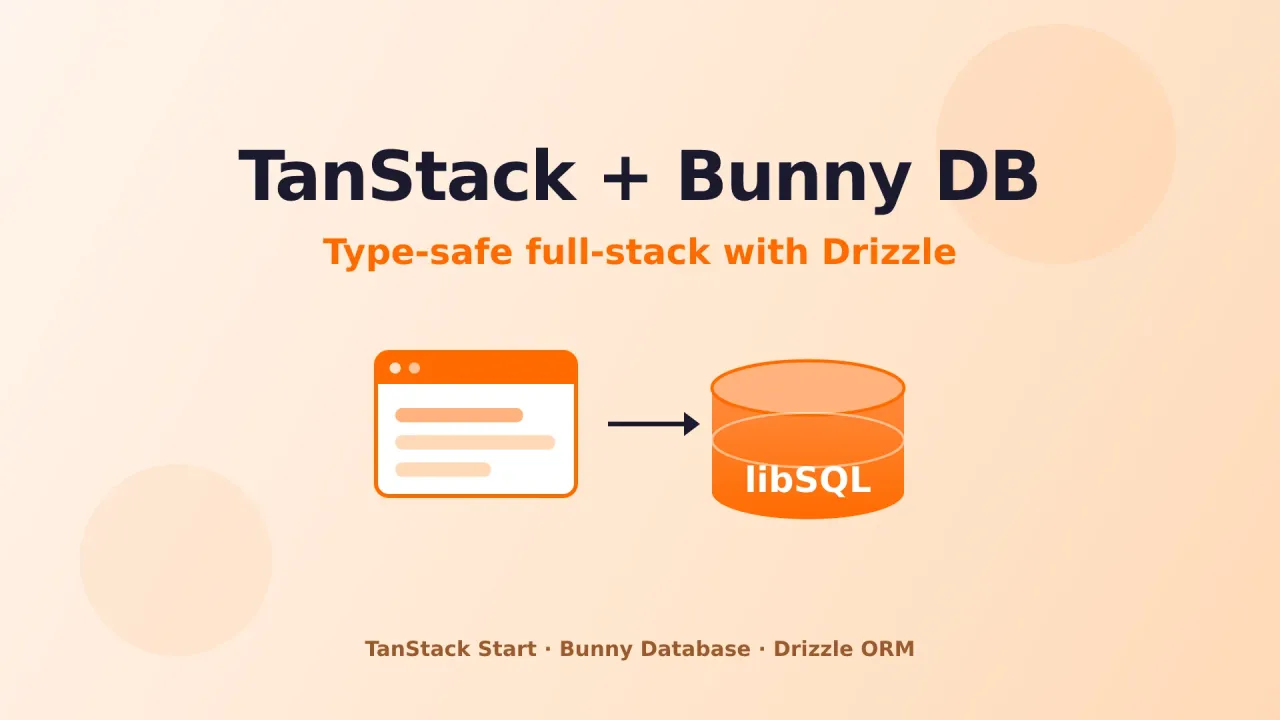
I wanted a way to ship a small full-stack TypeScript app without standing up a Postgres box or paying for a database that bills me while it sits idle. TanStack Start gives me server-side rendering and type-safe server functions, Drizzle gives me a schema I can trust, and Bunny.net recently added a managed libSQL database that spins down to zero when nobody’s hitting it. Put the three together and you get type safety from the database row all the way to the button in the browser.
This is the exact setup I ran myself: create the database in the dashboard, scaffold a TanStack Start project with shadcn, define a Drizzle schema, generate and run migrations, then build a UI that lists, adds, toggles, and deletes todos. Nothing fancy, just a clean walkthrough you can copy line for line.
Try Bunny.net free for 14 days
You’ll need a Bunny account to follow along. Sign up at Bunny.net with no credit card and get a 14-day trial. My full Bunny.net review covers the rest of the platform if you want the bigger picture first.
What we’re building
A single-page todo app with:
- A live
todostable stored in Bunny Database (managed libSQL) - A Drizzle ORM layer with generated, versioned SQL migrations
- Server functions through TanStack Start’s
createServerFn, so database access never leaves the server - A React UI styled with shadcn and Tailwind, hydrated from an SSR render
The end result is a small interface where you type a todo, hit enter, tick it off, or delete it. Every action round-trips to Bunny Database.
Prerequisites
Before you start, you need:
- A Bunny.net account with access to Bunny Database (currently in public preview)
- Node.js or Bun installed. I used Bun here because installs and scripts run fast
- Working knowledge of TypeScript, React, and SQL
Step 1: Scaffold the TanStack Start project with shadcn
The quickest path to a TanStack Start project that already has shadcn wired up is the shadcn CLI with the TanStack Start template. You get Tailwind, the shadcn component system, and file-based routing out of the box.
bunx --bun shadcn@latest init \
  --preset b1aIcEaeG \
  --base base \
  --template start \
  --pointer
What each flag does:
--preset b1aIcEaeGpulls a curated TanStack Start starter (router, SSR, Vite config)--base basepicks the neutral base color theme--template startscaffolds TanStack Start rather than Next.js or plain Vite--pointerturns on the pointer utility for cursor interactions
When it’s done, the project looks roughly like this:
start-app/
├── src/
│   ├── components/
│   │   └── ui/           # shadcn components (button, etc.)
│   ├── lib/
│   │   └── utils.ts      # cn() helper for class merging
│   ├── routes/
│   │   ├── __root.tsx    # root layout + providers
│   │   └── index.tsx     # home route
│   ├── router.tsx
│   ├── routeTree.gen.ts  # generated, do not edit
│   └── styles.css        # Tailwind entry
├── package.json
├── vite.config.ts
└── tsconfig.json
Install dependencies and start the dev server to confirm it boots:
bun install
bun run dev
That gives you a styled, SSR-ready app. The only thing missing is a database.
Deploying TanStack Start elsewhere
This guide hosts the database on Bunny. If you’d rather run the whole app on your own box, I have a separate guide on deploying TanStack Start on a VPS with Dokploy that uses Postgres instead.
Step 2: Create your Bunny Database
Bunny Database is a managed relational database built on libSQL, a fork of SQLite. You get standard SQL, optional global replication, usage-based billing (it idles when nothing’s querying it), and several ways to connect: HTTP API, native SDKs, and ORMs like Drizzle.
Create the database in the dashboard
- Log in to the Bunny.net dashboard
- In the left sidebar, click + Add, then Database
- Name it (for example
todotest). This name shows up in your connection URL - Pick a deployment mode:
- Automatic - Bunny picks regions based on your location. A fine default for development
- Single region - no replication, cheapest, good for a single VPS or testing
- Manual - you choose the primary and any replica regions, useful for latency or compliance
- Click Add Database
Grab your credentials
Open the database and go to the Access tab:
- Database URL: looks like
libsql://<your-database-id>.lite.bunnydb.net. Every client library uses this endpoint - Access Token: click Generate Tokens. You get a Full Access token (read and write, use this for the app) and a Read Only token (limited to
SELECT, handy for analytics)
Copy the URL and the Full Access token right away. Tokens show once. Lose one and you generate a new pair from the dashboard.
Never commit credentials
Keep tokens out of version control. We’ll put them in a .env file that’s gitignored.
Store credentials in .env
Create a .env in the project root:
BUNNY_DATABASE_URL="libsql://your-database-id.lite.bunnydb.net/"
BUNNY_DATABASE_AUTH_TOKEN="your-full-access-token"
BUNNY_DATABASE_READ_ONLY_AUTH_TOKEN="your-read-only-token"
Add a .env.example (safe to commit) so the next person knows what the app expects:
BUNNY_DATABASE_URL="libsql://your-database-id.lite.bunnydb.net/"
BUNNY_DATABASE_AUTH_TOKEN="your-full-access-token"
BUNNY_DATABASE_READ_ONLY_AUTH_TOKEN="your-read-only-token"
The starter already gitignores .env*, but check anyway:
# .gitignore
.env*
Step 3: Install Drizzle and the libSQL client
Bunny Database speaks libSQL, so we use the official @libsql/client as the driver and Drizzle’s libSQL adapter for type-safe queries.
bun add drizzle-orm @libsql/client
bun add -d drizzle-kitdrizzle-ormis the ORM@libsql/clientis the driver that talks the libSQL protocol over HTTPdrizzle-kitis a dev dependency for generating migrations, pushing schema, and opening Drizzle Studio
Add a few scripts to package.json to make the database easier to work with:
{
  "scripts": {
    "dev": "vite dev --port 3000 --host",
    "db:generate": "drizzle-kit generate",
    "db:migrate": "bun run src/db/migrate.ts",
    "db:studio": "drizzle-kit studio"
  }
}
Notice the --host flag on dev. It binds the server to your network interfaces, which matters when you develop on a VPS and want to reach it from a browser on your laptop.
Step 4: Configure Drizzle
Create drizzle.config.ts in the project root. It tells drizzle-kit where the schema lives, where migrations go, and how to reach the database:
// drizzle.config.ts
import { defineConfig } from "drizzle-kit"

export default defineConfig({
  schema: "./src/db/schema.ts",
  out: "./drizzle",
  dialect: "turso",
  dbCredentials: {
    url: process.env.BUNNY_DATABASE_URL!,
    authToken: process.env.BUNNY_DATABASE_AUTH_TOKEN!,
  },
})
A couple of things to call out:
dialect: "turso"tells drizzle-kit to emit SQLite-compatible SQL, which is exactly what libSQL (and Bunny Database) wantsout: "./drizzle"is where migration files landdbCredentialsreads the same environment variables from.env
Step 5: Define the schema
Create src/db/schema.ts. This is the single source of truth for the database shape:
// src/db/schema.ts
import { sqliteTable, integer, text } from "drizzle-orm/sqlite-core"

export const todos = sqliteTable("todos", {
  id: integer("id").primaryKey({ autoIncrement: true }),
  title: text("title").notNull(),
  completed: integer("completed", { mode: "boolean" }).notNull().default(false),
  createdAt: integer("created_at", { mode: "timestamp" })
    .notNull()
    .$defaultFn(() => new Date()),
})

export type Todo = typeof todos.$inferSelect
export type NewTodo = typeof todos.$inferInsert
The todos table has four columns:
id- auto-incrementing integer primary keytitle- the todo text, non-nullablecompleted- a boolean stored as 0/1 in SQLite but surfaced as a realbooleanin TypeScript thanks tomode: "boolean"created_at- an integer Unix timestamp surfaced as a JavaScriptDateviamode: "timestamp"
The two exported types, Todo and NewTodo, are inferred straight from the schema. You never hand-write them, and they stay in sync as the schema changes.
Step 6: Create the database client
Create src/db/index.ts. It initializes the libSQL client and wraps it with Drizzle:
// src/db/index.ts
import { drizzle } from "drizzle-orm/libsql"
import { createClient } from "@libsql/client/web"
import * as schema from "./schema"

const client = createClient({
  url: process.env.BUNNY_DATABASE_URL!,
  authToken: process.env.BUNNY_DATABASE_AUTH_TOKEN!,
})

export const db = drizzle(client, { schema })
export { schema }
We use @libsql/client/web (the HTTP transport) rather than the native socket one. That’s the right call for Bunny Database, which you reach over HTTPS, and it works the same in Node, Bun, and edge runtimes.
Step 7: Generate the first migration
With the schema in place, generate the SQL migration:
bun run db:generatedrizzle-kit reads src/db/schema.ts, diffs it against the migration history, and writes a new file under ./drizzle/. For the todos table it produces something like:
-- drizzle/0000_certain_bug.sql
CREATE TABLE `todos` (
  `id` integer PRIMARY KEY AUTOINCREMENT NOT NULL,
  `title` text NOT NULL,
  `completed` integer DEFAULT false NOT NULL,
  `created_at` integer NOT NULL
);
That’s plain SQLite syntax, which Bunny Database takes without changes. The random suffix (certain_bug here) keeps migrations ordered without name clashes.
Step 8: Apply the migration
To run migrations programmatically, create src/db/migrate.ts:
// src/db/migrate.ts
import { migrate } from "drizzle-orm/libsql/migrator"
import { db } from "./index"

async function main() {
  console.log("Running migrations...")
  await migrate(db, { migrationsFolder: "./drizzle" })
  console.log("Migrations complete.")
  process.exit(0)
}

main().catch((err) => {
  console.error("Migration failed:", err)
  process.exit(1)
})
Run it:
bun run db:migrateYou should see:
Running migrations...
Migrations complete.
The todos table now exists for real in Bunny Database. You can confirm it through the HTTP API:
HTTP_URL=$(echo $BUNNY_DATABASE_URL | sed 's/^libsql:/https:/')
curl -X POST "${HTTP_URL%/}/v2/pipeline" \
  -H "Authorization: Bearer $BUNNY_DATABASE_AUTH_TOKEN" \
  -H "Content-Type: application/json" \
  -d '{"requests":[{"type":"execute","stmt":{"sql":"SELECT name FROM sqlite_master WHERE type='"'"'table'"'"'"}}]}'
The response lists todos, __drizzle_migrations, and sqlite_sequence. That __drizzle_migrations table is how Drizzle tracks which migrations have run.
The bsql shell
Bunny also ships an interactive SQL shell called bsql. If you have the Bunny CLI, connect with bsql libsql://your-database-id.lite.bunnydb.net --token your-token and run .tables, SELECT * FROM todos;, and the like. It’s a quick way to poke at data without writing code.
Step 9: Build the server functions
With the database layer ready, we expose operations to the frontend through TanStack Start’s server functions. These run only on the server, even though you import and call them like normal async functions from client code. That keeps the database client and your credentials off the browser bundle entirely.
Create src/db/queries.ts:
// src/db/queries.ts
import { eq } from "drizzle-orm"
import { createServerFn } from "@tanstack/react-start"
import { db, schema } from "./index"
import type { NewTodo } from "./schema"

export const getTodos = createServerFn({ method: "GET" }).handler(async () => {
  const rows = await db.select().from(schema.todos).orderBy(schema.todos.id)
  return rows
})

export const addTodo = createServerFn({ method: "POST" })
  .validator((title: string) => ({ title }))
  .handler(async ({ data }) => {
    const newTodo: NewTodo = { title: data.title }
    const [created] = await db.insert(schema.todos).values(newTodo).returning()
    return created
  })

export const toggleTodo = createServerFn({ method: "POST" })
  .validator((input: { id: number; completed: boolean }) => ({
    id: input.id,
    completed: input.completed,
  }))
  .handler(async ({ data }) => {
    const [updated] = await db
      .update(schema.todos)
      .set({ completed: data.completed })
      .where(eq(schema.todos.id, data.id))
      .returning()
    return updated
  })

export const deleteTodo = createServerFn({ method: "POST" })
  .validator((id: number) => ({ id }))
  .handler(async ({ data }) => {
    await db.delete(schema.todos).where(eq(schema.todos.id, data.id))
    return { id: data.id }
  })
Every function follows the same shape:
.validator()parses and validates the incoming argument, handing you a typeddataobject.handler()runs the Drizzle query against Bunny Database and returns the result- The function is async and returns the typed result, so the React caller gets full type safety
Step 10: Wire up the QueryClientProvider
TanStack Start does SSR by default. Since the UI uses TanStack Query for data fetching, you need a QueryClientProvider at the root so both the server and client renders share the same query client.
Update src/routes/__root.tsx:
// src/routes/__root.tsx
import { HeadContent, Scripts, createRootRoute } from "@tanstack/react-router"
import { TanStackRouterDevtoolsPanel } from "@tanstack/react-router-devtools"
import { TanStackDevtools } from "@tanstack/react-devtools"
import { QueryClient, QueryClientProvider } from "@tanstack/react-query"

import appCss from "../styles.css?url"

const queryClient = new QueryClient()

export const Route = createRootRoute({
  head: () => ({
    meta: [
      { charSet: "utf-8" },
      { name: "viewport", content: "width=device-width, initial-scale=1" },
      { title: "Todos" },
    ],
    links: [{ rel: "stylesheet", href: appCss }],
  }),
  notFoundComponent: () => (
    <main className="container mx-auto p-4 pt-16">
      <h1>404</h1>
      <p>The requested page could not be found.</p>
    </main>
  ),
  shellComponent: RootDocument,
  defaultPreload: "intent",
})

function RootDocument({ children }: { children: React.ReactNode }) {
  return (
    <html lang="en">
      <head>
        <HeadContent />
      </head>
      <body>
        <QueryClientProvider client={queryClient}>
          {children}
        </QueryClientProvider>
        <TanStackDevtools
          config={{ position: "bottom-right" }}
          plugins={[
            { name: "Tanstack Router", render: <TanStackRouterDevtoolsPanel /> },
          ]}
        />
        <Scripts />
      </body>
    </html>
  )
}
Skip this provider and SSR throws No QueryClient set, use QueryClientProvider to set one, then falls back to client-only rendering. That defeats the point of SSR and slows your first paint.
Step 11: Build the todo UI
Last step: replace src/routes/index.tsx with the todo interface. It uses useQuery to load the list and useMutation for each action, invalidating the todos query after every mutation so the list refreshes.
The layout is a centered column: a heading, an input-and-button row to add todos, and the list below. Each item has a circular toggle button, the todo text (struck through when complete), and a trash icon. Every mutation calls queryClient.invalidateQueries({ queryKey: ["todos"] }) on success, which refetches through the server function and keeps the UI honest about what’s actually in the database.
Full src/routes/index.tsx
// src/routes/index.tsx
import { useState } from "react"
import { createFileRoute } from "@tanstack/react-router"
import { useQuery, useMutation, useQueryClient } from "@tanstack/react-query"
import { Check, Plus, Trash2 } from "lucide-react"
import { getTodos, addTodo, toggleTodo, deleteTodo } from "@/db/queries"
import { Button } from "@/components/ui/button"
import { cn } from "@/lib/utils"

export const Route = createFileRoute("/")({ component: TodoApp })

function TodoApp() {
  const queryClient = useQueryClient()
  const [newTitle, setNewTitle] = useState("")

  const { data: todos = [], isLoading } = useQuery({
    queryKey: ["todos"],
    queryFn: () => getTodos(),
  })

  const addMutation = useMutation({
    mutationFn: (title: string) => addTodo({ data: title }),
    onSuccess: () => {
      queryClient.invalidateQueries({ queryKey: ["todos"] })
      setNewTitle("")
    },
  })

  const toggleMutation = useMutation({
    mutationFn: (vars: { id: number; completed: boolean }) =>
      toggleTodo({ data: vars }),
    onSuccess: () => queryClient.invalidateQueries({ queryKey: ["todos"] }),
  })

  const deleteMutation = useMutation({
    mutationFn: (id: number) => deleteTodo({ data: id }),
    onSuccess: () => queryClient.invalidateQueries({ queryKey: ["todos"] }),
  })

  return (
    <div className="flex min-h-svh justify-center p-6">
      <div className="flex w-full max-w-md flex-col gap-6">
        <div>
          <h1 className="text-2xl font-semibold tracking-tight">Todos</h1>
          <p className="text-sm text-muted-foreground">
            Bunny Database + Drizzle + TanStack Start
          </p>
        </div>

        <form
          className="flex gap-2"
          onSubmit={(e) => {
            e.preventDefault()
            const title = newTitle.trim()
            if (!title) return
            addMutation.mutate(title)
          }}
        >
          <input
            value={newTitle}
            onChange={(e) => setNewTitle(e.target.value)}
            placeholder="What needs to be done?"
            className="flex-1 rounded-md border border-input bg-background px-3 py-2 text-sm shadow-sm placeholder:text-muted-foreground focus-visible:outline-none focus-visible:ring-1 focus-visible:ring-ring"
          />
          <Button type="submit" disabled={addMutation.isPending} size="icon">
            <Plus className="size-4" />
          </Button>
        </form>

        {isLoading ? (
          <p className="text-sm text-muted-foreground">Loading...</p>
        ) : todos.length === 0 ? (
          <p className="text-sm text-muted-foreground">
            No todos yet. Add one above.
          </p>
        ) : (
          <ul className="flex flex-col gap-1">
            {todos.map((todo) => (
              <li
                key={todo.id}
                className="flex items-center gap-3 rounded-md border border-border px-3 py-2"
              >
                <button
                  type="button"
                  onClick={() =>
                    toggleMutation.mutate({
                      id: todo.id,
                      completed: !todo.completed,
                    })
                  }
                  className={cn(
                    "flex size-5 shrink-0 items-center justify-center rounded-full border transition-colors",
                    todo.completed
                      ? "border-primary bg-primary text-primary-foreground"
                      : "border-input hover:border-primary",
                  )}
                  aria-label={todo.completed ? "Mark incomplete" : "Mark complete"}
                >
                  {todo.completed && <Check className="size-3" />}
                </button>

                <span
                  className={cn(
                    "flex-1 text-sm",
                    todo.completed && "text-muted-foreground line-through",
                  )}
                >
                  {todo.title}
                </span>

                <button
                  type="button"
                  onClick={() => deleteMutation.mutate(todo.id)}
                  className="text-muted-foreground hover:text-destructive"
                  aria-label="Delete todo"
                >
                  <Trash2 className="size-4" />
                </button>
              </li>
            ))}
          </ul>
        )}
      </div>
    </div>
  )
}
Running it on a VPS
Server functions need a Node or Bun runtime, so you can’t drop this on a static host. A VPS or a container platform is the right home.
When you develop on the VPS itself, the --host flag binds Vite to 0.0.0.0 so you can reach it from your laptop:
bun run dev
# Local:   http://localhost:3000/
# Network: http://your-vps-ip:3000/
For production, build and preview:
bun run build
bun run preview
For anything long-running, wrap the start command in a process manager like PM2 or systemd, or put it in a container. Bunny’s own Magic Containers fit nicely here, partly because you can attach the database credentials as environment variables straight from the database dashboard.
Attaching credentials to a Magic Container
Deploy to a Bunny Magic Container and you can skip the .env file. From the database dashboard, click Add Secrets to Magic Container Apps, pick your container app, and Bunny injects BUNNY_DATABASE_URL and BUNNY_DATABASE_AUTH_TOKEN for you. Your code already reads process.env, so nothing changes.
Why this stack works
A few reasons the three play well together:
- Type safety end to end: the Drizzle schema is the source of truth, and those types flow into server functions and React. A column rename becomes a compile error, not a 2am runtime surprise
- SQL you already know: Bunny Database is libSQL, which is SQLite-compatible, so there’s no proprietary dialect to learn
- Idle when inactive: the database spins down when nothing’s querying it and bills on usage, which keeps side projects cheap
- SSR out of the box: TanStack Start renders the first HTML on the server, so the todo list is there before hydration
- You own the UI code: shadcn copies components into your project instead of hiding them behind a package
- Cheap schema changes: edit
schema.ts, rundb:generatethendb:migrate, and the change is live in seconds - Portable credentials: the
.envpattern is standard, and Magic Containers can inject the same variables, so local-to-deploy needs no code changes
Troubleshooting
A handful of things tripped me up while building this:
No QueryClient set during SSR
You forgot to wrap the app in QueryClientProvider inside __root.tsx. Add it as shown in Step 10.
Protocol libsql not supported in libcurl
This shows up when you try to curl the database URL directly. The libsql:// scheme is only for client libraries. For raw HTTP calls, convert it to https:// and POST to /v2/pipeline, as in Step 8.
Tokens shown only once
Lose a Bunny access token and you generate a new one from the dashboard. Regenerating invalidates the existing tokens, so update every app that used them.
Migration fails with a schema error
Check that dialect: "turso" is set in drizzle.config.ts. Bunny Database uses the libSQL/SQLite dialect, not PostgreSQL.
Port already in use
Vite tries the next free port (3001, 3002, and so on). Read the startup output for the port it actually picked.
Frequently asked questions
Is Bunny Database production-ready?
It’s in public preview, so I’d treat it like any preview product: great for side projects, internal tools, and read-heavy apps, but read the current terms before you put critical workloads on it. Since it’s libSQL, your data and queries stay portable to any SQLite-compatible host if you need to move. My Bunny.net review has more on where the platform is mature and where it’s still maturing.
Can I use Postgres instead?
Not with Bunny Database, which is libSQL only. If you want Postgres with TanStack Start and Drizzle, my Dokploy deployment guide walks through exactly that on a self-hosted VPS.
Why server functions instead of a REST API?
Server functions keep your database client and credentials on the server while letting you call them like plain async functions from the client. You skip writing and maintaining a separate API layer, and the types carry through automatically. For a small app like this, that’s a lot less boilerplate.
Does Bunny charge per query?
Bunny Database bills on usage (reads, writes, and storage per active region) and idles when nothing’s hitting it, so a quiet app costs very little. Check the Bunny pricing page for current preview rates, since they can change while it’s in preview.
Can I add more tables later?
Yes, that’s the nice part. Add a table to src/db/schema.ts, run bun run db:generate to create the migration, then bun run db:migrate to apply it. The new types are available immediately and the change is live in Bunny within seconds.
Wrapping up
In about an hour I went from an empty folder to a type-safe, SSR todo app backed by a managed database that costs next to nothing when idle, with versioned migrations and a UI I fully own. Growing the schema is a two-command operation, and the server function pattern keeps credentials and query logic where they belong.
If you want to push it further, the obvious next steps are user auth with per-user todos, due dates and filtering, optimistic updates instead of query invalidation, and a Magic Container deploy with credentials injected automatically. The Bunny Database docs and the Drizzle libSQL guide cover the corners I didn’t.
Try Bunny.net Free for 14 DaysRelated articles
- Bunny.net review - the full platform after a year in production
- Astro DB with Bunny Database - the same database with Astro’s local-first workflow
- Deploy TanStack Start on a VPS with Dokploy - the same stack with Postgres, fully self-hosted
- Mount an S3 bucket as a filesystem - ZeroFS and JuiceFS on Bunny Storage
- Bunny Storage vs S3 vs Backblaze - cloud storage pricing compared
- Deploy an Astro site to Bunny.net - static hosting on Bunny storage and CDN
- Bunny Stream guide - video hosting on Bunny