
HolyArrs Docker Guide: Replace Sonarr, Radarr, Lidarr, Bazarr, Prowlarr & Overseerr With One 15 MB App
Install HolyArrs with Docker Compose and replace the six-app *arr stack with a single 15 MB container. Covers qBittorrent wiring, the side-by-side importer, and honest caveats.
takes about 15 min
Quick result
docker compose up -d → open http://server:6262, create the owner account, add a downloader and a Source
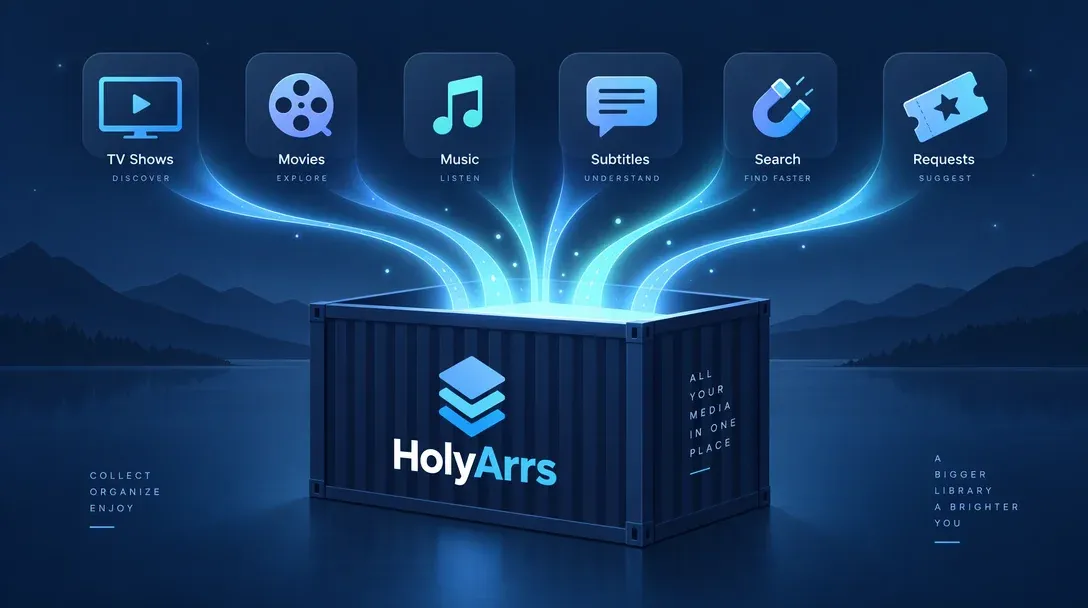
A normal media automation setup runs six apps. Sonarr for shows, Radarr for movies, Lidarr for music, Prowlarr for indexers, Bazarr for subtitles, and Overseerr so your family can request things. That is six containers, six logins, six update cycles, and six API keys you have to copy between them so they can talk to each other.
HolyArrs is a Go rewrite of that whole stack packaged into one self-hosted container. The image pulls at around 15 MB, benchmarks at roughly 140 MiB of RAM with a 10,000-title library, and cleared 1,000 GitHub stars shortly after its Show HN launch. Because its built-in importer only reads from your old apps without modifying them, you can stand it up next to an existing *arr stack and compare results side by side. This guide covers the Docker Compose install, qBittorrent and Jellyfin wiring, the non-destructive migration flow, and the early-project trade-offs to weigh before shutting old containers down.
A young project: run it alongside, not instead
HolyArrs hit 1.0 in November 2026. The importer is designed to run next to your current stack and leaves your existing configuration untouched, so start cleanly: install it, import your config, compare releases for a week, and keep your old containers running until you are satisfied.
What HolyArrs replaces, in numbers
From the project’s amd64 comparison against standard linuxserver.io images:
| Download size | Logins | Web ports | |
|---|---|---|---|
| Sonarr + Radarr + Lidarr + Prowlarr + Bazarr + Overseerr | 718.2 MB | 6 | 6 |
| HolyArrs | 14.9 MB | 1 | 1 (6262) |
That is roughly 48x smaller on disk. Memory is the bigger practical drop on a small VPS or Pi: six .NET services idling compared to a single Go binary (which HolyArrs benchmarks at ~140 MiB with 10,000 titles and 55,000 indexed movies and episodes).
What stays the same: HolyArrs does not download anything itself. It drives the downloader you already have (qBittorrent, Transmission, Deluge, rTorrent, aria2, SABnzbd, NZBGet), searches Torznab/Newznab indexers or Prowlarr/Jackett, and tells Plex, Jellyfin, or Emby when files land. The six apps collapse into one; the downloaders and media servers around them stay put.
What you need before you start
- A Docker host with Docker Compose (the same box your *arr apps run on is fine)
- Your downloader’s URL and credentials (qBittorrent, SABnzbd, etc.)
- Indexer details: Torznab/Newznab URLs and keys, or your Prowlarr URL and API key
- The UID/GID that owns your media folders (run
id youruserto get them) - A local-disk path for
/config(never a network share, since database writes need local I/O) - Optional for migration: your Sonarr/Radarr/Lidarr/Prowlarr/Bazarr/Overseerr URLs and API keys
Before writing your compose file, check your folder layout. HolyArrs’ default compose template mounts separate /movies, /tv, /music, and /downloads folders, while mounting one shared /media parent folder containing all four subfolders (and matching that exact mount inside your downloader) lets imports happen as instant atomic moves instead of slow cross-filesystem copies. Either layout works when you add libraries in the UI; the shared parent saves disk I/O.
Install HolyArrs with Docker Compose
mkdir -p /opt/holyarrs/config
cd /opt/holyarrs
The compose file, pinned to the 1.1.0 release that added 44 languages and aria2 support:
name: holyarrs
services:
  holyarrs:
    image: holyarrs/holyarrs:1.1.0
    container_name: holyarrs
    environment:
      - PUID=1000        # match `id youruser`
      - PGID=1000
      - TZ=Europe/Bucharest
    volumes:
      - /opt/holyarrs/config:/config          # local disk only
      - /mnt/media:/media                     # one parent: /media/{movies,tv,music,downloads}
    ports:
      - 6262:6262
restart: unless-stoppeddocker compose up -d
docker logs -f holyarrsWith one /media parent holding movies, tv, music, and downloads, and your qBittorrent container mounting /mnt/media/downloads to /media/downloads inside the container, HolyArrs moves finished downloads without copying bytes twice. If your downloader lives on another machine, mount the same NFS/SMB share at the matching path on both hosts (keeping /config on local disk).
Verify it's up
curl -sI http://localhost:6262 | head -1 returns a 200 or 302, and docker compose ps shows the container running, not restarting. If it exit-loops, docker logs holyarrs usually names a /config permission problem.
First run: owner account, folders, downloader
Open http://your-server:6262 and create the owner account. Do this immediately, because there is no default password, and the first person to open the app becomes the owner. On a shared network that means whoever finds it first.
The setup wizard then asks for three things:
- Library folders. Point them at the in-container paths (
/media/movies,/media/tv), not host paths. - A downloader. Pick qBittorrent, enter its URL and login. If both run in Docker,
localhostmeans the container itself, so use the qBittorrent container name on a shared Docker network, or the host IP. - A Source. Any Torznab/Newznab indexer URL + key, or point it at your existing Prowlarr. HolyArrs can accept indexers pushed from Prowlarr’s sync, so your curated list comes across in one step.
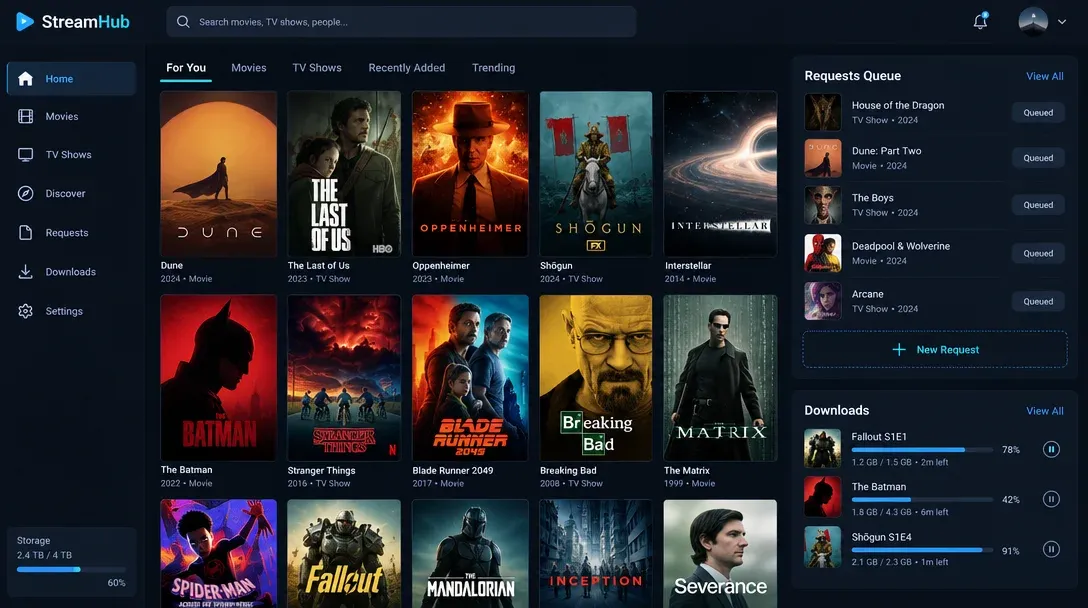
After that you land in Explore, which behaves like a streaming app: hover a title and the trailer plays, request a whole show or one season, and your Pick rules (size, quality, language) decide which release wins.
Import your existing *arr stack (non-destructively)
This is the main reason testing HolyArrs is low-risk. Go to Settings > Move from other apps, enter each existing app’s URL and API key (or upload a backup zip), run Try it for a dry run, and then click Move. The importer only reads from Sonarr, Radarr, and the rest, so your running stack stays untouched and you can roll back later.
| From | What comes over |
|---|---|
| Sonarr, Radarr, Lidarr | Library folders, titles, quality profiles (as Pick rules), exclusions, naming, indexers, download clients |
| Prowlarr | Indexers, as Sources |
| Bazarr | Default subtitle languages |
| Seerr / Overseerr | People and their pending or approved requests |
| qBittorrent, SABnzbd | Downloader connections |
Custom formats, tags, grab history, and stored passwords do not migrate automatically; you re-enter secrets or import them separately, and media files on disk never move.
The safest workflow is to run the importer, leave your existing containers active, and watch a week of scheduled releases in HolyArrs’ calendar. If a release fails to grab, you have your working stack right next to it for comparison.
Wire it to Jellyfin (or Plex/Emby)
Under Settings > Media servers, add your Jellyfin URL and an API key (Jellyfin Dashboard > API Keys > New). HolyArrs triggers a targeted scan as soon as a file imports, so new episodes appear right away instead of waiting on a library schedule. When both containers run on the same Docker host, point to the Jellyfin container name on a shared Docker network or use the host bridge IP (rather than localhost, which points inside the HolyArrs container itself).
No media server yet? Our Jellyfin self-hosting guide covers the full Docker setup including hardware transcoding, and best NAS for Plex ranks storage boxes if you are building the media host from scratch.
Day-2 ops: backups, updates, doctor
Three things that matter after install:
The master key (holyarrs.key). Stored passwords and API keys are encrypted with holyarrs.key inside /config, and standard config backups intentionally exclude that file. Open Settings > Backups > Download key kit and store a copy offline. Without holyarrs.key, backed-up credentials cannot be decrypted.
Updates are the usual:
docker compose pull && docker compose up -dIf a release changes the data layout, HolyArrs takes a pre-update backup automatically. Rollback is docker exec holyarrs /holyarrs restore --pre-update then a restart.
Troubleshooting without a shell. The image has none inside, which is good for attack surface and annoying if you expect docker exec -it holyarrs bash to work. Use the built-ins:
docker exec holyarrs /holyarrs doctor        # OK/WARN/FAIL config check with fixes
docker exec -i holyarrs /holyarrs reset-owner  # locked out of owner account
docker inspect --format '{{ index .Config.Labels "org.opencontainers.image.version" }}' holyarrs
Do not port-forward 6262
There is no default password and owner creation is first-come. Keep it on LAN, reach it over Tailscale/WireGuard, or put it behind a reverse proxy with HTTPS; see our Traefik for Docker guide. Same rule as every *arr app, except here the blast radius is your whole library, not one service.
What it doesn’t do yet
The README is upfront about current gaps, and you should know them before migrating:
- No built-in downloader: It requires qBittorrent, SABnzbd, or another supported client, though an integrated downloader is listed on the roadmap.
- No AI or MCP integration in the 1.x release.
- Web UI only: There are no native phone or TV apps yet, though the web interface is usable on mobile browsers.
- Unfinished Music section: Music discovery in Explore is still incomplete.
- Centralized metadata server: Posters, trailers, and charts load from a metadata service operated and funded by the author. That spares users from configuring personal TMDb or TVDb keys, yet it adds an external dependency. Existing downloads and media files keep running if that server ever goes offline, but Explore and rich metadata lookups depend on it.
That external metadata dependency is the biggest structural trade-off compared to Sonarr and Radarr, which query TMDb and TVDb directly. HolyArrs is currently maintained primarily by one developer (CoderLuii, AGPL-3.0 with a CLA), so keeping your existing importer backup path intact is just sensible risk management.
FAQ
Can Sonarr and Radarr keep running while I test HolyArrs?
Yes. The importer reads your existing apps once and never writes to them. Keep all six running while you evaluate; that is the intended rollout. Once HolyArrs has proven itself for a few weeks, shut the old containers down one at a time rather than deleting everything on day one.
Do I still need Prowlarr?
No, but it still helps. HolyArrs accepts Torznab/Newznab indexers directly, so Prowlarr is optional. If you already run Prowlarr, its sync can push indexers into HolyArrs automatically, which saves re-keying them. The importer can pull them across as Sources instead.
Does HolyArrs work on a Raspberry Pi or NAS?
Yes. The image ships for amd64, arm64, and armv7, so Pi 4/5 and ARM NAS boxes are covered. The one hard rule is /config on a local disk (SD card or SSD, not a network share). Media folders can live on mounted shares.
Is it really free? What's the catch?
Free and AGPL-3.0, no license tiers. The catch is the metadata server: every install talks to a service the author pays for out of pocket, funded by GitHub sponsors. If sponsorship dries up, that service is the part most likely to degrade.
What happens to my requests when I migrate from Overseerr?
The importer carries over your users and their waiting or approved requests, so requests made in Overseerr continue in HolyArrs. Grab history and custom tags do not migrate.
Verdict: should you switch?
Give it a try if managing six separate logins, configs, and half a gigabyte of images has gotten old. HolyArrs handles the core workflow (searching, requesting, grabbing, importing, and notifying Plex or Jellyfin) inside one container with very little memory overhead.
Keep your existing stack running beside it for now. Any 1.x rewrite replacing six long-running .NET apps will still run into occasional edge cases with tricky indexers, custom naming formats, or specific download clients. Because the importer reads everything non-destructively in 15 minutes, testing it side by side carries almost no risk while giving the project time to mature.
Self-host Jellyfin nextRelated articles
- Self-host Jellyfin with Docker Compose (the media server HolyArrs reports to)
- Best NAS for Plex & Jellyfin (storage boxes for the library)
- Best Docker containers for a home server (what else to run on the same host)
- Traefik reverse proxy for Docker (expose HolyArrs safely)
- Docker Compose secrets (keeping API keys out of plain compose files)
Related Posts
Did this guide work for you?

Written by Dragos
Dragos is the author of Bitdoze — practical DevOps, programming, and self-hosting guides.
More guides from Dragos →Need help with Astro, VPS, or a self-hosted app? View services →