
Home Assistant 2026.11: Built-In Marketplace (Bye HACS?) + Migrating Off TrueNAS SCALE's Deprecated App
Home Assistant 2026.11 folds HACS into a built-in Marketplace and rewrites entity naming. Plus: the TrueNAS SCALE app is deprecated, so migrate to HAOS VM without losing your setup.
takes about 45 min
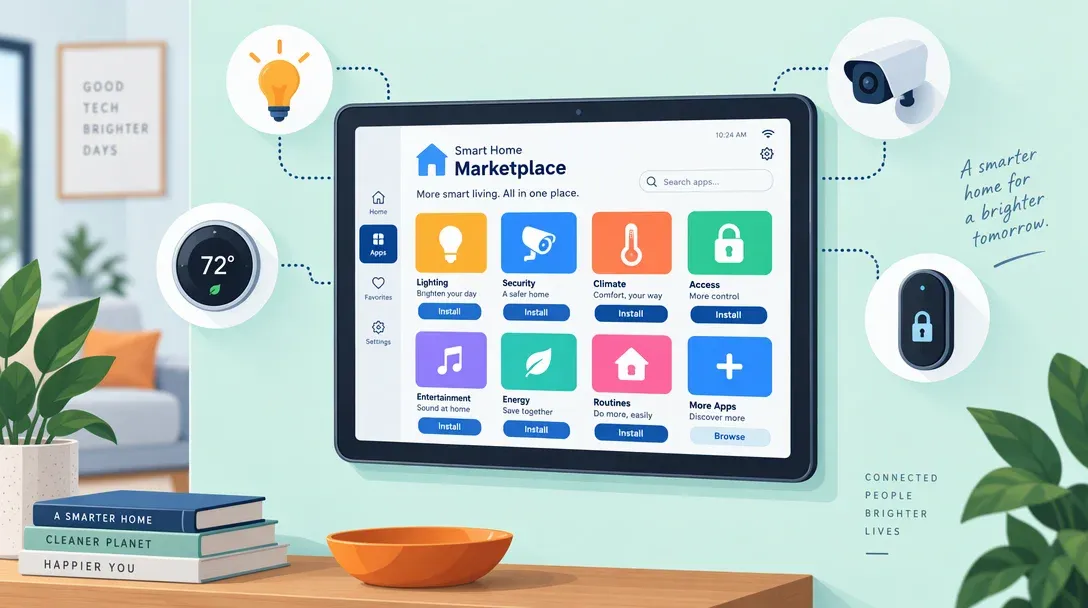
Two major Home Assistant updates landed close together, so handling them together saves doing two maintenance windows. First, Home Assistant 2026.11 arrived on November 4 with its built-in Marketplace (folding HACS into core) and a major entity-naming overhaul. Second, TrueNAS deprecated the Home Assistant community-catalog app (marked deprecated August 26, 2026, with catalog removal slated for November 26, 2026), pushing more than 12,000 existing installs toward a proper VM.
First comes what changed in 2026.11 and how to upgrade without breaking custom dashboards. Then we walk through moving a TrueNAS SCALE app install onto a full Home Assistant OS (HAOS) virtual machine using your .tar backup.
Read before you update: entity naming changed
The 2026.11 naming rework is a backward-incompatible change. Home Assistant now adds context (area, device) to names automatically, which is good for new setups, but some dashboards and voice commands built around old entity names will look different. Budget ten minutes after upgrading to review names. The dedicated naming post is required reading if your dashboards are heavily customized.
Part 1: What’s actually new in 2026.11
The Marketplace (HACS, now built-in)
HACS has been the standard way to add custom integrations, dashboard cards, and themes for years. Starting in 2026.11, HACS’s creator (ludeeus) donated the project to the Open Home Foundation and folded it directly into core under Settings > Marketplace, available out of the box across every install type.
- Existing HACS installs stay intact. Previously installed integrations, cards, and custom repositories migrate automatically and keep receiving updates.
- Custom GitHub repositories still work. You can still paste third-party repository URLs directly in the Marketplace UI.
- No manual setup hurdle. New installs (including container deployments) get Marketplace right away without bootstrapping HACS through a shell command.
Even with the HACS name retired inside the UI, the underlying safety model hasn’t changed: custom components still come straight from GitHub without Home Assistant core review. Always check repository activity before adding one to a live home setup.
The rest of the release worth knowing
- Exclude targets inside automations. Turning on all downstairs lights except the kitchen is now a first-class selector option, so adding a new kitchen bulb later keeps it excluded automatically without writing templates.
- Better automation diagnostics. Traces now show what triggered a run and follow into called scripts, each integration exposes live logs right inside the UI, history graphs allow zooming and deleting bad sensor spikes, and an action log records who changed what.
- Matter 1.5 camera talkback. Supported Matter cameras gain two-way audio directly inside Home Assistant.
- Native LoRaWAN and Zigbee Green Power. Long-range LoRaWAN networks (ChirpStack and The Things Network under Settings > Connectivity > LoRaWAN) and battery-free Zigbee Green Power kinetic switches work natively without external bridges.
- Local drives for backups and media. Directly attached host storage is now selectable for local backups and media alongside network shares and cloud targets.
- Dashboard upgrades. Section copy/paste, auto-populating sections, a YAML-free Alert card, and inline color controls on light tiles landed in the same release.
- 38 new integrations arrived in 2026.11, followed by the 2026.11.1 bug-fix release on November 9.
How to upgrade safely
- Back up first. Go to Settings > System > Backups, create a full backup, and download the
.tarfile to your laptop. You will also use this file for Part 2 if migrating off TrueNAS. - Scan the release notes. Check the 2026.11 backward-incompatible changes and the naming notes for any integrations you depend on.
- Update, then audit entity display names. Spot-check dashboards, voice assistant aliases, and external flows (like Node-RED) that rely on display labels.
- Verify custom Marketplace integrations against recent release issues before clicking update on those too.
Part 2: Migrating off the TrueNAS SCALE app
Why it is deprecated
TrueNAS marked the Home Assistant community-catalog chart deprecated on August 26, 2026, with removal from the catalog scheduled for November 26, 2026. On the TrueNAS forums, staff explained that Home Assistant keeps shifting settings out of static configuration.yaml into UI-managed state, making it too brittle for TrueNAS’s external app config schema to track cleanly.
That aligns with Home Assistant’s own long-standing policy: HAOS in a VM is the officially supported path, whereas standalone container installs miss Supervisor, official Add-ons (now labeled Apps in HA’s UI), and full hardware discovery. Deprecated TrueNAS catalog apps continue running locally for now, yet once catalog updates stop, falling behind on releases and security patches is only a matter of time.
The migration path
Moving to Home Assistant OS (HAOS) inside a TrueNAS KVM virtual machine (or onto a dedicated mini PC) puts you on the full Supervisor image with USB passthrough and one-click core/app updates. If you would rather dedicate a small low-wattage box instead of virtualizing on your NAS, check best Home Assistant hardware.
- A full backup
.tardownloaded off-box (Settings > System > Backups) - The official HAOS KVM
.qcow2.xzimage from home-assistant.io - A TrueNAS network bridge (
br0) configured if you haven’t created one yet - Your Zigbee/Z-Wave USB coordinator ready for USB passthrough
- 30–60 minutes for image conversion, VM creation, and backup restore
Step-by-step:
-
Back up the container install. Create and download a full
.tarbackup from Settings > System > Backups. If your TrueNAS app used a separate external database container (like PostgreSQL), export that separately because Home Assistant.tarbackups skip external DBs. -
Prepare the HAOS disk Zvol. In TrueNAS, create a ZFS Zvol of at least 32 GiB under Storage > Datasets > Add Zvol (for example,
tank/vm/haos). Then open the TrueNAS Shell (or SSH) to download, extract, and write the latest official KVM.qcow2.xzimage directly onto that Zvol:bash cd /tmp wget https://github.com/home-assistant/operating-system/releases/latest/download/haos_ova-<VERSION>.qcow2.xz unxz haos_ova-<VERSION>.qcow2.xz qemu-img convert -p -O raw haos_ova-<VERSION>.qcow2 /dev/zvol/tank/vm/haos(Replace
<VERSION>with the current HAOS release filename fromhome-assistant.io/installation/linuxandtank/vm/haoswith your Zvol path.) -
Create the VM with UEFI and bridged networking. Under Network, ensure your host NIC is bridged onto
br0so the VM gets its own LAN IP and can still talk back to the TrueNAS host (raw macvlan blocks host-to-VM SMB/NFS backup mounts). Then go to Virtual Machines > Add (TrueNAS 25.04 temporarily called this section Instances / Virtualization before 25.10 restored Virtual Machines): pick Guest OS: Linux, Boot Method: UEFI (BIOS drops into an interactive UEFI shell), 2+ vCPUs, 4 GiB RAM, attach your existingtank/vm/haosZvol as a VirtIO/AHCI disk, and attach a VirtIO NIC tobr0. -
Pass through your Zigbee/Z-Wave stick. Confirm the dongle with
lsusbon the TrueNAS shell and attach it under the VM’s USB passthrough devices (or pass through the USB controller). Since Zigbee network keys and paired devices live on the stick’s coordinator radio, ZHA or Zigbee2MQTT picks up existing nodes automatically. -
Boot HAOS and restore. Power on the VM, open VNC/Console to confirm boot completes, then open
http://<vm-ip>:8123and pick Restore from backup during onboarding to upload your.tararchive. -
Update static IPs and test for a day. Keep the old TrueNAS app stopped while verifying everything works on the VM’s new LAN IP (update companion app internal URLs, MQTT broker pointers, and reverse proxy targets). Remove the deprecated app once everything behaves normally.
What does not migrate automatically
Files outside HA’s .tar backup (external PostgreSQL databases, loose host bind mounts, or sidecar TrueNAS apps like external Frigate or Mosquitto containers) must be moved or repointed separately. Also update any camera or MQTT integrations that pointed at your TrueNAS host IP if the VM sits on a new bridged address.
Running Frigate alongside? Our best cameras for Frigate and Home Assistant guide covers the NVR side, and the best Zigbee coordinators guide helps if you are upgrading your dongle during the move.
FAQ
Is HACS gone now?
The separate HACS bootstrap install is gone because its catalog now lives natively at Settings > Marketplace. Existing custom integrations stay installed and keep updating seamlessly. Custom repositories still fetch community code straight from GitHub without Home Assistant core review, so apply the same caution you always used with HACS.
Will the TrueNAS app just stop working?
No. A deprecated TrueNAS app keeps running on your system after November 26, 2026, yet it stops receiving catalog updates and security patches. Leaving Home Assistant frozen on an aging container image eventually breaks cloud/API integrations, so moving to a VM on your own schedule avoids a forced crunch later.
HAOS VM vs Docker container: does it matter?
Yes if you rely on Supervisor features, Add-ons/Apps (like Z-Wave JS UI, ESPHome, or Matter Server), or official bug-tracker support. A plain Docker container omits Supervisor and add-on management entirely, which is why Home Assistant keeps HAOS as the baseline supported target.
My dashboard looks wrong after 2026.11: what happened?
The 2026.11 entity naming update is almost always the cause. Home Assistant dynamically composes display names from device and area context rather than relying solely on the standalone entity name, so card titles and voice labels can look different. Check Settings > Entities and update any cards matching old strings; raw entity_id values in YAML automations remain untouched.
Can I run HAOS in a TrueNAS SCALE VM and keep my NAS duties?
Yes. Storage stays on TrueNAS while HAOS runs cleanly inside a KVM guest with br0 bridged networking and USB passthrough for your Zigbee/Z-Wave coordinator.
Verdict
Run both upgrades in one evening while you already have a clean .tar backup in hand. Home Assistant 2026.11 brings meaningful daily quality-of-life wins (built-in Marketplace, exclusion targets, clearer automation traces, Matter talkback, and LoRaWAN), just take ten minutes to audit renamed labels afterward. Moving off the deprecated TrueNAS catalog app onto an HAOS VM puts your smart home on the full, supported platform with working backups and add-ons going forward.
Related articles
- Best Home Assistant hardware (Green vs mini PC vs Pi for the host)
- Best Zigbee coordinators for Home Assistant (pick a coordinator before USB passthrough)
- Best cameras for Frigate & Home Assistant (NVR side of the setup)
- Best Zigbee sensors for Home Assistant (what to pair with your coordinator)
- Best PoE doorbells for Home Assistant (local PoE doorbells)
Related Posts
Best Cameras for Frigate & Home Assistant (2026): PoE, Local, No Subscription
10 min read
Best PoE Video Doorbell for Home Assistant (2026): Local, No Subscription
8 min read
HolyArrs Docker Guide: Replace Sonarr, Radarr, Lidarr, Bazarr, Prowlarr & Overseerr With One 15 MB App
11 min read
Did this guide work for you?

Written by Dragos
Dragos is the author of Bitdoze — practical DevOps, programming, and self-hosting guides.
More guides from Dragos →Need help with Astro, VPS, or a self-hosted app? View services →