Best PoE Video Doorbell for Home Assistant (2026): Local, No Subscription
The best PoE doorbell for Home Assistant is the Reolink Video Doorbell PoE: local RTSP, 2K, bundled chime, no subscription. Aqara G400 and Frigate/VLAN setup included.

8 min read
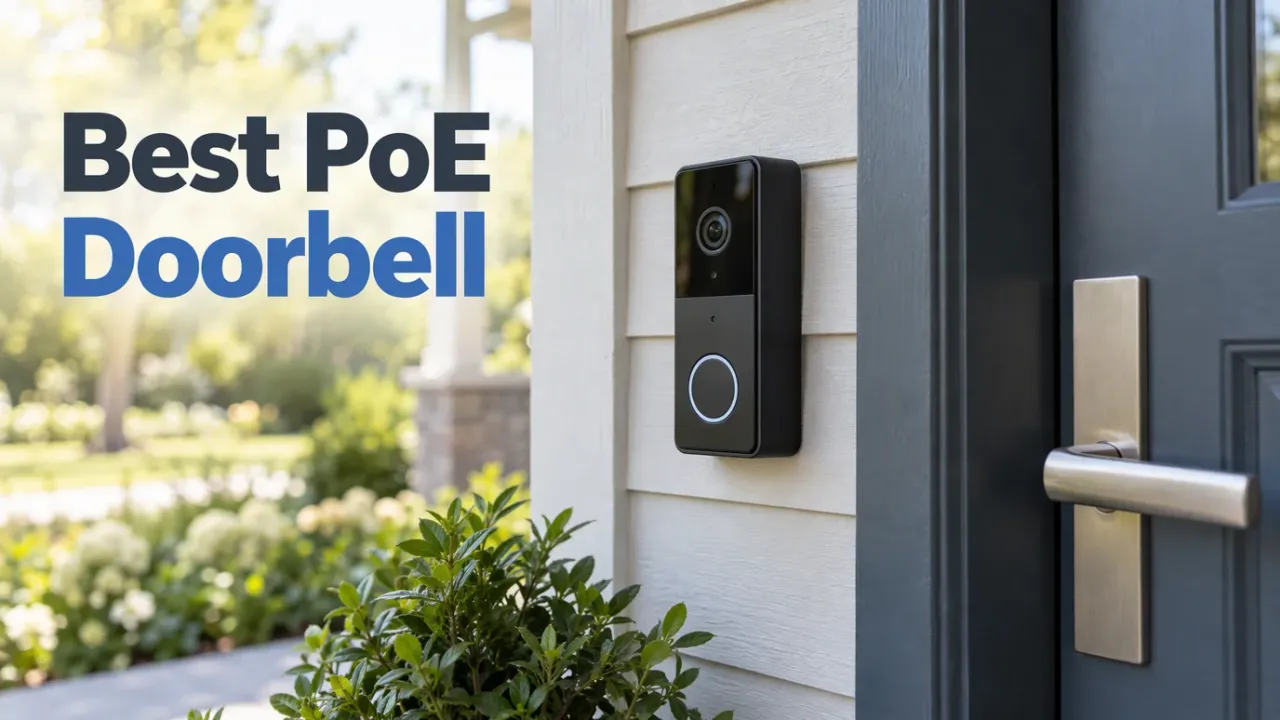
For a local, no-subscription doorbell that works with Home Assistant, the answer is the Reolink Video Doorbell PoE ($119.99): 2K video, RTSP into Frigate and HA, on-device person detection, microSD recording, and a plug-in wireless chime in the box, with no cloud account required. The Aqara Doorbell G400 ($99.99) is the flexible alternative if you want HomeKit Secure Video alongside HA or need to power the doorbell from existing two-wire transformer wiring.
Affiliate disclosure
Some links below are Amazon affiliate links, including /go/ redirects that land on Amazon. Buying through them pays me a small commission at no extra cost to you. Prices were checked on November 11, 2026 and move constantly, so always confirm on the product page.
Quick picks
| Doorbell | Price (Nov 11) | Power & data | Local stream | Chime | Rating | Buy it if |
|---|---|---|---|---|---|---|
| Reolink Video Doorbell PoE | $119.99 | PoE (802.3af) | RTSP/ONVIF | Plug-in Chime V2 included | 4.1★ | You want the HA/Frigate-native pick. Most people. |
| Aqara Doorbell G400 | $99.99 | PoE or 8–24V transformer + Wi-Fi | RTSP + HomeKit | Chime hub + HomePod | 4.2★ (458) | You want HomeKit Secure Video or only have 2-wire transformer power. |
| Reolink Chime Plus | $24.99 | Wall outlet plug-in | — | Extra chime unit | 4.4★ (54) | You want a second or third chime upstairs or in the basement. |
Wiring: the part everyone gets stuck on
A true PoE doorbell ignores your old low-voltage doorbell transformer and takes both power and data over a single Ethernet cable. That leaves you with two clean paths depending on what’s inside your wall:
- Full PoE run (Ethernet to the door). Pull Cat6 to the door frame, plug the other end into a PoE switch port or $15 PoE injector, and you’re done. One cable delivers power and rock-solid wired data, with zero Wi-Fi dropouts when someone walks up to the porch. Most front doors share a stud bay or sill plate with an unfinished basement, crawlspace, or attic, making a 2-meter fish easier than it looks. Both the Reolink Doorbell PoE and the Aqara G400 support PoE.
- Existing 2-wire doorbell transformer (no Ethernet run). If brick or concrete makes pulling Cat6 impossible, the PoE-only Reolink is the wrong SKU. Either use the Aqara Doorbell G400 (which accepts 8–24VAC/DC from your existing doorbell wires and falls back to Wi-Fi for video) or buy Reolink’s separate Wi-Fi doorbell model, which powers off 12–24VAC transformer wires.
Mechanical chime reality check
Unlike Ring or Amcrest doorbells, the Reolink Video Doorbell does not trigger your existing in-wall mechanical chime (even on the Wi-Fi version, you bypass the old chime box). Instead, Reolink includes one plug-in wireless Chime V2 in the box that pairs over RF and rings instantly even if Home Assistant or your network is rebooting. If you have a multi-story house, you can pair up to five Reolink Chime Plus ($24.99) units to one doorbell, or ring any HomePod/Sonos/ESPHome speaker through a Home Assistant automation.
What a doorbell needs for Home Assistant
- RTSP and/or ONVIF. Frigate and HA’s camera integrations need a local video feed; cloud-only doorbells (Ring, Nest) are dead ends for self-hosting.
- A local button-press event. The doorbell press needs to reach HA as a binary sensor or event in milliseconds so automations can flash lights, pop up a camera card on a wall tablet, or announce on smart speakers. Reolink exposes it locally via HA’s native Reolink integration; Aqara exposes it via HomeKit Device / Matter / Aqara integrations.
- Local storage. A microSD slot in the doorbell itself, Frigate recording, or a local NVR, with zero monthly fees.
- Person/package detection. On-device detection gives HA immediate
VisitorandPersonbinary sensors without waiting for a separate detector pipeline.
The picks
1. Reolink Video Doorbell PoE: the HA-native answer
$119.99 · 4.1★
The Reolink PoE doorbell is the closest thing to a purpose-built Home Assistant and Frigate doorbell on Amazon: a 2K+ (2560×1920) sensor with a 4:3 aspect ratio that shows the visitor and most of the porch steps, on-device person detection, two-way talk, and clean dual RTSP/ONVIF streams that Frigate ingests just like the cameras in our Frigate camera guide. Home Assistant’s core Reolink integration (Platinum quality scale) discovers it locally and exposes the button press, motion, person sensor, status LED controls, and chime ringtone selection.
The honest caveats: this SKU is PoE only (it has no Wi-Fi radio and no terminals to draw power from a 16–24VAC transformer), it won’t strike your old mechanical wall chime (use the included plug-in Reolink Chime instead), and the 4.1★ rating reflects real complaints about IR night-vision glare if mounted recessed next to a brick wall (use the included 15° mounting wedge to angle it away from the wall).

REOLINK Video Doorbell PoE (with Chime V2)
2K+ PoE doorbell with 4:3 video, on-device person detection, two-way talk, microSD recording, bundled wireless Chime V2, and full local RTSP/ONVIF for Home Assistant and Frigate.
Price & availability at Amazon.com
Key Features
- 2K+ (2560×1920), 4:3 aspect, 180° diagonal FOV
- PoE (802.3af): one Ethernet cable for power and data
- Local RTSP + ONVIF + native Platinum Home Assistant integration
- Includes plug-in wireless Chime V2 + 15° mounting wedge
What we like
- Fully local: no cloud account or subscription needed
- Bundled plug-in Chime V2 works out of the box
- Frigate and HA treat it like any other Reolink PoE camera
Watch out for
- Requires pulling Cat5e/Cat6 to the door frame
- Doesn't actuate legacy in-wall mechanical chimes
Important Considerations
- •PoE only: requires an Ethernet run to the door, not transformer wires
- •Does not ring existing mechanical chimes; uses the included plug-in Chime V2
- •Use the included 15° wedge if a side wall causes IR glare at night
Disclosure: This post contains affiliate links. We may earn a commission if you purchase through these links at no additional cost to you.
2. Aqara Doorbell G400: HomeKit + PoE or transformer wiring
$99.99 · 4.2★ from 458 ratings
If you also use Apple HomeKit (HomePod chimes, Apple TV picture-in-picture notifications, HomeKit Secure Video) or need a doorbell that can run on existing two-wire doorbell transformer wiring, the Aqara Doorbell Camera G400 is the pick. Unlike the older battery-/Wi-Fi-only G4, the G400 supports both PoE and 8–24VAC/DC low-voltage transformer power, streams local RTSP for Frigate/HA alongside HomeKit Secure Video, and includes a separate indoor chime repeater box.
The trade-offs: initial setup still requires the Aqara app and an account before you hand it off to local HomeKit/RTSP, and if you wire it to a 2-wire transformer instead of PoE, video rides over Wi-Fi with the usual airtime caveats.

Aqara Doorbell Camera G400
2K smart doorbell supporting both PoE and 8–24V doorbell transformer wiring, with local RTSP, HomeKit Secure Video, and an included indoor chime hub.
Price & availability at Amazon.com
Key Features
- 2K head-to-toe sensor with on-device person/package/face AI
- Flexible power: PoE Ethernet OR existing 8–24VAC/DC doorbell wiring
- Local RTSP for HA/Frigate + Apple HomeKit Secure Video
- Included indoor chime hub + HomePod chime support
What we like
- Works with or without an Ethernet run to the door
- Best option for Apple Home + Home Assistant households
- Indoor chime hub included in the box
Watch out for
- Requires Aqara app account for initial setup
- Home Assistant integration is less direct than Reolink's native integration
Important Considerations
- •Can use existing transformer wires (over Wi-Fi) or a full PoE cable
- •Initial onboarding requires the Aqara mobile app once
- •Verify RTSP is enabled in the app settings for Frigate
Disclosure: This post contains affiliate links. We may earn a commission if you purchase through these links at no additional cost to you.
3. Reolink Chime Plus: $25 extra chimes for other floors
$24.99 · 4.4★ from 54 ratings
The Reolink PoE doorbell already ships with one plug-in chime in the box, which covers your main hallway. The Reolink Chime Plus is how you add a second, third, or fourth ringer for an upstairs office, basement homelab, or garage (up to five chimes can pair to a single doorbell). It plugs into a wall outlet, pairs directly to the doorbell over RF, and needs zero Home Assistant automation debugging to work when the button is pressed.
Check Reolink Chime Plus ($24.99)Wiring it into Frigate and Home Assistant
The Reolink PoE doorbell exposes standard H.264 RTSP main and sub streams (2560×1920 main and 640×480 4:3 sub), so the go2rtc + detect/record split from the Frigate camera guide applies directly. Enable RTSP and ONVIF in the Reolink client (Network > Advanced > Server Settings) first:
go2rtc:
  streams:
    doorbell_main: rtsp://admin:[email protected]:554/h264Preview_01_main
    doorbell_sub:  rtsp://admin:[email protected]:554/h264Preview_01_sub

cameras:
  doorbell:
    ffmpeg:
      inputs:
        - path: rtsp://127.0.0.1:8554/doorbell_sub
          input_args: preset-rtsp-restream
          roles: [detect]
        - path: rtsp://127.0.0.1:8554/doorbell_main
          input_args: preset-rtsp-restream
          roles: [record]
    detect:
      width: 640
      height: 480
      fps: 5
For two-way talk on a Home Assistant dashboard (via the advanced-camera-card / WebRTC), go2rtc also supports Reolink’s backchannel audio. Meanwhile, the physical button press arrives in HA instantaneously via the native Reolink integration as binary_sensor.doorbell_visitor, which makes a reliable trigger for: press -> snapshot notification to phones + TTS announcement on smart speakers. All local, no cloud.
On the network side, put the doorbell on your camera VLAN with no internet access (and remember that a port on the exterior wall of your house is untrusted physical access, so lock that switch port to the isolated camera VLAN). The 2.5GbE switch guide covers PoE switches; any standard 802.3af port runs this doorbell at ~5–8W.
If you don’t want to run Frigate
The Reolink RLK8-410B4 NVR kit ($542.99) isn’t a doorbell, but it’s the turnkey answer if what you actually want is “record four outdoor cameras plus the Reolink PoE doorbell 24/7 with zero server maintenance.” The NVR ingests the doorbell as another PoE channel on its built-in 2TB drive while Home Assistant still pulls events from it. Covered in the camera guide.
What I’d buy
- Have (or can pull) Ethernet to the door: Reolink Video Doorbell PoE ($119.99) (includes one plug-in chime), plus an extra Chime Plus ($24.99) if you want a ringer on a second floor.
- Want Apple HomeKit Secure Video OR only have 2-wire transformer power: Aqara Doorbell G400 ($99.99).
- Already on UniFi Protect: the UniFi G4 Doorbell Pro PoE, sourced from Ubiquiti. It’s great inside Protect and pointless outside it.
- Server to run HA + Frigate: see the Home Assistant hardware guide.
FAQ
Do PoE doorbells work without the internet?
Yes. The Reolink PoE doorbell records locally to microSD, rings its bundled wireless chime over RF, and streams RTSP/ONVIF + visitor events to Home Assistant and Frigate entirely on your LAN. On a VLAN with internet access blocked, it keeps working without a hitch; you simply use Home Assistant companion app notifications instead of Reolink’s cloud push notifications.
Can a PoE doorbell use my existing 2-wire doorbell wiring?
The Reolink Video Doorbell PoE cannot: it requires an Ethernet cable for both power (802.3af PoE) and data. If pulling Ethernet to the door frame is impossible, either buy the Aqara Doorbell G400 (which supports both PoE and 8–24V two-wire transformer power with Wi-Fi) or choose Reolink’s separate Wi-Fi doorbell model.
Reolink doorbell vs Aqara G400: which is better for Home Assistant?
Pick the Reolink Video Doorbell PoE if you can run Ethernet and want the cleanest native Home Assistant + Frigate integration with zero cloud onboarding. Pick the Aqara G400 if you also use Apple HomeKit (HomePod chimes and Apple TV pop-ups) or need to power the doorbell from existing low-voltage doorbell wires.
What about UniFi or Ring PoE doorbells?
Ubiquiti’s UniFi G4 Doorbell Pro PoE is excellent hardware, but it requires a UniFi Protect console (Cloud Key+, UNVR, or Dream Machine) and costs more than twice as much. Ring’s PoE Elite doorbell is cloud-first and requires a Ring subscription for recording, which defeats the point of self-hosting with Home Assistant.
Will the Reolink PoE doorbell ring my existing mechanical chime?
No. Neither the PoE nor the Wi-Fi Reolink doorbell triggers legacy in-wall mechanical chimes. Instead, Reolink includes a plug-in wireless Chime V2 in the box with the doorbell, and you can add extra $24.99 Reolink Chime Plus plug-in units for other floors or trigger any smart speaker through Home Assistant.