Best Hard Drives for NAS (2026): IronWolf vs WD Red vs Exos vs N300
The best NAS hard drive for most people is the Seagate IronWolf 12TB at ~$37.50/TB. We compare IronWolf, WD Red Plus/Pro, Exos, and Toshiba N300 on $/TB, noise, and warranty.

12 min read
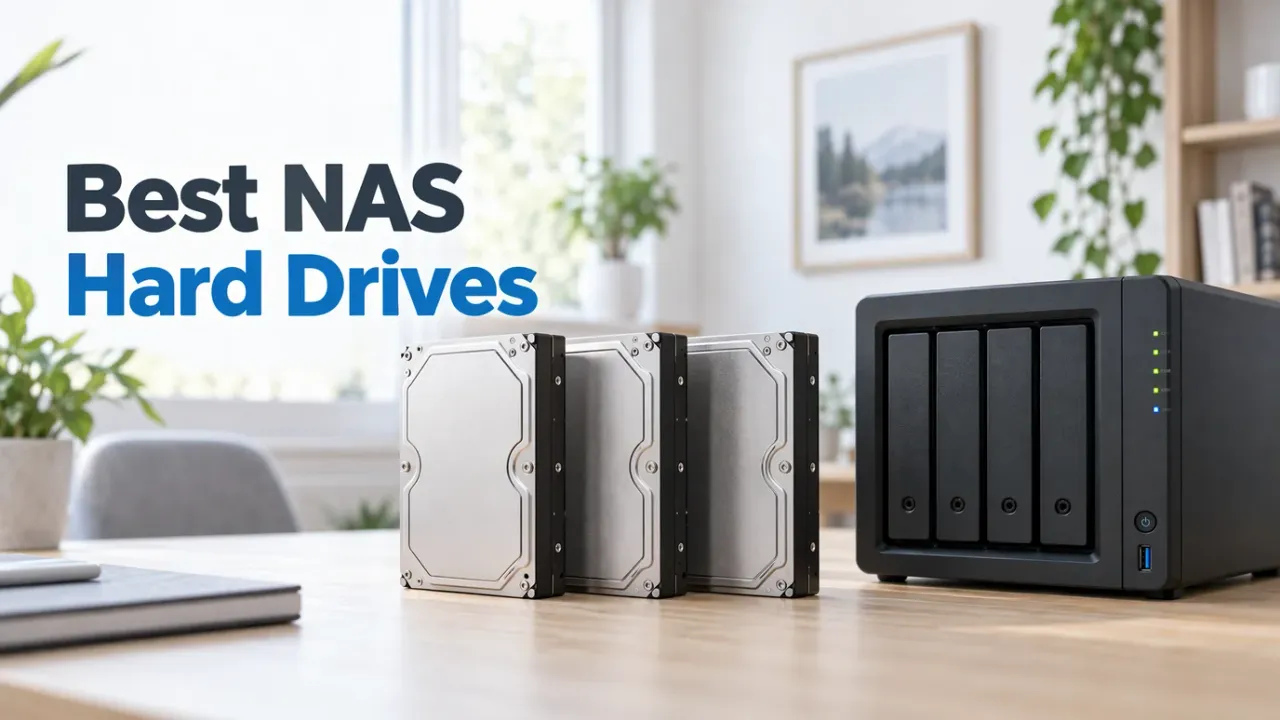
For a 2–4 bay NAS, buy the Seagate IronWolf 12TB (~$450, 4.5★/131): it is CMR, rated for 24/7 NAS duty, quiet enough for a living room, and the cheapest new desktop-class NAS drive per TB right now. If noise genuinely doesn’t matter and you are okay with a renewed enterprise drive, the Seagate Exos X24 24TB wins on raw $/TB, though it sounds like a datacenter because it comes from one.
Affiliate disclosure
Some links below are Amazon affiliate links, including /go/ redirects that land on Amazon. Buying through them pays me a small commission at no extra cost to you. Prices were checked on October 23, 2026 and move constantly. Hard-drive pricing has been elevated all year, so always confirm on the product page.
Quick comparison
| Drive | Amazon price (Oct 23) | $/TB | RPM | Workload | Warranty | Rating | Buy it if |
|---|---|---|---|---|---|---|---|
| Seagate Exos X24 24TB (renewed) | $798.99 | $33.29 | 7200 | 550TB/yr | Seller (5 yr new) | 4.3★ (29) | You want max TB per bay and the NAS sits somewhere you can’t hear it. |
| Seagate IronWolf 12TB | $449.99 | $37.50 | 7200 | 180TB/yr | 3 yr + Rescue | 4.5★ (131) | You want the default 12TB NAS drive. Most people should buy this. |
| WD Red Plus 12TB | $509.99 | $42.50 | 7200 | 180TB/yr | 3 yr | 3.9★ (404) | You prefer WD firmware/support over Seagate. |
| Seagate IronWolf Pro 20TB | $879.99 | $44.00 | 7200 | 300TB/yr | 5 yr + Rescue | 3.9★ (337) | You want new 20TB bays with a 5-year warranty and rescue plan. |
| WD Red Pro 20TB | $902.33 | $45.10 | 7200 | 300TB/yr | 5 yr | 3.9★ (23) | You want WD’s 20TB flagship for heavy write workloads. |
| Toshiba N300 12TB | $689.88 | $57.50 | 7200 | 180TB/yr | 3 yr | 4.4★ (64) | Only when it’s priced near the IronWolf. Right now it isn’t. |
All of these are CMR: keep it that way
Every drive in the table uses conventional magnetic recording (CMR), which is what you want in a RAID or ZFS pool. The one to avoid is the plain WD Red (non-Plus, non-Pro) in 2–6TB sizes, which is an SMR drive wearing a NAS label. More on that below.
CMR vs SMR: the one spec that actually matters
Two 3.5-inch drives can look identical on the label and behave completely differently in a NAS. The difference is how tracks are written:
- CMR (conventional magnetic recording): tracks are laid side by side. Writing data only touches the track being written. Random writes (which RAID parity updates and ZFS copy-on-write generate constantly) run at full speed.
- SMR (shingled magnetic recording): tracks overlap like roof shingles to squeeze more capacity onto the same platters. Rewriting one track means rewriting its neighbors, so the drive has to pause and restructure data. Sustained write speeds collapse to single-digit MB/s.
That collapse is exactly what happens during a RAID rebuild or ZFS resilver. People on TrueNAS and Synology forums have documented SMR drives taking weeks to resilver, dropping out of the array mid-rebuild, or getting kicked by the controller for unresponsiveness, at which point a second drive failure becomes a dead pool. SMR drives also pay this penalty forever, not just during rebuilds: every heavy write session on a busy Plex or backup box stalls.
WD got caught quietly shipping SMR in the Red line in 2020 and had to rename the product line in response. That’s why Red Plus and Red Pro are guaranteed CMR while plain Red is not. Seagate kept IronWolf and Exos CMR throughout. Toshiba’s N300 is CMR as well.
Rule of thumb: if a listing doesn’t explicitly say CMR, assume SMR and skip it for NAS use.
The picks
1. Seagate IronWolf 12TB: the default buy
$449.99 · 4.5★ from 131 ratings (13,000+ across the full IronWolf listing family)
The IronWolf 12TB (ST12000VN0008) hits the sweet spot this year: 7200rpm, CMR, rotational vibration sensors for multi-bay boxes, a 180TB/year workload rating, and a 3-year warranty with Seagate’s 3-year Rescue data recovery plan on top. At ~$37.50/TB it undercuts every other new desktop NAS drive in the lineup while staying quiet enough to live under a TV.
One listing quirk: this ASIN sometimes shows a Dutch title (“Interne Harde Schijf”) on amazon.com, though it’s the same ST12000VN0008 sold through the US store. Check that it ships from Amazon before buying, like you would on any bare drive.

Seagate IronWolf 12TB NAS HDD
7200rpm CMR 3.5-inch drive built for 1–8 bay NAS enclosures, with RV sensors, AgileArray firmware, 180TB/yr workload rating, and a 3-year Rescue recovery plan.
Price & availability at Amazon.com
Key Features
- 12TB, SATA 6Gb/s, CMR recording
- 7200rpm with RV sensors for multi-bay vibration
- 180TB/year workload rating, 24/7 rated
- 3-year warranty + 3-year Rescue data recovery
What we like
- Cheapest new desktop NAS drive per TB right now
- Quiet enough for a living-room NAS
- Rescue plan included at this price point
Watch out for
- 3-year warranty vs 5 years on Pro/Exos
- 180TB/yr workload rating is fine for homes but low for heavy multi-user write loads
Important Considerations
- •Confirm it's CMR (this ASIN is; plain IronWolf desktop SKUs differ by capacity)
- •12TB hits the best $/TB in the non-Pro IronWolf line
- •Listing title may render in Dutch; verify fulfillment by Amazon
Disclosure: This post contains affiliate links. We may earn a commission if you purchase through these links at no additional cost to you.
2. Seagate Exos X24 24TB: best $/TB, bring earplugs
$798.99 (renewed listing) · 4.3★ from 29 ratings
The Exos X24 is an enterprise helium drive: 24TB per bay, 550TB/year workload rating, 2.5M-hour MTBF, and the lowest $/TB of anything on this page at $33.29. Note that this specific $798.99 Amazon listing (B0DNNKNKS4, sold by goHardDrive and fulfilled by Amazon) is a renewed/recertified unit, so your warranty comes from the seller rather than Seagate’s 5-year retail coverage. In a rack in the garage, it is the obvious capacity king.
The catch is acoustic. Exos drives are built for rows of servers, not living rooms: idle hum plus loud seek chatter that users describe as “marbles in a tin can.” In a 4-bay box two meters from your couch, four of these are genuinely unpleasant. It’s also a 7200rpm enterprise drive, so expect ~8–10W per drive at idle; a 4-disk Exos array can add 30W+ to your power bill 24/7.

Seagate Exos X24 24TB Enterprise HDD (Renewed)
Helium-sealed 7200rpm datacenter drive with 550TB/yr workload rating and 2.5M-hour MTBF. Maximum capacity per bay at the lowest $/TB, if you can put it somewhere you can't hear.
Price & availability at Amazon.com
Key Features
- 24TB, SATA 6Gb/s, CMR, helium-sealed
- 7200rpm enterprise drive, 550TB/yr workload
- 2.5M-hour MTBF (renewed listing; seller warranty)
- ~$33.29/TB, lowest in this roundup
What we like
- 24TB per bay doubles your array without a bigger NAS
- Lowest $/TB and highest workload specs here
- Built for 24/7 multi-drive vibration environments
Watch out for
- Acoustically the worst drive on this page for home use
- Renewed listing carries refurbisher warranty rather than factory 5-year
Important Considerations
- •LOUD: audible seeks across a room, not for a desk or living-room NAS
- •This $798.99 listing is renewed/recertified (seller warranty, not Seagate 5-year retail)
- •Higher idle power (~8–10W) adds up across 4+ bays
Disclosure: This post contains affiliate links. We may earn a commission if you purchase through these links at no additional cost to you.
3. WD Red Plus 12TB: the WD alternative
$509.99 · 3.9★ from 404 ratings
The WD Red Plus 12TB (WD120EFGX) is WD’s answer to the IronWolf: 7200rpm, CMR, 180TB/year, 3-year warranty. Specs are nearly identical. Pick it if you’ve had better luck with WD, or when a sale puts it below the IronWolf. At its current ~$60 premium per drive there’s no technical reason to pay more for it.
Worth noting: the 3.9★ rating is dragged down by dead-on-arrival and shipping complaints that hit every mechanical drive on Amazon, not by a model-specific flaw. Buy from a listing shipped by Amazon so returns are painless if a drive arrives DOA.

WD Red Plus 12TB NAS HDD
7200rpm CMR 3.5-inch NAS drive (WD120EFGX) with 180TB/yr workload rating, NASware 3.0 firmware, and 3-year warranty. The direct IronWolf competitor.
Price & availability at Amazon.com
Key Features
- 12TB, SATA 6Gb/s, guaranteed CMR
- 7200rpm, NASware 3.0 for RAID error recovery
- 180TB/year workload rating
- 3-year warranty
What we like
- Equivalent spec to IronWolf from WD
- Guaranteed CMR across the whole Plus line
- Runs a touch cooler than Exos-class drives
Watch out for
- Priced above the IronWolf for the same duty rating
- 3-year warranty only; Pro model needed for 5 years
Important Considerations
- •Red Plus is CMR; plain WD Red in 2–6TB is SMR, so don't mix them up
- •Rating reflects DOA/shipping complaints common to all bare drives
- •Costs ~$60 more per drive than the IronWolf at current prices
Disclosure: This post contains affiliate links. We may earn a commission if you purchase through these links at no additional cost to you.
4. Seagate IronWolf Pro 20TB: big bays, 5-year warranty
$879.99 · 3.9★ from 337 ratings
When 12TB bays aren’t enough and you want a brand-new drive with full factory coverage, the IronWolf Pro 20TB gives you 20TB with the Pro-tier extras: 300TB/year workload rating, 5-year warranty (vs 3 on non-Pro), and the same 3-year Rescue plan. At $44/TB you’re paying a premium for capacity density and warranty, which pays off when your NAS only has four bays and your library keeps growing.
This is the drive I’d put in a UGREEN DXP4800 Plus or similar 4-bay where every bay slot is precious: 4×20TB gets you 80TB raw (60TB usable in RAID 5) versus 48TB raw on 12TB disks.
Check IronWolf Pro 20TB price5. WD Red Pro 20TB: WD’s heavy-duty flagship
$902.33 · 3.9★ from 23 ratings
The WD Red Pro 20TB matches the IronWolf Pro spec for spec: 7200rpm, CMR, 300TB/year, 5-year warranty. It costs ~$22 more at current pricing and lacks Seagate’s bundled Rescue plan, so on paper it’s the weaker buy. If you’re already running WD Reds and want to keep one vendor in the pool (or find it on sale), it’s a solid 20TB disk.
Check WD Red Pro 20TB price6. Toshiba N300 12TB: fine drive, wrong price
$689.88 · 4.4★ from 64 ratings
The Toshiba N300 is a legitimately good NAS drive (CMR, 7200rpm, 180TB/year, 3-year warranty) that simply costs 53% more per TB than the IronWolf right now. Historically it swings between “cheapest option” and “why bother” depending on stock. If you find it under ~$450, it’s worth considering; at $689 it isn’t.
Check Toshiba N300 priceHow many drives do you actually need?
RAID levels trade capacity for redundancy, and the math changes what you should buy:
| Drives | RAID level | Usable (12TB disks) | Survives |
|---|---|---|---|
| 2 | Mirror / RAID 1 | 12TB | 1 disk |
| 3 | RAID 5 / RAIDZ1 | 24TB | 1 disk |
| 4 | RAID 5 / RAIDZ1 | 36TB | 1 disk |
| 4 | RAID 6 / RAIDZ2 | 24TB | 2 disks |
| 4 | RAID 10 | 24TB | 1–2 disks |
Two honest opinions here:
- RAID 5 with large drives is a real risk. A 20TB rebuild takes a day or more and hammers the surviving disks the whole time. With 16TB+ drives, use RAID 6/RAIDZ2 (or mirrors); the second parity disk is cheap insurance compared to a double failure mid-resilver.
- RAID is not backup. It protects against disk death, not ransomware, fat fingers, or the house burning down. Keep a copy off the array; even a USB DAS doing nightly syncs counts.
For Plex libraries specifically, a big single-volume pool of media you can re-rip is a different risk profile than family photos. I run RAIDZ2 on irreplaceable data and a plain large pool for media. The NAS for Plex guide covers the enclosure side.
Buying tips that save real money
- Buy from different batches. Drives from the same manufacturing batch share failure patterns. If you’re buying 3–4 disks, split the order across two listings, brands, or a couple of weeks of purchases. It’s cheap diversity.
- Run a burn-in test before trusting the pool.
badblocks -wsvor a full SMART extended test over the first week catches most infant mortality. Better a DOA return than a rebuild. - Be honest about recertified drives. Factory-recertified Exos and IronWolf drives sell for 20–30% less (including the $798.99 Exos X24 listing above, or direct from ServerPartDeals and goHardDrive), usually with shorter seller warranties (1–3 years) and no Seagate Rescue plan. They’re a reasonable gamble for redundant media pools, and a bad idea for your only copy of family photos. Always check the warranty length and seller on the listing itself.
- Shucking is mostly dead. For years the cheapest NAS drives were WD Elements/My Book externals containing white-label CMR helium drives. Prices on externals have risen and internal stock has improved, so this barely pays in 2026, and you lose the warranty the moment the case comes off. Only worth it if you find a clearance deal.
- Match drive count to bays, not just capacity. Four 12TB drives in RAIDZ2 give 24TB usable. Two 24TB Exos mirrored give the same, but leave two empty bays for later expansion (or pair with a DAS down the road). Plan for the NAS you’ll have in three years.
Noise and power: the spec sheet doesn’t tell you
| Drive | Approx. idle acoustics | Idle power | Living-room friendly? |
|---|---|---|---|
| IronWolf 12TB | ~28 dBA | ~5W | Yes, barely audible |
| WD Red Plus 12TB | ~25–28 dBA | ~5W | Yes |
| IronWolf Pro 20TB | ~32 dBA | ~5.5W | Borderline |
| WD Red Pro 20TB | ~32 dBA | ~6W | Borderline |
| Exos X24 24TB | ~34 dBA idle + loud seeks | ~8–10W | No |
| Toshiba N300 12TB | ~30 dBA | ~5W | Borderline |
If the NAS lives next to your desk or TV, that table is your buying decision: IronWolf or Red Plus. If it lives in a closet, garage, or rack (especially if you’re building a homelab box that also runs Docker and Proxmox), the Exos capacity math is hard to argue with.
What I’d buy
- 2–4 bay NAS in the house: IronWolf 12TB, as many as you need, in RAID 5/6-equivalent.
- Rack or garage, max capacity: Exos X24 24TB, mirrored or RAIDZ2.
- New 20TB bays with 5-year warranty: IronWolf Pro 20TB.
- WD loyalist / IronWolf on backorder: WD Red Plus 12TB.
- Never: any drive that doesn’t say CMR on the datasheet, and plain WD Red (non-Plus) at any price for RAID use.
FAQ
Is IronWolf or WD Red better for a NAS?
They’re equivalent at the same tier: IronWolf competes with Red Plus, IronWolf Pro with Red Pro. Both are 7200rpm, CMR, and rated for 180TB/year (standard) or 300TB/year (Pro). In late 2026 the IronWolf simply costs less per TB, which is why it’s the default pick. Buy whichever is cheaper per TB on the day you order.
Can I use Exos datacenter drives in a home NAS?
Yes. They’re standard SATA drives and work fine in UGREEN, QNAP, TerraMaster, and TrueNAS builds. One exception to check: Synology’s 2025/2026 x25+ series (like the DS925+) enforces a verified drive compatibility list that flags or blocks unverified third-party drives (see our UGREEN vs Synology guide). Beyond compatibility lists, the trade-offs with Exos are acoustic (loud seeks) and power (roughly double the idle watts of a desktop NAS drive). Put them in a rack or a room you don’t sit in and they’re the best $/TB in this lineup.
Why is SMR bad for RAID and ZFS?
SMR drives rewrite whole shingled track groups for a small change, so sustained writes collapse. During a RAID rebuild or ZFS resilver (a multi-hour sustained write), SMR disks can stall for so long the controller marks them dead, and a second disk failing mid-rebuild kills the pool. CMR has no such penalty. Never put SMR in a redundant array.
Should all drives in my NAS be the same model?
Same capacity, ideally. Mixed capacities work (especially in Synology SHR or MergerFS) but standard RAID uses the smallest disk in the pool. Same model isn’t required, and buying from different batches or even brands slightly reduces correlated-failure risk. Don’t mix CMR and SMR drives in a pool, and don’t mix dramatically different speeds.
Are recertified or renewed NAS drives worth it?
Sometimes. Factory-recertified and Amazon Renewed enterprise drives (like the $798.99 Exos X24 listing above) save 20–30% but carry shorter seller warranties, typically 1–3 years instead of Seagate’s 5-year retail coverage, and no Rescue data-recovery plan. They’re defensible for redundant media libraries you can re-create; skip them for the pool holding things you can’t.
How much usable space do I get from 4× 12TB in RAID?
RAID 5 / RAIDZ1: ~36TB usable (one disk of parity). RAID 6 / RAIDZ2: ~24TB usable (two disks of parity). RAID 10: ~24TB usable. With 12TB+ drives I recommend RAID 6/RAIDZ2 for irreplaceable data because rebuild times are long enough that a second failure during resilver is a real possibility, not a hypothetical.