UGREEN vs Synology (2026): Which NAS Should You Buy? (+ Synology Alternatives)
UGREEN gives you better hardware per dollar; Synology gives you DSM. An honest comparison of UGOS Pro vs DSM, Docker, drive compatibility, and the best Synology alternatives.

10 min read
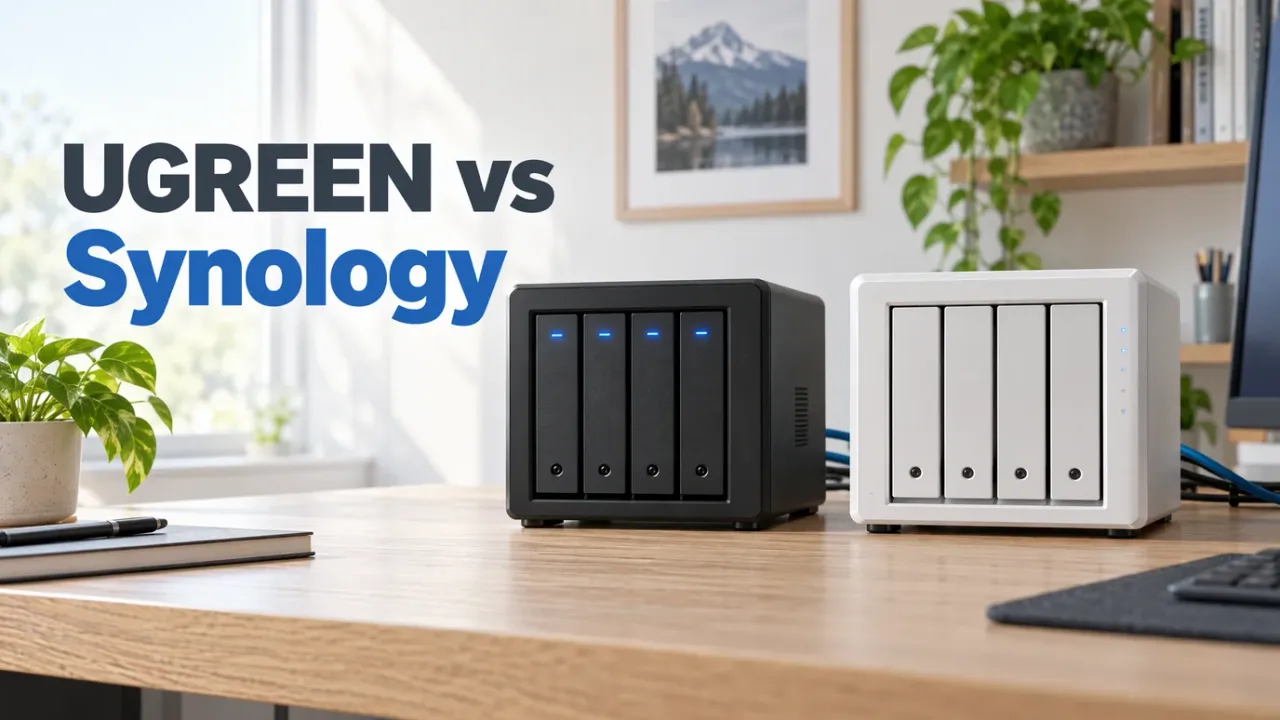
Buy UGREEN if you want the most hardware per dollar: the 2-bay DXP2800 ($339.99) gives you an Intel N100, 8GB DDR5, 2.5GbE, and two NVMe slots for $24 less than a 2-bay Synology DS225+, while the 4-bay DXP4800 Plus ($656.99) adds a Pentium Gold 8505 and 10GbE for $86 less than the 4-bay DS925+. Buy Synology if you want DSM: the software ecosystem, Synology Photos, Active Backup, and an appliance that needs no tinkering. The DS225+ ($364.29) is the sane entry point; avoid the DS925+ if you need Plex hardware transcoding.
Affiliate disclosure
Some links below are Amazon affiliate links, including /go/ redirects that land on Amazon. Buying through them pays me a small commission at no extra cost to you. Prices were checked in October and November 2026 and move constantly, so always confirm on the product page.
The two ways to think about this
UGREEN and Synology are solving different problems that happen to look the same on a shelf:
- UGREEN sells you hardware and lets you figure out the software. UGOS Pro is a competent Debian-based NAS OS with Docker, VMs, and snapshots, though it’s a year or two behind DSM in polish. UGREEN’s whole pitch is that you get a generation-newer Intel CPU with Quick Sync, 2x to 4x the base RAM, usable NVMe storage pools, and faster networking for less money.
- Synology sells you an appliance. DSM is the best consumer NAS operating system ever made, and you pay for it in the form of older CPUs, tiny base RAM on the entry models, no 10GbE on the mid-tier boxes, and drive-compatibility restrictions on the
x25+series that have burned community goodwill.
The spec-for-spec comparison makes the trade-off stark:
| UGREEN DXP2800 | Synology DS225+ | UGREEN DXP4800 Plus | Synology DS925+ | |
|---|---|---|---|---|
| Bays | 2 | 2 | 4 | 4 |
| CPU | Intel N100 (4C, Quick Sync) | Celeron J4125 (4C, Quick Sync) | Pentium Gold 8505 (5C, Quick Sync) | Ryzen V1500B (4C, no iGPU) |
| RAM | 8GB DDR5 (to 16GB) | 2GB DDR4 (to 6GB) | 8GB DDR5 (to 64GB) | 4GB DDR4 ECC (to 32GB) |
| Network | 2.5GbE | 2.5GbE + 1GbE | 10GbE + 2.5GbE | 2× 2.5GbE |
| NVMe | 2 slots (storage or cache) | None | 2 slots (storage or cache) | 2 slots (Synology NVMe for pools) |
| Price (checked) | $339.99 | $364.29 | $656.99 | $742.62 |
Read that table again: UGREEN’s $340 2-bay box out-specs Synology’s $743 4-bay on iGPU transcoding, base RAM, and third-party NVMe freedom, while the 4-bay DXP4800 Plus throws in onboard 10GbE and a 64GB DDR5 ceiling for $86 less than the DS925+. What UGREEN doesn’t have is DSM.
What you actually get with DSM
DSM is the reason people keep paying the Synology tax, and it’s not just marketing:
- Synology Photos is a genuinely good Google Photos replacement (facial recognition, album sharing, timeline) and it’s free forever. UGREEN’s Photos app exists but trails it in polish and search quality.
- Active Backup for Business backs up Windows PCs, Macs, file servers, and other Synology boxes with deduplication. There’s no UGREEN equivalent this turnkey.
- Hyper Backup handles the off-site copy to S3, Backblaze B2, or another NAS with versioning, client-side encryption, and a restore wizard that actually works.
- Synology Hybrid RAID (SHR) lets you mix different drive capacities in a pool without wasting the extra terabytes on larger disks.
- QuickConnect gives you zero-config remote access without opening ports. UGOS has remote access too, but QuickConnect is the one that works effortlessly for non-technical relatives.
If you’ve ever set up a Synology for a parent or a small office, you know why it wins: someone else maintains all of this, and it works for a decade. The DS223j at $209.99 (4.5★/890) is the cheapest entry point for that world: ARM CPU, 1GB RAM, 1GbE, direct-play only, but the full DSM storage experience.
What you get with UGREEN
The NASync DXP boxes are modern mini PCs wearing aluminum NAS enclosures:
- Real CPUs with Intel Quick Sync. The Intel N100 in the DXP2800 and the 5-core Pentium Gold 8505 in the DXP4800 Plus are the same silicon family that runs the boxes in our home server mini PC roundup. They do 4K Plex and Jellyfin hardware transcoding (including AV1 decode), Docker stacks, and VMs without breaking a sweat. The Synology DS925+ uses an embedded AMD Ryzen V1500B with no integrated GPU, so it cannot hardware-transcode video at all.
- 10GbE without an add-in card. While Synology finally added 2.5GbE to the DS225+ and DS925+, the DXP4800 Plus includes both 10GbE and 2.5GbE onboard (and the 6-bay DXP6800 Pro ships dual 10GbE plus dual Thunderbolt 4). Meanwhile, the DS925+ dropped the PCIe slot older Synology models used for 10GbE upgrades.
- NVMe slots that take any SSD. Two M.2 slots come standard on both the 2-bay and 4-bay UGREEN models, and you can build fast storage pools for Docker containers and Plex databases using any off-the-shelf NVMe stick. The DS225+ has zero M.2 slots, and the DS925+ officially restricts NVMe storage pools to Synology-branded SSDs.
- First-class Docker, VMs, and third-party OS freedom. UGOS Pro ships a clean Docker Compose UI and KVM-based VM manager. Even better, the hardware is standard x86 with UGOS on its own internal boot drive, and UGREEN officially allows installing TrueNAS SCALE, Unraid, or Proxmox on an SSD without voiding the hardware warranty.
The Synology x25+ drive-compatibility catch
Synology’s 2025/2026 x25+ models (including the DS925+ and DS225+) enforce a verified drive compatibility list for new storage pools. Unverified third-party drives trigger persistent DSM warnings or pool-creation restrictions depending on the model and DSM version. UGREEN doesn’t care what SATA or NVMe brand you put in it. If you’re buying third-party drives from the NAS hard drive guide (IronWolf, Exos, WD Red Plus), check Synology’s current compatibility matrix before assuming a DS925+ will accept them cleanly.
Where UGOS Pro actually falls short
To keep this honest, UGOS Pro is fine, not DSM:
- App ecosystem. Synology’s Package Center has a decade of mature native apps. UGOS’s native app center is thin; you’ll run Docker containers for anything serious (Immich, Jellyfin, Nextcloud). That’s ideal for the audience that self-hosts, less ideal for “my mom’s photo backup.”
- No SHR equivalent. UGOS uses standard Linux mdadm RAID (RAID 0/1/5/6/10), so mixing drive sizes wastes space above the smallest disk in the array.
- Support track record. UGREEN is a hardware company that entered the NAS market in 2024; Synology has over a decade of DSM security advisories and long-tail firmware support behind every box.
- Resale. Synology boxes hold value on the used market because DSM is the product. UGREEN boxes depreciate like PCs.
The head-to-head picks
1. UGREEN DXP2800: best entry 2-bay ($339.99)
$339.99 (list $389.99) · 4.6★ from 1,151 ratings
The DXP2800 is the best first NAS for someone cross-shopping the DS223j or DS225+: it costs $24 less than the DS225+ while giving you an Intel N100 (with AV1 hardware decode), 8GB DDR5 (4x the DS225+’s base RAM), 2.5GbE, and two M.2 NVMe slots for your Docker apps and Plex database.

UGREEN NASync DXP2800
2-bay NAS with Intel N100, 8GB DDR5, 2.5GbE, and two M.2 NVMe slots. The best budget NAS for Docker and Plex/Jellyfin hardware transcoding.
Price & availability at Amazon.com
Key Features
- Intel N100 quad-core (Quick Sync + AV1 decode), 8GB DDR5
- 2× SATA bays + 2× M.2 NVMe slots
- 2.5GbE LAN
- UGOS Pro with Docker & VM support; third-party OS allowed
What we like
- Cheaper than the DS225+ with 4x the RAM and a newer iGPU
- Dual NVMe slots hold Docker volumes and Plex metadata
- No drive brand whitelist
Watch out for
- UGOS native app ecosystem is young
- No equivalent to Synology Photos or Active Backup polish
Important Considerations
- •UGOS Pro is competent but not DSM; expect to use Docker for apps
- •Ships diskless; add CMR drives from the NAS drive guide
- •Standard x86 hardware runs TrueNAS/Unraid if you outgrow UGOS
Disclosure: This post contains affiliate links. We may earn a commission if you purchase through these links at no additional cost to you.
2. Synology DS225+: the DSM entry point ($364.29)
$364.29 · 4.6★ from 261 ratings
The DS225+ is the cheapest way into Plus-series DSM with Intel Quick Sync: 2 bays, Celeron J4125, 2GB DDR4 (expandable to 6GB), and a 2.5GbE port alongside 1GbE. The CPU is a 2019 part and there are no NVMe slots, but you’re buying Synology Photos, Active Backup for Business, SHR, and a box your family can use without you. Buy the diskless listing only; Amazon also sells bundled drive configurations from $981 to $1,824 that make no sense.

Synology DiskStation DS225+ (Diskless)
2-bay DiskStation with full DSM: Synology Photos, Active Backup for Business, Hyper Backup, SHR, and QuickConnect, plus a Celeron J4125 iGPU that still hardware-transcodes.
Price & availability at Amazon.com
Key Features
- 2 bays with Synology Hybrid RAID (SHR)
- Celeron J4125 with UHD 600 Quick Sync transcoding
- 2.5GbE + 1GbE LAN ports
- 2GB DDR4 RAM (expandable to 6GB), full DSM 7.2
What we like
- Full Plus-series DSM at the entry price
- Synology Photos + Active Backup included free
- Unlike the DS925+, its Intel J4125 still hardware-transcodes Plex
Watch out for
- Older CPU and 1/4 the base RAM of the $340 UGREEN DXP2800
- No M.2 NVMe slots for app/database caching
Important Considerations
- •Buy the diskless ~$364 listing; bundled drive packs cost $981–1,824
- •2GB stock RAM is tight; add a 4GB DDR4 SO-DIMM for Docker
- •No M.2 NVMe slots, and x25+ drive compatibility warnings apply
Disclosure: This post contains affiliate links. We may earn a commission if you purchase through these links at no additional cost to you.
3. UGREEN DXP4800 Plus: the 4-bay most people should buy ($656.99)
$656.99 (list $729.99) · 4.6★ from 631 ratings
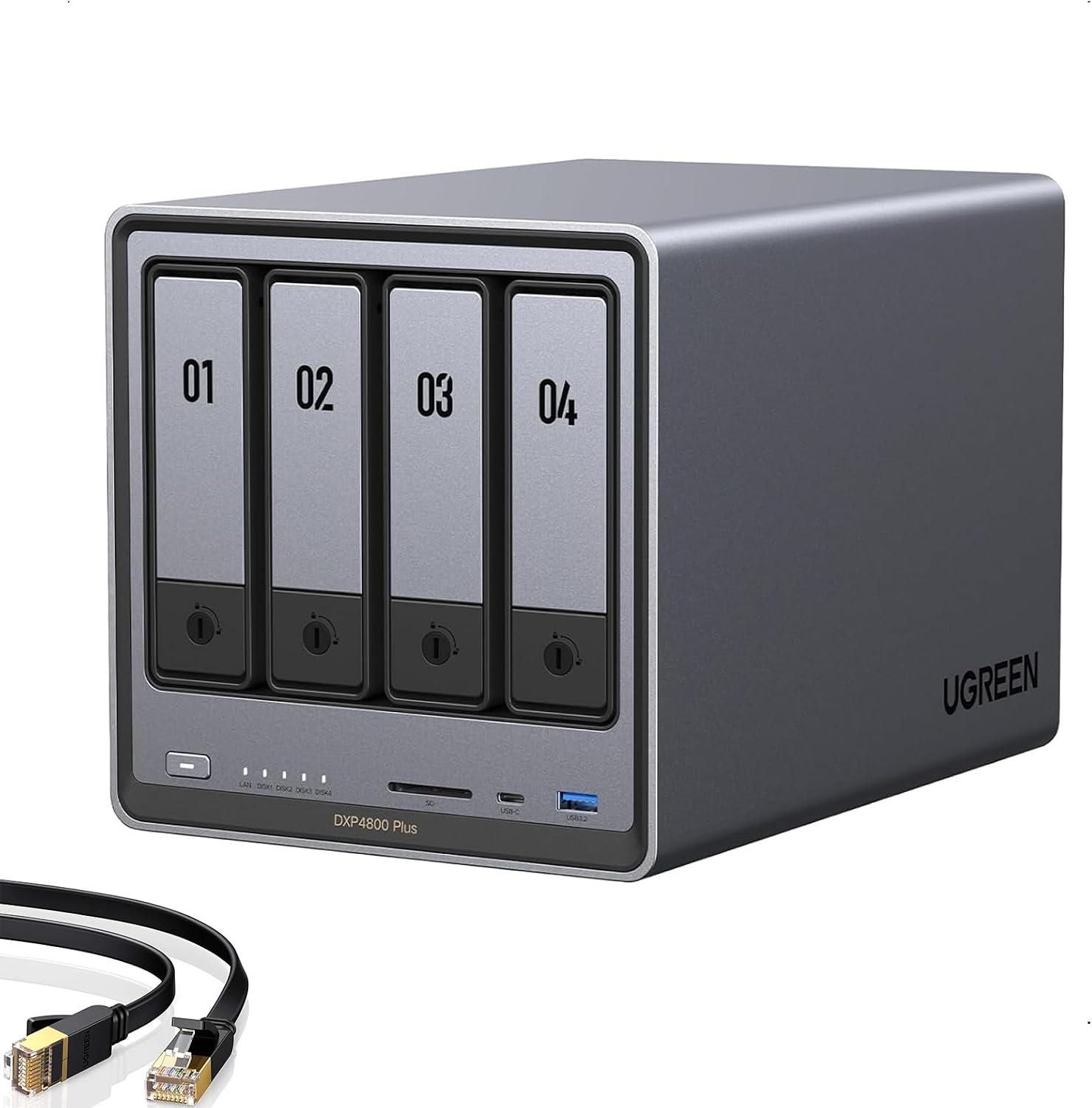
The DXP4800 Plus is the best 4-bay NAS for most homelabbers: a 5-core Intel Pentium Gold 8505 (1P + 4E cores, 48-EU UHD iGPU), 8GB DDR5 expandable to 64GB, 10GbE + 2.5GbE onboard, 4 SATA bays, and 2 M.2 NVMe slots. In Docker and Proxmox terms, it’s a real home server that also happens to be a polished 4-bay storage array, for $86 less than the Synology DS925+.
UGREEN NASync DXP4800 Plus
4-bay NAS with Intel Pentium Gold 8505, 8GB DDR5 (to 64GB), onboard 10GbE + 2.5GbE, and dual M.2 NVMe slots. More hardware than any Synology under $1,000.
Price & availability at Amazon.com
Key Features
- Pentium Gold 8505 (5C, 48-EU Quick Sync + AV1), 8GB DDR5 (up to 64GB)
- 4× SATA bays + 2× M.2 NVMe slots
- 10GbE + 2.5GbE built in
- UGOS Pro with Docker & VMs; officially supports TrueNAS/Unraid/Proxmox
What we like
- Best hardware-per-dollar 4-bay on the market
- Onboard 10GbE + dual NVMe without buying expansion cards
- Strongest Quick Sync iGPU under $700 for 4K HDR transcoding
Watch out for
- DSM-level native app polish doesn't exist here
- Standard RAID only (no mixed-size SHR equivalent in UGOS)
Important Considerations
- •Diskless; pair with CMR drives from the NAS hard drive guide
- •UGOS works well for storage/Docker, or flash TrueNAS/Unraid/Proxmox
- •Sells out during promo events; check stock
Disclosure: This post contains affiliate links. We may earn a commission if you purchase through these links at no additional cost to you.
4. Synology DS925+: only if you need 4-bay DSM ($742.62)
$742.62 (list $889.99) · 4.2★ from 156 ratings
The DS925+ is the 4-bay DSM option (4 bays, dual 2.5GbE, 4GB ECC RAM expandable to 32GB, two NVMe slots), and it comes with two big asterisks: the AMD Ryzen V1500B has no iGPU (so zero hardware transcoding for Plex or Jellyfin), and it enforces Synology’s verified drive compatibility list. If neither of those matters to you (pure file serving, Synology Photos, Active Backup, or direct-play media to Apple TVs on your LAN), it’s a rock-solid appliance. If remote Plex streaming is the point, the NAS for Plex guide explains why this isn’t the box.
Check Synology DS925+ priceSynology alternatives that aren’t UGREEN
- TerraMaster F4-424 Pro ($730.99): the compute king among 4-bay appliances, with an 8-core Core i3-N305, 32GB DDR5 out of the box, dual 2.5GbE, and two NVMe slots. TerraMaster’s TOS software is the weak link (and had Deadbolt ransomware issues in 2022–2023), so the community move is to buy the hardware and flash TrueNAS SCALE or Unraid on day one. Check the F4-424 Pro.
- QNAP: the other software-heavy incumbent, but QNAP’s security history (multiple ransomware waves targeting internet-exposed QTS boxes) and cluttered interface make it hard to recommend over either choice here.
- Asustor: competent mid-ground hardware with ADM software that’s more mature than UGOS but behind DSM. Worth a look if you find a deal on a Lockerstor Gen2/Gen3.
- DIY TrueNAS/Unraid on a mini PC + DAS (~$559): the most flexible path, pairing an Intel N150 mini PC ($369) for compute with a 4-bay 10Gbps USB-C DAS enclosure ($190) for the drives. More setup work, more control, and no vendor to surprise you with a drive compatibility list.
Who should buy what
- Most hardware for the money (4-bay, 10GbE, Docker/Plex/VMs): UGREEN DXP4800 Plus ($656.99).
- First NAS under $350, want to run Docker & Plex: UGREEN DXP2800 ($339.99).
- Set-and-forget appliance, family photos/backups (+ light Plex): Synology DS225+ ($364.29), or the direct-play-only DS223j ($209.99).
- 4-bay DSM, don’t need Plex transcoding: Synology DS925+ ($742.62), after checking the drive compatibility list.
- Plex or Jellyfin is the main job: see the best NAS for Plex & Jellyfin guide.
- Want the NAS to be a Proxmox/Docker box too: see the homelab NAS guide.
FAQ
Is UGREEN as reliable as Synology?
The hardware is: Intel N100 / Pentium 8505 / Core i5 processors, standard DDR5 SO-DIMMs, and machined aluminum chassis. The real difference is software longevity. Synology has been shipping DSM updates for well over a decade, while UGOS Pro launched in 2024. The built-in safety net is that UGREEN boxes are unlocked standard x86 machines, so you can install TrueNAS, Unraid, or Proxmox on them forever regardless of what UGREEN’s software team does.
Can UGREEN replace Synology Photos?
Partially. UGOS has a built-in Photos app with local AI recognition and timeline views, and it improves with each release, but it still trails Synology Photos in polish, search accuracy, and family sharing. If turnkey photo backup for non-technical family members is the main job, DSM is still the better answer. Self-hosters who don’t mind Docker should run Immich on either box; it beats both vendor apps.
Does Synology really restrict which drives you can use?
On the 2025/2026 x25+ series (including the DS925+ and DS225+), DSM checks drives against Synology’s verified compatibility list when creating pools, and unverified third-party drives trigger warnings or pool restrictions depending on model and DSM version. The J-series (like the DS223j) is more permissive, and UGREEN has no drive brand restrictions at all.
Which is better for Plex: UGREEN or Synology?
UGREEN, and it isn’t close. Both the DXP2800 (Intel N100) and DXP4800 Plus (Pentium Gold 8505) have modern Intel Quick Sync with AV1 decode plus dual NVMe slots to keep the Plex database off spinning disks. On the Synology side, only the 2-bay DS225+ (Celeron J4125) has an Intel iGPU for hardware transcoding; the 4-bay DS925+ uses an AMD Ryzen V1500B with no integrated GPU at all. See our full breakdown in the best NAS for Plex & Jellyfin guide.
What about QNAP or TerraMaster?
TerraMaster’s F4-424 Pro ($730.99) is the most direct hardware competitor to the DXP4800 Plus, packing an 8-core i3-N305 and 32GB of DDR5 RAM out of the box; most homelabbers flash TrueNAS or Unraid onto it rather than using TerraMaster’s TOS. QNAP offers competitive hardware, but its repeated ransomware incidents and busy QTS interface make UGREEN and Synology the cleaner picks.