Best Cameras for Frigate & Home Assistant (2026): PoE, Local, No Subscription
The best camera for Frigate and Home Assistant is the Reolink RLC-810A: 4K PoE with person/vehicle detection and clean RTSP. Budget picks, Amcrest alternatives, and config included.

10 min read
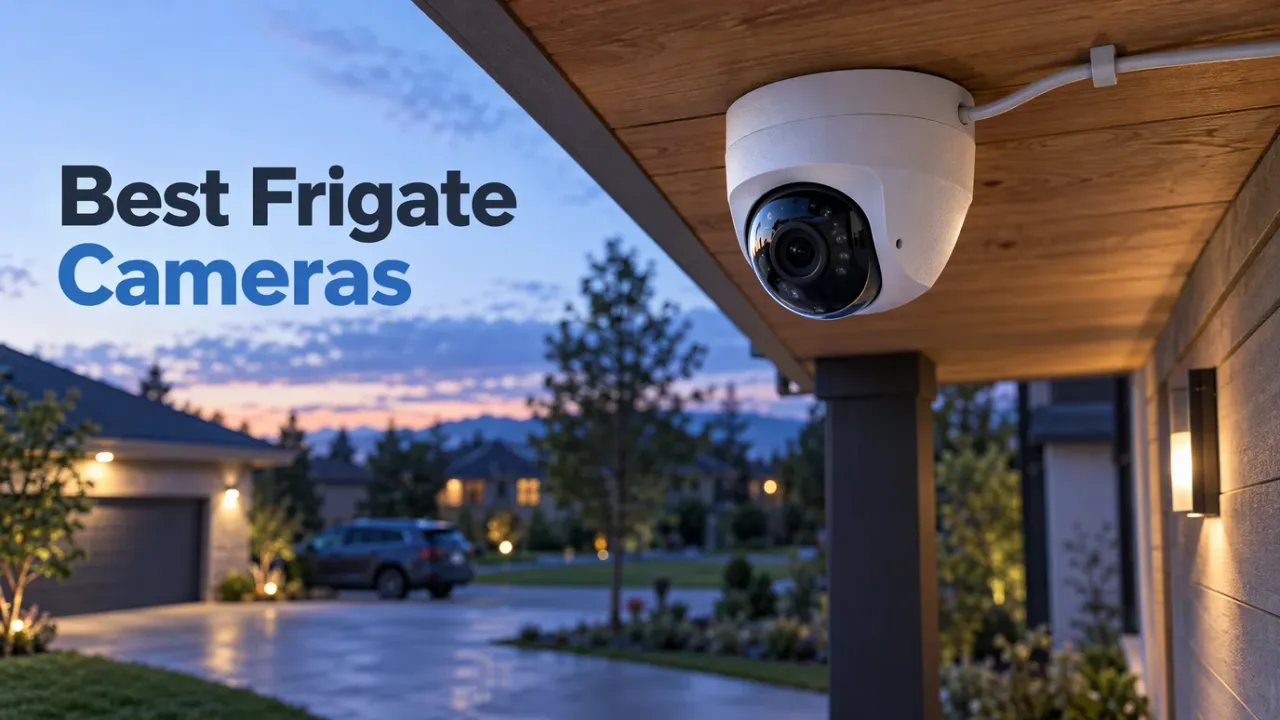
For most Frigate and Home Assistant setups the answer is the Reolink RLC-810A ($99.99): PoE, 4K, person/vehicle detection on-camera, clean RTSP main and sub streams, and no subscription required, recording locally to Frigate or a microSD card. On a tighter budget the RLC-510A ($62.99) gives you 90% of that.
Affiliate disclosure
Some links below are Amazon affiliate links, including /go/ redirects that land on Amazon. Buying through them pays me a small commission at no extra cost to you. Prices were checked on November 4, 2026 and move constantly, so always confirm on the product page.
Quick picks
| Camera | Price (Nov 4) | Sensor | Lens | On-cam AI | Rating | Buy it if |
|---|---|---|---|---|---|---|
| Reolink RLC-510A | $62.99 | 5MP | Fixed | Person/vehicle | 4.4★ (1.4k) | Budget pick; covers most doors and driveways. |
| Reolink RLC-520A 2-pack | $121.49 | 5MP | Fixed | Person/vehicle | 4.5★ (809) | Cheapest per-camera way to wire a house. |
| Reolink RLC-810A | $99.99 | 4K | Fixed | Person/vehicle | 4.5★ (1.6k) | You want 4K detail on the main stream. Most people. |
| Reolink RLC-820A | $99.99 | 4K | Fixed | Person/vehicle | 4.4★ (1.3k) | Turret version of the 810A for tighter mounting. |
| Reolink Duo 3 PoE | $229.99 | 2×4K | 180° dual-lens | Person/vehicle | 4.2★ (1.1k) | One cable, whole-front-yard coverage. |
| Amcrest IP5M-T1179EW | ~$80 | 5MP | Fixed | IVS/motion | 4.4★ | You want Amcrest firmware over Reolink quirks. |
| Reolink RLK8-410B4 kit | $542.99 | 4×5MP | Fixed | Person/vehicle | 4.5★ | No Frigate: a standalone NVR that still feeds HA. |
What a camera needs to work well in Frigate
Frigate is pickier than the box specs suggest. Before buying, check for these four things:
- RTSP with a usable sub-stream. Frigate’s default recipe runs object detection on the low-resolution sub-stream (cheap on CPU/iGPU) while recording the high-resolution main stream (full detail for clips). A camera that only exposes one stream forces you to detect on the 4K feed, which overwhelms an Intel iGPU (OpenVINO) or Hailo-8 accelerator across multiple cameras (see our Home Assistant hardware guide for detector sizing). Every Reolink in this list exposes main and sub RTSP endpoints; Amcrest uses
cam/realmonitor?channel=1&subtype=0/1. - ONVIF. Not strictly required for Frigate itself, but it’s what lets Home Assistant’s generic camera/ONVIF integrations pull events, PTZ, and snapshots without the vendor cloud.
- PoE, not Wi-Fi. One cable delivers power and data, survives weather, and doesn’t clog your 2.4GHz airtime. All picks here are PoE.
- No forced cloud. Everything on this page works fully local: microSD, NVR, or Frigate/HA. Cameras that need a subscription to unlock basic recording (Ring, most of Nest) don’t belong in a self-hosted setup.
4MP/5MP ≠ worse than 4K at night
A 4MP or 5MP sensor with a larger 1/2.7” or 1/1.8” imager collects more light per pixel than a budget 4K (8MP) sensor with a smaller imager. That’s why the 5MP RLC-510A often produces better night footage than the 4K RLC-810A in the same scene. Resolution helps identification at distance; sensor size helps everything after dark. For most door and driveway coverage at 3–8 meters, 5MP cameras are the sweet spot.
H.264 vs H.265, fixed vs varifocal
Codec: H.265 (HEVC) halves storage and bandwidth versus H.264, but costs more CPU/iGPU effort to decode for detection and browser scrubbing. The practical answer: record the 4K main stream in H.265 for storage efficiency, and run detection on the H.264 sub-stream so Frigate decodes the cheap codec. All Reolink picks support H.264 on their sub-streams; the 5MP models use H.264 on the main stream too, while the 4K models default to H.265 on the main stream.
Lens: fixed lenses are sharper and cheaper for a known scene (a doorway, a driveway). Varifocal models like the RLC-811A let you zoom to frame a specific spot after mounting, which is worth the extra ~$30 only if you genuinely don’t know your framing yet, or need a tight shot of a gate 15m away.
The picks
1. Reolink RLC-510A: the $63 budget king
$62.99 · 4.4★ from 1.4k ratings
The RLC-510A is the camera to buy when you’re wiring a whole house on a budget. 5MP PoE bullet, person/vehicle detection on-camera (so HA gets usable events even without Frigate doing all the work), microSD slot, IP67. Night footage is honest on its 5MP sensor, and it costs less than most Wi-Fi cameras while staying fully local.

Reolink RLC-510A 5MP PoE Camera
Budget PoE bullet camera with 5MP sensor, on-camera person/vehicle detection, microSD local storage, and clean dual RTSP streams for Frigate.
Price & availability at Amazon.com
Key Features
- 5MP (2560×1920), PoE, IP67
- On-camera person & vehicle detection
- Dual RTSP streams (main + sub) + ONVIF
- microSD slot, no subscription needed
What we like
- Cheapest real PoE camera that behaves in Frigate
- On-camera AI cuts Frigate's detection load
- 5MP sensor performs well at night
Watch out for
- Bullet housing bulks out on porches
- Reolink's firmware history is patchy, so pin a working version
Important Considerations
- •Run firmware updates manually; Reolink doesn't auto-update
- •Use RTSP sub-stream for Frigate detect, not http-flv
- •Bullet form factor is more visible than a turret
Disclosure: This post contains affiliate links. We may earn a commission if you purchase through these links at no additional cost to you.
2. Reolink RLC-810A: the default 4K pick
$99.99 · 4.5★ from 1.6k ratings
When you want to read a license plate or a face at 10+ meters in daylight, the RLC-810A is the answer. Same architecture as the 510A but 4K: dual RTSP streams, person/vehicle alerts, PoE, microSD. In Frigate you detect on the 640×360 H.264 sub-stream and record the 4K H.265 main stream, so the extra pixels cost you almost nothing in CPU, only disk space.

Reolink RLC-810A 4K PoE Camera
4K PoE bullet with person/vehicle detection, dual RTSP streams, and local microSD recording. The reference camera for a Frigate main stream.
Price & availability at Amazon.com
Key Features
- 4K (3840×2160) H.265 main stream, 640×360 H.264 sub
- On-camera person/vehicle detection events
- PoE, IP67, microSD slot
- RTSP + ONVIF, no cloud required
What we like
- 4K detail for plates and faces at distance
- Same simple Frigate integration as the 510A
- Massive install base means every quirk is already documented
Watch out for
- More bandwidth and storage than 5MP
- 4K main stream defaults to H.265 (`h265Preview_01_main`)
Important Considerations
- •4K files fill disks fast; see the storage math below
- •Night performance is good, though the 5MP picks can edge it out in very low light
- •Verify the listing is the PoE version, not a Wi-Fi lookalike
Disclosure: This post contains affiliate links. We may earn a commission if you purchase through these links at no additional cost to you.
The RLC-820A ($99.99, 4.4★/1.3k) is the same 4K camera in a turret housing; pick it when you want a cleaner mount under a soffit or eave. And the RLC-520A 2-pack ($121.49) drops the per-camera price to ~$61 if you need two matching 5MP turrets.
Check RLC-520A 2-pack ($121.49)3. Reolink Duo 3 PoE: one cable, 180° coverage
$229.99 · 4.2★ from 1.1k ratings
The Duo 3 stitches two 4K lenses into a single 180° panoramic feed over one PoE drop. For covering a whole front yard, a wide garage apron, or a long fence line it replaces two cameras, two cables, and two Frigate streams because the stitched image shows up as one RTSP feed. The stitching seam can clip moving objects at close range, and at $230 it’s a specialty buy, but when you only have one Ethernet run to cover a wide wall, nothing else at this price matches it.
Check Reolink Duo 3 PoE ($229.99)4. Amcrest IP5M-T1179EW: the lower-maintenance alternative
~$80 · 4.4★
Amcrest (a Dahua OEM) cameras are the boring, predictable answer to Reolink’s firmware quirks. The IP5M-T1179EW 5MP turret has mature ONVIF/RTSP, stable firmware that doesn’t shuffle stream paths between updates, and strong support in Home Assistant. If the EmpireTech/Dahua turrets the security forums swear by are out of stock, this is the readily available Amazon equivalent.
The 4K step-up is the Amcrest IP8M-AI if you want Amcrest firmware with 8MP detail.
Check Amcrest IP5M turret5. Reolink RLK8-410B4: the no-Frigate fallback
$542.99 · 4.5★
If you don’t want to maintain Frigate at all, the RLK8-410B4 kit bundles four 5MP PoE cameras with an 8-channel NVR and a 2TB drive for plug-and-play local recording. It’s still fully local (the NVR records on your LAN without a mandatory cloud), and Home Assistant’s built-in Reolink integration pulls the camera feeds and AI motion events straight from the NVR while the appliance handles 24/7 recording. It’s less customizable than Frigate, and also a weekend less work.
Check Reolink 8-ch NVR kitWiring it into Frigate (the config that works)
A minimal frigate.yml using go2rtc restreaming to detect on the cheap H.264 sub-stream while recording the full-resolution main stream:
go2rtc:
  streams:
    # Use h265Preview_01_main on 4K models (RLC-810A/820A), or h264Preview_01_main on 5MP models (RLC-510A/520A)
    driveway_main: rtsp://admin:[email protected]:554/h265Preview_01_main
    driveway_sub:  rtsp://admin:[email protected]:554/h264Preview_01_sub

cameras:
  driveway:
    ffmpeg:
      inputs:
        - path: rtsp://127.0.0.1:8554/driveway_sub
          input_args: preset-rtsp-restream
          roles: [detect]
        - path: rtsp://127.0.0.1:8554/driveway_main
          input_args: preset-rtsp-restream
          roles: [record]
    detect:
      width: 640
      height: 360
      fps: 5
    record:
      enabled: true
      retain:
        days: 7
        mode: motion
    motion:
      mask: 0.0,0.0,0.3,0.0,0.3,1.0,0.0,1.0  # example: ignore a tree on the left third
Two Reolink-specific gotchas that bite everyone once:
- Match the RTSP path to the stream codec (
h265Previewvsh264Preview), and skiphttp-flv. Reolink’s 4K cameras (RLC-810A, 820A, Duo 3) encode their 4K main stream in H.265 by default, which lives at/h265Preview_01_main(5MP models like the RLC-510A/520A use/h264Preview_01_main). Always keep/h264Preview_01_subon the sub-stream for cheap H.264 detection decode, and avoid Reolink’s HTTP-FLV streams, which drop frames and desync under Frigate’s continuous load. - Update firmware manually, then stop. Reolink doesn’t auto-update from its download center, and major firmware jumps occasionally rename stream paths or toggle RTSP/ONVIF off by default. Enable RTSP and ONVIF in the Reolink client (Network > Advanced > Server Settings), note your working firmware version, and leave it alone unless you need a specific fix.
Storage math & where the cameras live
Rough numbers for 24/7 recording vs motion retention, per camera per day:
| Stream | Bitrate | Storage/day |
|---|---|---|
| 5MP main (H.264) | ~6 Mbps | ~65 GB |
| 4K main (H.265) | ~8 Mbps | ~85 GB |
| Sub-stream detect (H.264) | ~0.5 Mbps | ~5 GB |
Four 5MP cameras recording 24/7 = ~260–280 GB/day. Frigate’s mode: motion retention cuts that by ~70% on quiet properties. Size your drive accordingly: the NAS hard drive guide covers which CMR disks to put it on, and a dedicated NAS or DAS beats a microSD card for real retention.
On the network side, put cameras on their own VLAN with no internet access. They don’t need it: Frigate and HA reach them, and they never need to phone home. The PoE ports on a 2.5GbE switch with a VLAN-capable setup handle both the power budget and the isolation.
What I’d buy
- One camera to start: Reolink RLC-810A ($99.99) (or the turret RLC-820A) for a 4K main stream and clean Frigate integration.
- Wiring 3+ cameras on a budget: RLC-510A ($62.99) or the RLC-520A 2-pack ($121.49).
- Whole front yard, one cable: Duo 3 PoE ($229.99).
- Fewer firmware surprises: Amcrest IP5M ($80).
- Don’t want Frigate: RLK8-410B4 NVR kit ($542.99).
- Front door specifically: the PoE doorbell guide covers doorbells, which have their own chime and aspect-ratio trade-offs.
FAQ
Do these cameras need a Reolink NVR or cloud subscription?
No. Every camera on this page exposes RTSP and ONVIF directly and can record to microSD or stream to Frigate and Home Assistant. A Reolink NVR is optional convenience; the cloud features are optional and blocked completely when you put the cameras on a no-internet VLAN.
Why does Frigate want two streams from each camera?
Object detection runs on a low-resolution H.264 sub-stream (e.g. 640×360 at 5fps) because decoding it costs a fraction of the CPU/iGPU of decoding 4K. Recording uses the full-resolution main stream so saved clips have real detail. A single-stream camera forces you to choose between cheap detection and usable recordings.
Reolink vs Amcrest: which is better for Home Assistant?
Reolink is cheaper per camera, has a larger Home Assistant install base, and exposes clean on-camera AI person/vehicle binary sensors through HA’s native Reolink integration, though its firmware occasionally needs manual attention. Amcrest (a Dahua OEM) costs slightly more with more conservative, predictable RTSP/ONVIF firmware. Both work well in Frigate over RTSP.
Can I run these cameras on Wi-Fi instead of PoE?
Reolink sells Wi-Fi variants, but skip them if you can pull cable. Wi-Fi cameras drop frames under congestion (which causes Frigate decode errors and false motion glitches), clog 2.4GHz airtime, and still need a power cable run to an outlet anyway. If you have to drill a hole for power, run a single Cat6 cable for PoE instead.
How much storage do I need for four cameras?
Four 5MP cameras at ~65GB/day each use ~260–280GB/day for continuous 24/7 recording, or roughly 80–100GB/day with motion-only retention. A single 8TB CMR NAS drive holds 3–4 weeks of continuous footage; a 12TB drive is comfortable.