Best Zigbee Coordinator & Thread Border Router for Home Assistant (2026)
The best Zigbee coordinator for Home Assistant is the $35.90 SONOFF Dongle Plus MG24 for USB or SMLIGHT SLZB-06U for PoE. Compare ZHA, Zigbee2MQTT, and Thread.

12 min read
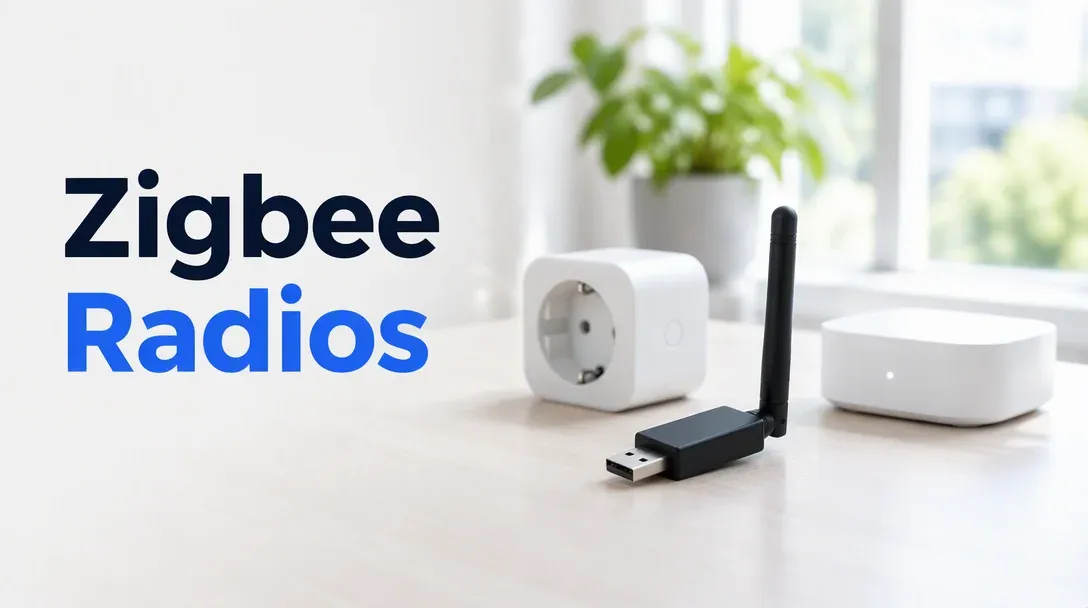
For most people the answer is the SONOFF Dongle Plus MG24 at $35.90 on a USB extension cable: it runs the modern Silicon Labs EFR32MG24 radio, works out of the box with both ZHA and Zigbee2MQTT (ember driver), and costs little enough to keep a second one as a Thread border router. If your Home Assistant server lives in a rack or closet, skip USB and get an Ethernet/PoE coordinator like the SONOFF Dongle Max ($42.90) or SMLIGHT SLZB-06U ($72.99).
Affiliate disclosure
Some links below are Amazon affiliate links, including /go/ redirects that land on Amazon. Buying through them pays me a small commission at no extra cost to you. Prices were checked on October 30, 2026 and move constantly, so always confirm on the product page.
Quick picks
| Coordinator | Price (Oct 30, 2026) | Connection | Radio / Z2M driver | Zigbee + Thread | Rating | Buy it if |
|---|---|---|---|---|---|---|
| SONOFF Dongle Plus MG24 | $35.90 | USB | EFR32MG24 (ember) |
Pick one per flash | 4.6★ (747) | You want the default USB coordinator. |
| SONOFF Dongle Lite MG21 | $24.90 | USB | EFR32MG21 (ember) |
Pick one per flash | 4.6★ (483) | Budget USB pick, or a second stick for Thread. |
| SONOFF Dongle Max | $42.90 | Ethernet / PoE | EFR32MG24 (ember) |
Pick one per flash | 4.3★ (681) | HA sits in a rack and you want PoE under $45. |
| SMLIGHT SLZB-06U | $72.99 | Ethernet / PoE / USB | CC2652P (zstack) / Silabs |
Pick one per flash | 4.2★ (188) | You want the mature PoE web UI and Proxmox ease. |
| SMLIGHT SLZB-MR1 | $101.99 | Ethernet / PoE / USB | Dual independent radios | Both at once | 4.4★ (11) | You want Zigbee + Thread in one PoE box today. |
| Aeotec Z-Stick 10 Pro | $59.99 | USB | Zigbee + Z-Wave 800 | Zigbee + Z-Wave | 4.5★ (183) | You also run Z-Wave devices. |
| HA Connect ZBT-2 | $49 MSRP | USB | EFR32MG24 (ember) |
Pick one per flash | 4.7★ (341) | Official Nabu Casa stick; buy at MSRP, not scalper pricing. |
What you’re actually buying (and why Multi-PAN died)
Two different smart-home roles use the same class of 802.15.4 radio chip and get conflated in Amazon titles:
- A Zigbee coordinator forms and controls your Zigbee 3.0 mesh. Either ZHA (built into Home Assistant) or Zigbee2MQTT talks to the coordinator, and every Zigbee sensor, dimmer, and plug routes through it.
- A Thread border router (OTBR) bridges Matter-over-Thread devices onto your home IP network.
Here is the rule that saves a weekend of troubleshooting: one radio chip should run one protocol. Two years ago, vendors advertised “multiprotocol” (Multi-PAN) firmware that time-sliced Zigbee and Thread on a single chip. It caused dropped packets and unstable meshes whenever both networks got busy, and Nabu Casa officially deprecated multi-protocol firmware as a result.
Today, a single-radio dongle like the SONOFF MG24 or Home Assistant Connect ZBT-2 runs either Zigbee or Thread depending on which firmware you flash. If you want both Zigbee and Thread, you have three clean choices:
- Buy two USB dongles ($35.90 MG24 for Zigbee + $24.90 MG21 for Thread).
- Use an existing Apple TV 4K or HomePod mini as your Thread border router (Home Assistant discovers Apple’s Thread network automatically) and dedicate your dongle to Zigbee.
- Buy a dual-radio PoE unit like the SMLIGHT SLZB-MR1 that puts two physical radios in one enclosure.
The Home Assistant hardware guide covers the server side; this guide covers the radio.
Chipsets in 2026: EFR32MG24 (ember) vs CC2652P (zstack)
If you read forum threads from 2022–2024, people warned against Silicon Labs (“Plus-E”) dongles on Zigbee2MQTT because the old ezsp driver was marked experimental. That changed completely when Zigbee2MQTT introduced the modern ember driver (requiring NCP firmware 7.4.x / 8.0.x+).
| Chip family | Examples | Z2M adapter: setting |
Status in 2026 |
|---|---|---|---|
| Silicon Labs EFR32MG24 | SONOFF MG24, Dongle Max, HA ZBT-2 | ember |
Current top tier. Fast, more RAM/flash for large meshes, first-class in both ZHA and Z2M. |
| Silicon Labs EFR32MG21 | SONOFF Lite MG21, ZBDongle-E | ember |
Proven budget generation; make sure it runs ember-compatible 7.4+ firmware. |
| TI CC2652P / CC2652P7 | Older ZBDongle-P, classic SLZB-06 | zstack |
Rock-solid Zigbee workhorse, weak Thread story. |
I run Zigbee2MQTT on my own Home Assistant box with a SONOFF coordinator, and moving onto an MG24-class stick with ember is as boring and reliable as smart-home radio gets.
Placement matters more than antenna gain
Zigbee and Thread run on 2.4GHz, and active USB 3.0 ports and external SSD cables radiate broadband radio noise right across the 2.4GHz band — the ZHA documentation warns about this explicitly. Two rules fix 90% of dropped-sensor complaints:
- Never plug a USB dongle straight into the back of a mini PC or Pi. Always use a 1–1.5m shielded USB 2.0 extension cable to move the radio away from USB 3 ports, metal cases, and SSD enclosures.
- Use a PoE network coordinator if your server is in a rack or basement. My HA host sits in a rack next to my mini PCs and NAS — the worst possible RF environment. An Ethernet/PoE coordinator lets you mount the antenna in a central hallway while Home Assistant talks to its serial socket over TCP (
tcp://ip:6638). It also eliminates USB passthrough headaches when migrating VMs across a Proxmox cluster.
1. SONOFF Dongle Plus MG24: the default USB pick
$35.90 · 4.6★ from 747 ratings · ships from Amazon
The SONOFF Dongle Plus MG24 is the successor to the classic ZBDongle-P/E series. It upgrades the radio to Silicon Labs’ EFR32MG24, keeps the rotatable external aluminum antenna, ships with a USB extension cable in the box, and works on both ZHA and Zigbee2MQTT’s supported adapters list. Out of the box it runs Zigbee coordinator firmware; flashing it to OpenThread RCP takes two minutes in a Chrome browser via SONOFF’s web flasher if you want it for Thread instead.
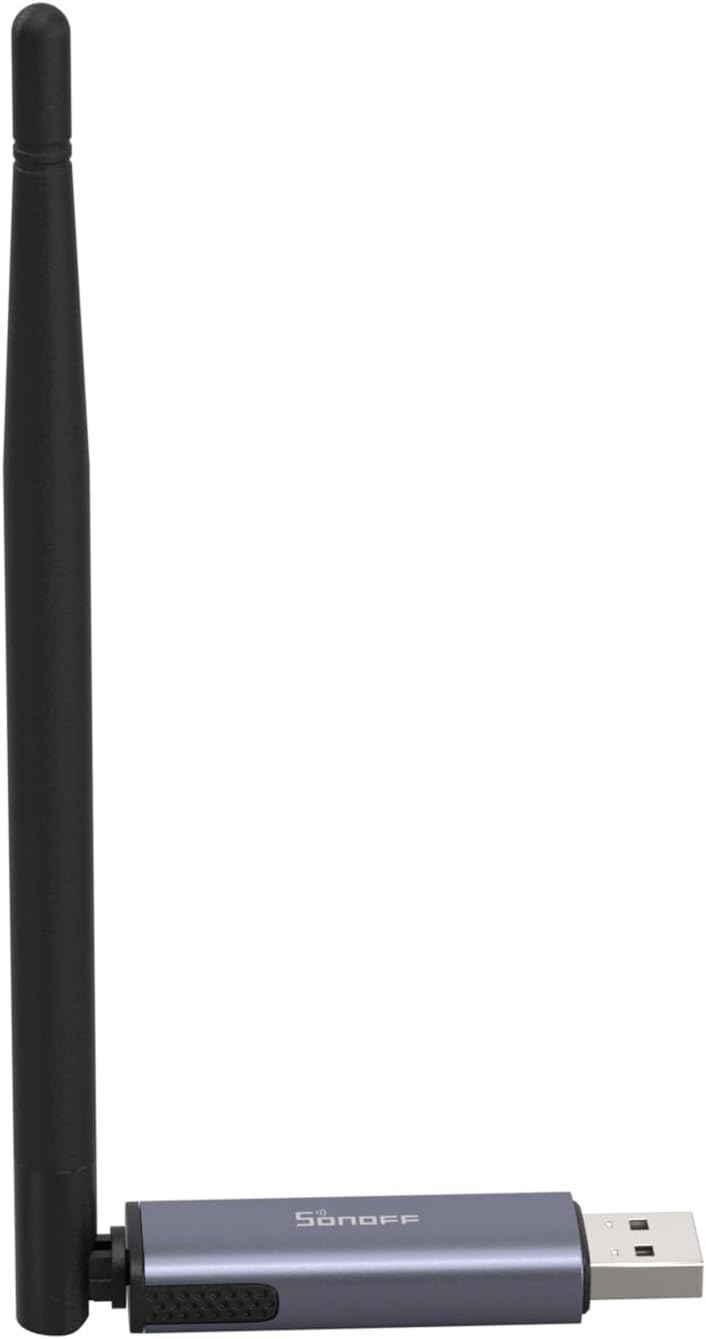
SONOFF Zigbee 3.0 Dongle Plus MG24
EFR32MG24-based USB coordinator for ZHA and Zigbee2MQTT, with an external antenna, bundled USB extension cable, and OpenThread RCP firmware support.
Price & availability at Amazon.com
Key Features
- Silicon Labs EFR32MG24 radio (`ember` driver in Z2M)
- Ships with Zigbee 3.0 firmware; web-flashable to OpenThread
- External rotatable antenna + USB extension cable included
- First-class support in ZHA and Zigbee2MQTT
What we like
- $35.90 with the extension cable included
- Newest MG24 silicon with higher memory ceiling
- Huge community install base
Watch out for
- Tied to the host's physical location via USB
- Switching to Thread requires a firmware flash
Important Considerations
- •One protocol at a time: Zigbee OR Thread per dongle
- •Always use the bundled USB extension cable away from USB 3 ports
- •Use `adapter: ember` in Zigbee2MQTT
Disclosure: This post contains affiliate links. We may earn a commission if you purchase through these links at no additional cost to you.
Budget & older USB siblings: Dongle Lite MG21 and ZBDongle-E
The SONOFF Dongle Lite MG21 at $24.90 (4.6★ from 483 ratings) uses the previous-generation EFR32MG21 chip in a smaller thumb-drive body. It works with the same ZHA and Z2M ember stack and makes an ideal $25 second stick dedicated to OpenThread alongside an MG24 running Zigbee.
The older SONOFF ZBDongle-E at $36.99 (4.7★ from 78 ratings) is also MG21-based and currently sold by a third-party merchant (GooLinx) for $1 more than the newer MG24. Buy the MG24 instead.
Check SONOFF Dongle Lite MG21 ($24.90)2. SONOFF Dongle Max & 3. SMLIGHT SLZB-06U: best Ethernet / PoE coordinators
When Home Assistant runs inside a metal rack, a basement utility room, or a Proxmox VM, a network coordinator decouples the radio from the server.
SONOFF Dongle Max — $42.90 · 4.3★ from 681 ratings
The SONOFF Dongle Max puts an MG24-class radio inside a compact Ethernet/PoE-capable housing for just $7 more than the USB stick. Plug it into a PoE switch port (or power it over USB-C and use Wi-Fi/Ethernet), point ZHA or Zigbee2MQTT at its IP address, and you never have to touch Proxmox USB passthrough again.
Check SONOFF Dongle Max ($42.90)SMLIGHT SLZB-06U — $72.99 · 4.2★ from 188 ratings (sold by LOAMLIN)
The SMLIGHT SLZB-06U is the enthusiast standard that popularized PoE Zigbee coordinators. It supports Ethernet (with 802.3af PoE), Wi-Fi, or USB mode, and its built-in ESP32 web interface lets you update radio firmware over the network, generate exact copy-paste config blocks for ZHA and Zigbee2MQTT, and monitor connection status in a browser. You pay $30 more than the SONOFF Dongle Max for SMLIGHT’s mature SLZB-OS web UI.
Check SMLIGHT SLZB-06U ($72.99)4. SMLIGHT SLZB-MR1: Zigbee and Thread simultaneously in one PoE box
$101.99 · 4.4★ from 11 ratings
The SMLIGHT SLZB-MR1 solves the one-radio-one-protocol problem with brute force: it packs two independent 802.15.4 radios into a single PoE Ethernet enclosure. Radio 1 runs your Zigbee 3.0 network while Radio 2 runs OpenThread for Matter devices at the exact same time, exposed as two separate TCP serial ports to Home Assistant.
The caveat is the price and age of the listing: at $101.99 it costs $40 more than buying two USB dongles, and 11 reviews on Amazon is a young listing. If you want a single PoE box on the wall doing both jobs with zero USB cables, this is the cleanest hardware architecture available.

SMLIGHT SLZB-MR1
Multi-radio PoE network coordinator that runs Zigbee and Thread simultaneously on two separate physical radios over Ethernet, Wi-Fi, or USB.
Price & availability at Amazon.com
Key Features
- Two independent radios: Zigbee + Thread at the same time
- Ethernet with 802.3af PoE, Wi-Fi, or USB connection
- Exposes separate TCP sockets to ZHA/Z2M and OTBR
- Built-in web UI for OTA radio firmware updates
What we like
- True concurrent Zigbee + Thread without Multi-PAN instability
- Single PoE cable mounts anywhere in the house
- Zero Proxmox USB passthrough needed
Watch out for
- $101.99 is steep for smart-home radios
- Smaller review sample than the SLZB-06 series
Important Considerations
- •Young Amazon listing (11 ratings when checked)
- •Costs ~$40 more than two separate USB dongles
- •Requires configuring both ZHA/Z2M and OpenThread Border Router in HA
Disclosure: This post contains affiliate links. We may earn a commission if you purchase through these links at no additional cost to you.
5. Official ZBT-2, 6. Aeotec Z-Stick 10 Pro (Z-Wave), and mesh routers
Home Assistant Connect ZBT-2 — $49 MSRP · 4.7★ from 341 ratings
Nabu Casa’s official Connect ZBT-2 pairs an EFR32MG24 radio with an ESP32-S3 bridge and a custom-tuned antenna that runs at four times the serial baud rate of the retired SkyConnect / ZBT-1. At its $49 MSRP on the official Home Assistant partner page, it is an easy recommendation with seamless one-click firmware wizards inside HA. On Amazon (check listing), stock frequently dries up or third-party resellers mark it up toward $79 — never pay $79 when the $35.90 SONOFF MG24 uses the same EFR32MG24 radio chip.
Check HA Connect ZBT-2 on AmazonAeotec Z-Stick 10 Pro — $59.99 · 4.5★ from 183 ratings
If you are migrating legacy Z-Wave wall switches or locks alongside Zigbee, the Aeotec Z-Stick 10 Pro puts a Z-Wave 800-series radio and a Zigbee 3.0 radio onto one USB stick (exposed as two serial endpoints). That saves a USB port and a second extension cable. If you have no Z-Wave gear, skip it.
Check Aeotec Z-Stick 10 Pro ($59.99)The mesh secret weapon: THIRDREALITY Zigbee Smart Plugs (4-Pack) — $38.99 · 4.5★ from 864 ratings
Battery sensors (Aqara, SONOFF, IKEA) sleep 99% of the time and do not repeat signals. A Zigbee coordinator’s antenna only reaches the first hop; what makes a 60-device house rock-solid is having mains-powered Zigbee routers in every room. Dropping a 4-pack of THIRDREALITY Zigbee plugs ($38.99, with real-time power monitoring) around the house strengthens your mesh far more than buying a bigger coordinator antenna.
Check THIRDREALITY Zigbee Plug 4-Pack ($38.99)Day-one Zigbee2MQTT & ZHA setup: by-id paths, TCP sockets, and channel 25
Three configuration habits prevent the most common Home Assistant radio failures:
1. Always use /dev/serial/by-id/ for USB dongles
Never configure ZHA or Zigbee2MQTT with /dev/ttyUSB0 or /dev/ttyACM0. If you plug in a UPS cable or reboot the host, Linux can swap ttyUSB0 and ttyUSB1, taking your entire Zigbee network down. Find the persistent hardware ID in your terminal (or HA’s Settings > System > Hardware > All Hardware):
ls -l /dev/serial/by-id/Then configure Zigbee2MQTT’s configuration.yaml using that full path and the ember driver (for MG24 / MG21 / ZBT-2 sticks):
serial:
  port: /dev/serial/by-id/usb-ITead_Sonoff_Zigbee_3.0_USB_Dongle_Plus_V2_...
  adapter: ember
  baudrate: 115200
  rtscts: false
2. Connecting a PoE / Ethernet coordinator over TCP
For network coordinators like the SONOFF Dongle Max or SMLIGHT SLZB-06U, first give the coordinator a DHCP reservation (static IP) on your router so its IP never changes after a power outage. Then point Zigbee2MQTT directly at its TCP socket:
serial:
  port: tcp://192.168.1.50:6638
  adapter: ember   # or zstack for CC2652P-based SLZB-06 models
3. Pick Zigbee channel 25 (or 20) before pairing devices
Zigbee channel numbers (11–26) and 2.4GHz Wi-Fi channels (1, 6, 11) use different numbering for the exact same frequency spectrum. By default, many coordinators start on Zigbee channel 11 or 15, which can collide with Wi-Fi channel 1 or 6.
| Your 2.4GHz Wi-Fi channels | Safest Zigbee channels | Why |
|---|---|---|
| Wi-Fi on 1 and 6 (keep 11 light) | Zigbee 25 (or 20) | Channel 25 sits at the top edge of the band, clear of Wi-Fi 1 and 6 |
| Wi-Fi on 1, 6, and 11 (crowded apartment) | Zigbee 15 or 20 (or 25) | Channels 15 and 20 sit in the narrow guard bands between Wi-Fi 1/6 and 6/11 |
Set channel: 25 in Zigbee2MQTT (or inside ZHA’s network settings) on day one before pairing sensors — changing the Zigbee channel later often forces sleepy battery sensors to be manually re-paired.
What I’d buy
- Most people (USB): the SONOFF Dongle Plus MG24 at $35.90 on its bundled USB extension cable.
- Zigbee + Thread via two USB sticks: the MG24 ($35.90) for Zigbee plus the Dongle Lite MG21 ($24.90) flashed to OpenThread.
- HA server in a rack or Proxmox cluster (PoE): the SONOFF Dongle Max at $42.90 for value, or the SMLIGHT SLZB-06U at $72.99 for its web UI.
- Zigbee + Thread in one PoE box: the SMLIGHT SLZB-MR1 at $101.99.
- Zigbee + Z-Wave on one USB port: the Aeotec Z-Stick 10 Pro at $59.99.
- Weak range in far rooms: add a 4-pack of THIRDREALITY Zigbee smart plugs ($38.99) to act as mesh repeaters.
FAQ
Do I need a Zigbee coordinator for Home Assistant?
Yes, if you want to pair Zigbee devices directly to Home Assistant without vendor hubs (like Philips Hue or Aqara bridges). Neither the Home Assistant Green nor a mini PC has a built-in 802.15.4 radio; a USB or PoE coordinator adds that radio for ZHA or Zigbee2MQTT.
Can one dongle run Zigbee and Thread at the same time?
No — not reliably. Nabu Casa deprecated experimental Multi-PAN firmware because sharing one radio chip between Zigbee and Thread caused dropped packets and mesh freezes. Dedicate one radio per protocol: either run two USB dongles, use an Apple TV / HomePod mini for Thread alongside a Zigbee stick, or buy a dual-radio PoE unit like the SMLIGHT SLZB-MR1.
ZHA or Zigbee2MQTT — which should I choose in 2026?
Both support the coordinators on this page. Choose ZHA if you want native one-click setup inside Home Assistant with zero extra containers. Choose Zigbee2MQTT if you want the widest device compatibility for brand-new sensors, richer exposed attributes, and a mesh that stays up independently when Home Assistant restarts.
What is the difference between SONOFF MG24, ZBDongle-E, and ZBDongle-P?
The Dongle Plus MG24 is the newest 2025/2026 model built on Silicon Labs’ EFR32MG24 chip (ember driver). The ZBDongle-E used the older EFR32MG21 chip, and the ZBDongle-P used Texas Instruments’ CC2652P (zstack driver). For a new build today, buy the MG24.
Is an Ethernet / PoE coordinator better than a USB dongle?
Radio performance is identical once properly placed, but a PoE coordinator lets you mount the antenna in the middle of your house while your server stays in a basement or metal rack. It also connects over TCP/IP, so Proxmox high-availability migrations work without USB passthrough lock-in.