Kie.ai Review 2026: One Cheap API for Nano Banana, Veo & Suno
Real jobs, real prices: I ran Nano Banana, Veo and Suno through Kie.ai's single wallet — per-model costs vs OpenAI, speed tests, gotchas, and when fal.ai wins.

15 min read
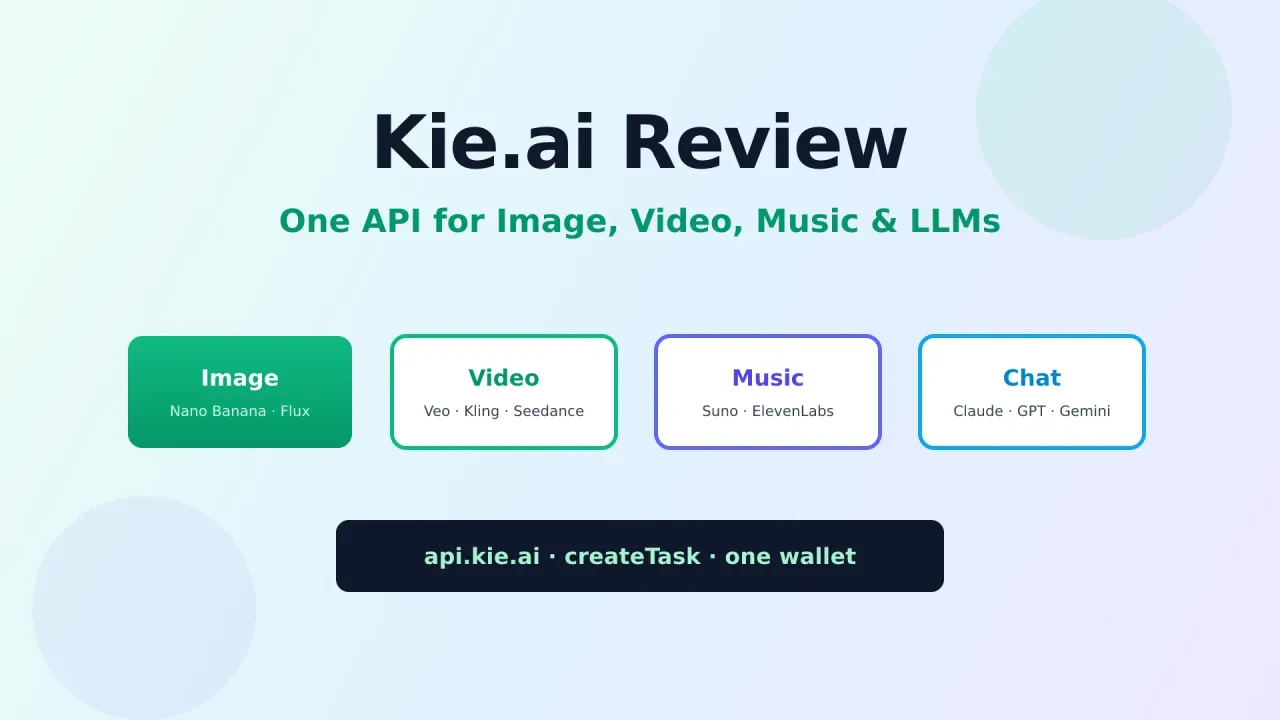
I got tired of juggling five image APIs just to ship blog covers and YouTube thumbnails. Google has one portal. OpenAI has another. Flux wants something else. Video is worse: Veo, Kling, Seedance each come with their own keys, billing, and async quirks.
Kie.ai sells a simple pitch: one API, one wallet, many of the models people actually want, usually cheaper than the official endpoints. Image, video, music, and chat under the same createTask flow.
I use Kie as the generation backend for a Mastra image agent that writes prompts, creates jobs, polls until done, and saves PNGs into a workspace. This review is what Kie is, what it is good for, where it is weaker than fal.ai or Replicate, and whether the price discount is worth the trade-offs.
Try Kie.ai (Get API Key) Wire Kie into a Mastra Image AgentWhat this review covers
- What Kie.ai is and which services it offers
- Image, video, music, and LLM model families (with example prices)
- How the async API works (create task, poll, webhook, file upload)
- How I use Kie for blog covers and thumbnails with Mastra
- Kie vs fal.ai, Replicate, OpenRouter, and official APIs
- Pros, cons, pricing notes, and who should skip it
Affiliate disclosure
Some Kie.ai links in this article are affiliate links (https://go.bitdoze.com/kie-ai). I use the product in production for image generation. Pricing, model lists, and discounts change; always check the official pricing page and docs.
What is Kie.ai?
Kie.ai (often written KIE or Kie AI) is a developer platform that resells and unifies access to third-party generative models. You create an API key, top up credits, and call a shared Market API instead of integrating every provider separately.
Think of it as a multimodel gateway for generation, not a chat UI product. The product is the API:
- One auth header:
Authorization: Bearer YOUR_API_KEY - One job API for most media models: create task → poll or webhook
- One credit balance for image, video, audio, and many chat models
- A web Playground to test prompts before you write code
- Logs for every task (inputs, status, credits, results)
Public claims from their site (verify live numbers yourself):
| Claim | Detail |
|---|---|
| Developers | 120,000+ |
| Countries | 80+ |
| Model coverage | 100+ across image, video, music, LLM |
| Typical savings | ~30–50% vs official APIs; selected models higher |
| Failed jobs | Platform states they are not charged |
| Credit expiry | Credits do not expire |
| Free trial | New users get trial credits + Playground |
If you want a single integration surface for “generate a cover, then maybe a short video, then maybe music,” Kie is built for that. If you only need one official model and SLA from the vendor, buy the official API.
What services does Kie offer?
Kie groups models into a Market. Categories matter more than brand names when you design an agent.
1. Image generation and editing
This is what I use most. Typical families:
| Family | Example models | Good for |
|---|---|---|
| Google Nano Banana | google/nano-banana, nano-banana-2, nano-banana-pro, google/nano-banana-edit |
Blog covers, social graphics, fast drafts, edits with refs |
| Seedream | seedream/5-pro-text-to-image, I2I variants |
Photoreal product-style shots, thumbnails |
| Flux-2 | flux-2/pro-text-to-image, flex variants |
Sharp commercial graphics |
| GPT Image | gpt-image-2-text-to-image, gpt-image-2-image-to-image |
Instruction following, text in image, identity lock |
| Ideogram | ideogram/v3-text-to-image |
Readable typography, logo-ish text |
| Imagen | google/imagen4, fast/ultra |
High-fidelity photoreal |
| Qwen / Z-Image | Qwen T2I/edit, Z-Image | Multilingual prompts, stylized art |
| Utility | Topaz upscale, Recraft remove-bg / crisp upscale | Finish pipeline |
Example public image prices from Kie’s pricing page (USD, subject to change):
| Model (approx.) | Kie price | Official (listed) | Discount (listed) |
|---|---|---|---|
| Nano Banana 2 1K | ~$0.04 / image | ~$0.08 | ~50% |
| Nano Banana 2 2K | ~$0.06 / image | ~$0.12 | ~50% |
| Nano Banana 2 4K | ~$0.09 / image | ~$0.16 | ~44% |
| GPT Image 2 1K T2I | ~$0.03 / image | ~$0.22 | ~86% |
| Seedream 5 Pro 1K | ~$0.035 / image | ~$0.045 | ~22% |
Those deltas are why Kie is attractive for high-volume cover generation. Always re-check kie.ai/pricing.
2. Video generation
Heavy models for text-to-video and image-to-video:
- Google Veo 3.1 (quality 1080p / 4K tiers)
- Kling 3.0 and earlier Kling lines (multi-shot, native audio on newer versions)
- ByteDance Seedance 2.0 (including Fast / Mini variants)
- Grok Imagine video
- Wan, Hailuo, Runway Aleph, and others on the Market
Video is where the unified async API helps. Jobs take longer; you either poll recordInfo or pass a webhook. Example listed pricing: Veo 3.1 quality 1080p around $1.28 on Kie vs higher official rates; Grok Imagine video billed per second at a large discount vs official. Again: live page wins over this article. For model ids, curl examples, image-to-video, and a working download script, see my Kie.ai Video Generation Guide.
3. Music and audio
- Suno (music generation, covers, stems-related tools depending on endpoint)
- ElevenLabs (TTS / dialogue models via Market)
- Other speech / isolation models as they onboard them
I still use Fish Audio for my own voice cloning workflow (including a Mastra fish_tts tool). Kie is useful if you want Suno-style music or ElevenLabs access on the same credit wallet as images.
4. Chat / LLM APIs
Kie also lists chat models (Claude, GPT, Gemini, Grok families) with token pricing often far below official list prices. Example style from their tables: large discounts on Claude Opus / Sonnet and GPT chat tiers.
For day-to-day agent coding I still prefer OpenRouter or OpenCode Go because model routing, tooling ecosystem, and reliability for agent loops are more mature there. I treat Kie chat as an option, not my default brain for Mastra agents.
5. Platform services around the models
| Service | Why it matters |
|---|---|
| API keys | Rate caps, optional IP allowlist |
| Playground | Test a model before coding |
| Logs | Task history, credits, errors |
| Billing / wallet | Single top-up; invoices for business |
| File upload API | Host references for I2I/edit (temporary URLs) |
| Webhooks | Avoid long polling on slow video jobs |
| VIP support | Discord / Telegram channels for API users |
How the Kie API works (simple version)
You do not get a synchronous “here is a PNG” for most Market models. Flow:
1. POST https://api.kie.ai/api/v1/jobs/createTask
   Authorization: Bearer YOUR_API_KEY
   body: { model, input, callBackUrl? }

2. Response 200 + taskId  →  task accepted, NOT finished

3a. Poll GET /api/v1/jobs/recordInfo?taskId=...
    until state = success | fail
    (in-between: waiting | queuing | generating)
 OR
3b. Wait for webhook callback

4. Read result URLs from resultJson
5. Download files yourself (media retained ~14 days)
Credits check:
GET https://api.kie.ai/api/v1/chat/credit
Authorization: Bearer YOUR_API_KEY
Default rate limit (from docs): about 20 new requests per 10 seconds. Concurrent running tasks are relatively high. HTTP 429 means back off; rejected creates do not queue.
Retention: generated media ~14 days, logs ~2 months. Your app should download and store assets if they matter. File uploads for references use a separate host (https://kieai.redpandaai.co) and are also temporary.
Security: never put KIE_API_KEY in frontend code or public repos. Use server-side env only.
Docs: docs.kie.ai · Market quickstart: Market API
Create a free Kie API keyHow I use Kie.ai (real workflow)
I run a Mastra stack for research, content, and media. The coding assistant uses web search (TinyFish). The image agent uses Kie.
What I generate with Kie
- Blog cover images (16:9) for bitdoze.com posts
- YouTube thumbnails with high contrast and short titles
- Logo-aware edits (drop a logo in
workspace/images/uploads/, I2I/edit model) - Upscale / background removal when a final asset needs polish
What the agent does for me
- Picks a model id from a curated catalog (
nano-banana-2, Seedream Pro, Flux-2 Pro, GPT Image 2, etc.) - Writes a detailed prompt (subject, lighting, palette, text, negatives)
- Calls tools that wrap Kie: create task → poll → download to
workspace/images/generated/ - Uploads local reference images to Kie’s file host when doing face/logo lock
- Checks remaining credits before bulk runs
I wrote a full integration guide here: Add an AI Image Agent to Mastra with Kie.ai.
Why not call Google/OpenAI directly?
I could. For a single model, official APIs are fine. My problem was model shopping:
- Nano Banana 2 for speed + quality on covers
- Seedream when I want a different photoreal look
- GPT Image when text-in-image must be correct
- Topaz when I need a clean upscale
Without Kie, that is four accounts, four SDKs, four billing dashboards. With Kie, it is one KIE_API_KEY and a model string.
What I do not use Kie for (today)
- Primary LLM for coding agents (OpenRouter / OpenCode Go)
- Voice cloning of my own voice (Fish Audio)
- Mission-critical chat with vendor SLA requirements
Kie is the media generation layer, not my entire AI stack.
Pricing: how Kie makes money
Kie is prepaid credits. You top up a wallet and spend per generation (or per token for chat).
Rules that matter
- Failed tasks: platform states $0 (you are not charged for failed generations)
- Credits do not expire
- Transparent public pricing with “Kie vs official / fal” columns on many rows
- Larger top-ups may include bonus credits (see billing page)
- Business invoices available after top-up
Mental model for costs
| Workload | Rough unit | Notes |
|---|---|---|
| Blog covers | per image | Cents, not dollars, on common models |
| Thumbnails | per image | Same; iterations add up if you regenerate a lot |
| Upscale / remove-bg | per image | Utility models, usually cheap relative to video |
| Short AI video | per video or per second | Dollars, not cents; test in Playground first |
| Chat | per 1M tokens | Often deep discounts vs list price |
If you generate 50 covers a month at ~$0.04–$0.09 each, you are still in coffee-money territory. If you run continuous video pipelines, model the budget carefully and monitor logs.
Pros and cons
Pros
- One integration for many image/video/music/chat models
- Aggressive pricing vs official APIs on popular models
- No charge on failed jobs (friendly for agent loops that retry)
- Credits never expire
- Playground + logs make debugging less painful
- Async pattern is consistent across Market models
- File upload API for reference images
- Good fit for agent tools (Mastra, custom backends, automation)
Cons
- Not the official vendor: stability can lag first-party APIs (they say this themselves)
- 14-day media retention forces you to download results
- Model ids and input field names differ (
image_urlsvsimage_inputvsinput_urls); your client must map them - Support is community/private channels, not enterprise TAM for most users
- Chat/LLM routing is less of a reason to switch if you already use OpenRouter
- Docs quality varies by model page; expect some trial and error
- Rate limits may need a support ticket for high QPS products
Kie.ai vs alternatives
Here is the competitive picture for developers in 2026.
| Platform | Best at | Weak at | When I pick it |
|---|---|---|---|
| Kie.ai | Cheap multi-model media (image/video/music) + simple job API | Official SLA, deepest enterprise support | Covers, thumbnails, multi-model experiments |
| fal.ai | Fast inference, huge model catalog, strong media DX | Can get expensive; another stack to learn | When a specific fal model/pipeline is best-in-class |
| Replicate | Easy model hosting, huge open ecosystem | Cost at scale; less “all flagship closed models cheaper” | Open weights, custom model deploys |
| OpenRouter | Chat/LLM routing, agent-friendly | Not a media generation first stop | Agent brains, multi-LLM apps |
| Official APIs (Google, OpenAI, etc.) | First-party features, support, newest flags | Many keys, often higher list price | Compliance, SLA, single-vendor products |
| Together / Fireworks / Groq | Fast open LLM inference | Not a full image/video supermarket | High-throughput text models |
Kie vs fal.ai
Both sell developer access to generative models. fal is often stronger on inference platform branding and certain model pipelines. Kie leans hard on price comparison tables and a credit wallet that spans image + video + music + chat.
If your main need is “cheapest reliable access to Nano Banana / GPT Image / Veo / Kling with one key,” try Kie first. If you are already deep in fal’s ecosystem and latency tooling, stay there unless price forces a move.
Kie vs Replicate
Replicate shines for open-source model runs and custom deployments. Kie shines for closed / popular commercial models at a discount. Different jobs. Many teams use both.
Kie vs OpenRouter
Do not treat them as the same product.
- OpenRouter → LLMs for agents and apps
- Kie → generative media (+ optional chat discounts)
My stack: OpenRouter/OpenCode for the agent brain, Kie for image tools.
Kie vs official Google / OpenAI image APIs
Official wins on:
- Newest feature day-one
- Vendor support contracts
- Clearer long-term product roadmap
Kie wins on:
- Multi-model without multi-billing
- Lower unit cost on many listed models
- One async integration for agents
For a personal content engine and small SaaS experiments, Kie is enough. For a bank or a strict procurement process, start with official.
Who should use Kie.ai?
Good fit
- Indie hackers and content sites generating lots of covers/thumbnails
- AI agent builders who need image/video tools behind one key
- Startups testing multiple media models before locking a vendor
- Anyone who hates maintaining five provider SDKs for similar jobs
Bad fit
- Teams that need a signed enterprise SLA with Google/OpenAI only
- Apps that cannot tolerate occasional provider-side instability
- Products that must keep every byte inside a specific cloud region contract
- Users who only need one free chat model (use free tiers elsewhere)
Getting started in 10 minutes
- Sign up at Kie.ai
- Create an API key at kie.ai/api-key
- Try a model in the Playground
- Call createTask from your backend
- Poll
recordInfo(or set a webhook) - Download the result URL to your own storage
Minimal create example:
curl -X POST "https://api.kie.ai/api/v1/jobs/createTask" \
  -H "Authorization: Bearer $KIE_API_KEY" \
  -H "Content-Type: application/json" \
  -d '{
    "model": "nano-banana-2",
    "input": {
      "prompt": "16:9 tech blog cover, purple gradient, clean node graph, high contrast",
      "aspect_ratio": "16:9",
      "resolution": "1K"
    }
  }'
Then poll:
curl "https://api.kie.ai/api/v1/jobs/recordInfo?taskId=YOUR_TASK_ID" \
  -H "Authorization: Bearer $KIE_API_KEY"
For a full agent integration (tools, uploads, local downloads), use the Mastra image agent guide.
FAQ
Is Kie.ai free?
New accounts typically get trial credits and can use the Playground. Ongoing usage is paid from a credit wallet. Check current offers on signup.
Do Kie credits expire?
No. Official FAQ: credits do not expire.
Am I charged if generation fails?
Kie states failed tasks are not charged. That is one of the better policies for agent retries. Confirm on their billing/FAQ if you need it for accounting.
How long are images and videos stored?
About 14 days for media files. Download anything you need permanently. Logs stay longer (~2 months). Uploaded reference files are also temporary.
Is Kie safe for production?
Many teams run production workloads on it. Kie themselves note stability can be slightly below official providers as a trade-off for price. For my image pipeline that is acceptable; for life-critical systems, evaluate carefully and keep fallbacks.
Can I use Kie only for images?
Yes. That is how I started. You do not have to touch video or music.
Kie.ai vs fal.ai, which is cheaper?
It depends on the model and week. Kie’s pricing page often shows Kie vs official/fal columns. Compare the exact model you need rather than trusting a global winner.
Where do I get support?
Dashboard links to Discord/Telegram VIP-style channels; email is [email protected]. Prefer the private channels for API issues.
Verdict
Kie.ai is a strong pick if you want cheaper multi-model media generation without building a provider matrix. One key, one wallet, async jobs that agents can wrap cleanly.
I use it for real content work: blog covers, thumbnails, and brand edits through a Mastra image agent. I do not use it as my only AI platform. LLMs stay on OpenRouter/OpenCode; voice cloning stays on Fish Audio; Kie handles the “make the picture” layer.
If that matches your stack, start with trial credits, generate ten covers, watch the logs, and decide with real unit costs, not marketing tables alone.
Try Kie.ai Build a Mastra Image Agent with Kie Build a Mastra Coding AgentBottom line
Kie.ai = multimodel generation API at a discount. Good for image/video tooling in agents and content sites. Compare prices per model, download your outputs, and keep an official fallback if you need vendor SLA.