Free Web Search for AI Coding Agents: TinyFish Search + Fetch Setup Guide
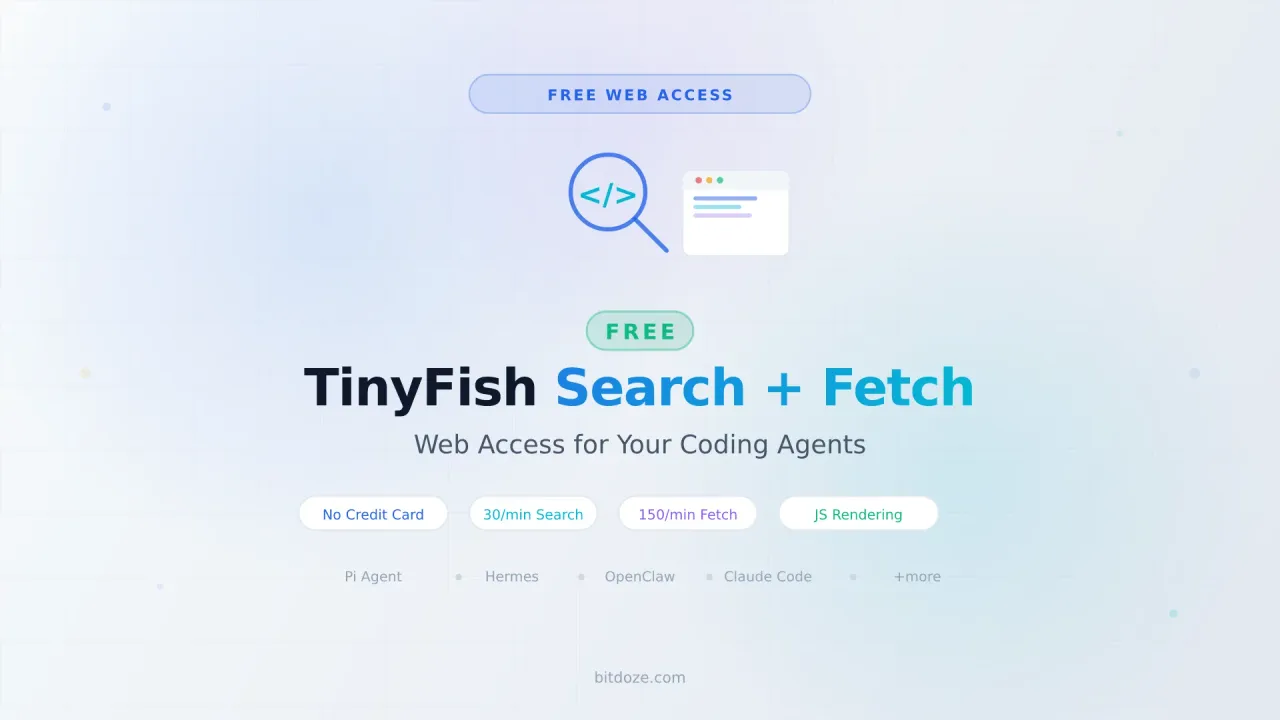
Give your AI coding agent free web search and page fetching. TinyFish offers 30 search/min and 150 fetch/min at no cost.

13 min read
Your AI coding agent knows Python, JavaScript, Docker, Kubernetes, and plenty more. But ask it about a library update that shipped last week, or a breaking change in a new release, and it either hallucinates or tells you to check the docs yourself.
The fix is giving your agent access to the live web. Actual web search and page fetching that works in real time.
TinyFish made that free. No credit card, no trial period. Free search and fetch for every developer and every agent.
Get Your Free TinyFish API KeyWhat TinyFish gives you for free
Two endpoints, both free:
Search takes a query and returns structured JSON results. Not blue links designed for human eyes, but clean, rank-stable data that your agent can parse directly. Response times are under 500ms. You can pass location and language hints for geo-targeted results.
Fetch takes one or more URLs and returns clean content. The page renders in a real Chromium browser (JavaScript, SPAs, the works), then navigation bars, cookie banners, ads, and scripts get stripped. You get markdown, HTML, or JSON back. Your model stops paying tokens for junk HTML.
Free tier limits
| Endpoint | Rate Limit | Cost |
|---|---|---|
| Search | 30 requests/min | Free |
| Fetch | 150 URLs/min | Free |
| Agent | 2 concurrent runs | 1 credit/step |
| Browser | 5 concurrent sessions | 1 credit/4 min |
For coding agent use, Search and Fetch cover most of what you need. The Agent and Browser endpoints cost credits (you get 500 free on signup), but most coding workflows never touch them.
Real usage stats
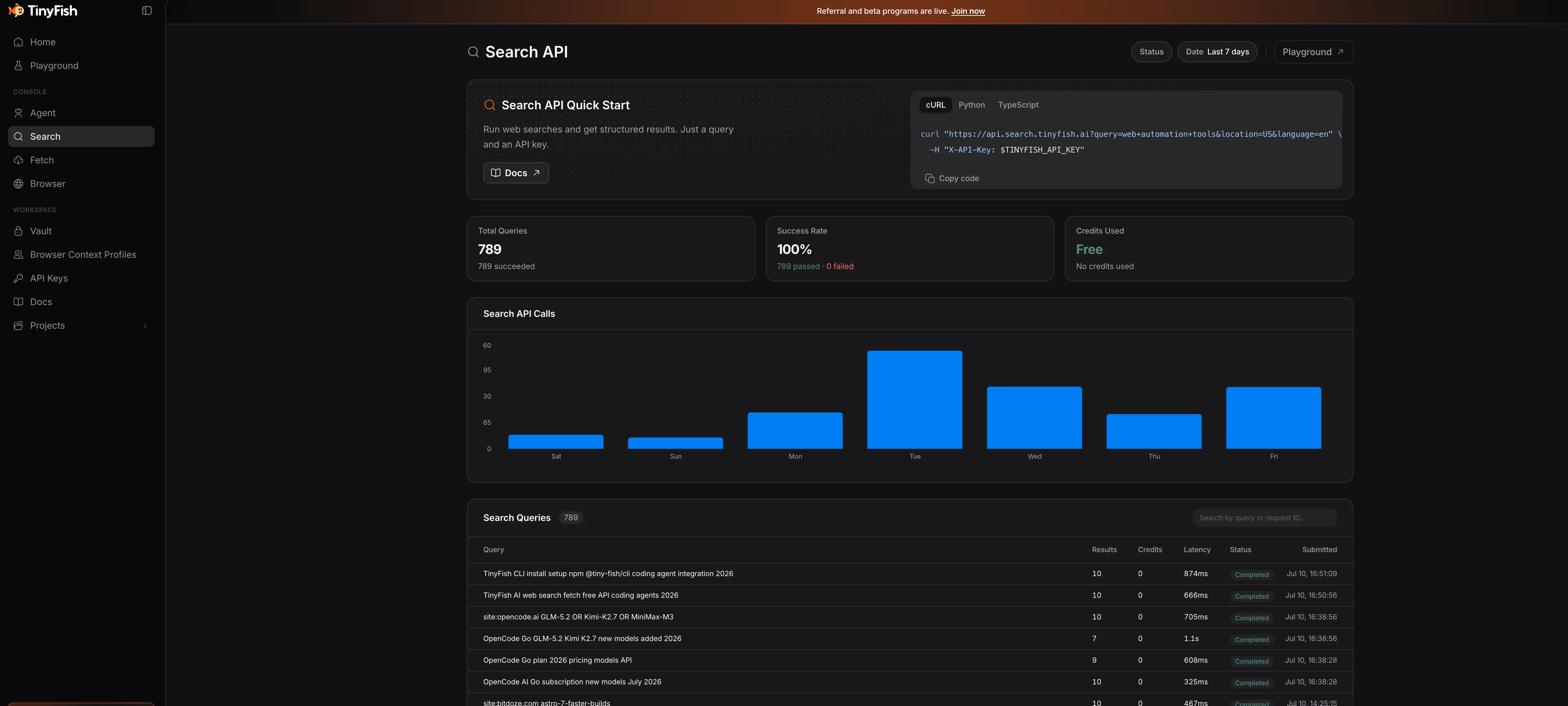
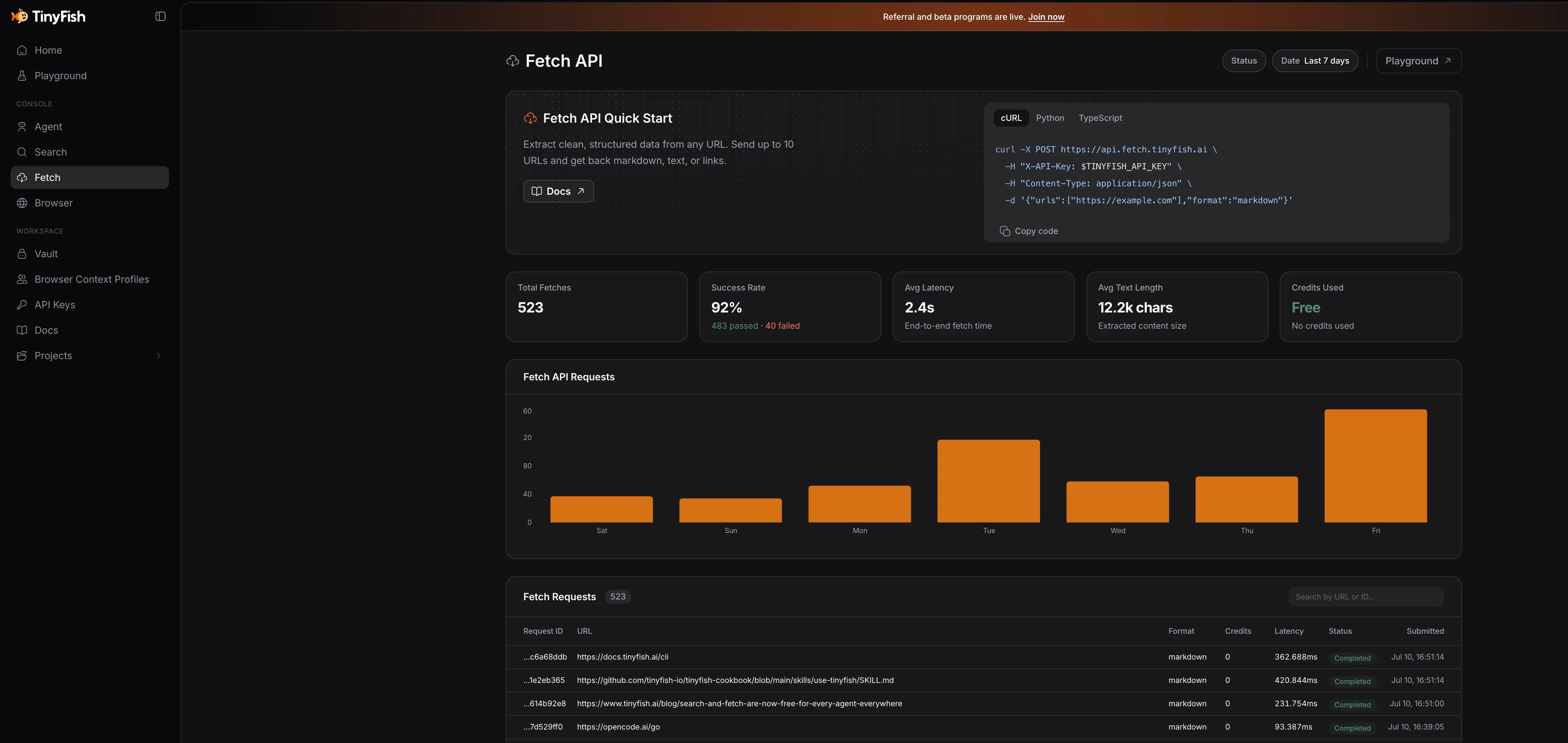
These are actual TinyFish dashboard stats showing how coding agents are using the free tier:
Search API — 40.6K total requests with 360ms average response time:
Fetch API — 65.6K total requests. Notice how Codex CLI, OpenCode, Claude Code, and other agents are all using it:
Failed fetches are free
If a URL returns an error or times out, it does not count against your quota. You only pay for successful fetches.
Why your coding agent needs web access
Most coding agents rely on the model’s training data for anything outside your codebase. That works for stable patterns and well-documented APIs. It breaks down for recent releases, version-specific quirks, community solutions on GitHub, and current documentation.
Giving your agent a search+fetch pipeline changes the answer from “I think this is how it works” to “here is the current documentation.”
Token savings
TinyFish Fetch strips navigation, scripts, and boilerplate from pages before returning content. Your model processes the actual article content, not three kilobytes of cookie consent banners and footer links. This cuts token usage per fetch compared to raw HTML fetching.
Setting up TinyFish with your coding agent
There are four ways to wire TinyFish into your agent. Pick the one that matches your setup.
Get a Free TinyFish API KeyOption 1: CLI + Skill (Recommended)
The CLI is the most portable option. It works with any agent that can run shell commands, and the skill teaches your agent when to reach for search vs fetch.
Install the CLI:
npm install -g @tiny-fish/cli@latestAuthenticate:
tinyfish auth loginThis opens the API keys page in your browser. Paste your key when prompted. The key saves to ~/.tinyfish/config.json.
For CI/CD or non-interactive setups:
echo $TINYFISH_API_KEY | tinyfish auth setVerify it works:
tinyfish --version
tinyfish auth status --pretty
Install the skill (teaches your agent the tool hierarchy):
npx skills add github.com/tinyfish-io/tinyfish-cookbook --skill use-tinyfishThe skill covers the escalation ladder: search for finding URLs, fetch for reading pages, agent for interactive browser tasks, and browser for raw CDP control. The same SKILL.md format powers design-quality skills — see my best AI skills for web design comparison.
Test it:
# Search
tinyfish search query "best Docker monitoring tools 2026" --pretty

# Fetch
tinyfish fetch content get --format markdown "https://docs.docker.com"
Option 2: MCP Server
If your agent supports MCP (Model Context Protocol), this is the cleanest integration:
{
  "mcpServers": {
    "tinyfish": {
      "url": "https://mcp.tinyfish.ai"
    }
  }
}
Drop this into your agent’s MCP config and restart. The agent sees Search and Fetch as native tools.
Works with: Claude Code, Cursor, Codex, ChatGPT desktop, and any MCP-aware client.
Option 3: REST API
For custom integrations or agents that don’t support MCP:
# Search
curl "https://api.search.tinyfish.ai?query=docker+compose+healthcheck" \
  -H "X-API-Key: $TINYFISH_API_KEY"

# Fetch
curl -X POST https://api.fetch.tinyfish.ai \
  -H "X-API-Key: $TINYFISH_API_KEY" \
  -H "Content-Type: application/json" \
  -d '{"urls": ["https://docs.docker.com/compose/how-tos/startup-order/"]}'
Both endpoints return JSON. Search gives you ranked results with titles, snippets, and URLs. Fetch gives you the cleaned page content plus metadata (title, language, author, published date).
Option 4: SDKs
For programmatic use in your own tools:
TypeScript
npm install @tiny-fish/sdkimport { TinyFish } from "@tiny-fish/sdk";
const client = new TinyFish(); // reads TINYFISH_API_KEY from env
// Search
const results = await client.search.query("best React state management 2026");
// Fetch
const content = await client.fetch.content.get({
urls: ["https://tanstack.com/query/latest"],
format: "markdown",
});Python
pip install tinyfishfrom tinyfish import TinyFish
client = TinyFish() # reads TINYFISH_API_KEY from env
# Search
results = client.search.query("best React state management 2026")
# Fetch
content = client.fetch.content.get(
urls=["https://tanstack.com/query/latest"],
format="markdown"
)Agent-specific setup guides
Pi coding agent
Pi has native TinyFish support through the pi-tinyfish package:
npm
pi install npm:pi-tinyfishgit
pi install git:github.com/x1any/pi-tinyfishSet your API key:
export TINYFISH_API_KEY="your_api_key_here"Add that to your shell profile (~/.bashrc, ~/.zshrc, or ~/.config/fish/config.fish) so it persists across sessions.
That’s it. Next time you start Pi, the agent can call tinyfish_search and tinyfish_fetch as tools. When it needs to look up something about a library, check docs, or verify a config format, it will search the web and fetch the relevant pages automatically.
See the Pi setup guide for full Pi installation instructions.
Hermes Agent
Hermes Agent from Nous Research has a built-in web search tool, but TinyFish gives you more control and adds clean page fetching.
MCP approach (cleanest if your Hermes version supports it):
{
  "mcpServers": {
    "tinyfish": {
      "url": "https://mcp.tinyfish.ai"
    }
  }
}
CLI approach (works everywhere):
npm install -g @tiny-fish/cli@latest
tinyfish auth login
Hermes can then call tinyfish search query "..." and tinyfish fetch content get <urls> through its terminal access.
OpenClaw
OpenClaw supports MCP servers. Add the TinyFish MCP server to your OpenClaw config:
{
  "mcpServers": {
    "tinyfish": {
      "url": "https://mcp.tinyfish.ai"
    }
  }
}
Or install the skill:
npx skills add github.com/tinyfish-io/tinyfish-cookbook --skill use-tinyfishClaude Code
Claude Code has a one-shot helper to wire TinyFish as the web search/fetch backend:
tinyfish config-claudeThis installs the MCP server configuration automatically. To remove it:
tinyfish config-claude --removeOpenCode
OpenCode supports MCP servers. Add to your OpenCode config:
{
  "mcpServers": {
    "tinyfish": {
      "url": "https://mcp.tinyfish.ai"
    }
  }
}
Cursor, Codex, and others
Any agent that supports MCP can use the same configuration:
{
  "mcpServers": {
    "tinyfish": {
      "url": "https://mcp.tinyfish.ai"
    }
  }
}
For agents without MCP support, use the CLI or REST API options.
Practical examples
Here’s what your agent can do with free web access:
Look up current documentation
tinyfish fetch content get --format markdown "https://docs.docker.com/compose/how-tos/startup-order/"Your agent reads the actual docs instead of guessing from training data.
Search for solutions to errors
tinyfish search query "TypeError: Cannot read property of undefined React 19" --prettyFind GitHub issues, Stack Overflow answers, and blog posts about the exact error.
Check library versions and changelogs
tinyfish search query "Next.js 15 breaking changes" --pretty
tinyfish fetch content get --format markdown "https://nextjs.org/blog/next-15"
Verify what changed before your agent suggests code that works with the old API.
Research best practices
tinyfish search query "Docker healthcheck best practices 2026" --prettyGet current recommendations instead of outdated patterns from 2023.
The tool escalation ladder
The TinyFish skill teaches your agent to pick the right tool for the job:
| Tool | When to use | Speed | Cost |
|---|---|---|---|
| search | Find URLs, current facts, docs, pricing | Fastest | Free |
| fetch | Read known URLs, get clean content | Fast | Free |
| agent | Interact with pages, click, fill forms | Slower | Credits |
| browser | Raw CDP control for complex automation | Slowest | Credits |
Start with the lightest tool that can answer the question. Only escalate when needed.
Comparison with alternatives
| Feature | TinyFish Fetch | Firecrawl | Native LLM fetch | Hand-rolled Playwright |
|---|---|---|---|---|
| JavaScript rendering | Yes (real Chromium) | Yes | No (static HTML only) | Yes |
| Clean content extraction | Yes | Yes | Raw HTML | Manual |
| Stealth/anti-bot | Built-in | Varies | No | Manual setup |
| Free tier | Yes (Search + Fetch) | Limited free | Depends on provider | You pay for compute |
| Token optimization | Strips boilerplate | Strips boilerplate | Full HTML | Manual |
| Multi-URL batching | Up to 10 URLs/call | Varies | No | Manual |
The main advantage of TinyFish over hand-rolling Playwright is that you don’t manage browser instances, proxy rotation, or anti-bot detection. The main advantage over native LLM fetch is JavaScript rendering — most modern docs sites are SPAs that return empty shells without it.
How does TinyFish compare to Brave Search API?
Brave Search API offers a free tier (2,000 queries/month) but returns traditional search results without page fetching. You get titles, URLs, and snippets, but not the full page content. TinyFish gives you both search and clean page fetching for free, with higher rate limits (30 search/min = ~43,200/month).
Can I use TinyFish with my own API key from OpenCode Go?
TinyFish is a separate service from OpenCode Go. You need a TinyFish API key from agent.tinyfish.ai. The good news is it’s free, so you can use both OpenCode Go for your LLM models and TinyFish for web access without any conflicts.
What happens if I hit the rate limits?
Requests get throttled or rejected until the rate limit window resets. For Search, the limit is 30 requests per minute. For Fetch, it’s 150 URLs per minute. If you need higher limits, paid plans are available at tinyfish.ai/pricing.
What I like and what I don’t
I’ve been using TinyFish through Pi and Mastra for weeks now. Here’s the honest take.
What works well: The search results are clean and fast. Fetch renders SPAs properly, which matters for React-based docs sites. The free tier covers daily coding agent use without issues. Token savings from clean content are noticeable.
What could be better: Fetch can be slow on heavy pages (5-10 seconds for JavaScript-heavy sites). Search occasionally returns stale results for very recent events. And the Agent/Browser endpoints get expensive fast if you need interactive automation.
Bottom line: For giving your coding agent web access, the free Search + Fetch tier works well. I have it wired into Pi through pi-tinyfish and into Mastra through the SDK. It’s become a standard part of my agent setup.
Get Started with TinyFish (Free)Related articles
- TinyFish: Free Web Search and Fetch API for Your AI Coding Agents — detailed TinyFish overview
- Build Your Own AI Agent with Mastra — full guide using TinyFish with Mastra
- Pi coding agent setup guide — install and configure Pi
- Hermes Agent setup guide — install and configure Hermes
- OpenCode Go: 12 AI Coding Models for $10/Month — cheap models for your agent