Mastra Tools vs MCP: Which Should Your Agent Use?
Native Mastra createTool vs MCP servers for AI agents: architecture, memory cost, approval control, and when to pick each. Real numbers from a production Mastra app.

12 min read
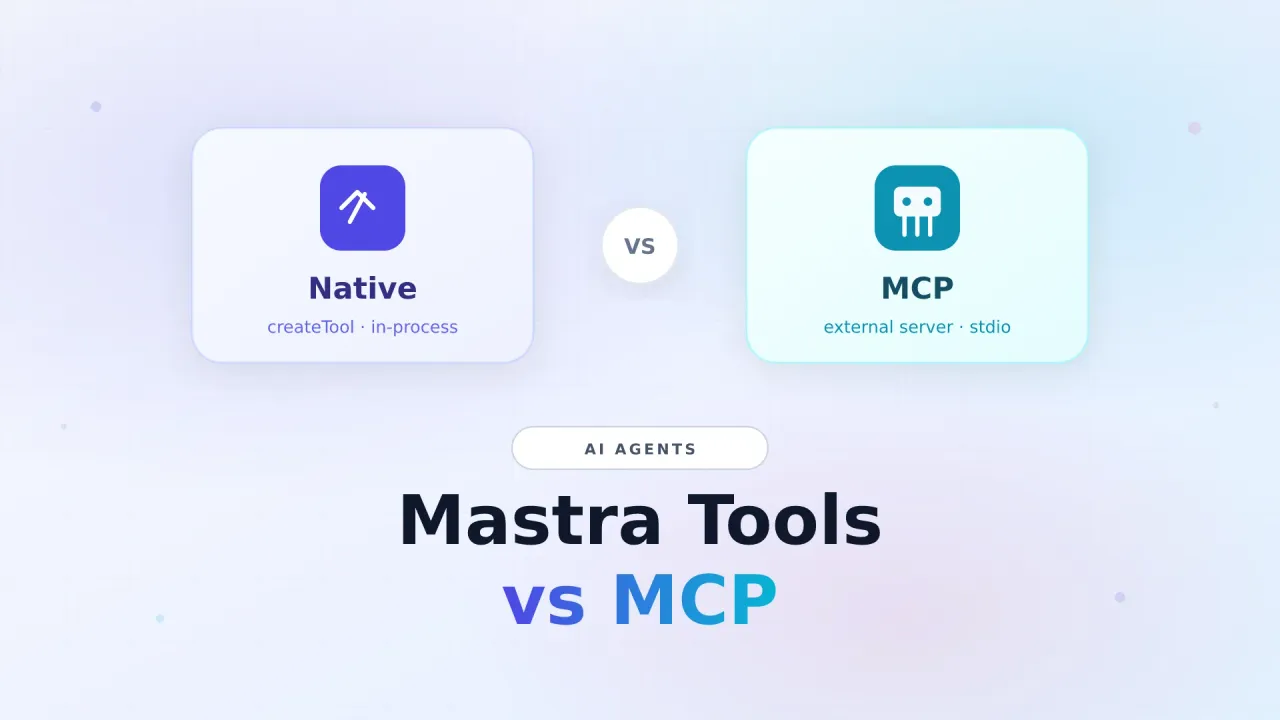
If you build agents with Mastra, you hit this choice early: write a native tool with createTool, or plug in an MCP server and spread its tools onto the agent.
To the model they look the same: “call tool X with these args.” Ops and cost do not. I learned that the hard way when a WordPress MCP integration sat next to my Mastra process and quietly ate about 200 MB of always-on RAM, just so the agent could manage posts.
This piece is the practical split: what each path is, how they run, when MCP is worth it, and when a thin Mastra tool wins.
New to either side? Start with Build an AI agent with Mastra and MCP for beginners.
Build a Mastra Agent MCP Beginner GuideWhat you are actually choosing
| Mastra tools | MCP tools | |
|---|---|---|
| Definition | Your code via createTool |
Tools advertised by an MCP server |
| Where code runs | In-process (same Node as Mastra) | Usually another process (stdio) or remote HTTP |
| Who maintains it | You | Server author / vendor |
| RAM / processes | Only what your function needs | Extra Node (and often npx) for the life of the host |
| Schemas | Zod you own | JSON Schema from the server |
| Approvals / dry-run | Easy to wire | You wrap or trust the server |
| Workflow reuse | Export a plain function and call it | Awkward outside the agent + MCP client |
| Best for | Core product capabilities | Optional or third-party packs |
Same agent UX. Different runtime bill.
How Mastra tools work
A native tool is a typed function with a description the model can read. Mastra uses Zod for inputs (and optional outputs). Execution stays inside your server.
import { createTool } from "@mastra/core/tools";
import { z } from "zod";

export const discordNotify = createTool({
  id: "discord-notify",
  description: "Post a short status message to a Discord webhook channel.",
  inputSchema: z.object({
    title: z.string(),
    body: z.string(),
    level: z.enum(["info", "success", "error"]).default("info"),
  }),
  execute: async ({ context }) => {
    // fetch webhook, return { ok: true } / error
    return { ok: true, title: context.title };
  },
});
Register it on the agent:
export const assistant = new Agent({
  id: "assistant",
  name: "Assistant",
  // ...
  tools: {
    discordNotify,
    // tinyfishSearch, postTweet, queryDatabase, ...
  },
});
Why this is the default for production agents
- In-process: no IPC, no second V8 heap, no orphaned
npxparent - Full control over validation, retries, logging,
requireApproval, and env checks - Workflow-friendly: extract
publishTweet()and call it from a scheduled job without the agent - Predictable deploys: tools ship with your bundle; no
@latestsurprises at boot
In a real Mastra app you end up with a tools folder: web search, YouTube metadata, GitHub, Discord, X/Bluesky, DB query helpers, image generation, and so on. That is the core surface. Keep it native.
Safety pattern
For anything that posts or mutates production systems (X, Reddit, Hashnode, CMS writes), put requireApproval: true on interactive tools. Unattended workflows should call plain functions, not auto-approved agent tools.
How MCP tools work in Mastra
MCP (Model Context Protocol) is a standard so a host (Mastra) can talk to servers that expose tools, resources, and prompts. Mastra’s @mastra/mcp client can spawn a stdio server and load its tools:
import { MCPClient } from "@mastra/mcp";

const mcpClient = new MCPClient({
  id: "mcp-client",
  servers: {
    sureDash: {
      command: "npx",
      args: ["-y", "@automattic/mcp-wordpress-remote@latest"],
      env: {
        WP_API_URL: process.env.WP_API_URL!,
        WP_API_USERNAME: process.env.WP_API_USERNAME!,
        WP_API_PASSWORD: process.env.WP_API_PASSWORD!,
      },
    },
  },
});

const mcpTools = await mcpClient.listTools();

// Same agent shape as native tools:
// tools: { ...nativeTools, ...mcpTools }
What actually runs
For a stdio MCP server started with npx, the process tree often looks like this:
mastra node (your app + MCP client)
  └── npm exec / npx          ← often stays alive (~100+ MB)
        └── mcp server node   ← second V8 runtime (~80–100+ MB)
              └── remote API (WordPress, GitHub, …)
The model never sees that. It only sees tool names and schemas. You pay for the extra processes as long as the Mastra host is up, especially if you listTools() at module import and keep the connection open.
Why MCP still exists (and is useful)
- Vendors ship full tool packs (posts, pages, media, taxonomies) without you writing each endpoint
- One protocol, many hosts: the same server can work with Claude Desktop, Cursor, Mastra, and others
- Optional integrations: great when you need WordPress next week, not every deploy
MCP is not worse tools. It is rented capability with a process and protocol tax.
Real memory numbers (why I care)
On a long-running Mastra production service I measured roughly:
| Component | Role | RAM (approx.) |
|---|---|---|
| Main Mastra Node | Agents, memory, Studio, native tools | hundreds of MB (app-sized) |
npm exec (npx parent) |
Spawns the MCP package | ~120 MB |
mcp-wordpress-remote |
MCP stdio server (SDK + proxy stack) | ~96 MB |
That WordPress path alone was about 200 MB always-on, before any agent call. Peak service memory sat near 1 GB. After turning MCP off with a feature flag, the same service settled closer to ~450 MB with only the main Node process.
That is not a WordPress leak. It is:
- A second Node server for stdio MCP
- An
npxparent that does not go away - A fat proxy package (MCP SDK, Express-ish stack, proxy agents, sometimes QuickJS for PAC)
- Eager load at boot so tools exist for every chat session
Disk for the npx cache of that package was on the order of tens of MB. RAM is the expensive part on a small VPS.
Architecture comparison
Native Mastra tool
─────────────────
User → Agent → createTool.execute() → your API/SDK → result
                 (same process)

MCP tool
────────
User → Agent → MCP client → stdio/HTTP → MCP server process → remote API → result
                 (your process)          (another process)
Latency is usually fine either way for human chat. Idle cost and failure modes are not the same. MCP adds boot failures (npx, missing env, remote 401s) and a process you must monitor.
Feature-flag MCP (recommended)
Do not leave optional MCP servers hard-wired to “credentials present = always on.” Keep credentials in .env, gate with an explicit flag:
function envFlag(name: string, defaultEnabled = false): boolean {
  const raw = process.env[name]?.trim().toLowerCase();
  if (raw === undefined || raw === "") return defaultEnabled;
  return raw !== "false" && raw !== "0" && raw !== "off" && raw !== "no";
}

const enableWordpressMcp = envFlag("ENABLE_WORDPRESS_MCP", false);
const hasWpCreds = Boolean(
  process.env.WP_API_URL &&
    process.env.WP_API_USERNAME &&
    process.env.WP_API_PASSWORD,
);

if (enableWordpressMcp && hasWpCreds) {
  // MCPClient + listTools()
} else {
  // log and skip; credentials can stay for later
}# .env
ENABLE_WORDPRESS_MCP=false
WP_API_URL=https://example.com/wp-json/...
WP_API_USERNAME=...
WP_API_PASSWORD=...Turn it on only when you need the tools, rebuild if you use a production bundle, restart the service. Same pattern works for any heavy MCP server.
When to use Mastra tools vs MCP
Prefer Mastra tools when
- The capability is core to the product (search, notify, post, DB, TTS, images)
- You need approval, dry-run, or strict logging
- The tool runs on a schedule or workflow without a chat UI
- You run on a small VPS and care about idle RAM
- You only need 2–3 endpoints of a huge vendor API
Prefer MCP when
- A vendor already ships a solid server and you need many tools rarely
- You want the same server across Cursor and your Mastra app
- Integration is optional and can stay behind a flag
- You accept the process tax for faster time-to-tools
Hybrid that works well
| Layer | Choice |
|---|---|
| Daily path (search, files, social, internal APIs) | Native createTool |
| Occasional CMS / third-party packs | MCP + ENABLE_*=false by default |
| Hot subset of an MCP surface | Promote to a few native tools later |
Example: if you only create and update posts, a 40-line Mastra tool against the WP REST API will beat a permanent WordPress MCP process every day of the week.
Lighter MCP if you keep it
If MCP stays in the stack:
- Avoid long-lived
npx. Install the package and pointcommandat the real binary ornode path/to/proxy.js - Pin versions. Do not use
@lateston every boot - Do not load at import unless every request needs those tools (lazy client is harder if agents need a static tools map, but worth designing for)
- Cap service memory in systemd (
MemoryHigh/MemoryMax) so a runaway server does not take the box - Monitor children with
systemctl status/ps --forestso you see the npx + MCP nodes
Decision cheat sheet
| Question | Lean this way |
|---|---|
| Will this run every hour unattended? | Mastra tool / plain function |
| Is it a 50-tool vendor pack I touch monthly? | MCP (flagged) |
| Need human approval before side effects? | Mastra tool |
| RAM under 512 MB free? | Mastra tool first |
| Building once for Cursor + Mastra + Claude? | MCP server |
FAQ
Do agents prefer MCP over native tools?
No. The model only sees name, description, and schema. Quality of description and reliability of the tool matter more than transport. Native tools often win because you control error messages and args.
Is Composio the same as MCP?
Not exactly. Composio (and similar routers) import tools via their SDK/API. They are also external tools, but usually not a local stdio Node process. Process-wise they are closer to an HTTP integration than to npx mcp-wordpress-remote.
Can I mix both on one agent?
Yes. Spread native tools and MCP tools into the same tools object. Just keep the MCP side optional so a failed MCP boot does not take down the whole app.
Should every integration become an MCP server?
No. MCP shines when you share a tool surface across hosts or ship a productized server. Inside one Mastra app, createTool is simpler, cheaper, and easier to secure.
Wrap-up
Mastra tools are your in-process contract: fast, cheap, approval-friendly, workflow-ready. MCP tools are a standard way to rent someone else’s tool surface. Powerful, but stdio servers (especially via npx) cost real RAM and ops attention.
Rule I use now:
- Core agent abilities → native Mastra tools
- Optional vendor packs → MCP behind a feature flag
- If an MCP server becomes daily critical → promote the hot path to native tools
That split kept the agent surface rich without paying ~200 MB forever for WordPress tools I was not actively using.
Mastra agent tutorial MCP introduction