ZeroClaw Setup Guide: MiniMax M2.5, GLM-5, and Discord on Your VPS
Step-by-step guide to installing ZeroClaw on a Linux VPS with MiniMax M2.5, GLM-5, Discord integration, and Brave Search.

27 min read
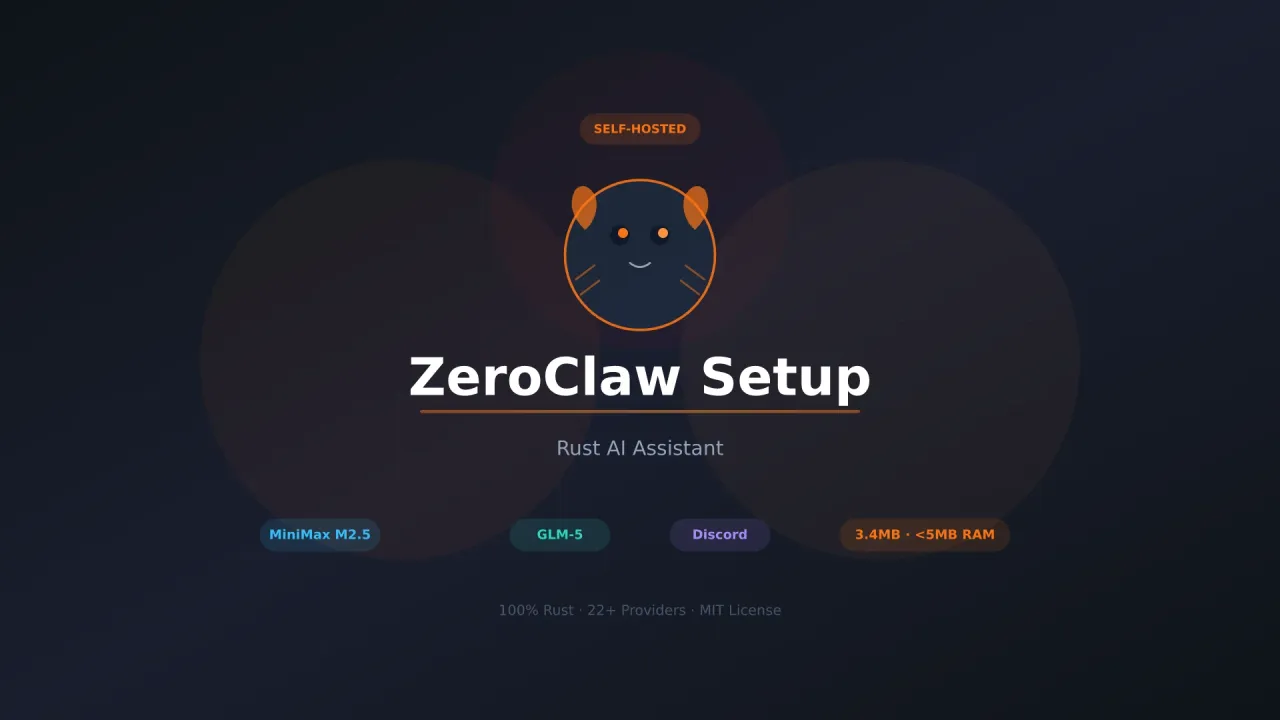
ZeroClaw showed up on my radar last week and I had to try it. It’s a self-hosted AI assistant written entirely in Rust that compiles down to a 3.4MB binary and uses less than 5MB of RAM at runtime. For context, that’s about 200x less memory than OpenClaw and roughly 20x less than nanobot. If you’ve been running nanobot or OpenClaw and wanted something leaner, this is worth looking at.
This guide walks through getting ZeroClaw running on a VPS with MiniMax M2.5 and GLM-5 as your models, Brave Search for web access, and Discord as the chat channel.
ZeroClaw GitHubWhat this guide covers
- Installing ZeroClaw from source or via Docker
- Configuring MiniMax M2.5 and Zhipu GLM-5 as LLM providers
- Setting up Brave Search for web access
- Discord channel integration
- Memory system with SQLite hybrid search
- Security settings, sandboxing, and gateway pairing
If you’re comparing self-hosted bot options, our OpenClaw alternatives roundup includes ZeroClaw alongside nanobot, NanoClaw, memU, and PicoClaw.
What ZeroClaw actually is
ZeroClaw is a Rust-based AI assistant from zeroclaw-labs. It boots in under 10ms, uses less than 5MB of RAM, and the release binary is about 3.4MB. Everything is built around traits, which is Rust’s version of interfaces. Want to swap your LLM provider? Change one line in a TOML file. Same goes for channels, memory backends, and tools.
The architecture looks like this:
You (Discord / Telegram / Slack / iMessage / Matrix / etc.)
    ↓
ZeroClaw Gateway (running on your VPS, 127.0.0.1:8080)
    ↓
LLM Provider (OpenRouter, Anthropic, OpenAI, Ollama, MiniMax, Zhipu, etc.)
    ↓
Tools (shell, file access, web search, memory, Composio integrations)
Messages come in from your chat app, ZeroClaw routes them to whatever LLM you configured, and the model can use built-in tools to get work done. The gateway binds to localhost by default and requires a pairing code before accepting any webhook requests. That’s a nice security default that most alternatives skip.
How it compares
| OpenClaw | NanoBot | ZeroClaw 🦀 | |
|---|---|---|---|
| Language | TypeScript | Python | Rust |
| RAM | > 1GB | > 100MB | < 5MB |
| Startup | > 10s | > 2s | < 10ms |
| Binary | ~28MB (dist) | N/A (scripts) | 3.4MB |
| Channels | 4 platforms | 9 platforms | 8+ platforms |
| Providers | Several | 13+ | 22+ |
| Memory | File + semantic | File-based | SQLite hybrid search |
Why MiniMax M2.5 and GLM-5
Both of these models came out in February 2026 and they pair well with a lightweight bot like ZeroClaw.
MiniMax M2.5
MiniMax M2.5 is a 230B Mixture-of-Experts model with only 10B active parameters per pass. It runs fast and cheap:
| Spec | Value |
|---|---|
| Architecture | 230B MoE, 10B active |
| Context window | 1M tokens |
| Speed (Lightning) | 100 tokens/sec |
| Cost (Lightning) | $0.30/M input, $2.40/M output |
| SWE-Bench Verified | 80.2% |
| License | Modified MIT (open-source) |
It scores 80.2% on SWE-Bench Verified, matching Claude Opus 4.6 at roughly 1/20th the cost. The 1M token context window means ZeroClaw won’t hit context limits even with long conversations.
GLM-5
GLM-5 from Zhipu AI is a 744B MoE model with 40-44B active parameters:
| Spec | Value |
|---|---|
| Architecture | 744B MoE, ~40B active |
| Context window | 200K tokens |
| SWE-Bench Verified | 77.8% |
| BrowseComp | #1 open-source |
| License | MIT |
GLM-5 ranks first among open-source models on BrowseComp (web search agent tasks), so it’s a solid pick for a bot that does a lot of web lookups.
Both models are available through their own APIs and through OpenRouter if you want a single gateway.
Installation
Two main ways to get ZeroClaw installed: from source or via Docker.
From source (recommended)
You need Rust installed. If you don’t have it:
sudo apt update
sudo apt install build-essential pkg-config
curl --proto '=https' --tlsv1.2 -sSf https://sh.rustup.rs | sh
source $HOME/.cargo/env
Then build and install ZeroClaw:
git clone https://github.com/zeroclaw-labs/zeroclaw.git
cd zeroclaw
cargo build --release --locked
cargo install --path . --force --locked
The release build produces a ~3.4MB binary. On a 2-core VPS this takes a few minutes. On a Raspberry Pi with 1GB RAM, use CARGO_BUILD_JOBS=1 cargo build --release to avoid the kernel killing rustc.
Docker
Pull the pre-built image or build locally:
# Using docker-compose
curl -O https://raw.githubusercontent.com/zeroclaw-labs/zeroclaw/main/docker-compose.yml

# Set your API key
export API_KEY="sk-your-key-here"

# Start
docker-compose up -d
Or build from the repo:
git clone https://github.com/zeroclaw-labs/zeroclaw.git
cd zeroclaw
docker build -t zeroclaw .
After installing, run the onboard wizard:
# Quick setup (non-interactive)
zeroclaw onboard --api-key sk-... --provider openrouter

# Or interactive wizard
zeroclaw onboard --interactive
This creates the ~/.zeroclaw/ directory with a config.toml and a workspace folder.
Check that everything’s working:
zeroclaw statusConfiguring MiniMax M2.5
ZeroClaw uses TOML for configuration instead of JSON. The config lives at ~/.zeroclaw/config.toml.
Get an API key
- Go to platform.minimax.io (global) or minimaxi.com (mainland China)
- Create an account and generate an API key
MiniMax coding plan — 10% off
MiniMax offers coding plans priced for developer workloads. Get 10% off with our referral link. For details on how GLM-5 and MiniMax M2.5 compare for always-on bots, see our best open source models for OpenClaw breakdown.
Add to config
ZeroClaw supports MiniMax through OpenRouter or as a custom OpenAI-compatible endpoint. The simplest way is via OpenRouter:
api_key = "sk-or-your-openrouter-key"
default_provider = "openrouter"
default_model = "minimax/MiniMax-M2.5"
default_temperature = 0.7
If you want to hit MiniMax’s API directly, use a custom provider:
api_key = "your-minimax-api-key"
default_provider = "custom:https://api.minimax.chat/v1"
default_model = "MiniMax-M2.5"
default_temperature = 0.7
For the mainland China endpoint, swap the URL to https://api.minimaxi.com/v1.
Test it
zeroclaw agent -m "What's 42 * 17?"If you get a response, MiniMax is working.
Configuring GLM-5 (Zhipu)
GLM-5 works through OpenRouter or directly via Zhipu’s API.
Get an API key
- Go to z.ai
- Register and create an API key
Z.AI GLM coding plan — 10% off
Z.AI offers GLM coding plans designed for continuous developer workloads. Use our link for 10% off.
Zhipu coding plan endpoint
If you’re on Zhipu’s coding plan, use custom:https://api.z.ai/api/coding/paas/v4 as your provider. This routes through their coding-optimized endpoint.
Add to config
Via OpenRouter:
api_key = "sk-or-your-openrouter-key"
default_provider = "openrouter"
default_model = "zhipu/glm-5"
default_temperature = 0.7
Or directly via Zhipu’s API:
api_key = "your-zhipu-api-key"
default_provider = "custom:https://api.z.ai/api/coding/paas/v4"
default_model = "glm-5"
default_temperature = 0.7
Switching between models
ZeroClaw reads the model from config.toml, so switching is just editing one line. No restart needed if you’re using the CLI. For the gateway, restart with zeroclaw gateway.
Setting up Brave Search
Without web search, your bot is limited to the model’s training data and whatever files are on your server. Brave Search gives it live web access.
Get a Brave API key
- Go to brave.com/search/api
- Sign up for an account
- The free tier gives you about 1,000 searches per month
- Generate an API key from the dashboard
Add to config
[browser]
enabled = true
allowed_domains = ["*"]
ZeroClaw’s browser tool supports Brave Search through the browser_open tool. Set the Brave API key as an environment variable:
export BRAVE_API_KEY="your-brave-search-api-key"Or add it to the config if you prefer everything in one place. The allowed_domains array controls which domains the bot can browse. Use ["*"] during setup, then lock it down to specific domains later.
Discord setup
Discord is one of the 8+ channels ZeroClaw supports. The integration uses Discord’s WebSocket gateway directly, so you don’t need a webhook URL or public endpoint.
Create a Discord bot
- Go to discord.com/developers/applications
- Click New Application, give it a name
- Go to Bot in the left sidebar, click Add Bot
- Copy the bot token
Enable intents
Still in the Bot settings page:
- Scroll down to Privileged Gateway Intents
- Enable MESSAGE CONTENT INTENT (required, or the bot can’t read messages)
- Optionally enable SERVER MEMBERS INTENT if you want to use allowlists by username
Get your user ID
- Open Discord Settings → Advanced → enable Developer Mode
- Right-click your avatar anywhere in Discord
- Click Copy User ID
Configure ZeroClaw
Add the Discord channel config to your ~/.zeroclaw/config.toml:
[channels_config.discord]
token = "YOUR_DISCORD_BOT_TOKEN"
allowed_users = ["YOUR_USER_ID"]
Allowlist behavior
In ZeroClaw, an empty allowlist means deny all inbound messages by default. This is the opposite of most other bots. Add your user ID or use ["*"] for open access. If you’re not sure what your sender identity looks like, start the bot, send it a message, and check the warning log for the exact value.
Invite the bot to your server
- In the Discord developer portal, go to OAuth2 → URL Generator
- Under Scopes, check
bot - Under Bot Permissions, check
Send MessagesandRead Message History - Copy the generated URL and open it in your browser
- Select the server to add the bot to
Start the daemon
zeroclaw daemonThis starts the full autonomous runtime including all configured channels. For just the gateway:
zeroclaw gatewaySend a message in Discord. The bot should respond. If nothing happens, run zeroclaw doctor to diagnose channel issues, or zeroclaw channel doctor for targeted channel health checks.
Full config example
Here’s what a complete ~/.zeroclaw/config.toml looks like with OpenRouter (for MiniMax M2.5), Brave Search, Discord, and SQLite memory:
api_key = "sk-or-your-openrouter-key"
default_provider = "openrouter"
default_model = "minimax/MiniMax-M2.5"
default_temperature = 0.7

[memory]
backend = "sqlite"
auto_save = true
embedding_provider = "openai"
vector_weight = 0.7
keyword_weight = 0.3

[gateway]
require_pairing = true
allow_public_bind = false

[autonomy]
level = "supervised"
workspace_only = true
allowed_commands = ["git", "npm", "cargo", "ls", "cat", "grep"]
forbidden_paths = ["/etc", "/root", "/proc", "/sys", "~/.ssh", "~/.gnupg", "~/.aws"]

[channels_config.discord]
token = "YOUR_DISCORD_BOT_TOKEN"
allowed_users = ["YOUR_USER_ID"]

[browser]
enabled = true
allowed_domains = ["docs.rs", "github.com", "stackoverflow.com"]

[heartbeat]
enabled = false
interval_minutes = 30

[tunnel]
provider = "none"

[secrets]
encrypt = true
Config settings explained
| Setting | Default | What it does |
|---|---|---|
default_model |
anthropic/claude-sonnet-4-20250514 |
Which model handles your messages |
default_temperature |
0.7 |
Randomness (lower = more deterministic) |
autonomy.level |
supervised |
readonly, supervised, or full |
autonomy.workspace_only |
true |
Scopes all file/shell access to workspace |
memory.backend |
sqlite |
sqlite, lucid, markdown, or none |
gateway.require_pairing |
true |
Requires 6-digit code to connect |
gateway.allow_public_bind |
false |
Refuses 0.0.0.0 without a tunnel |
secrets.encrypt |
true |
API keys encrypted with ChaCha20-Poly1305 |
Provider system
ZeroClaw ships with 22+ built-in providers. Every provider implements the same Provider trait, so swapping between them is a config change.
| Provider | API endpoint | Notes |
|---|---|---|
| OpenRouter | https://openrouter.ai/api/v1 |
Gateway to any model |
| Anthropic | Direct API | Claude models |
| OpenAI | Direct API | GPT models |
| Ollama | Local | Self-hosted models |
| Gemini | Direct API | Google Gemini (native, not OpenAI-compat) |
| Venice | Direct API | Privacy-focused |
| Groq | Direct API | Fast inference |
| Mistral | Direct API | Mistral models |
| xAI | Direct API | Grok models |
| DeepSeek | Direct API | DeepSeek models |
| Together | Direct API | Open-source models |
| Fireworks | Direct API | Fast open-source |
| Perplexity | Direct API | Search-augmented |
| Cohere | Direct API | Command models |
| Bedrock | AWS API | AWS-hosted models |
| Custom | Any URL | Any OpenAI-compatible API |
For MiniMax and Zhipu specifically, use either OpenRouter or the custom: provider with their API URLs. ZeroClaw’s custom provider works with any OpenAI-compatible endpoint, which covers both.
Memory system
ZeroClaw’s memory goes further than what nanobot or OpenClaw offer. It’s a hybrid search engine built on SQLite with no external dependencies:
| Layer | What it does |
|---|---|
| Vector DB | Embeddings stored as BLOB in SQLite, cosine similarity search |
| Keyword search | FTS5 virtual tables with BM25 scoring |
| Hybrid merge | Weighted merge of vector and keyword results |
| Embeddings | OpenAI embeddings by default, or noop for no embeddings |
| Chunking | Line-based markdown chunker with heading preservation |
| Caching | SQLite embedding cache with LRU eviction |
The bot automatically stores, recalls, and manages memory through built-in tools. No external services needed. No Pinecone, no Elasticsearch.
[memory]
backend = "sqlite"
auto_save = true
embedding_provider = "openai"
vector_weight = 0.7
keyword_weight = 0.3
Set embedding_provider = "noop" if you don’t want to pay for OpenAI embeddings. You’ll lose vector search but keyword search (FTS5) still works well on its own.
Identity files
Like nanobot, ZeroClaw uses workspace files to shape the bot’s personality:
| File | Purpose |
|---|---|
IDENTITY.md |
Who the agent is |
SOUL.md |
Core personality and values |
USER.md |
Your personal info and preferences |
AGENTS.md |
Behavior guidelines |
TOOLS.md |
Tool usage instructions |
Edit these in ~/.zeroclaw/workspace/. ZeroClaw also supports AIEOS (AI Entity Object Specification) as an alternative identity format if you want portable AI personas.
Docker deployment
For Docker, ZeroClaw has a multi-stage Dockerfile with both dev and production targets. The production image uses Google’s distroless base, so it’s tiny.
Using docker-compose
# Download the compose file
curl -O https://raw.githubusercontent.com/zeroclaw-labs/zeroclaw/main/docker-compose.yml

# Create .env file
cat > .env << 'EOF'
API_KEY=sk-or-your-openrouter-key
PROVIDER=openrouter
ZEROCLAW_MODEL=minimax/MiniMax-M2.5
HOST_PORT=3000
EOF

# Start
docker-compose up -d
Manual Docker run
# Build
docker build -t zeroclaw --target release .

# Run
docker run -d \
  -e API_KEY="sk-or-your-openrouter-key" \
  -e PROVIDER="openrouter" \
  -e ZEROCLAW_MODEL="minimax/MiniMax-M2.5" \
  -v zeroclaw-data:/zeroclaw-data \
  -p 3000:3000 \
  --name zeroclaw \
  zeroclaw
The container runs as a non-root user (UID 65534) by default.
Health checks
The compose file includes a health check using zeroclaw doctor:
healthcheck:
  test: ["CMD", "zeroclaw", "doctor"]
  interval: 30s
  timeout: 10s
  retries: 3
Security settings
ZeroClaw’s security defaults are stricter than most alternatives. A few things worth knowing:
Gateway pairing
When you start the gateway, ZeroClaw generates a 6-digit one-time pairing code. You need to exchange this code for a bearer token before the gateway accepts any webhook requests:
# Start gateway (shows pairing code in logs)
zeroclaw gateway

# Exchange code for token
curl -X POST http://127.0.0.1:8080/pair \
  -H "X-Pairing-Code: 123456"
All subsequent /webhook requests need the Authorization: Bearer <token> header.
Workspace sandboxing
[autonomy]
workspace_only = true
allowed_commands = ["git", "npm", "cargo", "ls", "cat", "grep"]
forbidden_paths = ["/etc", "/root", "/proc", "/sys", "~/.ssh", "~/.gnupg", "~/.aws"]
With workspace_only = true, the bot can only access files inside its workspace. 14 system directories and 4 sensitive dotfiles are blocked by default. Symlink escape attempts are caught through path canonicalization.
Localhost-only binding
The gateway binds to 127.0.0.1 by default and refuses to bind to 0.0.0.0 unless you either configure a tunnel (Cloudflare, Tailscale, ngrok) or explicitly set allow_public_bind = true.
CLI reference
| Command | What it does |
|---|---|
zeroclaw onboard |
Quick setup |
zeroclaw onboard --interactive |
Full 7-step wizard |
zeroclaw onboard --channels-only |
Reconfigure channels only |
zeroclaw agent -m "..." |
Send a single message |
zeroclaw agent |
Interactive chat mode |
zeroclaw gateway |
Start webhook server |
zeroclaw daemon |
Start full autonomous runtime |
zeroclaw status |
Show system status |
zeroclaw doctor |
Run diagnostics |
zeroclaw channel doctor |
Check channel health |
zeroclaw service install |
Install as system service |
zeroclaw service status |
Check service status |
zeroclaw migrate openclaw |
Migrate memory from OpenClaw |
The migrate openclaw command is handy if you’re switching from OpenClaw. Run --dry-run first to preview what gets imported.
VPS hosting
ZeroClaw runs on just about anything. I tested it on a Hetzner CX22 (2 vCPU, 4GB RAM) at €4.35/month, but honestly it would run fine on much cheaper hardware. The project claims it works on $10 single-board computers and I believe it given the memory footprint.
Hetzner discount
Get €20 credit, Hostinger VPS when you sign up through our referral link. That covers around 4 months of a CX22.
VPS prices jumped across the board in 2026 — if you’re rethinking a rented box, see what changed and when a mini PC wins.
Quick setup on a fresh Ubuntu 24.04 VPS:
ssh root@YOUR_SERVER_IP

# Update system
apt update && apt upgrade -y

# Install Rust
curl --proto '=https' --tlsv1.2 -sSf https://sh.rustup.rs | sh
source $HOME/.cargo/env

# Clone and build
git clone https://github.com/zeroclaw-labs/zeroclaw.git
cd zeroclaw
cargo build --release --locked
cargo install --path . --force --locked

# Initialize
zeroclaw onboard --interactive

# Edit config
nano ~/.zeroclaw/config.toml

# Start
zeroclaw daemon
For a proper daemon setup, install ZeroClaw as a system service:
zeroclaw service install
zeroclaw service start
zeroclaw service status
This creates a systemd user service that starts on boot and restarts on failure.
If you want to run local models alongside ZeroClaw, check our guide on installing Ollama with Docker. ZeroClaw’s Ollama provider connects to any local Ollama instance without extra config.
ZeroClaw vs nanobot vs OpenClaw
I run all three at this point, so here’s a direct comparison:
| Aspect | ZeroClaw 🦀 | nanobot | OpenClaw |
|---|---|---|---|
| Language | Rust | Python | TypeScript |
| RAM usage | < 5MB | ~100MB | > 1GB |
| Startup | < 10ms | > 2s | > 10s |
| Binary size | 3.4MB | N/A (scripts) | ~28MB |
| Config format | TOML | JSON | Custom |
| Channel count | 8+ | 9 | 4 |
| Provider count | 22+ | 13+ | Several |
| Memory | SQLite hybrid search | File-based | File + semantic |
| Security | Pairing + sandbox + allowlists | Allowlists | Allowlists |
| Install method | cargo install |
pip install |
Custom script |
| Setup time | ~10 minutes (includes compile) | ~5 minutes | ~20 minutes |
ZeroClaw wins on resource usage and security. nanobot wins on setup speed and channel count. OpenClaw has the most polished onboarding experience with its OAuth flow for existing Claude/ChatGPT subscriptions.
For the nanobot setup guide, see our full walkthrough. For OpenClaw, see the setup guide. For a Go-based alternative that runs on $10 hardware, check out our PicoClaw setup guide.
Frequently asked questions
How much does it cost to run ZeroClaw?
VPS: ~$5/month at Hetzner. MiniMax M2.5 Lightning API: roughly $1/hour of continuous use, but actual costs are much lower since the bot only calls the API when you message it. Expect $5-20/month for personal use.
Can I use ZeroClaw without any API costs?
Yes. Set default_provider = "ollama" and point it at a local Ollama instance. You need hardware that can run inference, but there are no API bills.
Does ZeroClaw work on a Raspberry Pi?
Yes. The project explicitly supports ARM targets. On a Pi with 1GB RAM, compile with CARGO_BUILD_JOBS=1 to avoid running out of memory during the build. Once compiled, ZeroClaw uses less than 5MB of RAM at runtime.
Can multiple people use one ZeroClaw instance?
Yes. Add multiple user IDs to the channel allowlist. Each person gets their own conversation context.
What’s the difference between gateway and daemon?
zeroclaw gateway starts the webhook server only. zeroclaw daemon starts the full autonomous runtime including all channels, heartbeat tasks, and the scheduler. For 24/7 use with Discord, you want the daemon.
Can I migrate from OpenClaw to ZeroClaw?
Yes. ZeroClaw has a built-in migration command: zeroclaw migrate openclaw. Run --dry-run first to preview what gets imported, then run it for real.
Can I add Telegram alongside Discord?
Yes. Configure both channels in the same config file. ZeroClaw handles them simultaneously. See the nanobot guide’s Telegram section for the BotFather flow since it’s the same process.
If you want to explore other AI coding tools, our AI coding tools comparison covers the current landscape. For a self-improving assistant with voice mode and OpenClaw migration, see the Hermes Agent setup guide. For MCP basics that work across all these assistants, check the MCP introduction for beginners.
Este artículo también está disponible en español: Guía de Configuración de ZeroClaw.