
NAS Build Under $500 in 2026: The Parts List That Actually Works
A realistic DIY NAS build under $500 in 2026: Jonsbo N3 8-bay case, N100 6-SATA ITX board, real idle watts, ASM1166 tips, and when a UGREEN DXP2800 wins.
9 min read
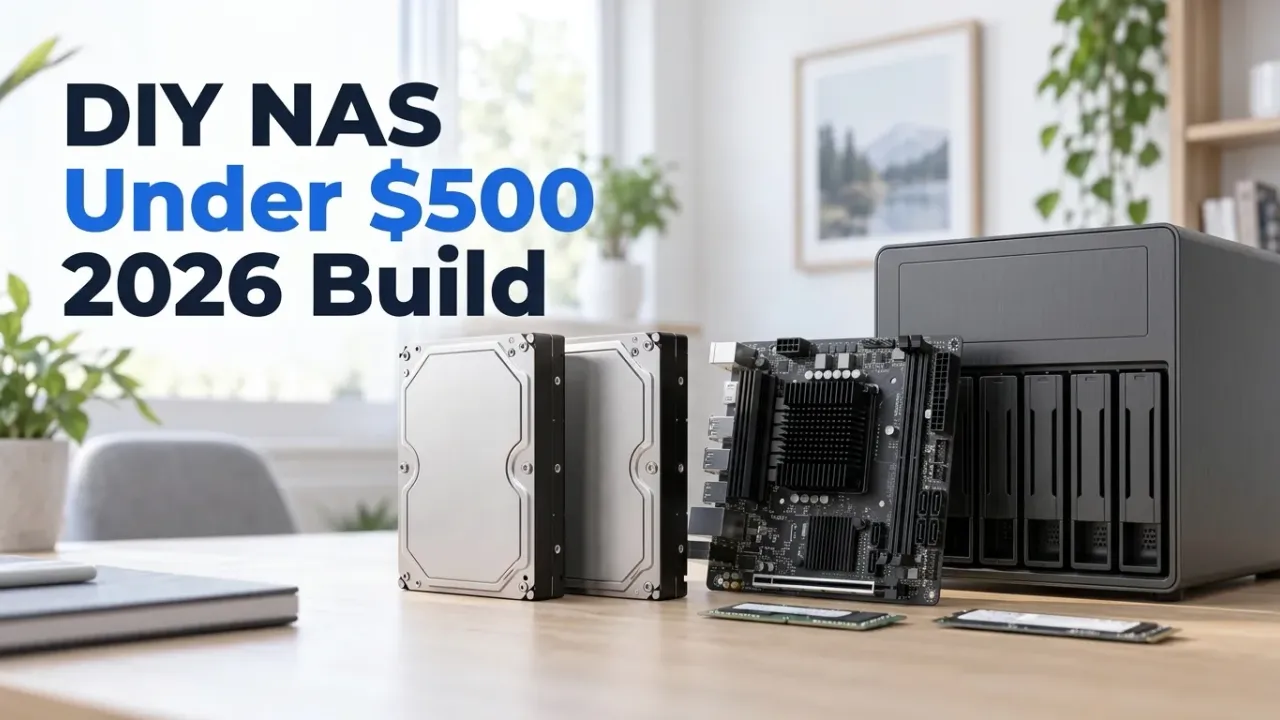
Most “NAS build under $500” guides still floating around search results are 2023 parts lists that haven’t looked at current storage prices. Over the last 18 months, median NAS hard drive pricing jumped from roughly $21/TB to nearly $50/TB as datacenter orders soaked up 3.5-inch platter production. Anyone promising you a complete $500 NAS with 16TB of fresh drives in late 2026 is either quoting dead listings or stuffing used desktop SMR disks into a cardboard box.
Affiliate disclosure
Some links below use /go/ affiliate redirects to Amazon. Buying through them earns a small commission at no extra cost to you and helps pay for the test hardware.
So let’s set the ground rules honestly. This build costs ~$478 diskless—chassis, hot-swap backplane, 6-SATA Intel N100 motherboard, DDR5 memory, SFX power supply, and NVMe boot drive. That puts it head-to-head against commercial diskless NAS enclosures (which also ship without drives), except you walk away with eight hot-swap 3.5-inch bays, standard mini-ITX parts you can upgrade individually, and unrestricted TrueNAS SCALE or Unraid support.
At the end of the guide, I also compare this build directly against buying a 2-bay UGREEN DXP2800 for $379.98—because if you never plan to grow past two drives, the prebuilt box genuinely makes more sense.
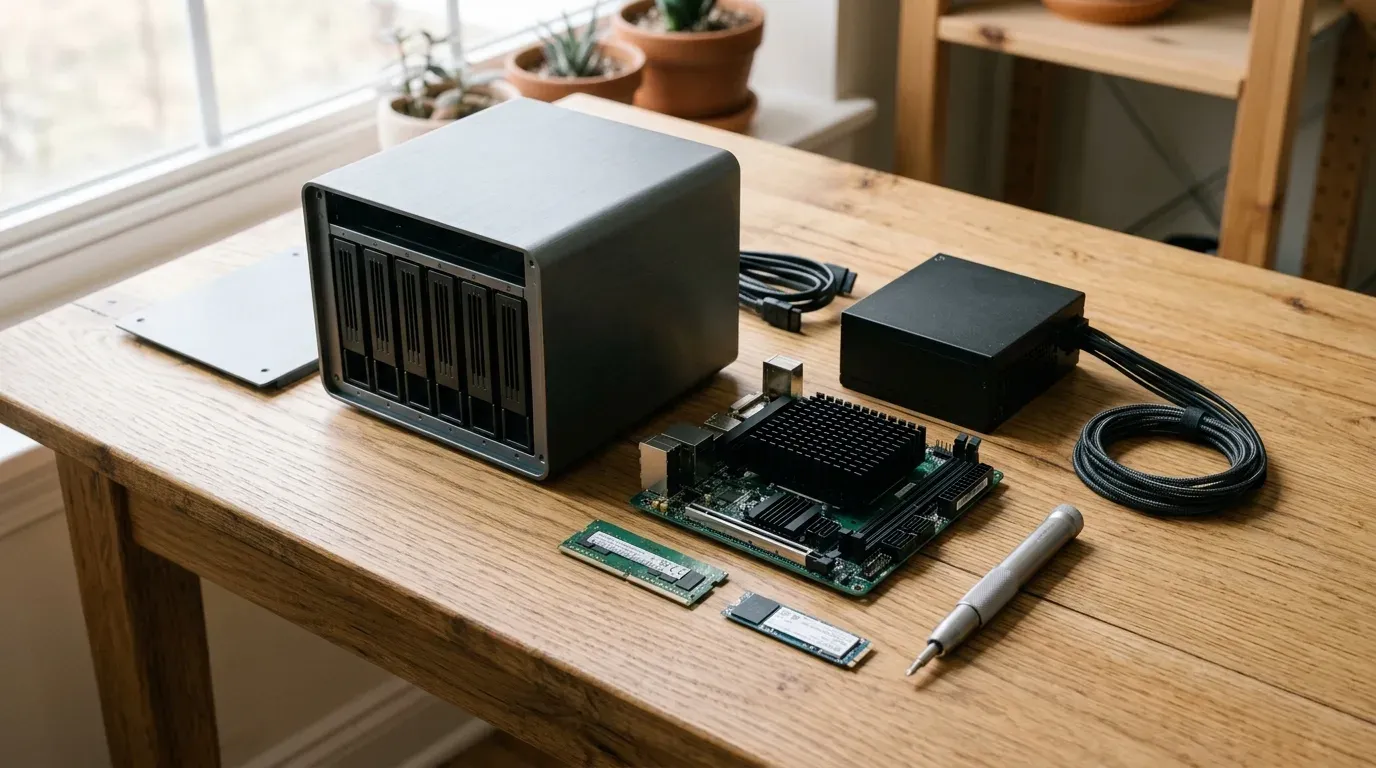
The ~$478 diskless parts list (checked Nov 18, 2026)
| Component | Recommended Pick | Price (Nov 18) | Why this specific part |
|---|---|---|---|
| Chassis | JONSBO N3 (8-Bay Mini-ITX) | $142.49 | Split-chamber aluminum cube with 8×3.5” hot-swap bays + 1×2.5” mount |
| Motherboard + CPU | Intel N100 6-SATA NAS Mini-ITX (ASM1166) | ~$185.00 | Passive N100 (6W TDP), 6×SATA 6Gb/s, dual 2.5GbE (i226-V), 2×M.2 NVMe |
| Memory | 16GB DDR5-4800 SODIMM (single stick) | ~$48.00 | N100 is single-channel (1 SODIMM slot); 16GB is the sweet spot for ZFS ARC |
| Power Supply | 300W–450W SFX 80+ Bronze/Gold PSU | ~$75.00 | Jonsbo N3 takes standard SFX (≤105mm length); handles 8-drive spin-up surge |
| Boot / App SSD | 256GB M.2 PCIe 3.0 NVMe SSD | ~$28.00 | TrueNAS/Unraid boot + Docker appdata volume so spinning disks can sleep |
| Total (diskless) | ~$478.49 | Complete 8-bay x86 system before hard drives |
Two buyer warnings on the N100 NAS motherboard
If you shop for the popular Chinese N100 six-SATA mini-ITX boards (sold under CWWK, Topton, KingNovy, and Maxsun storefronts on Amazon and AliExpress), keep two hardware details in mind:
- Stock rotates weekly across seller listings. The exact Amazon listing I bookmarked the week before writing this went out of stock by November 18, while two identical CWWK-manufactured boards popped up under different seller names in the $175–199 bracket. Don’t fixate on the badge silkscreened onto the box; check the PCB layout and port cluster instead.
- Pick an ASM1166 SATA controller over JMB585, and remember N100 is single-channel RAM. Almost all of these boards break out six SATA ports using an onboard PCIe-to-SATA bridge chip. Boards built around the ASMedia ASM1166 controller support PCIe ASPM properly, letting the CPU drop into deep package C-states (C6/C8) and saving 6–8W at idle. Boards with the older JMicron JMB585 block deep C-states unless you flash custom controller firmware. Also remember Intel’s Alder Lake-N architecture only supports one memory channel, so these boards have a single DDR5 SODIMM slot. Buy one 16GB (or 32GB Crucial 4800MHz) stick, not a 2×8GB kit.

JONSBO N3 Mini-ITX 8-Bay NAS Case
Dual-chamber brushed aluminum mini-ITX NAS enclosure with an 8-bay 3.5-inch hot-swap SATA backplane, SFX power supply mount, and two pre-installed 100mm cooling fans in the lower drive cage.
Price & availability at Amazon.com How I test
Key Features
- 8× 3.5-inch hot-swap SATA bays + 1× internal 2.5-inch mount
- Split thermal chambers: motherboard on top, drives + dual 100mm fans below
- Fits standard Mini-ITX motherboards (170×170mm) and SFX PSUs (≤105mm)
- 2.0mm anodized aluminum exterior shell (~233 × 262 × 298mm)
What we like
- Eight hot-swap 3.5-inch bays for $142.49 is unbeatable in the mini-ITX form factor
- Fixed many of the thermal complaints from the older 5-bay Jonsbo N2
- Looks like a clean living-room appliance rather than a beige desktop tower
Watch out for
- Working around the 8 SATA data cables in the lower chamber takes patience
- Stock 100mm rear fans are audible at 12V; a PWM curve or fan swap helps
Important Considerations
- •The 8-bay backplane requires TWO 4-pin Molex power connectors plus one SATA power plug—confirm your SFX PSU includes a Molex cable
- •Uses tool-less rubber pull-straps instead of bulky server caddies; pull evenly when removing drives
- •6-SATA N100 boards wire up 6 bays directly; add a $20 M.2-to-SATA ASM1166 card later when you fill bays 7 and 8
Disclosure: This post contains affiliate links. We may earn a commission if you purchase through these links at no additional cost to you.
Assembly tips that save an hour of knuckle-scraping
I’ve built in enough compact NAS cubes to know where the headaches hide. Follow this assembly order on the Jonsbo N3:
- Wire all six (or eight) right-angle SATA data cables to the backplane before sliding the SFX power supply into place. Once the SFX PSU sits in the top corner, reaching the top row of SATA ports on the backplane requires tweezers and a flashlight.
- Check your Molex leads. The N3 backplane takes two 4-pin Molex plugs for 12V/5V drive motor power and one SATA power plug for status LEDs and 3.3V rails. Connect both Molex plugs so spinning up six 7200RPM drives at boot doesn’t overload a single connector.
- Put the OS and Docker containers on NVMe. Most N100 NAS ITX boards carry two M.2 slots (usually PCIe 3.0 x1 or x2). At ~800–1,600MB/s, even a single-lane PCIe 3.0 slot is five times faster than a hard drive pool and keeps container SQLite databases off your spinning disks.
Picking the OS: TrueNAS SCALE vs Unraid vs OpenMediaVault
- TrueNAS SCALE (Free): My default choice for this hardware. ZFS gives you bit-rot protection, instant snapshots, and clean pool portability if you ever move the disks into a rackmount chassis later. TrueNAS SCALE’s current Electric Eel release switched its app backend from Kubernetes to native Docker Compose, which slashes idle CPU and RAM usage on a 4-core N100.
- Unraid (Paid, starts at $49 for 6 attached devices): The best option if you want to mix random drive sizes (say, two 12TB disks you bought this month plus an old 8TB and 4TB disk sitting in a drawer) and expand one disk at a time without rebuilding a vdev.
- OpenMediaVault 7 (Free): Lightweight Debian + mdadm/MergerFS/SnapRAID. Great if you want minimal RAM overhead and manage all your containers through a single Portainer or Dockge stack.
Real-world power draw, noise, and throughput
- Idle and load power draw: With an ASM1166-based N100 board, one 16GB DDR5 stick, one NVMe SSD, and
powertop --auto-tuneenabled, the base system idles at 12–15W when the hard drives spin down. With four 7200RPM NAS drives spinning idle, expect 32–36W, peaking around 50–55W during heavy parity scrubs. At the US average of $0.17/kWh, a 34W continuous draw costs about $50/year ($4.15/month) on your electric bill. - Network and ZFS speed: The Intel i226-V 2.5GbE NICs push a steady 280MB/s over SMB or NFS, which matches the outer-track sequential speed of a single 7200RPM drive and easily saturates a 4-drive RAIDZ1/RAIDZ2 pool over a single client link.
- Plex, Jellyfin, and Docker headroom: Don’t let the 6W TDP fool you. The N100 shares the same 12th-gen Intel UHD QuickSync media engine as desktop Alder Lake chips. It hardware-transcodes multiple 4K HEVC 10-bit HDR streams to 1080p simultaneously at under 20% CPU load while running twenty homelab Docker containers (Immich, Jellyfin, Sonarr/Radarr, Paperless-ngx, AdGuard Home, Vaultwarden) in the background.
Adding drives without blowing your budget in 2026
Since drives immediately push the total past $500, don’t try to fill all eight bays on day one. That’s the entire advantage of an 8-bay chassis over a 2-bay appliance:
- Start with a 2-drive mirror (or 3-drive RAIDZ1 / Unraid parity). Two Seagate IronWolf 12TB drives in a ZFS mirror give you 12TB of redundant, living-room-quiet storage right now, leaving six empty hot-swap bays for future expansion as ZFS RAIDZ expansion or additional mirrored vdevs.
- Use renewed enterprise drives if the box lives in a closet. If your Jonsbo N3 sits in a utility closet where seek noise doesn’t matter, renewed 24TB Seagate Exos X24 drives at $798.99 ($33.29/TB) or new 18TB Exos X18 disks (~$38.89/TB) deliver the lowest cost per terabyte on the market. Check our full NAS hard drive price-per-TB and Backblaze AFR guide before ordering.
Build vs Buy: DIY Jonsbo N3 (~$478) vs UGREEN DXP2800 ($379.98)
Before ordering five separate boxes of parts, look honestly at the prebuilt alternative. For $379.98, the UGREEN NASync DXP2800 gives you the exact same Intel N100 CPU, 8GB of DDR5, two M.2 NVMe slots, 2.5GbE, and a CNC aluminum chassis—for $100 less than our DIY build.
| Spec / Trade-Off | DIY Jonsbo N3 + N100 (~$478) | UGREEN NASync DXP2800 ($379.98) |
|---|---|---|
| 3.5-inch HDD bays | 8 hot-swap bays | 2 tool-less bays |
| M.2 NVMe slots | 2–4 (board dependent) | 2 |
| RAM included / max | 16GB DDR5 (upgradable to 32GB) | 8GB DDR5 (upgradable to 16GB) |
| Network | Dual 2.5GbE (Intel i226-V) | Single 2.5GbE |
| Operating system | TrueNAS SCALE, Unraid, OMV, Proxmox | UGOS Pro (or boot TrueNAS/Unraid via BIOS) |
| Build & setup time | 3–4 hours | 20 minutes |
| Warranty | Per-component (1–5 years) | 2-year single-vendor appliance warranty |
Here is the decision rule I give friends:
- Buy the UGREEN DXP2800 ($379.98) if you only need 12–24TB of usable storage (two drives in RAID 1), want a tiny quiet cube that boots out of the box in twenty minutes, and don’t consider cable-routing an SFX power supply a fun Saturday afternoon.
- Build the Jonsbo N3 (~$478) if you already know two bays will feel cramped within a year, want 16–32GB of RAM for ZFS caching and heavy Docker stacks, or simply enjoy building and owning every replaceable part in your server.
FAQ
Is an Intel N100 powerful enough for ZFS on TrueNAS SCALE?
Yes, for home and homelab workloads over 1GbE or 2.5GbE. The 4-core N100 supports AES-NI hardware encryption and easily saturates 2.5GbE (~280MB/s) during ZFS scrubs, SMB transfers, and snapshots. Keep ZFS deduplication turned off (nobody at home needs it), give the board a 16GB or 32GB DDR5 SODIMM so ZFS ARC has breathing room, and the N100 won’t break a sweat.
How do I connect all 8 bays in the Jonsbo N3 if my N100 board only has 6 SATA ports?
Most N100 NAS mini-ITX boards expose 6 SATA ports onboard, which gets you through your first six hard drives. When you eventually buy drives 7 and 8, plug a $20 M.2-to-5x-SATA adapter (look for one based on the ASMedia ASM1166 controller, not a JMicron port multiplier) into the secondary M.2 NVMe slot to light up the remaining two bays.
Why not buy a used Dell PowerEdge or HP ProLiant enterprise server for $300?
Power bill and ear drums. A used 12-bay Dell R730xd is great hardware if you have a detached garage and cheap power, but it idles around 110–140W before drives and sounds like a hairdryer under load. Moving from a 15W idle N100 cube to a 130W idle rack server adds roughly $170/year to your electric bill at $0.17/kWh, wiping out the upfront savings in eighteen months.
What about a Raspberry Pi 5 or ARM SBC NAS build?
Skip ARM SBCs for serious multi-drive storage. Once you buy a Raspberry Pi 5, a PCIe SATA HAT, a power brick stout enough to spin up four 3.5-inch drives simultaneously, and a 3D-printed or acrylic cage, you’ve spent nearly $250 for a setup with exposed wiring, no Intel QuickSync video transcoding, and ARM64 container limits. An x86 N100 setup is faster, cleaner, and far more reliable.
Bottom line
With 2026 hard drive prices sitting near $40/TB, the smartest way to build a budget NAS is to separate the chassis investment from the storage investment. Spend **$478** on the JONSBO N3 + N100 6-SATA platform today, drop in two CMR NAS drives to get your pool online, and slide additional drives into the remaining six hot-swap bays whenever deals hit. And if you’d rather skip the screwdriver entirely, grab the 2-bay UGREEN DXP2800 at $379.98 or compare the 4-bay 10GbE options in our best NAS for Docker and Proxmox guide.
Related Posts


Did this guide work for you?

Written by Dragos
Dragos is the author of Bitdoze — practical DevOps, programming, and self-hosting guides.
More guides from Dragos →Need help with Astro, VPS, or a self-hosted app? View services →