
Tech Gifts for Homelab Owners 2026: 14 Things They'll Actually Use
Practical gift ideas for self-hosters and homelab builders in 2026: 10-inch mini server racks, KVM-over-IP consoles, pure-sine UPS units, 2.5GbE switches, and NAS gear.
11 min read
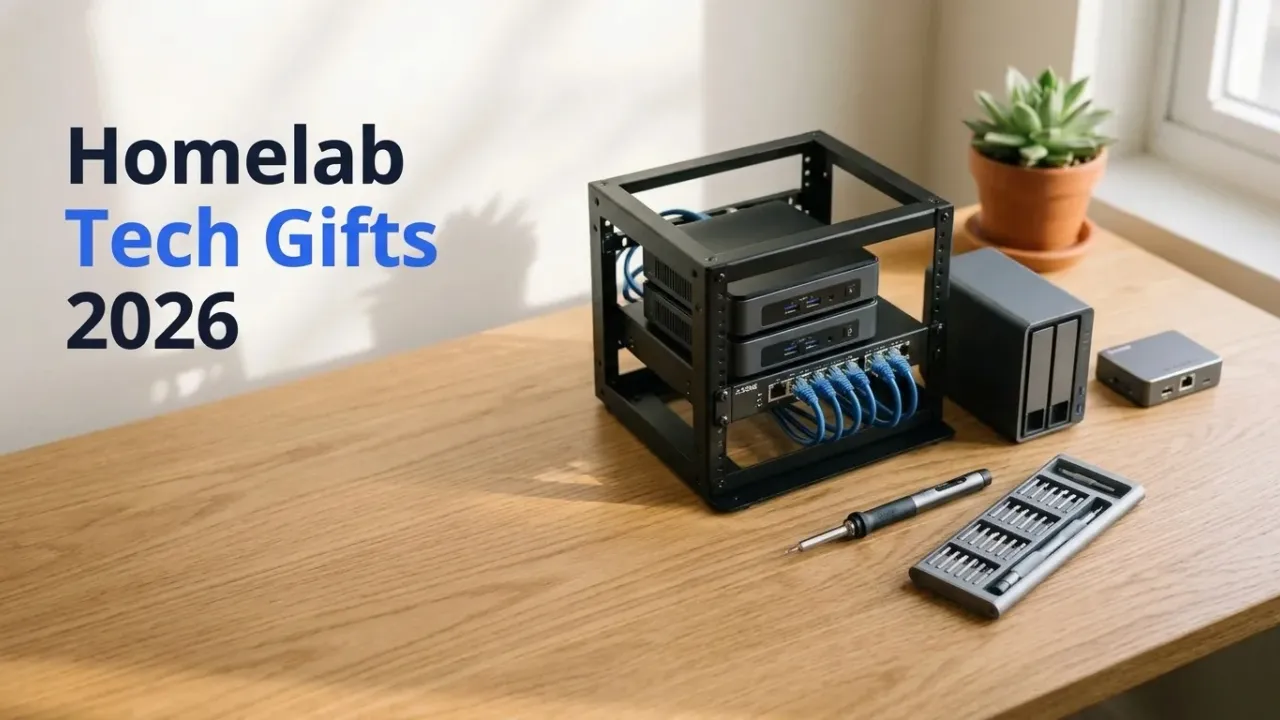
Buying a gift for someone who runs a home server is tricky because their actual wishlist reads like an invoice from a datacenter liquidator. They don’t want a “There’s No Place Like 127.0.0.1” t-shirt. They want 8U of desktop rack space to clean up the mini PCs sitting on their bookshelf, a KVM dongle so they stop dragging a monitor into the hall closet, or a pure-sine UPS before the next winter storm corrupts their ZFS pool.
Every item on this list solves a real infrastructure headache in a home lab. I sorted all 14 picks into three budget tiers—under $100 utilities, $100 to $250 rack and power upgrades, and $300+ group gifts—with live Amazon pricing checked on November 18, 2026. If the person you’re shopping for is more into software engineering or pocket electronics than self-hosting, check our companion gifts for programmers guide; this page stays focused on the server closet.
Affiliate disclosure
Some links below use /go/ affiliate redirects to Amazon. Buying through them earns a small commission at no extra cost to you and helps fund the hardware tested on this site.
Quick picks by budget
| Gift | Tier | Price (Nov 18) | What it fixes in their lab | Link |
|---|---|---|---|---|
| Thermal Cable Label Maker | Under $100 | ~$30 | Mystery Ethernet cables and unlabeled drive caddies | — |
| PINECIL V2 Smart Soldering Iron | Under $100 | $39.99 | Repinning fan headers and soldering ESP32 sensors | Check Price |
| GeeekPi 10-Inch 12-Port Patch Panel | Under $100 | ~$59 | Cable spaghetti at the front of a mini rack | Check Price |
| UGREEN 6-Port 2.5GbE + 10G SFP+ Switch | Under $100 | ~$65 | The 1GbE bottleneck between their NAS and desktop | Check Price |
| iFixit Pro Tech Toolkit (64-Bit) | Under $100 | ~$75 | Opening mini PCs, laptops, and server caddies cleanly | Check Price |
| GL.iNet Comet (GL-RM1) KVM-over-IP | Under $100 | $99.99 | Hauling a spare monitor to a headless server on boot failure | Check Price |
| GeeekPi DeskPi RackMate T1 (8U 10”) | $100–$250 | ~$130 | The pile of loose mini PCs, switches, and power bricks on a shelf | Check Price |
| JONSBO N3 8-Bay Mini-ITX NAS Case | $100–$250 | $142.49 | Building a compact 8-bay hot-swap TrueNAS or Unraid box | Check Price |
| TerraMaster D4-320 4-Bay USB-C DAS | $100–$250 | $189.99 | Adding 4 bulk 3.5-inch HDD bays to an existing mini PC | Check Price |
| Home Assistant Green | $100–$250 | $219.00 | Moving smart home automations off the main experimental server | Check Price |
| CyberPower CP1500PFCLCD Pure-Sine UPS | $100–$250 | $239.95 | Power flickers crashing ZFS pools and corrupting databases | Check Price |
| Beelink Mini S13 (Intel N150, 16GB) | $300+ Splurge | $349.00 | A silent, 10W dedicated Proxmox, Docker, or Frigate node | Check Price |
| UGREEN NASync DXP2800 (2-Bay N100) | $300+ Splurge | $379.98 | A turnkey x86 NAS with Docker, VMs, and 2.5GbE | Check Price |
| Seagate IronWolf 12TB CMR NAS Drive | $300+ Splurge | ~$450 | Expanding a nearly full storage pool without SMR rebuild traps | Check Price |
Stocking stuffers & under-$100 lab fixes
1. GL.iNet Comet (GL-RM1) KVM-over-IP ($99.99)
Every self-hoster has a headless box tucked behind a couch or up on a closet shelf that refuses to boot right after a kernel or BIOS update. Normally that means crawling around with a spare monitor and a wired USB keyboard to see where GRUB hung.
The GL.iNet Comet plugs permanently into the server’s HDMI port and a USB port, then exposes the raw BIOS screen and virtual keyboard/mouse inside any web browser. Because it ships with Tailscale support built into the firmware, they can even power-cycle or fix a stuck BIOS remotely from a laptop away from home. It requires zero cloud subscriptions and works on any x86 mini PC, custom NAS, or rack server.

GL.iNet Comet (GL-RM1) Remote KVM-over-IP Console
Hardware KVM-over-IP gateway with HDMI video capture, virtual USB keyboard/mouse/mass-storage emulation, and native Tailscale VPN support for out-of-band server management.
Price & availability at Amazon.com How I test
Key Features
- BIOS-level HDMI capture + virtual USB keyboard and mouse in a browser
- Mount ISO images remotely as a virtual USB thumb drive to reinstall an OS
- Native Tailscale client built in for zero-port-forward remote access
- Compact aluminum body, zero recurring license fees
What we like
- Ends the 'drag a monitor into the closet' ritual permanently
- Half the price of older DIY PiKVM hats once you factor in a Pi and case
Watch out for
- Target server needs an HDMI output (or a cheap DisplayPort-to-HDMI adapter)
- ATX power button header control requires the optional ATX adapter board
Disclosure: This post contains affiliate links. We may earn a commission if you purchase through these links at no additional cost to you.
2. UGREEN 6-Port 2.5GbE + 10G SFP+ Switch (~$65)
The most common bottleneck in a home lab isn’t the CPU or the hard drives; it’s the five-year-old 1GbE switch capping every file transfer at 112MB/s. Almost every modern mini PC and NAS ships with 2.5GbE ports now. Dropping a fanless UGREEN 6-port 2.5GbE switch (five 2.5G RJ45 ports plus one 10G SFP+ uplink) into the middle of the desk immediately jumps LAN transfers to ~280MB/s on existing Cat5e/Cat6 cables. If you want to compare managed VLAN options, see our 2.5GbE and 10GbE homelab switch guide.
3. iFixit Pro Tech Toolkit (~$75)
Cheap screwdriver sets strip the tiny Phillips and Torx screws on NVMe heatsinks and mini PC bottom plates. The iFixit Pro Tech Toolkit includes the 64-bit precision driver set, ESD wrist strap, anti-static tweezers, nylon spudgers, and case-opening picks wrapped in a magnetic canvas roll that doubles as a parts tray. Even if they already own a basic household screwdriver, this becomes the kit that lives permanently next to the server rack.
4. PINECIL V2 Smart USB-C Soldering Iron ($39.99)
Sooner or later, a homelab project calls for soldering a 4-pin PWM fan header, flashing a Sonoff Zigbee dongle over UART, or wiring a BME280 temperature sensor to an ESP32. The open-source PINECIL V2 runs off any 65W USB-C Power Delivery laptop charger, reaches 350°C in about six seconds, and packs into the size of a fountain pen. Just pair it with a braided silicone USB-C cable if they don’t already have one on the workbench.
5. GeeekPi 10-Inch 12-Port Keystone Patch Panel (~$59)
If they already own a 10-inch mini rack (or if you’re pairing this with the RackMate T1 below), a 10-inch 12-port keystone patch panel is the finishing touch that makes a home lab look like a miniature datacenter. Short 6-inch patch cords hop cleanly from the patch panel to the switch ports instead of having twelve stiff wall cables yanking directly on the front of the switch.
6. Thermal Cable & Drive Bay Label Maker (~$30)
Walk up to any unlabelled homelab rack and ask the owner which blue Ethernet cable goes to the Proxmox node and which one goes to the living-room Apple TV. A $30 Bluetooth or QWERTY thermal label printer with laminated wrap-around tape labels every Cat6 cable, wall wart voltage (“12V 3A — TerraMaster DAS”), and hot-swap drive bay with its last four serial digits (ZFS-sda-8F2A). It’s the cheapest gift on this page and gets used every single month.
The middle tier: racks, storage & power ($100–$250)
7. GeeekPi DeskPi RackMate T1 8U 10-Inch Mini Rack (~$130)
Most modern homelabs don’t use 30-inch-deep enterprise 19-inch racks anymore; they run on a cluster of three quiet mini PCs, a 2.5GbE switch, a JetKVM/Comet, and a Raspberry Pi sitting in a messy stack on an IKEA Kallax shelf.
The GeeekPi DeskPi RackMate T1 is an 8U, 10-inch-wide translucent-sided desktop server rack designed specifically for mini PCs, Raspberry Pi clusters, and compact switches. It has a whole ecosystem of 10-inch 1U shelves, brush pass-through plates, keystone patch panels, and mini PDUs, plus hundreds of free 3D-printable custom faceplates on Printables and MakerWorld for Beelink, Minisforum, and Lenovo Tiny nodes.
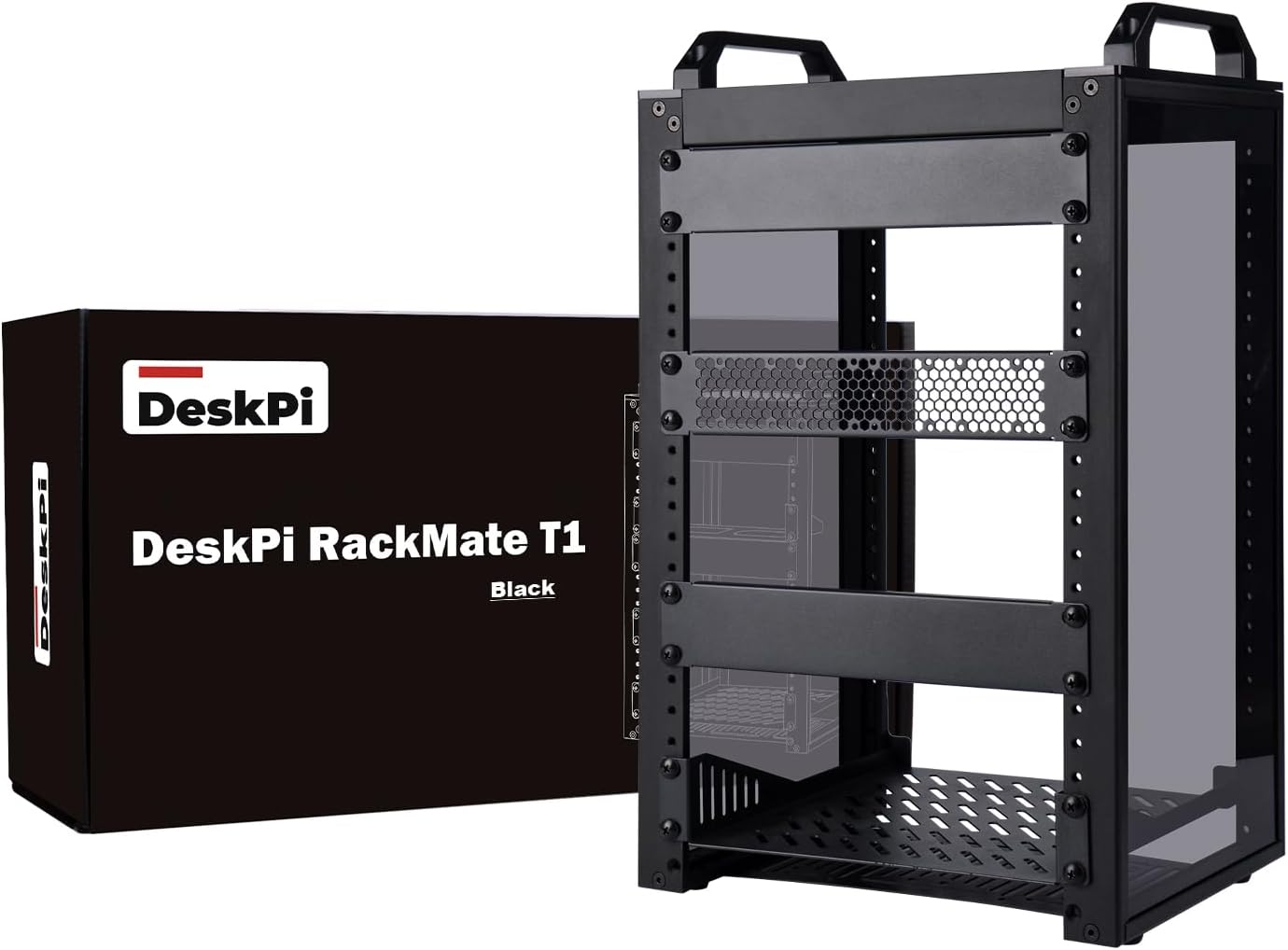
GeeekPi DeskPi RackMate T1 (8U 10-Inch Server Cabinet)
Desktop 8U 10-inch open-frame mini server rack with acrylic side panels, carrying handles, and standard rack mounting rails for mini PCs, SBC clusters, and compact network switches.
Price & availability at Amazon.com How I test
Key Features
- 8U height in the compact 10-inch width standard (~11 × 11 × 15 inches overall)
- Includes rack frame, acrylic side panels, and mounting hardware
- Huge ecosystem of 10-inch shelves, patch panels, SBC blades, and 3D-printed mounts
- Sits cleanly on a corner of a desk or standard 12-inch bookshelf
What we like
- Turns a messy pile of mini PCs and power bricks into a showpiece desktop rack
- Quiet, open airflow without the bulk of a 19-inch telecommunications cabinet
Watch out for
- Uses the 10-inch mini-rack standard (full-width 19-inch enterprise switches will not fit)
- Order an extra 10-inch 1U vented shelf or two if they have several mini PCs
Disclosure: This post contains affiliate links. We may earn a commission if you purchase through these links at no additional cost to you.
8. JONSBO N3 8-Bay Mini-ITX NAS Case ($142.49)
For the homelaber who prefers building their own storage server over buying a locked-down appliance, the JONSBO N3 is the standout mini-ITX NAS chassis of the last two years. The lower chamber holds eight 3.5-inch hot-swap SATA bays cooled by twin 100mm fans, while the top chamber houses a standard mini-ITX motherboard and SFX power supply. If they’ve been talking about building a TrueNAS SCALE or Unraid box, pair this case with our NAS build under $500 parts list and you’ve handed them their favorite weekend project of the year.
9. TerraMaster D4-320 4-Bay 10Gbps USB-C DAS ($189.99)
If their home server is already a capable Beelink, Minisforum, or Mac mini, they don’t necessarily need a separate NAS with its own CPU and RAM—they just need somewhere to put four 3.5-inch hard drives. The TerraMaster D4-320 attaches four hot-swap SATA bays over a single 10Gbps USB-C cable, passes individual disk SMART data and serial numbers cleanly to Linux/Proxmox/TrueNAS, and tops out around 1,000MB/s across four disks. We tested the full category in our best DAS enclosures for homelab guide.
10. Home Assistant Green ($219.00)
Every experienced self-hoster eventually learns a painful lesson: do not run the house’s lights and thermostat inside the same experimental Proxmox cluster you tear down on Tuesday nights. Moving Home Assistant onto Nabu Casa’s dedicated, fanless Home Assistant Green decouples household smart-home uptime from lab maintenance. It draws ~3W, boots Home Assistant OS out of the box, and pairs with a Zigbee/Thread dongle (and our favorite local Zigbee sensors). If they also plan to run local AI camera detection with Frigate, check the beefier options in our Home Assistant hardware guide.
11. CyberPower CP1500PFCLCD Pure Sine Wave UPS ($239.95)
Nobody gets excited about buying a battery backup for themselves—until a two-second summer brownout hard-resets their NAS mid-write. That is why a CyberPower CP1500PFCLCD (1500VA / 1000W pure sine wave) is secretly one of the highest-impact gifts you can give a homelab owner.
Modern mini PCs and NAS power supplies use Active PFC circuits that can buzz or shut off abruptly on cheap simulated-sine-wave battery backups. The CP1500PFCLCD outputs clean pure sine wave power, runs a typical 60W homelab (NAS + two mini PCs + switch + router) for 45+ minutes during an outage, and exposes a USB monitoring port that speaks natively to Network UPS Tools (NUT) so every server in the rack shuts down gracefully before the battery drains.

CyberPower CP1500PFCLCD 1500VA/1000W Pure Sine Wave UPS
Line-interactive 1500VA/1000W pure sine wave UPS with Automatic Voltage Regulation (AVR), 12 outlets, tilting color LCD panel, and USB communication for NUT/apcupsd graceful server shutdown.
Price & availability at Amazon.com How I test
Key Features
- 1500VA / 1000W pure sine wave output safe for Active PFC power supplies
- 12 total outlets (6 battery backup + surge, 6 surge-only) plus front USB charge ports
- Native USB HID support for Network UPS Tools (NUT), Synology DSM, UGOS, and TrueNAS
- 3-year warranty including the internal battery pack + $500,000 connected equipment guarantee
What we like
- Protects thousands of dollars of drives and ZFS pools from dirty power and blackouts
- Quiet operation (fan stays off during normal line power)
Watch out for
- Weighs 25 lbs—sits on the floor next to the desk or rack
- Lead-acid battery cartridge needs a ~$60 swap every 3–5 years
Disclosure: This post contains affiliate links. We may earn a commission if you purchase through these links at no additional cost to you.
The $300+ splurge tier (group gifts & starter labs)
12. Beelink Mini S13 (Intel N150, 16GB RAM, 500GB SSD — $349.00)
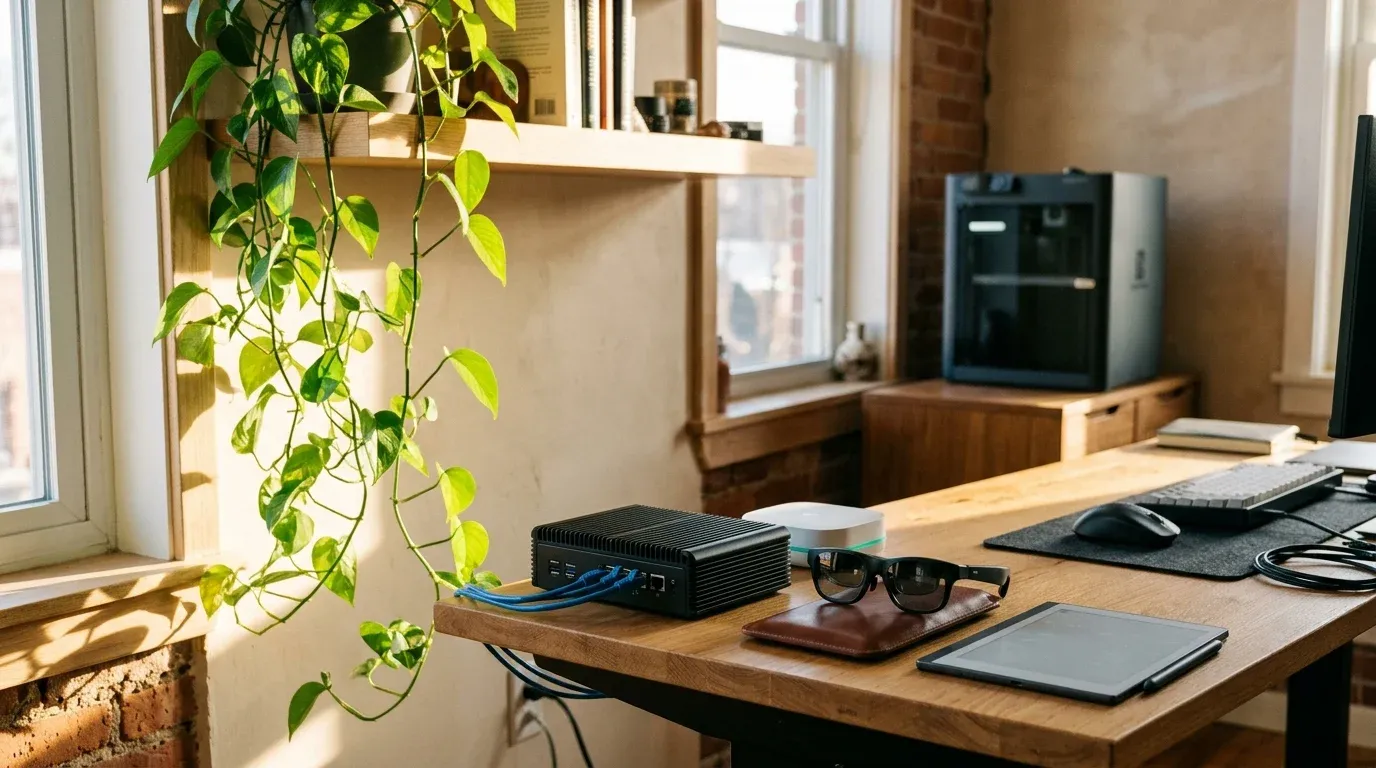
If they’ve been running all their Docker containers on a desktop PC or an aging Raspberry Pi 4, a Beelink Mini S13 is a massive leap forward. Built around Intel’s 6W Twin Lake N150 processor with 16GB of RAM, a 500GB NVMe SSD, and room for a second M.2 drive, it idles under 10W, stays whisper-quiet on a desk, and has Intel QuickSync hardware transcoding for Plex or Jellyfin. It works equally well as a first standalone Ubuntu/Docker server or as the third quorum node in an existing Proxmox cluster (compare the heavier Ryzen and dual-NIC nodes in our home server mini PC roundup).
13. UGREEN NASync DXP2800 2-Bay NAS ($379.98)
For someone ready to ditch cloud photo subscriptions and self-host their own backups, Immich photo library, and media server, the UGREEN NASync DXP2800 is the standout entry-level NAS of 2026. Inside an anodized aluminum two-bay chassis, it packs a 4-core x86 Intel N100 CPU, 8GB of DDR5 RAM, two M.2 NVMe slots (so Docker apps and databases run at SSD speeds while the hard drives hold bulk files), and a 2.5GbE port. If you want to step up to four bays and 10GbE networking, check the $619.99 DXP4800 Plus in our best NAS for Docker and Proxmox guide.

UGREEN NASync DXP2800 2-Bay Desktop NAS (Diskless)
2-bay x86 desktop NAS powered by an Intel N100 4-core CPU with 8GB DDR5 RAM, dual M.2 NVMe SSD slots, 2.5GbE LAN, 4K HDMI output, and native Docker/VM support in UGOS Pro.
Price & availability at Amazon.com How I test
Key Features
- Intel N100 (4C/4T) x86 processor with QuickSync 4K hardware transcoding
- 2× 3.5/2.5-inch SATA bays + 2× M.2 NVMe 2280 slots (up to 76TB total)
- 8GB DDR5 SODIMM (upgradable to 16GB) + 2.5GbE network port
- Runs UGOS Pro (Docker Compose & VM Manager included) or third-party TrueNAS/Unraid
What we like
- Real x86 CPU and DDR5 memory at a price where competitors still ship weak ARM chips
- Dual NVMe slots keep Docker containers snappy and quiet
Watch out for
- Two 3.5-inch bays limit you to RAID 1 mirroring for redundancy
- UGOS software ecosystem is newer than Synology DSM
Important Considerations
- •Sold diskless—pair with one or two 3.5-inch CMR NAS hard drives
- •Inventory moves fast around holiday sales (down to 2 units at our Nov 18 check)
Disclosure: This post contains affiliate links. We may earn a commission if you purchase through these links at no additional cost to you.
14. Seagate IronWolf 12TB CMR NAS Hard Drive (~$450)
Ask any homelab owner what they actually need most right now and nine out of ten will say “more terabytes.” With 3.5-inch drive pricing roughly double where it sat in 2024, unwrapping a fresh Seagate IronWolf 12TB CMR NAS drive feels like unwrapping gold bars.
One critical rule when buying a hard drive as a gift: only buy CMR (Conventional Magnetic Recording) NAS drives—Seagate IronWolf / IronWolf Pro, WD Red Plus / Red Pro, or Toshiba N300/MG series. Never buy a bare desktop drive or a non-Plus “WD Red,” which uses slower SMR tracks that stall out during RAID and ZFS rebuilds. Not sure what size or brand fits their array? Check our 2026 NAS hard drive comparison.
FAQ
What is the safest homelab gift if I have no idea what hardware they already run?
Go with the GL.iNet Comet KVM-over-IP ($99.99), the iFixit Pro Tech Toolkit ($75), the PINECIL V2 soldering iron ($39.99), or a thermal cable label maker ($30). All four work alongside any server brand—whether they run a tiny Raspberry Pi cluster, three Beelink mini PCs, a Synology NAS, or a full 42U enterprise rack in the basement.
Can I gift a diskless NAS like the UGREEN DXP2800 without buying the hard drives too?
Absolutely. In fact, many homelab owners prefer picking their own drive capacities and RAID layout (or moving existing drives over with a migration plan). A diskless DXP2800 can even boot and run Docker containers immediately using a single inexpensive M.2 NVMe SSD while they wait to add 3.5-inch spinning drives.
Should I buy smart home gadgets for someone with a homelab?
Only if the hardware runs 100% locally without a mandatory cloud account or monthly fee. Home Assistant Green ($219) and local Zigbee/Matter sensors are huge hits with the self-hosting crowd; cloud-tethered Wi-Fi cameras or smart plugs that force you to install a proprietary smartphone app will usually stay in the box.
Bottom line
Match the gift to the complaint you hear most often:
- “I hate dragging a monitor over to the server when it hangs” → GL.iNet Comet KVM-over-IP ($99.99).
- “My shelf of mini PCs and cables looks like a fire hazard” → GeeekPi DeskPi RackMate T1 (~$130) + 10-inch patch panel (~$59).
- “Our power flickered and my server rebooted again” → CyberPower CP1500PFCLCD Pure-Sine UPS ($239.95).
- “I want to get started with a real home NAS” → UGREEN NASync DXP2800 ($379.98) or the DIY JONSBO N3 8-bay case ($142.49).
Shopping during November deal weeks? Check our live Black Friday Home Server & Homelab Deals tracker to see which of these picks have dropped below their target buy price.
Related Posts

Did this guide work for you?

Written by Dragos
Dragos is the author of Bitdoze — practical DevOps, programming, and self-hosting guides.
More guides from Dragos →Need help with Astro, VPS, or a self-hosted app? View services →