Astro i18n: Add Localization to Your Site (Complete Guide)
Astro i18n guide: add localization with localized URLs, dynamic routing, translation files, a language switcher, hreflang tags, and a multilingual blog.

Updated Published 108 min read
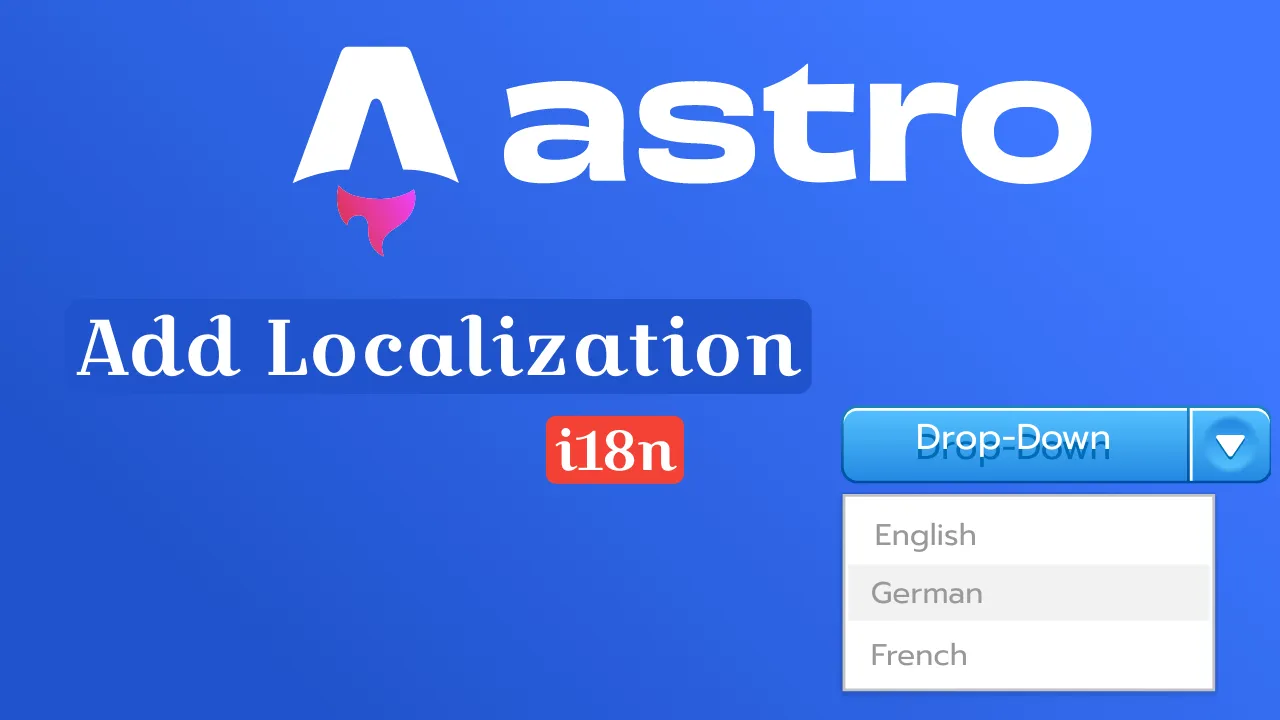
This guide shows how to add Astro i18n localization to your site — a complete system with SEO-friendly URLs (e.g., /about becomes /ro/despre), static generation at build time using dynamic routing, language-specific content files, a translation system with namespace support, language switching that preserves page context, a multilingual blog, and SEO meta tags with hreflang attributes.
The examples use English and Romanian, but the system works with any number of languages.
This approach is based on the Astro i18n Starter and provides localized slugs and full namespace control that go beyond what Astro’s native i18n routing offers out of the box.
Prerequisites
Before starting, ensure you have:
- Node.js 18+ installed
- Basic understanding of Astro and TypeScript
- Familiarity with file-based routing concepts
If you need to brush up on Astro fundamentals first, check the best Astro.js online courses and tutorials for a structured learning path.
Astro i18n vs. native i18n routing
Astro 5+ ships native internationalization routing (locales, defaultLocale, built-in astro:i18n helpers). That works well for simple prefix-based URLs (/en/about, /fr/about). This guide’s hand-rolled starter pattern is the route to take when you need localized slugs (/ro/despre instead of /ro/about), translation namespaces with JSON files, and a language switcher that maps between content in different languages. Pick native routing for quick prefix setups; pick this approach when the URL itself must change per language.
Quick Start
Try the demo first to see Astro i18n localization in action:
1. Clone the working example
# Option 1: Start from scratch (recommended for learning)
npm create astro@latest my-multilingual-site
cd my-multilingual-site

# Option 2: Clone the complete example
git clone https://github.com/Scorpio3310/astro-i18n-starter.git
cd astro-i18n-starter
npm install
npm run dev
2. Test the demo
Visit http://localhost:4321 and:
- Click the language dropdown (top right)
- Switch between English and Romanian
- Notice how URLs change:
/about↔/ro/despre - Try the blog section with cross-language linking
3. Understand the structure
The demo shows you:
- ✅ Dynamic routing with
[...index].astro - ✅ Translation files in
src/locales/ - ✅ Route mappings in
src/i18n/routes.ts - ✅ Language switching component
- ✅ SEO-friendly URLs
Now let’s build this system step by step.
Project setup
Create a new Astro project and install dependencies:
npm create astro@latest my-multilingual-site
cd my-multilingual-site
npm install @astrojs/mdx @astrojs/sitemap
Configure Astro
Update astro.config.mjs:
import { defineConfig } from "astro/config";
import mdx from "@astrojs/mdx";
import sitemap from "@astrojs/sitemap";

export default defineConfig({
    site: process.env.PRODUCTION_DOMAIN || "http://localhost:4321",
    integrations: [
        mdx(),
        sitemap({
            customPages: [
                process.env.PRODUCTION_DOMAIN || "http://localhost:4321",
                (process.env.PRODUCTION_DOMAIN || "http://localhost:4321") + "/ro/",
            ],
            changefreq: "monthly",
            priority: 0.7,
            lastmod: new Date(),
        }),
    ],
});
Multilingual sites multiply your page count — every page exists in each language. If build times become a concern on larger sites, see the Astro 7 build benchmarks for data on how Astro 7 handles multi-page scaling.
3. Create environment file
Create .env in your project root:
# .env
PRODUCTION_DOMAIN="https://your-domain.com"
Core i18n system setup
The core of your Astro i18n system lives in three files: language configuration, route translations, and utility functions. This is where the localized URL mapping happens.
Directory structure
mkdir -p src/i18n src/locales/en src/locales/roEach language gets a folder under src/locales/, and src/i18n/ contains the system logic.
Configure languages
Create src/i18n/ui.ts:
/**
 * Dynamically import all locale JSON files
 * Loads files from /src/locales/[lang]/[namespace].json
 */
const localeModules = import.meta.glob("/src/locales/**/*.json", {
    eager: true,
});

/**
 * Available languages with display names
 */
export const languages = {
    en: "English",
    ro: "Română",
};

/**
 * Default language for fallback translations
 */
export const defaultLang = "en";

/**
 * Whether to show default language in URLs (/en/about vs /about)
 */
export const showDefaultLang = false;

/**
 * UI translations object with nested structure: lang.namespace.key
 * Built from locale files automatically
 * Example: ui.en.common.nav_home -> "Home"
 */
export const ui = Object.entries(localeModules).reduce(
    (acc, [path, module]) => {
        const pathParts = path.split("/");
        const lang = pathParts[3]; // Extract language from path
        const namespace = pathParts[4].replace(".json", ""); // Extract filename as namespace
        const translations = (module as any).default || module;

        if (!acc[lang]) {
            acc[lang] = {};
        }

        // Create nested structure: lang.namespace.key
        acc[lang][namespace] = translations;
        return acc;
    },
    {} as Record<string, Record<string, Record<string, string>>>
);

/**
 * Type for translation keys
 * Supports both formats:
 * - "namespace:key" → t("common:menu.list.home")
 * - Direct keys → t("menu.list.home") (assumes "common" namespace)
 */
export type TranslationKey = string;
Note: Make sure all JSON files are valid. A syntax error will break the translation system.
Route translations
Create src/i18n/routes.ts:
/**
 * Route translations for different languages
 * Maps original route names to localized URLs
 * Example: "about" -> "despre" for Romanian
 * English routes use original names (not included here)
 */
export const routes: Record<string, Record<string, string>> = {
    ro: {
        about: "despre",
        blog: "blog",
        contact: "contact",
        services: "servicii",
        pages: "pagini",
        "page-1": "pagina-1",
        "page-2": "pagina-2",
    },
};
Note: Only add routes that differ from English. English routes use original names and don’t need to be listed.
This is what gives you SEO-friendly localized URLs — /about becomes /ro/despre instead of just /ro/about.
Utility functions
Create src/i18n/utils.ts:
import { ui, defaultLang, showDefaultLang, type TranslationKey } from "./ui";
import { routes } from "./routes";
import { getCollection } from "astro:content";

//---------------------------------- EXPORTS ----------------------------------//
/**
 * Extracts language code from URL path
 * Example: "/ro/despre" -> "ro", "/about" -> "en" (defaultLang)
 */
export function getLangFromUrl(url: URL) {
    const [, lang] = url.pathname.split("/");
    if (lang in ui) return lang as keyof typeof ui;
    return defaultLang;
}

/**
 * Returns translation function for specific language
 * Supports namespace:key format (e.g., "common:nav.home")
 * Falls back to defaultLang if translation not found
 */
export function useTranslations(lang: keyof typeof ui) {
    return function t(
        key: TranslationKey,
        params?: Record<string, string | number>
    ) {
        let namespace: string;
        let translationKey: string;

        // If no colon, assume "common" namespace
        if (!key.includes(":")) {
            namespace = "common";
            translationKey = key;
        } else {
            [namespace, translationKey] = key.split(":");
            if (!namespace || !translationKey) {
                return key;
            }
        }

        // Support nested object access with dot notation (e.g., "languages.en")
        const getNestedValue = (obj: any, path: string): any => {
            return path
                .split(".")
                .reduce((current, key) => current?.[key], obj);
        };

        const translation =
            getNestedValue(ui[lang]?.[namespace], translationKey) ||
            getNestedValue(ui[defaultLang]?.[namespace], translationKey) ||
            key;

        return params && typeof translation === "string"
            ? interpolateParams(translation, params)
            : translation;
    };
}

/**
 * Returns path translation function for specific language
 * Translates routes like "about" -> "despre" for Romanian
 */
export function useTranslatedPath(lang: keyof typeof ui) {
    return function translatePath(path: string, l: string = lang) {
        // Split path into segments
        const segments = path.split("/").filter((segment) => segment);

        // Translate each segment individually
        const translatedSegments = segments.map((segment) => {
            const hasTranslation =
                defaultLang !== l &&
                routes[l] !== undefined &&
                routes[l][segment] !== undefined;
            return hasTranslation ? routes[l][segment] : segment;
        });

        const translatedPath = "/" + translatedSegments.join("/");

        return !showDefaultLang && l === defaultLang
            ? translatedPath
            : `/${l}${translatedPath}`;
    };
}

/**
 * Switches current URL to target language while preserving content linking
 * Handles blog posts with different slugs per language
 */
export async function switchLanguageUrl(
    currentUrl: URL,
    targetLang: string
): Promise<string> {
    const pathname = currentUrl.pathname;
    const pathParts = pathname.split("/").filter((p) => p);

    // Remove current language prefix if exists
    const currentLang = getLangFromUrl(currentUrl);
    if (pathParts[0] === currentLang && currentLang !== defaultLang) {
        pathParts.shift();
    }

    // Handle root page
    if (pathParts.length === 0) {
        return targetLang === defaultLang ? "/" : `/${targetLang}/`;
    }

    const baseRoute = pathParts[0];
    const slug = pathParts[1];

    // Handle blog post with content linking
    if (slug && isBlogRoute(baseRoute)) {
        return await handleBlogPostTranslation(
            currentLang,
            targetLang,
            baseRoute,
            slug,
            currentUrl.pathname
        );
    }

    // Handle other routes by translating all route segments
    const translatedSegments = pathParts.map((segment) => {
        return translateRouteName(segment, targetLang);
    });

    const newPath = translatedSegments.join("/");
    return targetLang === defaultLang
        ? `/${newPath}`
        : `/${targetLang}/${newPath}`;
}

//---------------------------------- FUNCTIONS ----------------------------------//
/**
 * Replaces {{key}} placeholders in text with provided parameters
 */
function interpolateParams(
    text: string,
    params: Record<string, string | number>
): string {
    return Object.entries(params).reduce(
        (result, [key, value]) =>
            result.replace(new RegExp(`{{${key}}}`, "g"), String(value)),
        text
    );
}

/**
 * Builds content links automatically from blog posts with linkedContent frontmatter
 * Returns mapping of linkedContent -> { lang: "lang/slug" }
 */
export async function buildContentLinks(): Promise<
    Record<string, Record<string, string>>
> {
    const allPosts = await getCollection(
        "blog",
        (entry) => !entry.data.isDraft
    );
    const links: Record<string, Record<string, string>> = {};

    allPosts.forEach((post) => {
        const { linkedContent } = post.data;
        if (linkedContent) {
            const [lang] = post.id.split("/");

            if (!links[linkedContent]) {
                links[linkedContent] = {};
            }
            links[linkedContent][lang] = post.id;
        }
    });

    return links;
}

/**
 * Finds content group for given collection ID using dynamic content links
 */
async function findContentGroup(collectionId: string): Promise<string | null> {
    const dynamicLinks = await buildContentLinks();
    return (
        Object.entries(dynamicLinks).find(([, links]) =>
            Object.values(links).includes(collectionId)
        )?.[0] || null
    );
}

/**
 * Checks if route is a blog route in any language
 */
function isBlogRoute(route: string): boolean {
    return route === "blog";
}

/**
 * Converts language to collection ID format (defaultLang -> "en")
 */
function getLangCode(lang: string): string {
    return lang === defaultLang ? "en" : lang;
}

/**
 * Handles language switching for blog posts using content links mapping
 * Maps between different slugs per language (e.g., ai-trends <-> tendinte-ai)
 */
async function handleBlogPostTranslation(
    currentLang: string,
    targetLang: string,
    baseRoute: string,
    slug: string,
    fallbackPath: string
): Promise<string> {
    const currentPostId = `${getLangCode(currentLang)}/${slug}`;
    const contentGroup = await findContentGroup(currentPostId);

    if (contentGroup) {
        const dynamicLinks = await buildContentLinks();
        const targetPostId =
            dynamicLinks[contentGroup]?.[getLangCode(targetLang)];

        if (targetPostId) {
            const targetSlug = targetPostId.split("/")[1];
            const targetRouteName = translateRouteName(baseRoute, targetLang);
            const targetPath = `/${targetRouteName}/${targetSlug}`;

            return targetLang === defaultLang
                ? targetPath
                : `/${targetLang}${targetPath}`;
        }
    }

    return fallbackPath;
}

/**
 * Finds original route name from translated route
 * Example: "despre" -> "about"
 */
function getOriginalRouteName(routeName: string): string {
    for (const routeMap of Object.values(routes)) {
        const original = Object.entries(routeMap).find(
            ([, translated]) => translated === routeName
        )?.[0];
        if (original) return original;
    }
    return routeName;
}

/**
 * Translates route name to target language
 * Example: "about" + "ro" -> "despre"
 */
function translateRouteName(routeName: string, targetLang: string): string {
    const originalRoute = getOriginalRouteName(routeName);
    return targetLang === defaultLang
        ? originalRoute
        : routes[targetLang]?.[originalRoute] || originalRoute;
}
Translation files
Start with common translations (navigation, footer) and add page-specific ones as you build. These JSON files are the core of the Astro translation files system — each namespace groups related strings.
English common translations
Create src/locales/en/common.json:
{
    "menu": {
        "list": {
            "home": "Home",
            "about": "About",
            "blog": "Blog",
            "contact": "Contact",
            "services": "Services",
            "pages": "Pages",
            "page-1": "Page 1",
            "page-2": "Page 2"
        },
        "languagesText": {
            "selectLanguage": "Select Language"
        },
        "languages": {
            "en": "English",
            "ro": "Română"
        }
    },
    "footer": {
        "description": "Astro Multilingual Website",
        "name": "Your Company",
        "copy": "Copyright",
        "made": "Made with {{what}}",
        "allRightsReserved": "All rights reserved"
    },
    "pageNotFound": {
        "head": {
            "title": "🔍 404",
            "description": "Oops! This page went on vacation"
        },
        "title": "🔍 404 - Oops! This page went on vacation",
        "link": "Back to homepage"
    }
}
2. Romanian common translations
Create src/locales/ro/common.json:
{
    "menu": {
        "list": {
            "home": "Acasă",
            "about": "Despre",
            "blog": "Blog",
            "contact": "Contact",
            "services": "Servicii",
            "pages": "Pagini",
            "page-1": "Pagina 1",
            "page-2": "Pagina 2"
        },
        "languagesText": {
            "selectLanguage": "Selectează Limba"
        },
        "languages": {
            "en": "Engleză",
            "ro": "Română"
        }
    },
    "footer": {
        "description": "Site Web Astro Multilingv",
        "name": "Compania Ta",
        "copy": "Drepturi de autor",
        "made": "Realizat cu {{what}}",
        "allRightsReserved": "Toate drepturile rezervate"
    },
    "pageNotFound": {
        "head": {
            "title": "🔍 404",
            "description": "Ups! Această pagină a plecat în vacanță"
        },
        "title": "🔍 404 - Ups! Această pagină a plecat în vacanță",
        "link": "Înapoi la pagina principală"
    }
}
3. Page-specific translations
Create src/locales/en/main.json:
{
    "head": {
        "title": "Welcome to Our Multilingual Site",
        "description": "A modern multilingual website built with Astro and i18n support",
        "keywords": "astro, multilingual, i18n, internationalization, website"
    },
    "title": "Welcome to Our Multilingual Site",
    "description": "Building global connections through localized experiences",
    "intro": "This website demonstrates complete localization capabilities including URL translation, content management, and seamless language switching.",
    "features": [
        {
            "title": "🌐 Multilingual Support",
            "description": "Complete localization system with URL translation"
        },
        {
            "title": "🚀 Performance Optimized",
            "description": "Static generation for lightning-fast loading"
        },
        {
            "title": "📱 Responsive Design",
            "description": "Perfect experience across all devices"
        }
    ]
}
Create src/locales/ro/main.json:
{
    "head": {
        "title": "Bun venit pe site-ul nostru multilingv",
        "description": "Un site web modern multilingv construit cu Astro și suport i18n",
        "keywords": "astro, multilingv, i18n, internaționalizare, site web"
    },
    "title": "Bun venit pe site-ul nostru multilingv",
    "description": "Construim conexiuni globale prin experiențe localizate",
    "intro": "Acest site web demonstrează capabilitățile complete de localizare, inclusiv traducerea URL-urilor, managementul conținutului și comutarea fără probleme a limbilor.",
    "features": [
        {
            "title": "🌐 Suport Multilingv",
            "description": "Sistem complet de localizare cu traducerea URL-urilor"
        },
        {
            "title": "🚀 Optimizat pentru Performanță",
            "description": "Generare statică pentru încărcare ultra-rapidă"
        },
        {
            "title": "📱 Design Responsiv",
            "description": "Experiență perfectă pe toate dispozitivele"
        }
    ]
}
Dynamic routing
Astro’s file-based routing doesn’t support URL localization out of the box. Use dynamic parameters with getStaticPaths to create localized URLs — this is the Astro i18n routing mechanism at the heart of this system.
Home page setup
Create src/pages/[...index].astro:
---
import { useTranslations } from "../i18n/utils";
import Layout from "../layouts/Layout.astro";

export function getStaticPaths() {
    return [
        // English route: /
        {
            params: { index: "/" },
            props: { lang: "en" },
        },
        // Romanian route: /ro/
        {
            params: { index: "ro/" },
            props: { lang: "ro" },
        },
    ];
}

const { lang } = Astro.props;
const t = useTranslations(lang);
---
Important: The
paramsvalues must match the URL structure you want.index: "/"creates the root path, andindex: "ro/"creates/ro/.
---
<Layout
    title={t("main:head.title")}
    description={t("main:head.description")}
    lang={lang}
>
    <main>
        <section class="hero">
            <h1>{t("main:title")}</h1>
            <p class="subtitle">{t("main:description")}</p>
            <p class="intro">{t("main:intro")}</p>
        </section>

        <section class="features">
            {t("main:features").map((feature) => (
                <div class="feature-card">
                    <h3>{feature.title}</h3>
                    <p>{feature.description}</p>
                </div>
            ))}
        </section>
    </main>
</Layout>
---
About page with dynamic routing
Create src/pages/[about]/[...index].astro:
---
import Layout from "../../layouts/Layout.astro";

export function getStaticPaths() {
    return [
        // English route: /about
        {
            params: { about: "about", index: undefined },
            props: { lang: "en" },
        },
        // Romanian route: /ro/despre
        {
            params: { about: "ro", index: "despre" },
            props: { lang: "ro" },
        },
    ];
}

const { lang } = Astro.props;

// Dynamically import the correct content file based on language
const { Content, frontmatter } = await import(`./_about-${lang}.mdx`);
Note: The dynamic import pattern
_about-${lang}.mdxrequires files to follow this naming convention.
<Layout
    title={frontmatter?.title}
    description={frontmatter?.description}
    lang={lang}
>
    <main>
        <Content />
    </main>
</Layout>
3. Create about content files
Create src/pages/[about]/_about-en.mdx:
---
title: "About Us - Building Global Connections"
description: "Learn about our mission to create inclusive, multilingual digital experiences that connect people across cultures and languages."
keywords: "about us, company mission, multilingual, global, internationalization"
---

# About Us

We are dedicated to building inclusive digital experiences that transcend language barriers and connect people across cultures.

## Our Mission

Creating multilingual websites that provide authentic localized experiences for users around the world.

## What We Do

- **Multilingual Website Development**: Building sites that speak your users' language
- **Localization Consulting**: Helping businesses expand globally through proper i18n implementation
- **Cultural Adaptation**: Ensuring content resonates with local audiences

## Why Localization Matters

In today's interconnected world, speaking your audience's language isn't just about translation — it's about creating meaningful connections that drive engagement and business growth.

For more insights on building performant websites, check out our guide on [Astro SSG Build Optimization](https://www.bitdoze.com/astro-ssg-build-optimization/).
Create src/pages/[about]/_about-ro.mdx:
---
title: "Despre Noi - Construim Conexiuni Globale"
description: "Aflați despre misiunea noastră de a crea experiențe digitale incluzive și multilingve care conectează oamenii din diferite culturi și limbi."
keywords: "despre noi, misiunea companiei, multilingv, global, internaționalizare"
---

# Despre Noi

Suntem dedicați construirii unor experiențe digitale incluzive care transcend barierele lingvistice și conectează oamenii din diferite culturi.

## Misiunea Noastră

Crearea de site-uri web multilingve fără cusur care oferă experiențe localizate autentice pentru utilizatorii din întreaga lume.

## Ce Facem

- **Dezvoltarea Site-urilor Web Multilingve**: Construim site-uri care vorbesc limba utilizatorilor tăi
- **Consultanță în Localizare**: Ajutăm afacerile să se extindă la nivel global prin implementarea corectă a i18n
- **Adaptarea Culturală**: Ne asigurăm că conținutul rezonează cu audiențele locale

## De Ce Contează Localizarea

În lumea interconectată de astăzi, a vorbi limba audiențe tale nu înseamnă doar traducere — înseamnă să creezi conexiuni semnificative care stimulează angajamentul și creșterea afacerii.

Pentru mai multe informații despre construirea site-urilor web performante, consultați ghidul nostru despre [Optimizarea Build-ului Astro SSG](https://www.bitdoze.com/astro-ssg-build-optimization/).
Pages with localization
Base layout
Create src/layouts/Layout.astro:
---
import Header from "../components/Header.astro";
import Footer from "../components/Footer.astro";
import { getLangFromUrl } from "../i18n/utils";

interface Props {
    title: string;
    description: string;
    lang?: string;
    keywords?: string;
}

const { title, description, lang, keywords } = Astro.props;
const currentLang = lang || getLangFromUrl(Astro.url);
---

<!doctype html>
<html lang={currentLang}>
    <head>
        <meta charset="UTF-8" />
        <meta name="viewport" content="width=device-width, initial-scale=1.0" />
        <title>{title}</title>
        <meta name="description" content={description} />
        {keywords && <meta name="keywords" content={keywords} />}

        <!-- Hreflang tags for SEO -->
        <link rel="alternate" hreflang="en" href={`${Astro.site}`} />
        <link rel="alternate" hreflang="ro" href={`${Astro.site}ro/`} />
        <link rel="alternate" hreflang="x-default" href={`${Astro.site}`} />

        <link rel="icon" type="image/svg+xml" href="/favicon.svg" />
        <meta name="generator" content={Astro.generator} />
    </head>
    <body>
        <Header />
        <slot />
        <Footer />
    </body>
</html>

<style is:global>
    /* Your global styles here */
    body {
        font-family: system-ui, sans-serif;
        margin: 0;
        padding: 0;
        line-height: 1.6;
    }

    .hero {
        text-align: center;
        padding: 4rem 2rem;
    }

    .features {
        display: grid;
        grid-template-columns: repeat(auto-fit, minmax(300px, 1fr));
        gap: 2rem;
        padding: 2rem;
        max-width: 1200px;
        margin: 0 auto;
    }

    .feature-card {
        padding: 2rem;
        border: 1px solid #e5e7eb;
        border-radius: 8px;
        text-align: center;
    }
</style>
2. Create navigation data
Create src/data/navigationData.ts:
export interface NavigationItem {
    label: string;
    href: string;
    children?: NavigationItem[];
}

const navigationData: NavigationItem[] = [
    {
        label: "menu.list.home",
        href: "/",
        children: [],
    },
    {
        label: "menu.list.about",
        href: "/about",
        children: [],
    },
    {
        label: "menu.list.blog",
        href: "/blog",
        children: [],
    },
    {
        label: "menu.list.pages",
        href: "/pages",
        children: [
            {
                label: "menu.list.page-1",
                href: "/pages/page-1",
            },
            {
                label: "menu.list.page-2",
                href: "/pages/page-2",
            },
        ],
    },
    {
        label: "menu.list.contact",
        href: "/contact",
        children: [],
    },
];

export default navigationData;
Language switcher
The language switcher is the component visitors interact with most. It needs to generate the correct target URL for each language, including for blog posts that have different slugs per language.
Language picker component
Create src/components/LanguagePicker.astro:
---
import {
    switchLanguageUrl,
    getLangFromUrl,
    useTranslations,
} from "../i18n/utils";
import { languages } from "../i18n/ui";

// Get current language
const currentLang = getLangFromUrl(Astro.url);
const t = useTranslations(currentLang);

// Pre-generate URLs for all languages
const languageUrls = await Promise.all(
    Object.entries(languages).map(async ([lang, label]) => {
        const targetUrl = await switchLanguageUrl(Astro.url, lang);
        const translatedLabel = t(`menu.languages.${lang}`);
        return { lang, label: translatedLabel, targetUrl };
    })
);
---

<div class="language-picker">
    <label for="language" class="sr-only">
        {t("menu.languagesText.selectLanguage")}
    </label>
    <select
        name="language"
        id="language"
        aria-label={t("menu.languagesText.selectLanguage")}
        class="language-select"
        onchange="window.location.href = this.value"
    >
        {
            languageUrls.map(({ lang, label, targetUrl }) => (
                <option
                    value={targetUrl}
                    selected={lang === currentLang}
                    aria-selected={lang === currentLang}
                >
                    {label}
                </option>
            ))
        }
    </select>
</div>

<style>
    .language-picker {
        position: relative;
    }

    .language-select {
        padding: 0.5rem 1rem;
        border: 1px solid #d1d5db;
        border-radius: 0.375rem;
        background-color: white;
        cursor: pointer;
        font-size: 0.875rem;
    }

    .language-select:focus {
        outline: 2px solid #3b82f6;
        outline-offset: 2px;
    }

    .sr-only {
        position: absolute;
        width: 1px;
        height: 1px;
        padding: 0;
        margin: -1px;
        overflow: hidden;
        clip: rect(0, 0, 0, 0);
        white-space: nowrap;
        border: 0;
    }
</style>
2. Header component
Create src/components/Header.astro:
---
import {
    getLangFromUrl,
    useTranslations,
    useTranslatedPath,
} from "../i18n/utils";
import navigationData from "../data/navigationData";
import LanguagePicker from "./LanguagePicker.astro";

// Get translations and path translator
const lang = getLangFromUrl(Astro.url);
const t = useTranslations(lang);
const translatePath = useTranslatedPath(lang);
---

<header class="header">
    <div class="container">
        <nav class="nav" role="navigation" aria-label="Main navigation">
            <!-- Logo/Home Link -->
            <a
                href={translatePath("/")}
                class="logo"
                aria-label={t("menu.list.home")}
            >
                Your Logo
            </a>

            <!-- Main Navigation -->
            <ul class="nav-list" role="menubar">
                {
                    navigationData.map((item) => (
                        <li class="nav-item" role="none">
                            <a
                                href={translatePath(item.href)}
                                class="nav-link"
                                role="menuitem"
                                aria-label={t(item.label)}
                            >
                                {t(item.label)}
                            </a>

                            {/* Dropdown menu for items with children */}
                            {item.children?.length > 0 && (
                                <ul
                                    class="dropdown-menu"
                                    role="menu"
                                    aria-label={`${t(item.label)} submenu`}
                                >
                                    {item.children.map((child) => (
                                        <li role="none">
                                            <a
                                                href={translatePath(child.href)}
                                                class="dropdown-link"
                                                role="menuitem"
                                                aria-label={t(child.label)}
                                            >
                                                {t(child.label)}
                                            </a>
                                        </li>
                                    ))}
                                </ul>
                            )}
                        </li>
                    ))
                }
            </ul>

            <!-- Language Picker -->
            <div class="nav-actions">
                <LanguagePicker />
            </div>
        </nav>
    </div>
</header>

<style>
    .header {
        background: white;
        border-bottom: 1px solid #e5e7eb;
        position: sticky;
        top: 0;
        z-index: 50;
    }

    .container {
        max-width: 1200px;
        margin: 0 auto;
        padding: 0 1rem;
    }

    .nav {
        display: flex;
        align-items: center;
        justify-content: space-between;
        padding: 1rem 0;
    }

    .logo {
        font-size: 1.5rem;
        font-weight: bold;
        text-decoration: none;
        color: #111827;
    }

    .nav-list {
        display: flex;
        list-style: none;
        margin: 0;
        padding: 0;
        gap: 2rem;
    }

    .nav-item {
        position: relative;
    }

    .nav-link {
        text-decoration: none;
        color: #374151;
        font-weight: 500;
        padding: 0.5rem 0;
        transition: color 0.2s;
    }

    .nav-link:hover {
        color: #3b82f6;
    }

    .dropdown-menu {
        position: absolute;
        top: 100%;
        left: 0;
        background: white;
        border: 1px solid #e5e7eb;
        border-radius: 0.375rem;
        box-shadow: 0 4px 6px -1px rgba(0, 0, 0, 0.1);
        list-style: none;
        margin: 0;
        padding: 0.5rem 0;
        min-width: 150px;
        opacity: 0;
        visibility: hidden;
        transform: translateY(-0.5rem);
        transition: all 0.2s;
    }

    .nav-item:hover .dropdown-menu {
        opacity: 1;
        visibility: visible;
        transform: translateY(0);
    }

    .dropdown-link {
        display: block;
        padding: 0.5rem 1rem;
        text-decoration: none;
        color: #374151;
        transition: background-color 0.2s;
    }

    .dropdown-link:hover {
        background-color: #f3f4f6;
    }

    .nav-actions {
        display: flex;
        align-items: center;
        gap: 1rem;
    }
</style>
3. Footer component
Create src/components/Footer.astro:
---
import { getLangFromUrl, useTranslations } from "../i18n/utils";

const lang = getLangFromUrl(Astro.url);
const t = useTranslations(lang);
const currentYear = new Date().getFullYear();
---

<footer class="footer">
    <div class="container">
        <div class="footer-content">
            <div class="footer-section">
                <h3>{t("footer.name")}</h3>
                <p>{t("footer.description")}</p>
            </div>

            <div class="footer-section">
                <p>{t("footer.made", { what: "Astro" })}</p>
                <p>
                    {t("footer.copy")} © {currentYear} {t("footer.name")}.
                    {t("footer.allRightsReserved")}
                </p>
            </div>
        </div>
    </div>
</footer>

<style>
    .footer {
        background: #111827;
        color: white;
        margin-top: auto;
    }

    .container {
        max-width: 1200px;
        margin: 0 auto;
        padding: 0 1rem;
    }

    .footer-content {
        display: grid;
        grid-template-columns: repeat(auto-fit, minmax(250px, 1fr));
        gap: 2rem;
        padding: 3rem 0 2rem;
    }

    .footer-section h3 {
        margin-bottom: 1rem;
        color: #f9fafb;
    }

    .footer-section p {
        color: #d1d5db;
        line-height: 1.6;
    }
</style>
Blog system with localization
Building a multilingual blog means each post exists in a language folder, and a linkedContent field in the frontmatter connects translations of the same article. This lets the language switcher jump between the correct posts.
If you haven’t built a blog with Astro yet, start with the free Astro blog tutorial first, then add localization on top.
1. Configure content collections
Create src/content/config.ts:
Note: This file must be named
config.tsand placed in thesrc/content/directory for Astro to recognize it.
import { defineCollection, z } from "astro:content";

const blogCollection = defineCollection({
    type: 'content',
    schema: ({ image }) =>
        z.object({
            title: z.string(),
            description: z.string(),
            author: z.string(),
            pubDate: z.date(),
            isDraft: z.boolean().default(false),
            linkedContent: z.string().optional(),
            image: image().optional(),
            imageAlt: z.string().optional(),
            keywords: z.string().optional(),
        }),
});

export const collections = {
    blog: blogCollection,
};
2. Create blog listing page
Create src/pages/[...blog].astro:
---
import { getCollection } from "astro:content";
import { useTranslations, useTranslatedPath } from "../i18n/utils";
import Layout from "../layouts/Layout.astro";

export function getStaticPaths() {
    return [
        // English route: /blog
        {
            params: { blog: "/blog" },
            props: { lang: "en" },
        },
        // Romanian route: /ro/blog
        {
            params: { blog: "/ro/blog" },
            props: { lang: "ro" },
        },
    ];
}

const { lang } = Astro.props;
const t = useTranslations(lang);
const translatePath = useTranslatedPath(lang);

// Get blog posts filtered by language
const posts = await getCollection("blog", (entry) => {
    const [entryLang] = entry.id.split("/");
    const matches = entryLang === lang;
    return matches && !entry.data.isDraft;
});

// Sort posts by publication date (newest first)
const sortedPosts = posts.sort(
    (a, b) =>
        new Date(b.data.pubDate).getTime() - new Date(a.data.pubDate).getTime()
);
Note: Blog posts sort at build time, so there’s no client-side performance impact.
<Layout
    title={t("blog:head.title")}
    description={t("blog:head.description")}
    lang={lang}
>
    <main>
        <section class="blog-header">
            <h1>{t("blog:title")}</h1>
            <p class="subtitle">{t("blog:description")}</p>
        </section>

        <section class="posts-grid">
            {
                sortedPosts.length > 0 ? (
                    sortedPosts.map((post) => (
                        <article class="post-card">
                            <a href={`${translatePath("/blog")}/${post.slug}`}>
                                {post.data.image && (
                                    <img
                                        src={post.data.image.src}
                                        alt={post.data.imageAlt || post.data.title}
                                        class="post-image"
                                        loading="lazy"
                                    />
                                )}

                                <div class="post-content">
                                    <time class="post-date">
                                        {post.data.pubDate.toLocaleDateString(lang)}
                                    </time>
                                    <h2 class="post-title">{post.data.title}</h2>
                                    <p class="post-description">{post.data.description}</p>
                                    <div class="read-more">
                                        {t("blog:readMore")} →
                                    </div>
                                </div>
                            </a>
                        </article>
                    ))
                ) : (
                    <p class="no-posts">{t("blog:noPosts")}</p>
                )
            }
        </section>
    </main>
</Layout>

<style>
    .blog-header {
        text-align: center;
        padding: 4rem 2rem 2rem;
    }

    .subtitle {
        font-size: 1.25rem;
        color: #6b7280;
        margin-top: 1rem;
    }

    .posts-grid {
        display: grid;
        grid-template-columns: repeat(auto-fill, minmax(350px, 1fr));
        gap: 2rem;
        padding: 2rem;
        max-width: 1200px;
        margin: 0 auto;
    }

    .post-card {
        border: 1px solid #e5e7eb;
        border-radius: 8px;
        overflow: hidden;
        transition: transform 0.2s, box-shadow 0.2s;
    }

    .post-card:hover {
        transform: translateY(-4px);
        box-shadow: 0 10px 25px rgba(0, 0, 0, 0.1);
    }

    .post-card a {
        text-decoration: none;
        color: inherit;
        display: block;
    }

    .post-image {
        width: 100%;
        height: 200px;
        object-fit: cover;
    }

    .post-content {
        padding: 1.5rem;
    }

    .post-date {
        color: #6b7280;
        font-size: 0.875rem;
    }

    .post-title {
        margin: 0.5rem 0;
        font-size: 1.25rem;
        font-weight: 600;
        line-height: 1.4;
    }

    .post-description {
        color: #6b7280;
        margin-bottom: 1rem;
        line-height: 1.6;
    }

    .read-more {
        color: #3b82f6;
        font-weight: 500;
    }

    .no-posts {
        grid-column: 1 / -1;
        text-align: center;
        color: #6b7280;
        font-style: italic;
    }
</style>
3. Create blog translation files
Create src/locales/en/blog.json:
{
    "head": {
        "title": "Blog - Latest Articles",
        "description": "Read our latest articles about web development, technology trends, and digital innovation."
    },
    "title": "Our Blog",
    "description": "Insights, tutorials, and thoughts on modern web development",
    "readMore": "Read More",
    "noPosts": "No posts available yet. Check back soon!",
    "publishedOn": "Published on",
    "author": "Author",
    "relatedPosts": "Related Posts"
}
Create src/locales/ro/blog.json:
{
    "head": {
        "title": "Blog - Ultimele Articole",
        "description": "Citește cele mai recente articole despre dezvoltarea web, tendințele tehnologice și inovația digitală."
    },
    "title": "Blogul Nostru",
    "description": "Perspective, tutoriale și gânduri despre dezvoltarea web modernă",
    "readMore": "Citește Mai Mult",
    "noPosts": "Nu sunt încă postări disponibile. Revino în curând!",
    "publishedOn": "Publicat pe",
    "author": "Autor",
    "relatedPosts": "Postări Corelate"
}
4. Create blog post detail page
Create src/pages/[blog]/[...slug].astro:
---
import { getCollection } from "astro:content";
import { useTranslations } from "../i18n/utils";
import Layout from "../layouts/Layout.astro";

export async function getStaticPaths() {
    const posts = await getCollection("blog", (entry) => !entry.data.isDraft);

    return posts.map((post) => {
        const [lang] = post.id.split("/");
        const isEnglish = lang === "en";

        return {
            params: {
                blog: isEnglish ? "blog" : `${lang}/blog`,
                slug: post.slug
            },
            props: { post, lang }
        };
    });
}

const { post, lang } = Astro.props;
const { Content } = await post.render();
const t = useTranslations(lang);
---

<Layout
    title={post.data.title}
    description={post.data.description}
    keywords={post.data.keywords}
    lang={lang}
>
    <article class="blog-post">
        <header class="post-header">
            {post.data.image && (
                <img
                    src={post.data.image.src}
                    alt={post.data.imageAlt || post.data.title}
                    class="featured-image"
                />
            )}

            <div class="post-meta">
                <time class="post-date">
                    {t("blog:publishedOn")} {post.data.pubDate.toLocaleDateString(lang)}
                </time>
                <div class="post-author">
                    {t("blog:author")}: {post.data.author}
                </div>
            </div>

            <h1 class="post-title">{post.data.title}</h1>
        </header>

        <div class="post-content">
            <Content />
        </div>
    </article>
</Layout>

<style>
    .blog-post {
        max-width: 800px;
        margin: 0 auto;
        padding: 2rem;
    }

    .post-header {
        margin-bottom: 3rem;
    }

    .featured-image {
        width: 100%;
        height: 400px;
        object-fit: cover;
        border-radius: 8px;
        margin-bottom: 2rem;
    }

    .post-meta {
        display: flex;
        gap: 1rem;
        margin-bottom: 1rem;
        font-size: 0.875rem;
        color: #6b7280;
    }

    .post-title {
        font-size: 2.5rem;
        font-weight: 700;
        line-height: 1.2;
        margin: 0;
    }

    .post-content {
        line-height: 1.8;
        font-size: 1.125rem;
    }

    .post-content :global(h2) {
        margin-top: 3rem;
        margin-bottom: 1rem;
        font-size: 1.875rem;
        font-weight: 600;
    }

    .post-content :global(h3) {
        margin-top: 2rem;
        margin-bottom: 0.75rem;
        font-size: 1.5rem;
        font-weight: 600;
    }

    .post-content :global(p) {
        margin-bottom: 1.5rem;
    }

    .post-content :global(ul),
    .post-content :global(ol) {
        margin-bottom: 1.5rem;
        padding-left: 2rem;
    }

    .post-content :global(li) {
        margin-bottom: 0.5rem;
    }

    .post-content :global(blockquote) {
        border-left: 4px solid #3b82f6;
        padding-left: 1.5rem;
        margin: 2rem 0;
        font-style: italic;
        color: #6b7280;
    }

    .post-content :global(code) {
        background: #f3f4f6;
        padding: 0.2rem 0.4rem;
        border-radius: 4px;
        font-size: 0.875rem;
    }

    .post-content :global(pre) {
        background: #1f2937;
        color: #f9fafb;
        padding: 1.5rem;
        border-radius: 8px;
        overflow-x: auto;
        margin: 2rem 0;
    }

    .post-content :global(pre code) {
        background: none;
        padding: 0;
    }
</style>
Sample blog posts
Create the directory structure:
mkdir -p src/content/blog/en src/content/blog/roCreate src/content/blog/en/astro-performance-tips.md:
---
title: "5 Essential Astro Performance Tips"
description: "Learn how to optimize your Astro website for lightning-fast performance with these proven techniques."
author: "Web Developer"
pubDate: 2025-01-15
linkedContent: "astro-performance-tips"
keywords: "astro, performance, optimization, web development, static site generator"
---

# 5 Essential Astro Performance Tips

The `linkedContent` field with the same value in both languages enables cross-language navigation.

Astro is fast by default, but these techniques can make sites even faster:

## 1. Optimize Images with Astro Assets

Always use Astro's built-in image optimization:

```astro
---
import { Image } from 'astro:assets';
import heroImage from '../assets/hero.jpg';
---

<Image
    src={heroImage}
    alt="Hero image"
    width={800}
    height={400}
    loading="lazy"
/>
2. Use Component Islands Strategically
Only hydrate components that need interactivity:
<!-- This loads JavaScript -->
<InteractiveComponent client:load />

<!-- This doesn't load JavaScript -->
<StaticComponent />
3. Implement Proper Caching
Set up appropriate cache headers for your static assets and API responses.
4. Minimize Bundle Size
- Use tree shaking
- Import only what you need
- Consider using lighter alternatives to heavy libraries
5. Leverage Content Collections
Use Astro’s Content Collections for better performance with large amounts of content.
For more optimization techniques, see the Astro SSG Build Optimization guide.
Learn more about building fast websites with building a free Astro blog or Astro and Convex for realtime apps.
Create src/content/blog/ro/sfaturi-performanta-astro.md:
---
title: "5 Sfaturi Esențiale pentru Performanța Astro"
description: "Învață cum să optimizezi site-ul tău Astro pentru performanțe ultra-rapide cu aceste tehnici dovedite."
author: "Dezvoltator Web"
pubDate: 2025-01-15
linkedContent: "astro-performance-tips"
keywords: "astro, performanță, optimizare, dezvoltare web, generator site static"
---

# 5 Sfaturi Esențiale pentru Performanța Astro

Astro este deja rapid în mod implicit, dar există mai multe tehnici pe care le poți folosi pentru a-ți face site-urile și mai rapide. Iată primele noastre 5 sfaturi pentru optimizarea performanței.

## 1. Optimizează Imaginile cu Astro Assets

Folosește mereu optimizarea de imagini integrată în Astro:

```astro
---
import { Image } from 'astro:assets';
import heroImage from '../assets/hero.jpg';
---

<Image
    src={heroImage}
    alt="Imagine hero"
    width={800}
    height={400}
    loading="lazy"
/>
2. Folosește Insulele de Componente Strategic
Hidratează doar componentele care au nevoie de interactivitate:
<!-- Aceasta încarcă JavaScript -->
<InteractiveComponent client:load />

<!-- Aceasta nu încarcă JavaScript -->
<StaticComponent />
3. Implementează Cache-uire Adecvată
Configurează header-uri de cache corespunzătoare pentru asset-urile statice și răspunsurile API.
4. Minimizează Dimensiunea Bundle-ului
- Folosește tree shaking
- Importă doar ce ai nevoie
- Consideră utilizarea unor alternative mai ușoare la bibliotecile grele
5. Valorifică Content Collections
Folosește Content Collections din Astro pentru performanță mai bună cu cantități mari de conținut.
Pentru tehnici de optimizare mai avansate, vezi ghidul Optimizarea Build-ului Astro SSG.
Află mai multe despre construirea site-urilor rapide cu construirea unui blog Astro gratuit sau Astro și Convex pentru aplicații realtime.
Navigation and components
Advanced navigation with subpages
Create src/pages/[pages]/[...index].astro:
---
import Layout from "../../layouts/Layout.astro";

export function getStaticPaths() {
    return [
        // English route: /pages
        { params: { pages: "pages", index: undefined }, props: { lang: "en" } },
        // Romanian route: /ro/pagini
        { params: { pages: "ro", index: "pagini" }, props: { lang: "ro" } },
    ];
}

const { lang } = Astro.props;
const { Content, frontmatter } = await import(`./_pages-${lang}.mdx`);
---

<Layout
    title={frontmatter?.title}
    description={frontmatter?.description}
    lang={lang}
>
    <main>
        <Content />
    </main>
</Layout>
Create a subpage with nested routing at src/pages/[pages]/[page1]/[...index].astro:
---
import Layout from "../../layouts/Layout.astro";

export function getStaticPaths() {
    return [
        // English: /pages/page-1
        {
            params: { pages: "pages", page1: "page-1", index: undefined },
            props: { lang: "en" }
        },
        // Romanian: /ro/pagini/pagina-1
        {
            params: { pages: "ro", page1: "pagini", index: "pagina-1" },
            props: { lang: "ro" }
        },
    ];
}

const { lang } = Astro.props;
const { Content, frontmatter } = await import(`./_page1-${lang}.mdx`);
---

<Layout
    title={frontmatter?.title}
    description={frontmatter?.description}
    lang={lang}
>
    <main>
        <Content />
    </main>
</Layout>
Create page content files:
Create src/pages/[pages]/_pages-en.mdx:
---
title: "Pages - Examples & Templates"
description: "Explore our collection of page examples and templates for building multilingual websites."
keywords: "pages, templates, examples, multilingual, astro"
---

# Pages

This section contains various page examples demonstrating different layouts and features.

## Available Pages

- [Page 1](/pages/page-1/) - Basic content example
- [Page 2](/pages/page-2/) - Advanced layout example

Each page demonstrates different aspects of our multilingual system.
Create src/pages/[pages]/_pages-ro.mdx:
---
title: "Pagini - Exemple și Șabloane"
description: "Explorează colecția noastră de exemple de pagini și șabloane pentru construirea site-urilor multilingve."
keywords: "pagini, șabloane, exemple, multilingv, astro"
---

# Pagini

Această secțiune conține diverse exemple de pagini care demonstrează diferite layout-uri și funcționalități.

## Pagini Disponibile

- [Pagina 1](/ro/pagini/pagina-1/) - Exemplu de conținut de bază
- [Pagina 2](/ro/pagini/pagina-2/) - Exemplu de layout avansat

Fiecare pagină demonstrează diferite aspecte ale sistemului nostru multilingv.
Create src/pages/[pages]/[page1]/_page1-en.mdx:
---
title: "Page 1 - Basic Example"
description: "A basic page example showing content structure and layout."
---

# Page 1 - Basic Example

This is a simple page demonstrating basic content structure and multilingual capabilities.

## Features

- Clean layout
- Responsive design
- Multilingual support
Create src/pages/[pages]/[page1]/_page1-ro.mdx:
---
title: "Pagina 1 - Exemplu de Bază"
description: "Un exemplu de pagină de bază care arată structura conținutului și layout-ul."
---

# Pagina 1 - Exemplu de Bază

Aceasta este o pagină simplă care demonstrează structura de bază a conținutului și capacitățile multilingve.

## Caracteristici

- Layout curat
- Design responsiv
- Suport multilingv
SEO optimization
Proper multilingual SEO means hreflang tags, canonical URLs, and a localized sitemap. Without these, search engines treat your translated pages as duplicate content.
Enhanced layout with hreflang
Update src/layouts/Layout.astro to add SEO features:
---
import Header from "../components/Header.astro";
import Footer from "../components/Footer.astro";
import { getLangFromUrl, useTranslatedPath } from "../i18n/utils";

interface Props {
    title: string;
    description: string;
    lang?: string;
    keywords?: string;
    ogImage?: string;
    canonicalUrl?: string;
}

const { title, description, lang, keywords, ogImage, canonicalUrl } = Astro.props;
const currentLang = lang || getLangFromUrl(Astro.url);
const translatePath = useTranslatedPath(currentLang);

// Generate alternate URLs for hreflang
const currentPath = Astro.url.pathname;
const baseUrl = Astro.site?.toString() || '';

// Remove language prefix to get base path
let basePath = currentPath;
if (currentPath.startsWith('/ro/')) {
    basePath = currentPath.replace('/ro', '') || '/';
}

const alternateUrls = {
    en: baseUrl + (basePath === '/' ? '' : basePath),
    ro: baseUrl + translatePath(basePath, 'ro'),
};
---

<!doctype html>
<html lang={currentLang}>
    <head>
        <meta charset="UTF-8" />
        <meta name="viewport" content="width=device-width, initial-scale=1.0" />

        <!-- Basic Meta Tags -->
        <title>{title}</title>
        <meta name="description" content={description} />
        {keywords && <meta name="keywords" content={keywords} />}

        <!-- Canonical URL -->
        <link rel="canonical" href={canonicalUrl || Astro.url} />

        <!-- Hreflang Tags -->
        <link rel="alternate" hreflang="en" href={alternateUrls.en} />
        <link rel="alternate" hreflang="ro" href={alternateUrls.ro} />
        <link rel="alternate" hreflang="x-default" href={alternateUrls.en} />

        <!-- Open Graph Tags -->
        <meta property="og:title" content={title} />
        <meta property="og:description" content={description} />
        <meta property="og:url" content={Astro.url} />
        <meta property="og:site_name" content="Your Site Name" />
        <meta property="og:locale" content={currentLang === 'ro' ? 'ro_RO' : 'en_US'} />
        <meta property="og:type" content="website" />
        {ogImage && <meta property="og:image" content={ogImage} />}

        <!-- Twitter Cards -->
        <meta name="twitter:card" content="summary_large_image" />
        <meta name="twitter:title" content={title} />
        <meta name="twitter:description" content={description} />
        {ogImage && <meta name="twitter:image" content={ogImage} />}

        <!-- Favicon -->
        <link rel="icon" type="image/svg+xml" href="/favicon.svg" />
        <meta name="generator" content={Astro.generator} />

        <!-- JSON-LD Structured Data -->
        <script type="application/ld+json" set:html={JSON.stringify({
            "@context": "https://schema.org",
            "@type": "WebSite",
            "name": "Your Site Name",
            "url": baseUrl,
            "description": description,
            "inLanguage": currentLang,
            "potentialAction": {
                "@type": "SearchAction",
                "target": `${baseUrl}/search?q={search_term_string}`,
                "query-input": "required name=search_term_string"
            }
        })} />
    </head>
    <body>
        <Header />
        <slot />
        <Footer />
    </body>
</html>
Sitemap with localized URLs
Create src/pages/sitemap.xml.ts:
import type { APIRoute } from 'astro';
import { getCollection } from 'astro:content';

export const GET: APIRoute = async ({ site }) => {
    const baseUrl = site?.toString() || 'https://yoursite.com';

    // Static pages
    const staticPages = [
        { url: '', changefreq: 'weekly', priority: 1.0 },
        { url: 'about', changefreq: 'monthly', priority: 0.8 },
        { url: 'blog', changefreq: 'weekly', priority: 0.9 },
        { url: 'contact', changefreq: 'monthly', priority: 0.7 },
        { url: 'pages', changefreq: 'monthly', priority: 0.6 },
    ];

    // Get blog posts
    const posts = await getCollection('blog', (entry) => !entry.data.isDraft);

    const urls: string[] = [];

    // Add static pages for both languages
    staticPages.forEach(page => {
        // English URLs
        urls.push(`
            <url>
                <loc>${baseUrl}${page.url ? `/${page.url}` : ''}</loc>
                <changefreq>${page.changefreq}</changefreq>
                <priority>${page.priority}</priority>
                <xhtml:link rel="alternate" hreflang="en" href="${baseUrl}${page.url ? `/${page.url}` : ''}" />
                <xhtml:link rel="alternate" hreflang="ro" href="${baseUrl}/ro/${page.url || ''}" />
            </url>
        `);

        // Romanian URLs
        const roPath = getLocalizedPath(page.url, 'ro');
        urls.push(`
            <url>
                <loc>${baseUrl}/ro/${roPath}</loc>
                <changefreq>${page.changefreq}</changefreq>
                <priority>${page.priority}</priority>
                <xhtml:link rel="alternate" hreflang="en" href="${baseUrl}${page.url ? `/${page.url}` : ''}" />
                <xhtml:link rel="alternate" hreflang="ro" href="${baseUrl}/ro/${roPath}" />
            </url>
        `);
    });

    // Add blog posts
    posts.forEach(post => {
        const [lang, slug] = post.id.split('/');
        const isEnglish = lang === 'en';
        const postUrl = isEnglish
            ? `${baseUrl}/blog/${slug}`
            : `${baseUrl}/ro/blog/${slug}`;

        urls.push(`
            <url>
                <loc>${postUrl}</loc>
                <lastmod>${post.data.pubDate.toISOString()}</lastmod>
                <changefreq>monthly</changefreq>
                <priority>0.8</priority>
            </url>
        `);
    });

    const sitemap = `<?xml version="1.0" encoding="UTF-8"?>
        <urlset xmlns="http://www.sitemaps.org/schemas/sitemap/0.9"
                xmlns:xhtml="http://www.w3.org/1999/xhtml">
            ${urls.join('')}
        </urlset>`;

    return new Response(sitemap, {
        headers: {
            'Content-Type': 'application/xml'
        }
    });
};

function getLocalizedPath(path: string, lang: 'ro'): string {
    const routes = {
        'about': 'despre',
        'blog': 'blog',
        'contact': 'contact',
        'pages': 'pagini'
    };

    return routes[path as keyof typeof routes] || path;
}
Advanced features
1. Contact form with localization
A localized contact form means translating labels, placeholders, validation messages, and success/error states. For the full contact form setup (backend and all), see how to add a contact form to Astro (no backend).
Create src/pages/[...contact].astro:
---
import Layout from "../layouts/Layout.astro";
import { useTranslations } from "../i18n/utils";

export function getStaticPaths() {
    return [
        // English route: /contact
        { params: { contact: "/contact" }, props: { lang: "en" } },
        // Romanian route: /ro/contact
        { params: { contact: "/ro/contact" }, props: { lang: "ro" } },
    ];
}

const { lang } = Astro.props;
const t = useTranslations(lang);
---

<Layout
    title={t("contact:head.title")}
    description={t("contact:head.description")}
    lang={lang}
>
    <main class="contact-page">
        <section class="contact-header">
            <h1>{t("contact:title")}</h1>
            <p>{t("contact:description")}</p>
        </section>

        <section class="contact-form-section">
            <form class="contact-form" method="POST" action="/api/contact">
                <input type="hidden" name="lang" value={lang} />

                <div class="form-group">
                    <label for="name">{t("contact:form.name")}</label>
                    <input
                        type="text"
                        id="name"
                        name="name"
                        required
                        placeholder={t("contact:form.namePlaceholder")}
                    />
                </div>

                <div class="form-group">
                    <label for="email">{t("contact:form.email")}</label>
                    <input
                        type="email"
                        id="email"
                        name="email"
                        required
                        placeholder={t("contact:form.emailPlaceholder")}
                    />
                </div>

                <div class="form-group">
                    <label for="subject">{t("contact:form.subject")}</label>
                    <input
                        type="text"
                        id="subject"
                        name="subject"
                        required
                        placeholder={t("contact:form.subjectPlaceholder")}
                    />
                </div>

                <div class="form-group">
                    <label for="message">{t("contact:form.message")}</label>
                    <textarea
                        id="message"
                        name="message"
                        required
                        rows="6"
                        placeholder={t("contact:form.messagePlaceholder")}
                    ></textarea>
                </div>

                <button type="submit" class="submit-button">
                    {t("contact:form.submit")}
                </button>
            </form>
        </section>
    </main>
</Layout>

<style>
    .contact-page {
        max-width: 800px;
        margin: 0 auto;
        padding: 2rem;
    }

    .contact-header {
        text-align: center;
        margin-bottom: 3rem;
    }

    .contact-header h1 {
        font-size: 2.5rem;
        margin-bottom: 1rem;
    }

    .contact-form {
        background: white;
        padding: 2rem;
        border-radius: 8px;
        box-shadow: 0 4px 6px rgba(0, 0, 0, 0.1);
    }

    .form-group {
        margin-bottom: 1.5rem;
    }

    .form-group label {
        display: block;
        margin-bottom: 0.5rem;
        font-weight: 500;
        color: #374151;
    }

    .form-group input,
    .form-group textarea {
        width: 100%;
        padding: 0.75rem;
        border: 1px solid #d1d5db;
        border-radius: 4px;
        font-size: 1rem;
        transition: border-color 0.2s;
    }

    .form-group input:focus,
    .form-group textarea:focus {
        outline: none;
        border-color: #3b82f6;
        box-shadow: 0 0 0 3px rgba(59, 130, 246, 0.1);
    }

    .submit-button {
        background: #3b82f6;
        color: white;
        padding: 0.75rem 2rem;
        border: none;
        border-radius: 4px;
        font-size: 1rem;
        font-weight: 500;
        cursor: pointer;
        transition: background-color 0.2s;
    }

    .submit-button:hover {
        background: #2563eb;
    }
</style>
Create contact translation files src/locales/en/contact.json:
{
    "head": {
        "title": "Contact Us - Get in Touch",
        "description": "Get in touch with our team. We'd love to hear from you and answer any questions you might have."
    },
    "title": "Contact Us",
    "description": "We'd love to hear from you. Send us a message and we'll respond as soon as possible.",
    "form": {
        "name": "Name",
        "namePlaceholder": "Your full name",
        "email": "Email",
        "emailPlaceholder": "[email protected]",
        "subject": "Subject",
        "subjectPlaceholder": "What is this about?",
        "message": "Message",
        "messagePlaceholder": "Tell us more about your inquiry...",
        "submit": "Send Message"
    },
    "success": "Thank you! Your message has been sent successfully.",
    "error": "Sorry, there was an error sending your message. Please try again."
}
Create src/locales/ro/contact.json:
{
    "head": {
        "title": "Contactează-ne - Ia Legătura",
        "description": "Ia legătura cu echipa noastră. Ne-ar face plăcere să auzim de la tine și să răspundem la orice întrebări ai avea."
    },
    "title": "Contactează-ne",
    "description": "Ne-ar face plăcere să auzim de la tine. Trimite-ne un mesaj și vom răspunde cât mai curând posibil.",
    "form": {
        "name": "Nume",
        "namePlaceholder": "Numele tău complet",
        "email": "Email",
        "emailPlaceholder": "[email protected]",
        "subject": "Subiect",
        "subjectPlaceholder": "Despre ce este vorba?",
        "message": "Mesaj",
        "messagePlaceholder": "Spune-ne mai multe despre întrebarea ta...",
        "submit": "Trimite Mesajul"
    },
    "success": "Mulțumim! Mesajul tău a fost trimis cu succes.",
    "error": "Ne pare rău, a fost o eroare la trimiterea mesajului. Te rugăm să încerci din nou."
}
2. 404 error page with localization
Create src/pages/404.astro:
---
import Layout from "../layouts/Layout.astro";
import { useTranslations, useTranslatedPath } from "../i18n/utils";

// Try to detect language from URL, fallback to default
const lang = Astro.url.pathname.startsWith('/ro/') ? 'ro' : 'en';
const t = useTranslations(lang);
const translatePath = useTranslatedPath(lang);
---

<Layout
    title={t("pageNotFound.head.title")}
    description={t("pageNotFound.head.description")}
    lang={lang}
>
    <main class="error-page">
        <div class="error-content">
            <h1 class="error-title">{t("pageNotFound.title")}</h1>
            <p class="error-description">{t("pageNotFound.head.description")}</p>
            <a href={translatePath("/")} class="back-home">
                {t("pageNotFound.link")}
            </a>
        </div>
    </main>
</Layout>

<style>
    .error-page {
        min-height: 60vh;
        display: flex;
        align-items: center;
        justify-content: center;
        text-align: center;
        padding: 2rem;
    }

    .error-title {
        font-size: 4rem;
        margin-bottom: 1rem;
        color: #374151;
    }

    .error-description {
        font-size: 1.25rem;
        color: #6b7280;
        margin-bottom: 2rem;
    }

    .back-home {
        background: #3b82f6;
        color: white;
        padding: 0.75rem 2rem;
        border-radius: 4px;
        text-decoration: none;
        font-weight: 500;
        transition: background-color 0.2s;
    }

    .back-home:hover {
        background: #2563eb;
    }
</style>
Best practices
1. Translation management
| Practice | Description | Example |
|---|---|---|
| Namespace Organization | Group related translations by feature | common.json, blog.json, contact.json |
| Consistent Key Naming | Use hierarchical dot notation | menu.list.home, form.validation.required |
| Parameter Support | Use placeholders for dynamic content | "welcome": "Hello {{name}}!" |
| Fallback Strategy | Always provide English fallbacks | Check defaultLang in utils |
2. URL structure guidelines
| Language | URL Pattern | Example |
|---|---|---|
| English (Default) | /path |
/about, /blog/post-slug |
| Romanian | /ro/translated-path |
/ro/despre, /ro/blog/slug-tradus |
| Additional Languages | /lang/translated-path |
/fr/a-propos, /de/uber-uns |
3. Performance optimizations
- Static Generation: All routes are pre-generated at build time
- Code Splitting: Each language loads only necessary translations
- Image Optimization: Use Astro’s built-in image processing
- SEO-Friendly: Proper hreflang tags and structured data
Multilingual sites multiply page count fast. If your build times balloon, see Astro build speed optimization for concrete techniques to keep builds under control.
This approach generates completely static files — no JavaScript required for basic navigation and content display.
4. Content management
For sites with many languages or non-technical editors, managing translations in JSON files gets painful fast. A headless CMS for Astro can provide a UI for translators and content workflows.
// Organize content by language folders
src/content/
├── blog/
│   ├── en/           # English posts
│   ├── ro/           # Romanian posts
│   └── images/       # Shared images
5. Testing localization
Create src/utils/test-i18n.ts:
import { ui, defaultLang } from "../i18n/ui";
import { routes } from "../i18n/routes";

export function validateTranslations() {
    const languages = Object.keys(ui);
    const issues: string[] = [];

    // Check if all languages have the same translation keys
    const defaultKeys = getNestedKeys(ui[defaultLang]);

    languages.forEach(lang => {
        if (lang === defaultLang) return;

        const langKeys = getNestedKeys(ui[lang]);
        const missingKeys = defaultKeys.filter(key => !langKeys.includes(key));
        const extraKeys = langKeys.filter(key => !defaultKeys.includes(key));

        if (missingKeys.length > 0) {
            issues.push(`${lang} missing keys: ${missingKeys.join(', ')}`);
        }

        if (extraKeys.length > 0) {
            issues.push(`${lang} extra keys: ${extraKeys.join(', ')}`);
        }
    });

    return issues;
}

function getNestedKeys(obj: any, prefix = ''): string[] {
    let keys: string[] = [];

    for (const key in obj) {
        const fullKey = prefix ? `${prefix}.${key}` : key;

        if (typeof obj[key] === 'object' && obj[key] !== null) {
            keys = keys.concat(getNestedKeys(obj[key], fullKey));
        } else {
            keys.push(fullKey);
        }
    }

    return keys;
}
Troubleshooting
Common issues and solutions
Translation not found
Problem: Translation key returns the key itself instead of translated text.
Symptoms: You see “menu.list.home” on your page instead of “Home” or “Acasă”.
Fix:
// Check if key exists in translation files
const t = useTranslations(lang);
console.log(t('menu.list.home')); // Should return translated text, not the key

// Debug: Check if translations are loading
console.log(ui); // Should show nested object with languages
console.log(ui[lang]?.common?.menu?.list?.home); // Should show actual translation
Common causes:
- Typo in translation key
- Missing translation file
- JSON syntax error in translation file
- Wrong namespace (using
common:menu.list.homewhen it should be justmenu.list.home)
Wrong language URLs
Problem: Language switching creates incorrect or broken URLs.
Symptoms: Clicking language switcher leads to 404 or wrong pages.
Fix:
// 1. Verify route translations in routes.ts match your getStaticPaths
export const routes = {
    ro: {
        about: "despre",  // Must match the URL you want: /ro/despre
        blog: "blog",     // If same as English, you can omit this
        contact: "contact", // Or use "contacteaza" for Romanian
    },
};

// 2. Check getStaticPaths parameters match routes.ts
export function getStaticPaths() {
    return [
        { params: { about: "about", index: undefined }, props: { lang: "en" } },
        { params: { about: "ro", index: "despre" }, props: { lang: "ro" } },
        //                                ^^^^^^^ Must match routes.ts
    ];
}
Missing hreflang tags
Problem: Search engines can’t understand language relationships.
Symptoms: SEO issues, duplicate content penalties.
Fix:
<!-- Add to your Layout.astro head section -->
<link rel="alternate" hreflang="en" href={alternateUrls.en} />
<link rel="alternate" hreflang="ro" href={alternateUrls.ro} />
<link rel="alternate" hreflang="x-default" href={alternateUrls.en} />
Content not loading (dynamic imports)
Problem: Dynamic imports fail for MDX content files.
Symptoms: “Cannot resolve module” or blank pages.
Fix:
---
// 1. Check file naming is exactly consistent
const { Content, frontmatter } = await import(`./_about-${lang}.mdx`);
//                                                       ^^^^^ Must match exactly

// 2. Verify files exist in correct locations
// src/pages/[about]/_about-en.mdx ✅
// src/pages/[about]/_about-ro.mdx ✅

// 3. Check file extensions match (.mdx vs .md)
// 4. Verify frontmatter is valid YAML
---
Build failures
Problem: Site builds locally but fails in production.
Symptoms: “getStaticPaths” errors or missing routes.
Fix:
// 1. Check all getStaticPaths return arrays
export function getStaticPaths() {
    return [  // Must be array
        // Your paths here
    ];
}

// 2. Verify all translation files are valid JSON
// Use JSON validator: https://jsonlint.com/

// 3. Check file case sensitivity (important for Linux servers)
// _About-en.mdx ❌  (capital A)
// _about-en.mdx ✅  (lowercase a)
Language switcher not working
Problem: Language dropdown appears but doesn’t switch languages.
Symptoms: Clicking dropdown options doesn’t navigate to new URLs.
Fix:
<!-- 1. Ensure onchange event is properly set -->
<select onchange="window.location.href = this.value">

<!-- 2. Verify URLs are being generated correctly -->
{languageUrls.map(({ targetUrl }) => (
    <option value={targetUrl}>
        {/* Debug: Check if targetUrl looks correct */}
        {/* Should be "/ro/despre" not "/undefined" */}
    </option>
))}

<!-- 3. Check browser console for JavaScript errors -->
<!-- 4. Test with browser JavaScript enabled -->
Content collections errors
Problem: Blog posts not loading or collection schema errors.
Symptoms: “Collection does not exist” or schema validation errors.
Fix:
// 1. Verify config.ts location and name
// Must be: src/content/config.ts (not content.config.ts)

// 2. Check collection schema matches frontmatter
const blogCollection = defineCollection({
    type: 'content',
    schema: z.object({
        title: z.string(),
        pubDate: z.date(),    // Make sure dates are valid
        isDraft: z.boolean().default(false),
        // Add all fields you use in frontmatter
    }),
});

// 3. Verify file structure
// src/content/blog/en/post.md ✅
// src/content/blog/post.md ❌ (missing language folder)
Performance monitoring
Track your multilingual site performance:
// Add to your analytics
gtag('config', 'GA_MEASUREMENT_ID', {
    custom_map: {
        custom_dimension_1: 'language'
    }
});

// Track language switches
gtag('event', 'language_switch', {
    language: targetLanguage,
    page_location: window.location.href
});
Deployment considerations
Environment variables
# .env.production
PRODUCTION_DOMAIN="https://yourdomain.com"

# Optional: Analytics tracking IDs per language
ANALYTICS_ID_EN="GA_MEASUREMENT_ID_EN"
ANALYTICS_ID_RO="GA_MEASUREMENT_ID_RO"
Build process
# Build for production
npm run build

# Preview the built site
npm run preview

# Deploy to your hosting platform
# (Vercel, Netlify, Cloudflare Pages, etc.)
If you’re deploying to Cloudflare Pages, see deploying an Astro.JS blog on Cloudflare for a step-by-step walkthrough. For VPS deployments, the Astro vs Next.js vs TanStack Start comparison covers deployment options for each framework.
Server configuration
For Apache servers, add to .htaccess:
# Language detection
RewriteEngine On
RewriteCond %{HTTP:Accept-Language} ^ro [NC]
RewriteRule ^$ /ro/ [R,L]
For Nginx:
location / {
    if ($http_accept_language ~* ^ro) {
        return 301 /ro$uri;
    }
}
6. File and folder naming
- Use English names for files and folders in
src/pages/ - Localize only URLs via
routes.ts, not file names - Keep content files organized by language (
_about-en.mdx,_about-ro.mdx) - Use consistent parameter naming in
getStaticPaths()
7. Error handling
Always provide fallbacks for missing translations:
const translation =
    getNestedValue(ui[lang]?.[namespace], translationKey) ||
    getNestedValue(ui[defaultLang]?.[namespace], translationKey) ||
    key; // Returns the key itself if no translation found
8. Utility functions
Add helpful utility functions to src/utils/utils.ts:
/**
 * Format date according to locale
 */
export function formatDate(date: Date, locale: string = 'en'): string {
    return new Intl.DateTimeFormat(locale, {
        year: 'numeric',
        month: 'long',
        day: 'numeric'
    }).format(date);
}

/**
 * Generate slug from title
 */
export function generateSlug(title: string): string {
    return title
        .toLowerCase()
        .replace(/[^\w\s-]/g, '') // Remove special characters
        .replace(/[\s_-]+/g, '-') // Replace spaces and underscores with hyphens
        .replace(/^-+|-+$/g, ''); // Remove leading/trailing hyphens
}

/**
 * Get reading time estimate
 */
export function getReadingTime(content: string): number {
    const wordsPerMinute = 200;
    const words = content.trim().split(/\s+/).length;
    return Math.ceil(words / wordsPerMinute);
}
9. Project structure summary
Here’s the complete project structure you’ll have after following this guide:
your-astro-project/
├── src/
│   ├── components/
│   │   ├── Header.astro
│   │   ├── Footer.astro
│   │   └── LanguagePicker.astro
│   ├── content/
│   │   ├── blog/
│   │   │   ├── en/
│   │   │   │   ├── astro-performance-tips.md
│   │   │   │   └── ...
│   │   │   └── ro/
│   │   │       ├── sfaturi-performanta-astro.md
│   │   │       └── ...
│   │   └── config.ts
│   ├── data/
│   │   └── navigationData.ts
│   ├── i18n/
│   │   ├── routes.ts
│   │   ├── ui.ts
│   │   └── utils.ts
│   ├── layouts/
│   │   └── Layout.astro
│   ├── locales/
│   │   ├── en/
│   │   │   ├── common.json
│   │   │   ├── main.json
│   │   │   ├── blog.json
│   │   │   └── contact.json
│   │   └── ro/
│   │       ├── common.json
│   │       ├── main.json
│   │       ├── blog.json
│   │       └── contact.json
│   ├── pages/
│   │   ├── [about]/
│   │   │   ├── [...index].astro
│   │   │   ├── _about-en.mdx
│   │   │   └── _about-ro.mdx
│   │   ├── [blog]/
│   │   │   └── [...slug].astro
│   │   ├── [pages]/
│   │   │   ├── [...index].astro
│   │   │   ├── _pages-en.mdx
│   │   │   ├── _pages-ro.mdx
│   │   │   └── [page1]/
│   │   │       ├── [...index].astro
│   │   │       ├── _page1-en.mdx
│   │   │       └── _page1-ro.mdx
│   │   ├── [...blog].astro
│   │   ├── [...contact].astro
│   │   ├── [...index].astro
│   │   ├── 404.astro
│   │   └── sitemap.xml.ts
│   ├── styles/
│   │   └── global.css
│   └── utils/
│       └── utils.ts
├── astro.config.mjs
├── package.json
└── .env
Implementation checklist
Use this step-by-step checklist to implement localization in your Astro project:
Phase 1: Setup
- Initialize Astro project and install dependencies (
@astrojs/mdx,@astrojs/sitemap) - Configure
astro.config.mjswith sitemap integration - Create environment file with
PRODUCTION_DOMAIN - Create directory structure:
src/i18n,src/locales/en,src/locales/ro
Phase 2: Core i18n system
- Create
src/i18n/ui.tswith language configuration - Create
src/i18n/routes.tswith URL translations - Create
src/i18n/utils.tswith utility functions - Test language detection:
getLangFromUrl() - Test translation function:
useTranslations() - Test path translation:
useTranslatedPath()
Phase 3: Translation files
- Create
src/locales/en/common.jsonwith navigation and footer translations - Create
src/locales/ro/common.jsonwith Romanian translations - Create page-specific translation files (
main.json,blog.json,contact.json) - Verify all translation keys match between languages
Phase 4: Basic pages
- Create base layout
src/layouts/Layout.astrowith SEO tags - Create home page
src/pages/[...index].astro - Create about page
src/pages/[about]/[...index].astrowith MDX content - Test both English and Romanian versions of each page
Phase 5: Navigation and components
- Create navigation data in
src/data/navigationData.ts - Create header component
src/components/Header.astro - Create footer component
src/components/Footer.astro - Create language picker
src/components/LanguagePicker.astro - Test language switching functionality
Phase 6: Blog system
- Configure content collections in
src/content/config.ts - Create blog listing page
src/pages/[...blog].astro - Create blog post detail page
src/pages/[blog]/[...slug].astro - Create sample blog posts in both languages
- Test
linkedContentfor cross-language linking
Phase 7: Advanced features
- Create contact form
src/pages/[...contact].astro - Create 404 error page
src/pages/404.astro - Implement subpages with nested routing
- Test all forms and error handling
Phase 8: SEO and production
- Add hreflang tags to layout
- Create sitemap
src/pages/sitemap.xml.ts - Add Open Graph and Twitter card meta tags
- Configure server redirects (Apache/Nginx)
- Test in production environment
Phase 9: Testing and optimization
- Validate all translation keys with
validateTranslations() - Test language switching on all pages
- Verify SEO tags with browser dev tools
- Check performance with Lighthouse
- Test accessibility with screen readers
Pro tip: Use this checklist as you build. Don’t wait until the end to test everything.
FAQ
Does Astro have built-in i18n?
Yes. Astro 5+ includes native internationalization routing with locales and defaultLocale configuration options, plus astro:i18n helpers for generating localized paths. It works well for simple prefix-based URLs (/en/about, /fr/about).
This guide’s approach goes further: it gives you localized slugs (/ro/despre instead of /ro/about), translation namespaces via JSON files, and a language switcher that maps between different blog post slugs per language. Use native routing for quick prefix setups; use this starter pattern when the URL itself must change per language.
How do I add i18n to an Astro project?
Follow this guide’s phases in order: (1) set up the project and install @astrojs/mdx + @astrojs/sitemap, (2) create the core i18n system in src/i18n/ with language config, route translations, and utility functions, (3) write translation JSON files in src/locales/, (4) build dynamic routes with [...index].astro and getStaticPaths, (5) add a language switcher component, (6) set up hreflang tags and a localized sitemap for SEO. The implementation checklist at the bottom covers all phases with checkboxes.
How do I add more than two languages?
Add the new language code to the languages object in src/i18n/ui.ts, create a src/locales/<lang>/ folder with matching JSON files, add route translations in src/i18n/routes.ts if URLs differ, and add new getStaticPaths entries in each page file. For example, adding French: languages = { en: "English", ro: "Română", fr: "Français" }, then src/locales/fr/common.json, and a new getStaticPaths entry { params: { about: "ro", index: "a-propos" }, props: { lang: "fr" } }.
How do I handle different blog post slugs per language?
Use the linkedContent frontmatter field. Both the English and Romanian versions of a post get the same linkedContent value (e.g., "astro-performance-tips"). The buildContentLinks() function in src/i18n/utils.ts reads all posts, groups them by this field, and the language switcher uses it to jump from /blog/astro-performance-tips to /ro/blog/sfaturi-performanta-astro.
Conclusion
You now have a complete Astro i18n localization system for your project. This implementation provides:
✅ SEO-optimized multilingual URLs (/about → /ro/despre)
✅ Static generation for maximum performance
✅ Flexible translation system with namespace support
✅ Smart language switching with context preservation
✅ Blog system with cross-language content linking
✅ Accessible components with proper ARIA attributes
✅ Production-ready with comprehensive SEO features
The system is designed to scale with your needs. You can easily add new languages by:
- Adding the language to
src/i18n/ui.ts - Creating translation files in
src/locales/[lang]/ - Adding route mappings in
src/i18n/routes.ts - Updating
getStaticPaths()in your pages
If you’re deciding between Astro and other frameworks for a multilingual project, see Astro vs Next.js vs TanStack Start for a head-to-head comparison.
For more advanced Astro techniques, check out these related articles:
- Building a YouTube video integration for your Astro blog
- Creating realtime applications with Astro and Convex
- Deploying Astro applications with Convex and Vercel
Happy building! 🚀