
ServerOS Panel Review: Open-Source Multi-VPS Panel With a Built-In MCP Server
Inside ServerOS, the AGPL Laravel panel that manages your existing VPSes via an outbound daemon: Git deploys, backups, monitors, workflows, teams, and an MCP server.
takes about 30 min
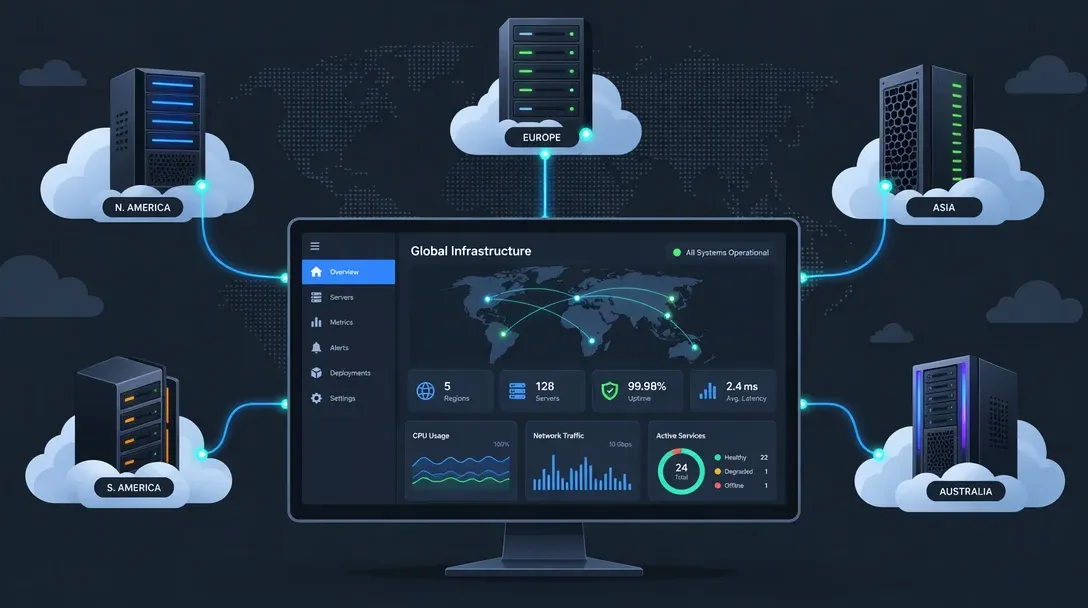
Most self-hosted panels fall into two camps: PaaS-style deployers like Coolify and Dokploy that take over application hosting on the box, or Docker UIs like Portainer focused on inspecting containers per host. ServerOS (serveroshq/panel) aims at a different workflow: managing the Linux servers you already rent across providers from one central web dashboard. Connect an existing VPS with an enrollment command, and it joins your fleet for deploys, uptime checks, backups, and maintenance.
Built with Laravel/PHP and released under AGPL-3.0, ServerOS quickly passed 600 GitHub stars after launch. Its standout hook is a built-in Model Context Protocol (MCP) server that lets AI coding assistants query servers and run operations through the same permission-checked API the web UI uses.
How it works
The control panel itself runs as a centralized web app. Each managed Linux box runs serverosd, an open-source daemon (also AGPL-3.0) that opens an outbound connection back to the panel over port 8443. Because traffic initiates from the managed machine to the panel, nodes behind carrier-grade NAT or locked-down firewalls do not need extra inbound ports opened on the VPS firewall.
Once a machine enrolls, the panel gives you:
- Machines inventory showing CPU, memory, disk utilization, and pending OS package updates across hosts.
- Git deploys and staging clones supporting template or custom build paths with automatic domains and HTTPS certificates, plus one-click clones of a service to a separate test environment.
- Backups, monitors, and aggregated logs combining scheduled backups, HTTP uptime checks with alerts, per-service public status pages, and unified log views.
- Workflows chaining multi-step actions (such as deploy, health check, and promote) on a schedule, Git push, or manual trigger.
- Team controls with role assignments, two-factor authentication, and a central activity log.
- API and MCP server exposing fleet actions cleanly to scripts and external AI tools.
Rather than acting as a container-only dashboard like Portainer or replacing your host networking setup wholesale, ServerOS sits beside whatever workloads are already running on your Linux nodes.
Self-hosting the panel
Requirements are modest but opinionated: a Linux server with Docker, ports 80, 443, and 8443 open, and a domain with two A records: one for panel.example.com and a wildcard *.panel.example.com (workspaces live on subdomains).
The install is one script:
curl -fsSL https://raw.githubusercontent.com/serveroshq/panel/main/docker/self-hosted/install.sh \
  | sudo bash -s -- --domain=panel.example.com [email protected]
It installs Docker if needed, pulls the official image (ghcr.io/serveroshq/panel), and prints a setup code. Open https://panel.example.com, enter the code, and the installer walks you through email and your first account. If you lose the code: serveros-panel setup-code shows it again.
Read before curl | bash
Yes, it is a curl-piped-to-bash installer, so the usual hygiene applies (read the script first; it is short). And the wildcard DNS record is not optional. If your DNS provider charges extra for wildcard records or you plan to run the panel on an isolated network, plan the domain before running the installer, not after.
Connecting a server
In the panel UI, go to Machines > Connect machine to generate an enrollment command for each target VPS. Running it installs serverosd, which initiates an outbound connection back to port 8443 and reports CPU, memory, disk, and pending package updates within a few seconds.
That outbound daemon model is practical for mixed fleets. You avoid opening extra SSH or management ports on firewalls across providers, avoid managing SSH key rotation everywhere, and keep existing services untouched on boxes already doing real work.
Key features in detail

Deploys and staging clones center on Git repositories: attach a repo, pick a template or build configuration, and let ServerOS handle domain routing and TLS certificates. Cloning an existing service straight into a temporary test environment is especially handy before rolling changes to production.
Workflows act like cron combined with conditional deployment steps, letting you automate deploy, health-check, and promotion chains across nodes without standing up a separate CI runner.
Monitors and status pages handle straightforward HTTP uptime alerts alongside public per-service status pages. It will not replace Prometheus or Grafana (we covered broader panel tooling in best self-hosted panels), yet it answers whether a service is up without needing a second stack.
The MCP server wraps the panel’s API as Model Context Protocol tools, allowing an AI coding client to inspect nodes, check service state, kick off backups, or pull logs using the same role permissions as a human user. Keeping every agent command logged under the panel’s activity stream is far safer than handing an assistant a raw SSH key.
Editions and licensing: the honest read
| Edition | What’s in it | License |
|---|---|---|
Community (serveroshq/panel repo) |
Full open-source panel | AGPL-3.0 (free) |
| Official image | Core panel + panel-ee module (locked until license key) |
AGPL-3.0 + EE terms |
serveros.com hosted |
Managed panel + support (plans from £5/£12 mo) | Hosted SaaS |
Without an enterprise key, ghcr.io/serveroshq/panel runs the complete AGPL community edition with no artificial machine lockouts inside your self-hosted control plane. Buying a license activates panel-ee features aimed at teams (SSO, SCIM directory sync, custom roles, and custom domains), while hosted tiers on serveros.com start around £5/month for a single machine and £12/month for multi-machine workflows and status pages. Under AGPL-3.0, self-hosters running it internally pay nothing, while providers modifying the code to resell a SaaS panel must publish source changes.
How it compares
| Panel | Model | License | Best for |
|---|---|---|---|
| ServerOS | Daemon per server, centralized panel | AGPL-3.0 (+EE) | Fleets of existing VPSes, MCP ops |
| Coolify | PaaS on the host | Apache-2.0 | Heroku-style app deploys |
| Dokploy | PaaS on the host | Apache-2.0 | Compose-based deploys, Traefik built-in |
| CloudPanel | Host-level web panel | Free | PHP/Node sites on one box |
| Portainer | Docker manager | CE/BE | Container ops per host |
There is clear overlap with Coolify and Dokploy, though they solve slightly different problems. Coolify and Dokploy shine when deploying apps and compose stacks onto clean nodes; ServerOS leans toward operators managing five or ten existing VPSes across Hetzner, DigitalOcean, or AWS who want one place for OS health, workflows, status pages, and API/MCP operations. For pure app shipping, check our Coolify vs Dokploy vs Kamal comparison.
FAQ
Is ServerOS production-ready?
ServerOS launched in November 2026 with strong initial commit velocity and a solid AGPL core, though any multi-server control plane this young belongs in staging or on non-critical nodes first while release cadence stabilizes.
Does the daemon need root? What can it see?
Yes, serverosd runs with host-level privileges required to manage packages, services, and deployments. Even with outbound connectivity protecting your firewall rules, treat access to the ServerOS panel as privileged access across connected boxes and lock down 2FA and user roles accordingly.
Self-hosted vs serveros.com hosted: which should I pick?
Run the self-hosted container when you want control inside your own infrastructure and can point a wildcard DNS record at the panel. Use serveros.com hosted if you prefer not to maintain another control-plane VM yourself.
ServerOS vs CloudPanel for PHP sites?
CloudPanel is purpose-built for single-host PHP and Node vhosts with quick Nginx tuning and Let’s Encrypt; see our CloudPanel guides for that workflow. ServerOS makes more sense once you are tracking multiple servers, backups, and deploys across nodes.
What does the MCP server actually expose?
It exposes the panel API as MCP tools for checking machine status, managing services, running backups, and inspecting logs inside the same role and permission boundary as web users, recording every assistant call in the audit log.
Verdict
ServerOS is a compelling option to test in a lab if you already juggle multiple VPS instances across providers and want unified OS visibility, Git deploys, workflows, and audited MCP automation in one open-source package. Because the project is still brand new, keep it on replaceable or staging servers for a couple of release cycles before wiring it into your primary production fleet.
Compare self-hosted panelsRelated articles
- Best self-hosted panels (the wider field compared)
- Coolify vs Dokploy vs Kamal 2 (PaaS-style alternatives)
- Dokploy install guide (self-hosted PaaS setup)
- Portainer alternatives (for container management)
- Easypanel review (another modern panel option)
Related Posts


Did this guide work for you?

Written by Dragos
Dragos is the author of Bitdoze — practical DevOps, programming, and self-hosting guides.
More guides from Dragos →Need help with Astro, VPS, or a self-hosted app? View services →