Build an Astro Blog Theme from Scratch with AI (2026)
Learn how to build an Astro blog theme from scratch with Tailwind CSS 4 and an AI coding IDE (Devin Desktop, formerly Windsurf). For Astro 7 in 2026.
 Dragos28 min read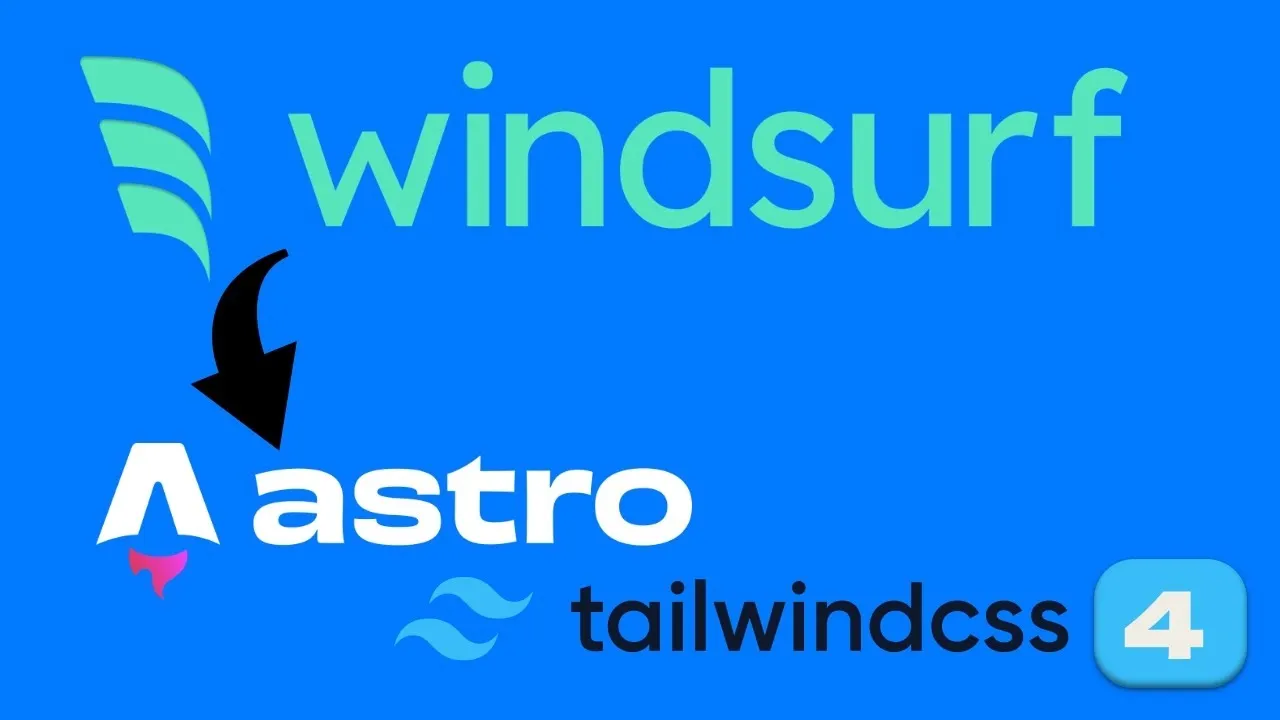
I originally built this Astro blog theme in March 2025 using WindSurf AI and Astro 5.4. The goal was simple: build an Astro blog theme from scratch (responsive, fast, with dark mode, search, pagination) and let an AI coding IDE handle the scaffolding. It worked well enough that I published the theme as an open-source repo. This article is the updated version, rewritten for Astro 7 and Tailwind CSS 4.3. The scaffolding workflow hasn’t changed much, but the tools have.
2026 Update
This article was originally published in March 2025 using WindSurf AI and Astro 5.4. WindSurf has since been rebranded to Devin Desktop (acquired by Cognition in July 2025), and the setup below is fully updated for Astro 7 and Tailwind CSS 4.3. The Astro blog-theme scaffolding workflow remains the same; the AI tool landscape has changed significantly.
What is Devin Desktop (formerly Windsurf)?
Devin Desktop is an AI-powered IDE that lets you describe what you want in plain language and generates the code. It started as Codeium, rebranded to Windsurf in April 2025, and shipped as Devin Desktop in June 2026 after Cognition acquired the product. I used it (under the Windsurf name at the time) to scaffold this entire blog theme by chatting with it: header, footer, pagination, dark mode, search, and a dozen other components.
The AI coding IDE market has shifted a lot since 2025. Cursor, Claude Code, GitHub Copilot agents, and several others are all viable options now. Any of them can replicate the workflow I describe below. If you’re choosing between them, check the best AI coding tools and agents in 2026 for a comparison.
Try Devin DesktopFrom Windsurf to Devin Desktop: what changed in 2026
- April 2025: Codeium officially rebranded to Windsurf.
- July 2025: Cognition acquired Windsurf’s IP, product, and ~210 employees for ~$250M (after an OpenAI $3B offer expired and Google signed a $2.4B reverse-acquihire of key executives).
- June 2, 2026: Cognition shipped Windsurf as “Devin Desktop” via an over-the-air update. Settings, extensions, and keybindings carried over automatically.
- July 1, 2026: The Cascade agent (the old AI backend) was EOL’d and replaced by Devin Local, a Rust rewrite that adds parallel subagents.
- Default model is now SWE-1.6 on paid plans (free on Pro and above). The free tier has limited model availability. Frontier models from Anthropic, OpenAI, and Google are available on paid plans.
Prerequisites
Before you start, make sure you have:
- Node.js 22.12.0+ (Astro 7 requires Node 22+)
- npm or pnpm
- A code editor (VS Code, Devin Desktop, Cursor, any will work)
- Git installed
- Optional: Devin Desktop or another AI coding IDE for the AI-assisted workflow
- Optional: Cloudflare account for deployment
Check your Node version:
node --version
# Should output v22.12.0 or higher
If you need to install or upgrade Node, see how to install Node.js using NVM.
Initial setup: scaffold your Astro blog theme
These are the core scaffolding steps. I originally ran them manually, then handed the project to the AI IDE for component building. Every command below runs from a standard terminal. The AI coding IDE accelerates the process by scaffolding components and layouts via chat, but the setup itself is manual.
AI IDE Optional
Every command below runs from a standard terminal. The AI coding IDE (Devin Desktop, Cursor, Claude Code, etc.) accelerates the process by scaffolding components and layouts via chat, but the setup itself is manual.
Step 1: Install Astro 7
Create a new Astro project using the official CLI:
npm create astro@latestPrompts:
- Directory:
.(current folder) - Template: A basic, minimal starter
- Dependencies: Yes
- Git: Yes
This gives you a clean Astro setup with a dev server and Git initialized. Astro 7 also adds astro dev --background for headless dev-server sessions, useful if you’re running an AI agent that needs to check the server status without blocking a terminal.
Verify: Run npm run dev and open http://localhost:4321. You should see the Astro welcome page.
Step 2: Add Tailwind CSS 4
Integrate Tailwind CSS for styling:
npx astro add tailwindThis installs @tailwindcss/vite and tailwindcss (currently ~4.3.x), creates ./src/styles/global.css, and updates astro.config.mjs to include the Tailwind Vite plugin. Import the stylesheet in your layout file (src/layouts/Layout.astro) to apply styles globally.
Known build error
The astro add tailwind command may fail with a rolldown-vite error (Missing field 'tsconfigPaths'). If you hit this, switch to the PostCSS integration instead:
npm uninstall @tailwindcss/vite
npm install @tailwindcss/postcss
Then create postcss.config.mjs:
// postcss.config.mjs
export default { plugins: { "@tailwindcss/postcss": {} } };
Remove @tailwindcss/vite from the vite.plugins array in astro.config.mjs. This may be fixed in the latest Astro 7 patch. Test before assuming you need the workaround.
Verify: Run npm run dev again. Add a Tailwind utility class (like class="text-blue-500") to any page element and confirm it renders with the correct color.
Step 3: Typography, MDX, and Astro icons
Install the remaining dependencies in one pass:
npm install -D @tailwindcss/typography
npx astro add mdx
npx astro add astro-icon
npm install @iconify-json/mdi@tailwindcss/typography: styles Markdown/MDX prose content without manual CSS.@astrojs/mdx: enables mixing Markdown and JSX in content files.astro-icon+@iconify-json/mdi: lightweight icons from the Material Design Icons set.
In your src/styles/global.css, use the Tailwind 4 CSS-first config pattern:
@import "tailwindcss";
@plugin "@tailwindcss/typography";
/* theme tokens via @theme { --color-...: ...; } */
If you need richer content management than file-based MDX, there are good headless CMS options for Astro that pair well with this setup.
Verify your setup
Run through this checklist before moving on:
npm run devserves onhttp://localhost:4321npm run buildexits cleanly,dist/folder is created- Tailwind utility classes render (check any element with a color or spacing class)
- MDX content renders (create a test
.mdxfile insrc/content/and confirm it builds) - Astro Icons load (add an
<Icon name="mdi:home" />component and confirm it renders)
If you’re using the published theme repo, it also includes npm run verify which runs type-checking and a production build.
Building the blog theme with an AI coding IDE
Once the base Astro project was set up, I opened the AI IDE and started chatting. My goal: a blog theme with a header, footer, pagination, categories, tags, dark/light mode, search, and more, all using Tailwind CSS 4 and Astro 7.
The original video walkthrough for this section is no longer available. For a visual guide on adding media to your Astro blog, see how to embed YouTube videos on your Astro blog.
Chatting my way to a blog theme
Here’s how the prompt workflow went:
- First prompt: “Build a blog with Astro and Tailwind CSS 4. Use theme variables and Tailwind.” The AI analyzed my project and began scaffolding.
- Global CSS: I asked it to define custom colors and fonts in
src/styles/global.css. It created a flexible theme setup using Tailwind 4’s@themedirective. - Features: I requested a dark/light mode toggle, pagination, and a responsive menu. It updated layouts and components on the fly.
Tip on batching prompts: I’d ask for 3-4 features at once (e.g., “Add header, footer, and pagination”). This minimizes quota usage while maximizing output. Under the current quota system, failed operations don’t consume quota, so there’s less penalty for ambitious prompts.
Key features: search, dark mode, pagination and SEO
The AI IDE delivered a theme with all the standard components:
- A clean, responsive header with a mobile hamburger menu.
- Pages for authors, categories, tags, and series (tutorials) with pagination.
- Breadcrumbs, table of contents, related posts (tag-based), and social sharing.
- Client-side search (see the next section for details).
- Accordions, tabs, buttons, and notification boxes for richer content.
- Optimized meta components, Open Graph tags, and structured data.
- A contact form that works with no backend required. You can add a contact form to your Astro blog with zero server-side code.
If you outgrow file-based MDX content, a headless CMS is the natural next step. See headless CMS options for Astro for a comparison.
Client-side search: Fuse.js or Pagefind
The original theme uses Fuse.js for client-side search: no React, no server, just Astro and a JSON index. It works well for small-to-medium blogs. But Pagefind has emerged as a strong alternative with a build-time index and zero client-side JS for the search infrastructure.
Current approach in the theme. Install and use:
npm install fuse.jsCreate a search component that loads a JSON index of your content and runs fuzzy matching client-side. Works without any framework dependencies — pure Astro.
Best for: Small-to-medium blogs (< 500 posts) where simplicity matters more than search index size.
Build-time indexing with zero runtime JS for the index itself:
npx pagefind --site distThere’s also an Astro integration (@stanniel/astro-pagefind / astro-pagefind) that hooks into the build pipeline automatically.
Best for: Larger blogs or sites where you don’t want to ship a client-side search index at all.
Fuse.js works great for small-to-medium blogs; Pagefind scales better and ships zero client-side JS for the search index.
Astro 7 and Tailwind CSS 4: what’s new in 2026
If you’re upgrading from the original theme (Astro 5.4 / Tailwind 4.0) or coming from an older Astro project, this section covers the important changes.
Astro 7 build speed and the Rust compiler
Astro 7 (June 2026) is a significant release:
- Vite 8 / Rolldown: The bundler is 10-30x faster than the Vite 6 that shipped with Astro 5.
- Rust
.astrocompiler: Now the default. Faster template compilation. However, it’s “as-is” — unclosed tags and unterminated attributes now error instead of being silently fixed. JSX whitespace rules also apply: newlines between inline elements collapse. - Sätteri Markdown/MDX pipeline: GFM tables, footnotes, strikethrough, smart punctuation, heading IDs, and more are now built-in. No remark/rehype plugins needed for standard features.
- Queued Rendering: ~2.4x faster page rendering by default.
astro dev --background: Start the dev server headless and query it via JSON logging — great for AI-agent workflows.
The result: builds are 15-61% faster depending on site size. See Astro 7’s faster builds for benchmarks on a 743-page site. If you want to go further, there’s a detailed guide on how to speed up your Astro build.
Troubleshooting common upgrade issues
astro add tailwind build error
The astro add tailwind command may install @tailwindcss/vite which can fail with Missing field 'tsconfigPaths' on Rolldown-based builds (GitHub issue #16542).
Fix: Switch to the PostCSS integration:
npm uninstall @tailwindcss/vite
npm install @tailwindcss/postcss
Create postcss.config.mjs:
export default { plugins: { "@tailwindcss/postcss": {} } };Remove @tailwindcss/vite from the vite.plugins array in astro.config.mjs.
Unexpected whitespace after upgrading
Astro 7’s Rust compiler enforces JSX-style whitespace rules. If you see text elements running together (e.g., <span>Hello</span><span>World</span> renders as “HelloWorld” instead of “Hello World”), add explicit spaces or use CSS gap on flex containers.
This is a behavior change, not a bug. The old compiler silently corrected this; the new one doesn’t.
Remark/rehype plugins not working
Astro 7’s Sätteri Markdown pipeline replaces the old unified-based pipeline by default. If your theme relied on custom remark or rehype plugins, they may need the @astrojs/markdown-remark unified fallback. Check your astro.config.mjs for markdown: configuration and consult the Astro 7 migration guide.
Pricing and quotas: a 2026 update
The pricing model I described in the original article no longer exists.
Pricing has changed
The Pro plan is now $20/month (up from $15) with a quota-based system instead of monthly credit pools. The “77 prompt credits in 8 hours” anecdote from the original article is no longer applicable — it described a system that was retired in April 2025.
Current tiers (as of August 2026):
- Free ($0): Light daily/weekly quota, unlimited Tab/autocomplete.
- Pro ($20/mo): Standard quota with daily + weekly refresh.
- Max ($200/mo): Higher quotas for heavy users.
- Teams ($40/user/mo): Team management and shared settings.
- Enterprise: Custom pricing.
Key differences from the old system:
- Usage is quota-based (daily + weekly refresh), not a monthly credit pool.
- Tab/autocomplete is unlimited on all plans.
- Failed operations don’t consume quota.
- Frontier models from Anthropic, OpenAI, and Google consume quota faster than the native SWE-1.x models. Use SWE-1.6 for cost predictability.
The price gap vs Cursor that the original article highlighted is gone. Both are $20/mo for the base paid plan now. Choose based on workflow preference, not price.
Check current Devin Desktop pricingThe result: a public Astro blog theme
In 3 days of work (spread across a week), I built the Bit Doze Astro Theme — a public, MIT-licensed repository with:
- Responsive design using Tailwind CSS 4
- Dark/light mode toggle
- Fast load times (Astro 7 + Cloudflare Pages hosting)
- Client-side search, pagination, categories, tags, series
- Breadcrumbs, table of contents, related posts, social sharing
- Demo content for easy setup
It’s not 100% perfect — some code could be cleaner, and I’d approach a few components differently now. But it’s a solid starting point that’s actively maintained (28 stars, 52 forks, last push June 2026).
Bit Doze Theme on GitHubThe demo is hosted on Cloudflare Pages. To deploy your Astro blog to Cloudflare, follow the step-by-step guide.
Performance: near-perfect PageSpeed scores
Astro’s static output + image optimization + Tailwind’s efficient CSS means the theme scores near-perfect on Google PageSpeed. Astro 7 is faster than 5.4 was — builds are quicker, rendering is quicker, and the output is still pure static HTML/CSS with minimal JS. If you want to push further, see how to speed up your Astro build.
New Astro features worth exploring
Astro 6 and 7 introduced capabilities that this theme could take advantage of:
- Fonts API (
astro:fonts): Self-host fonts, generate fallbacks, and preload critical fonts — all from the Astro config. Directly relevant for a blog theme. - CSP API (
security: { csp: true }): One-flag Content Security Policy headers. A “boring reliability” win for any self-hosted blog. - Live Content Collections: Dynamic content that updates without rebuilds. Only relevant if you move off pure-static, but worth knowing about.
- Route caching + CDN providers: Built-in caching headers for CDN-friendly deployments.
Get started yourself
Here’s the short version:
- Install Astro and dependencies — follow the Initial Setup section above.
- Pick an AI coding IDE — Devin Desktop, Cursor, Claude Code, or the best AI coding tools and agents in 2026. Any of them can scaffold components and layouts via chat.
- Chat your way to a custom theme — start with the basics (header, footer, layout), then layer on features (dark mode, search, pagination).
- Deploy — build a free Astro blog on Cloudflare or deploy your Astro blog to Cloudflare for production.
The theme repo has a full README with setup instructions, and the demo content makes it easy to see how everything fits together. Fork it, modify it, make it yours.